
Audio Production · Cornutopia Software
SFXEngine
🖥 Windows
1 user reviews · 0% of 1
Our take
Worth a look
A modest discount on a decent game.
Quality0/100
Weak
- 0% positive of 1 reviews
- Small review sample — read with caution
Value100/100
Lowest ever
- Now $14.99 — 25% off $19.99
- Lowest we've recorded: $14.99
Compare prices
Official store Best price
checked
steam, Official store, 25% off, $14.99 Keyshops
No keyshop sources live yet.
Report a wrong price
DLC(28)
 SFXEngine Bolt-on: Amplitude Engines From $6.99-30%
 SFXEngine Bolt-on: Analogue Engines From $6.99-30%
 SFXEngine Bolt-on: Delay Engines From $6.99-30%
 SFXEngine Bolt-on: Distortion Engines From $6.99-30%
 SFXEngine Bolt-on: Filter Engines From $6.99-30%
 SFXEngine Bolt-on: Pan Engines From $6.99-30%
 SFXEngine Bolt-on: Pitch Engines From $6.99-30%
 SFXEngine Bolt-on: Reverb Engines From $6.99-30%
 SFXEngine Bolt-on: Sample Engines From $6.99-30%
 SFXEngine Bolt-on: Special Engines From $6.99-30%
 SFXEngine Engine Pack Analogue VCF From $9.99-50%
 SFXEngine Modulator Pack From $3.99-50%
 SFXEngine Sound Pack: Army From $7.99
 SFXEngine Sound Pack: Blades From $7.99
 SFXEngine Sound Pack: Casino From $7.99
 SFXEngine Sound Pack: Doors From $7.99
 SFXEngine Sound Pack: Explosions From $7.99
 SFXEngine Sound Pack: Fantasy From $7.99
 SFXEngine Sound Pack: Footsteps From $7.99
 SFXEngine Sound Pack: Inside From $7.99
 SFXEngine Sound Pack: Jingles From $7.99
 SFXEngine Sound Pack: Outside From $7.99
 SFXEngine Sound Pack: Pickups From $7.99
 SFXEngine Sound Pack: Puzzle From $7.99
 SFXEngine Sound Pack: Retro From $7.99
 SFXEngine Sound Pack: Strategy From $7.99
 SFXEngine Sound Pack: Vehicles From $7.99
 SFXEngine Sound Pack: Weapons From $7.99
Packs & bundles(1)
About
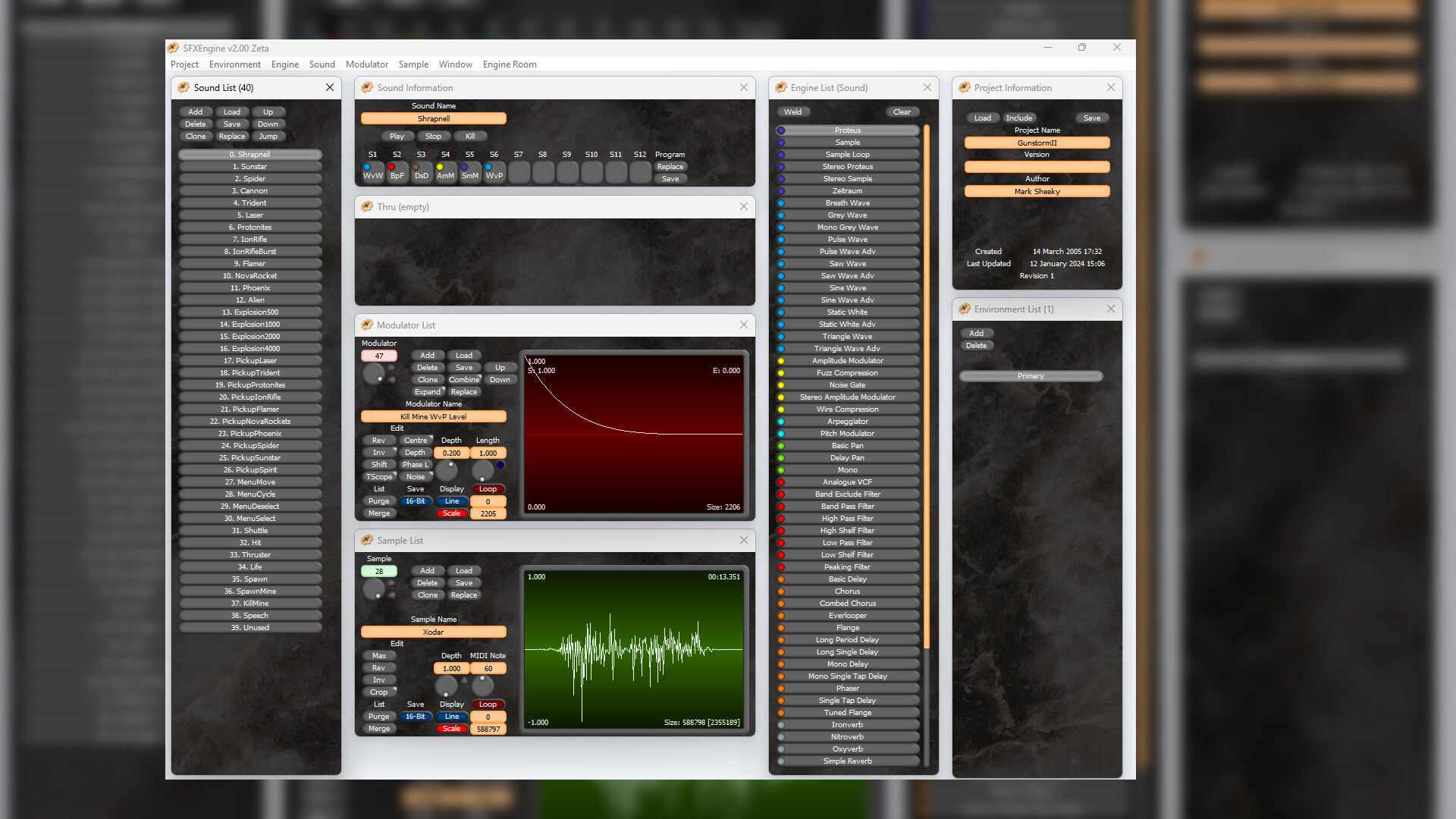
SFXEngine is powerful sound effect creation software for Windows, designed to for the creation of sound effects in a modular way. Using a plug-in based synthesis system, you can use SFXEngine to quickly and easily create any sound, or add audio effects to existing sounds.
SFXEngine is powerful sound creation software for Windows PC's, one of the first software tools designed to for the creation of sound effects in a modular way. Using a plug-in based synthesis system, you can use SFXEngine to quickly and easily create any sound, or add new audio effects to existing sounds.
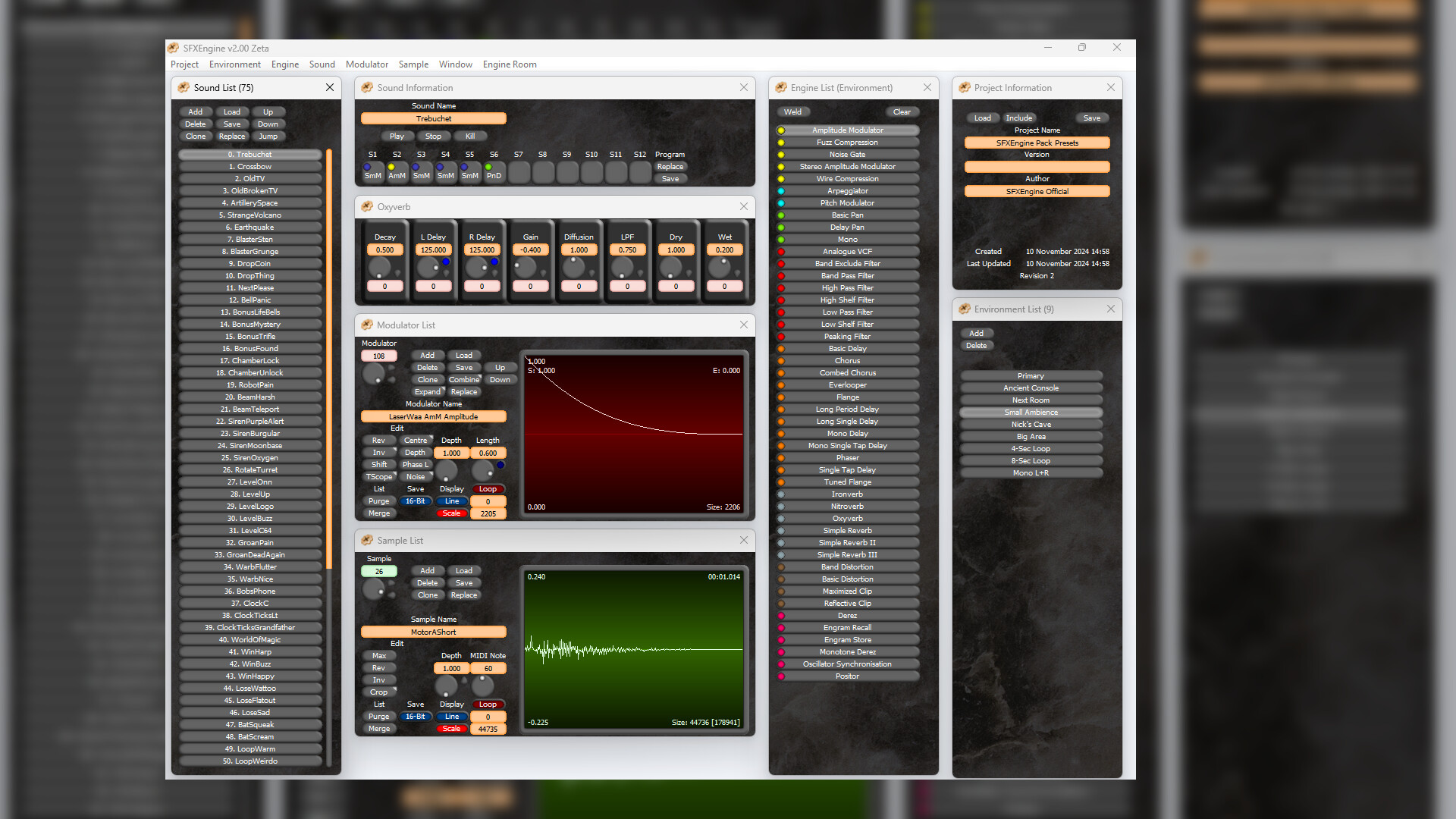
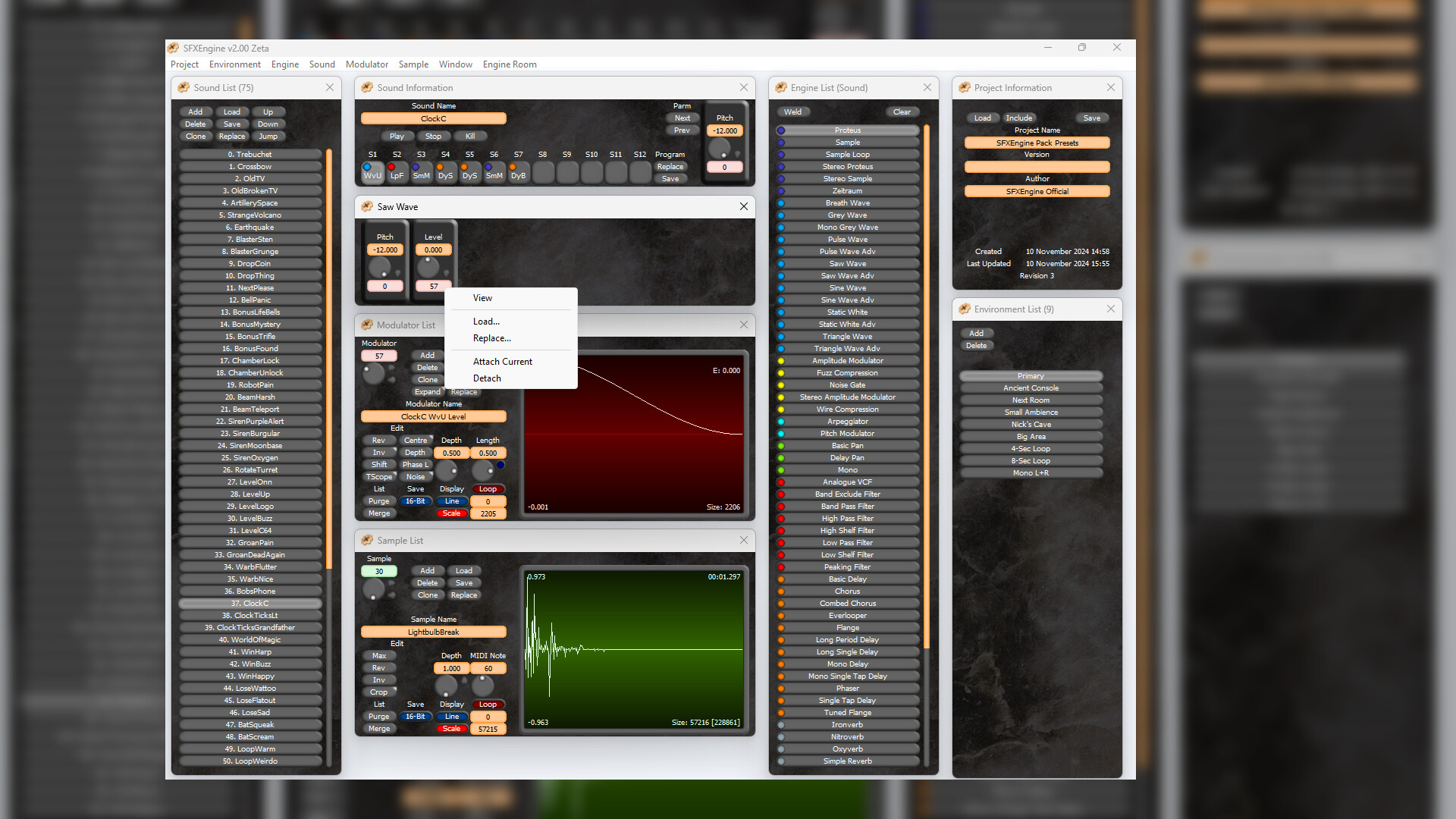
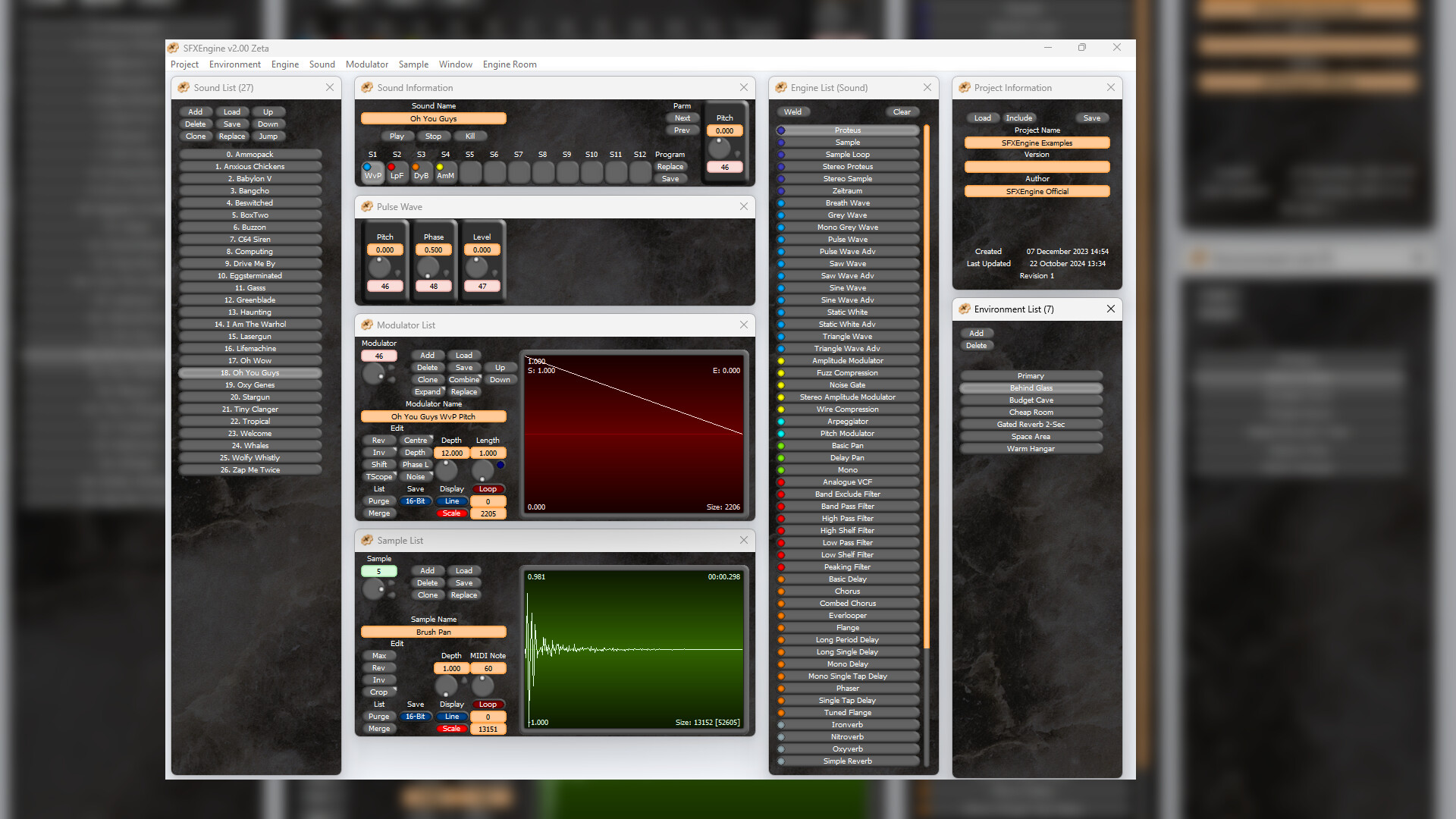
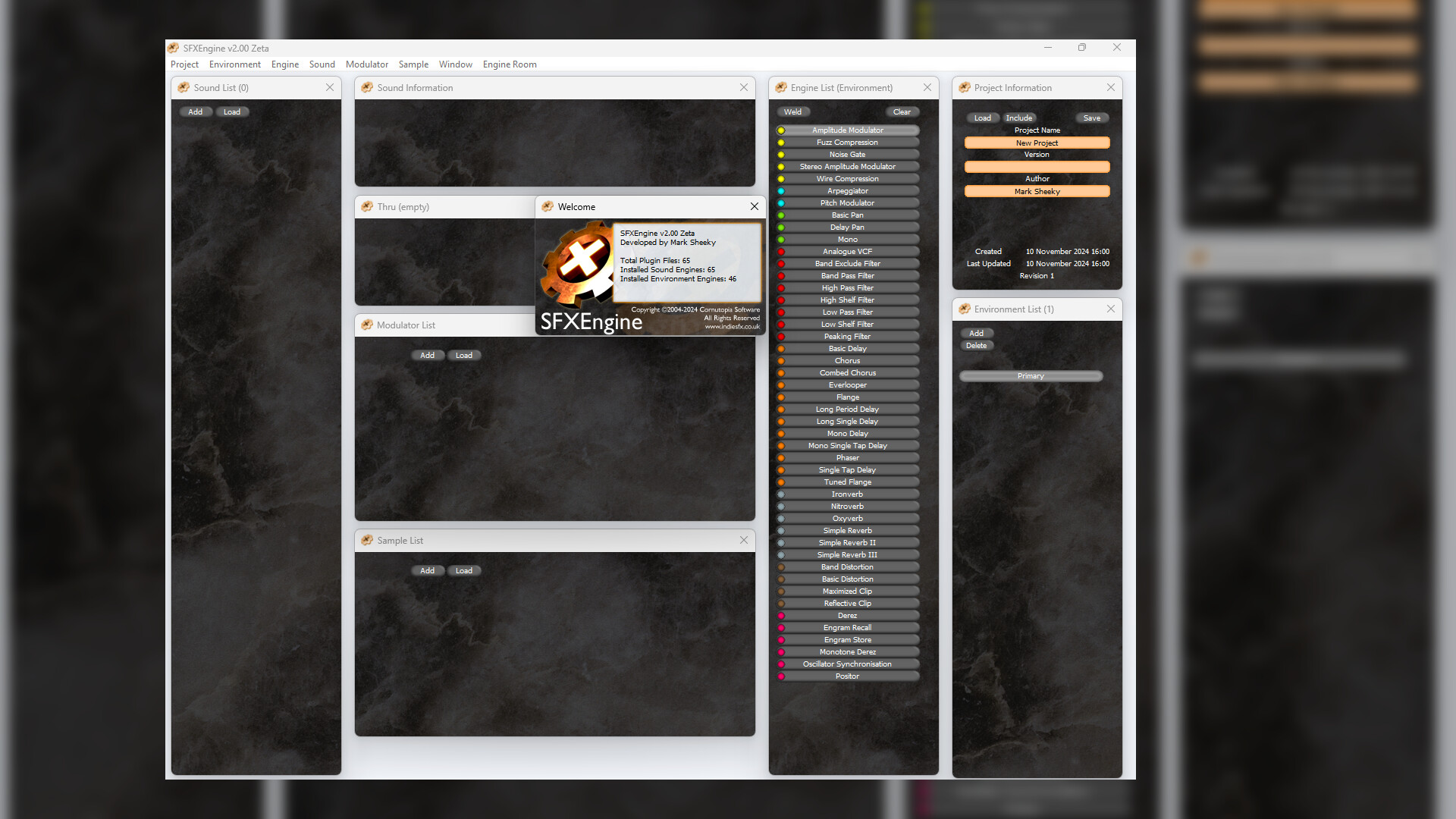
Like filters in graphics programs, the engines in SFXEngine are plug-in files that create or manipulate sound in some way. The Sample engine will play a sample of your choice, and the Simple Reverb engine will add reverb. Up to twelve engines are placed in series to make a program. All of the engines use unique custom algorithms. From Oxyverb and Oscillator Synchronisation, to Band Distortion and Tuned Flange, you won't find these audio effects anywhere else.
SFXEngine ships with 13 basic engines. Extra engines can be added in batches of 'Bolt-on' DLC, allowing you to customise the program for your needs and your budget.
Modulation is power. Every engine in SFXEngine has a number of parameters, the Low Pass Filter engine for example has Cutoff Frequency as a parameter. What makes SFXEngine so powerful is that any parameter can be modulated. Modulators are wav files, so it's easy to import, export, or design your own, as well as use the extensive editing tools in the program.
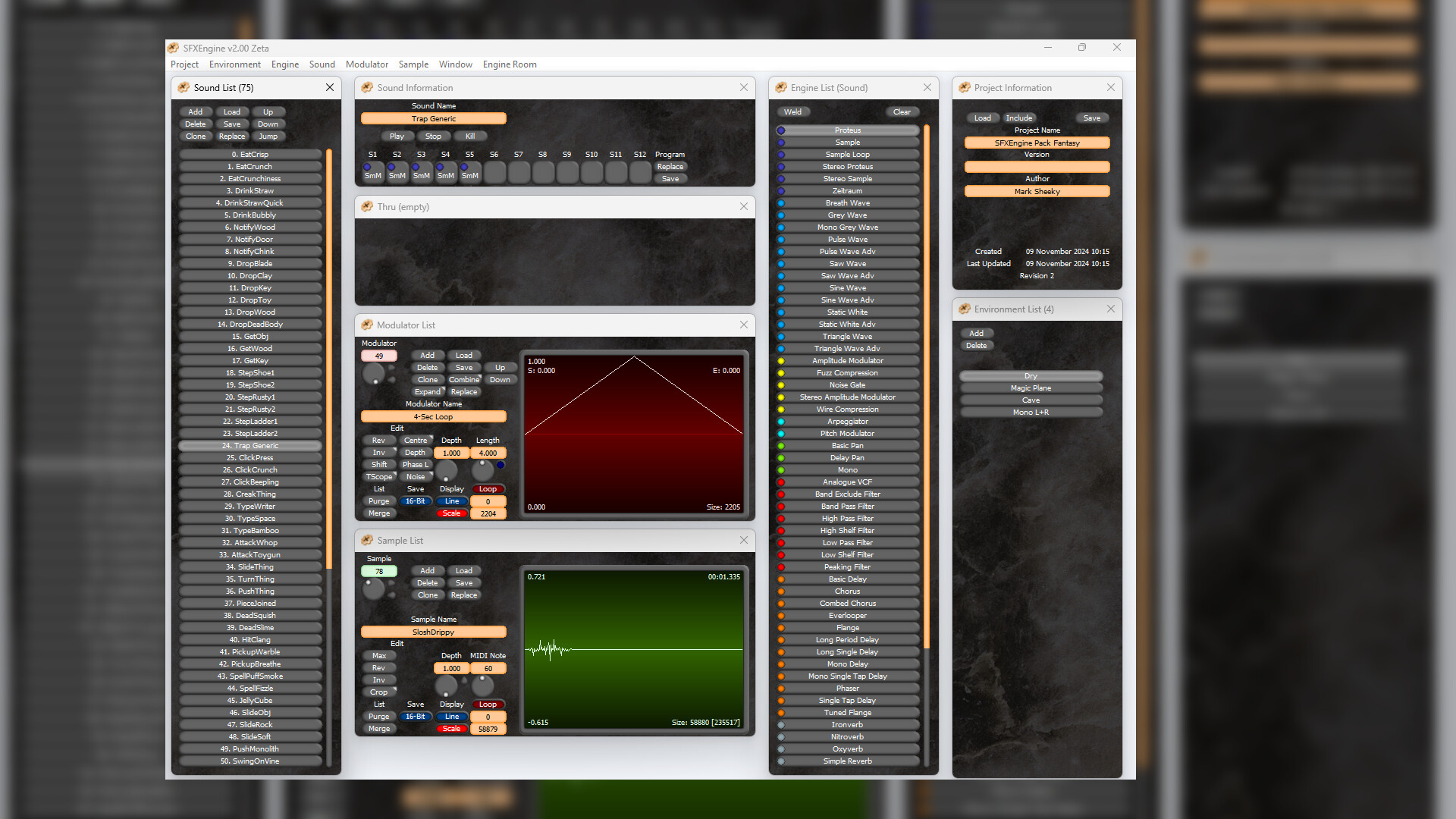
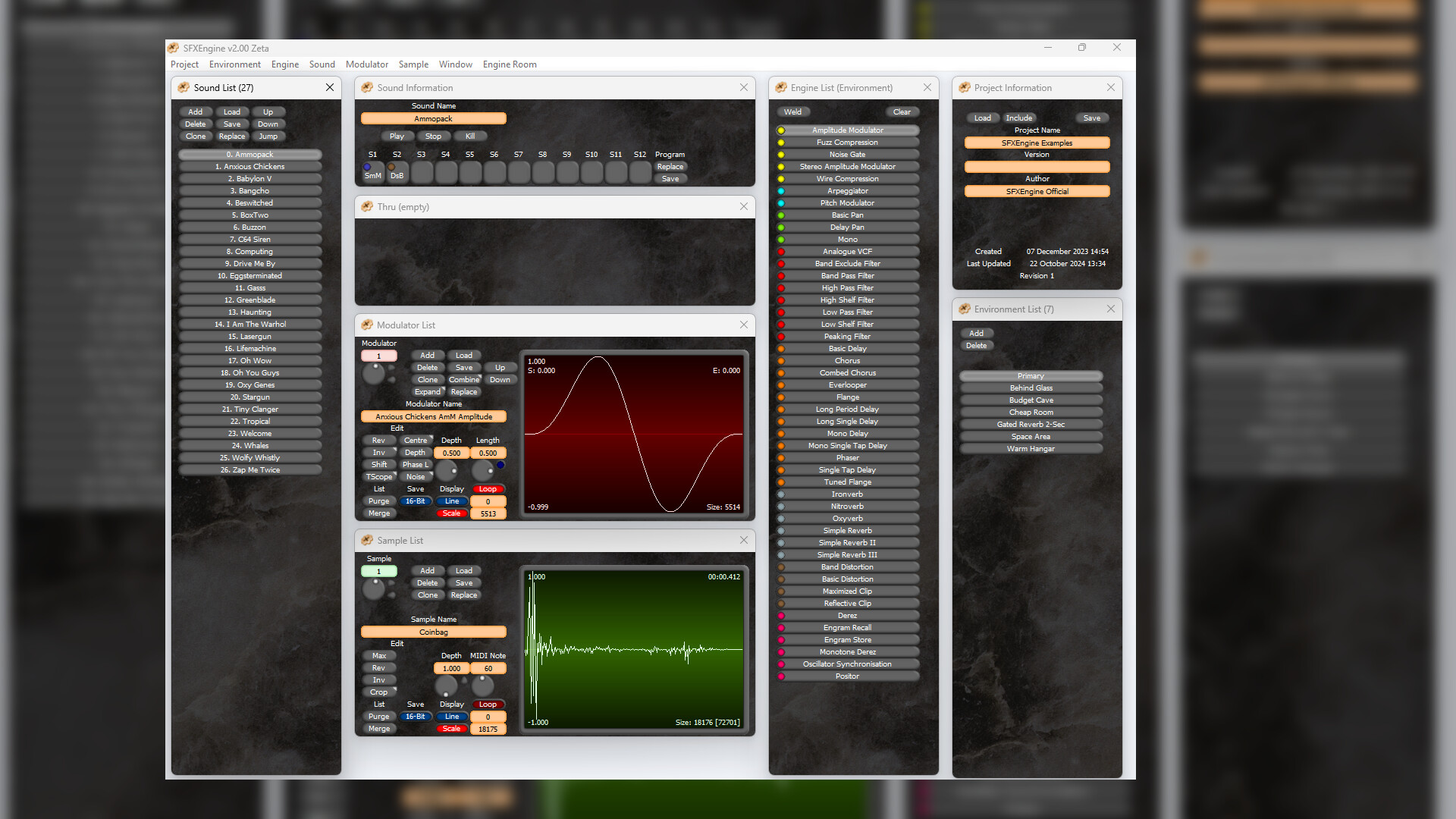
Environments give you another layer of processing. Using another set of engines, you can apply the same audio effects to all of your sounds. You might create a cavern environment, or a tunnel environment. You can add as many Environments as you like to a project, or load and save Environments between projects.
Batch processing is no problem in SFXEngine, and a big part of the program design is library management. When you're ready to save out all of your sounds, the render option will save each one as a wav file. You can specify which Environment to use and whether to save all of your sounds, a range, or just one. You can save stereo or mono files, in any compatible frequency (from 8000hz to 192,000hz or more), in 16-bit dithered, 16-bit undithered, or 32-bit float. Sounds can be automatically trimmed to a level of your choice so there is no need for further editing.
Developed in 2004 and used professionally ever since, SFXEngine has been continually updated and is now exclusively available on Steam.
Like filters in graphics programs, the engines in SFXEngine are plug-in files that create or manipulate sound in some way. The Sample engine will play a sample of your choice, and the Simple Reverb engine will add reverb. Up to twelve engines are placed in series to make a program. All of the engines use unique custom algorithms. From Oxyverb and Oscillator Synchronisation, to Band Distortion and Tuned Flange, you won't find these audio effects anywhere else.
SFXEngine ships with 13 basic engines. Extra engines can be added in batches of 'Bolt-on' DLC, allowing you to customise the program for your needs and your budget.
Modulation is power. Every engine in SFXEngine has a number of parameters, the Low Pass Filter engine for example has Cutoff Frequency as a parameter. What makes SFXEngine so powerful is that any parameter can be modulated. Modulators are wav files, so it's easy to import, export, or design your own, as well as use the extensive editing tools in the program.
Environments give you another layer of processing. Using another set of engines, you can apply the same audio effects to all of your sounds. You might create a cavern environment, or a tunnel environment. You can add as many Environments as you like to a project, or load and save Environments between projects.
Batch processing is no problem in SFXEngine, and a big part of the program design is library management. When you're ready to save out all of your sounds, the render option will save each one as a wav file. You can specify which Environment to use and whether to save all of your sounds, a range, or just one. You can save stereo or mono files, in any compatible frequency (from 8000hz to 192,000hz or more), in 16-bit dithered, 16-bit undithered, or 32-bit float. Sounds can be automatically trimmed to a level of your choice so there is no need for further editing.
Developed in 2004 and used professionally ever since, SFXEngine has been continually updated and is now exclusively available on Steam.
Review sentiment over time
positive critical
No review history yet.
Media
System requirements
Price history
Lowest prices
Game info
Developer Cornutopia Software
Publisher Cornutopia Software
Platforms Windows