Der Produkttext wird auf Englisch angezeigt, da kein Quelltext in dieser Sprache verfügbar ist.
Belle II in Virtual Reality

Why this verdict
Angebote
Preise offizieller Shops und gekennzeichnete Keyshop-Vergleiche
Für dieses Produkt werden noch keine Angebote erfasst.
Report a problem
Price history
Akzeptierter Preisverlauf und erfasste Tiefpreise
No price history recorded yet.
No history yet.
Noch keine Rabattstarts erfasst.
About this game
What this game is, in the developer's words
Interactive subatomic particle physics simulation of the Belle II experiment in virtual reality
There are three variants of the Windows app: for the Oculus Rift, the HTC Vive, and the computer screen. The Mac OSX and Linux apps display on the computer screen.
Please see pages 1-4 of the quick-reference guide for the hand-controller joystick and button mappings for your controller (Xbox controller, Oculus Touch, or Vive) or for your computer's keyboard/mouse.
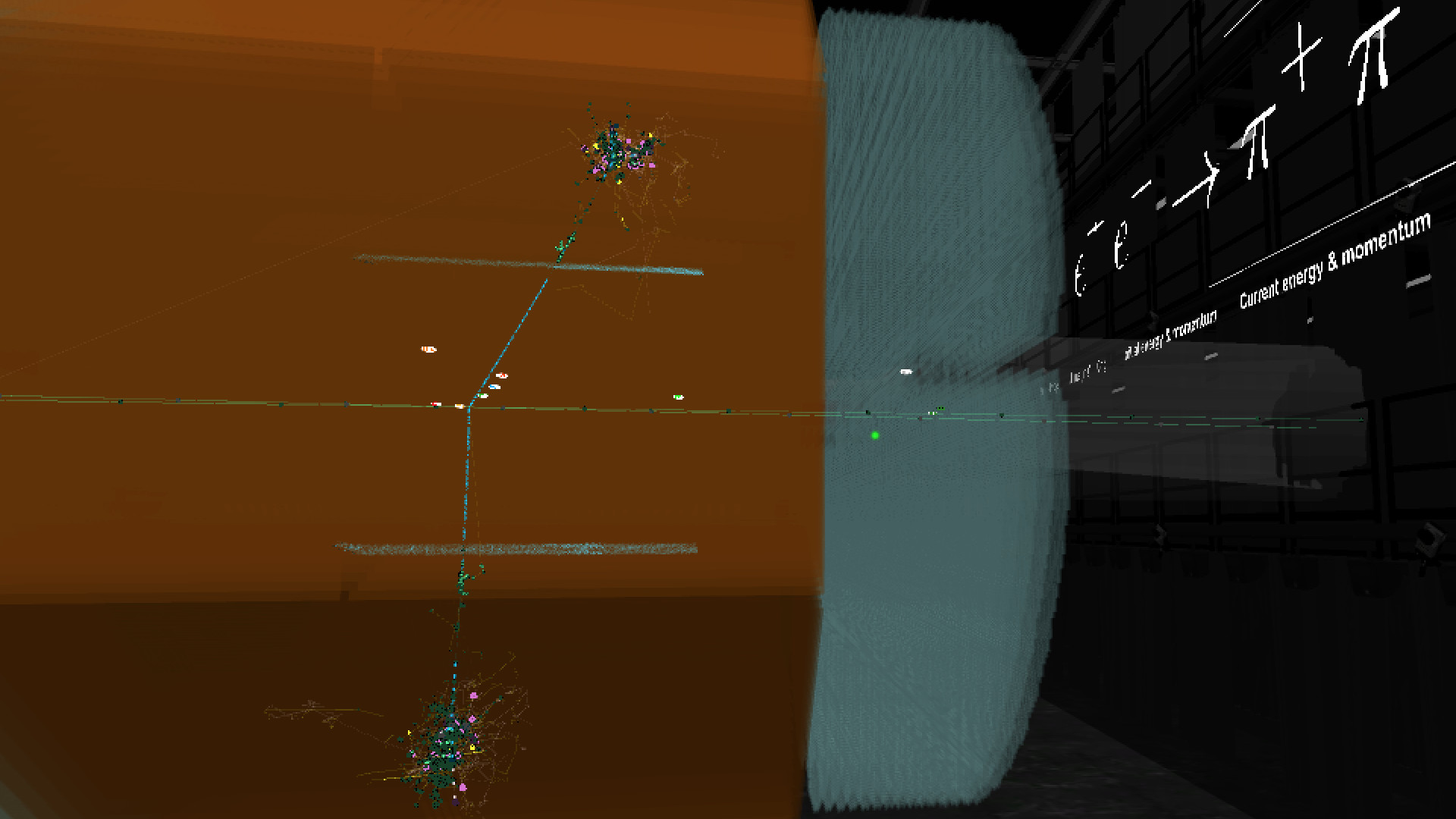
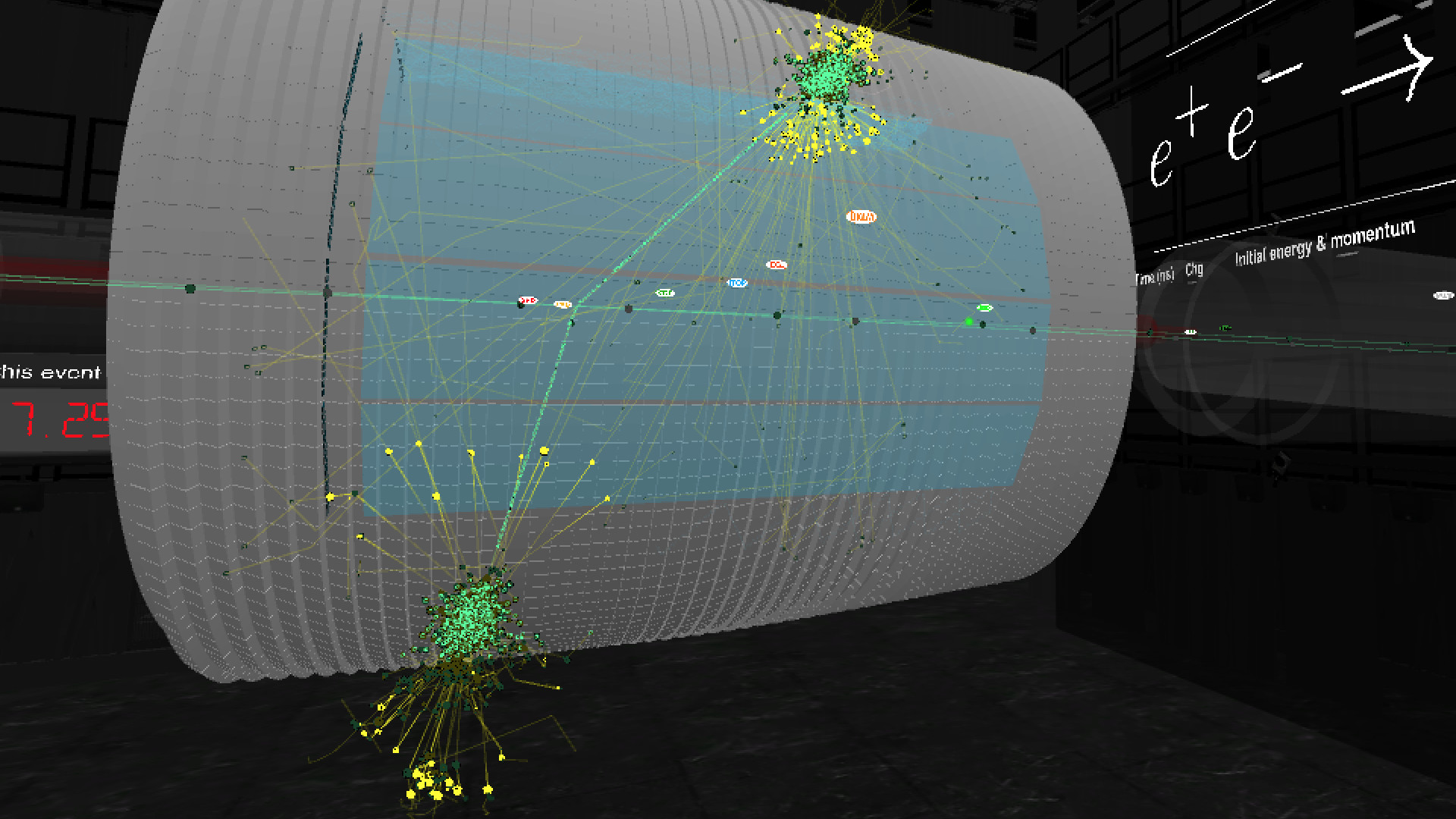
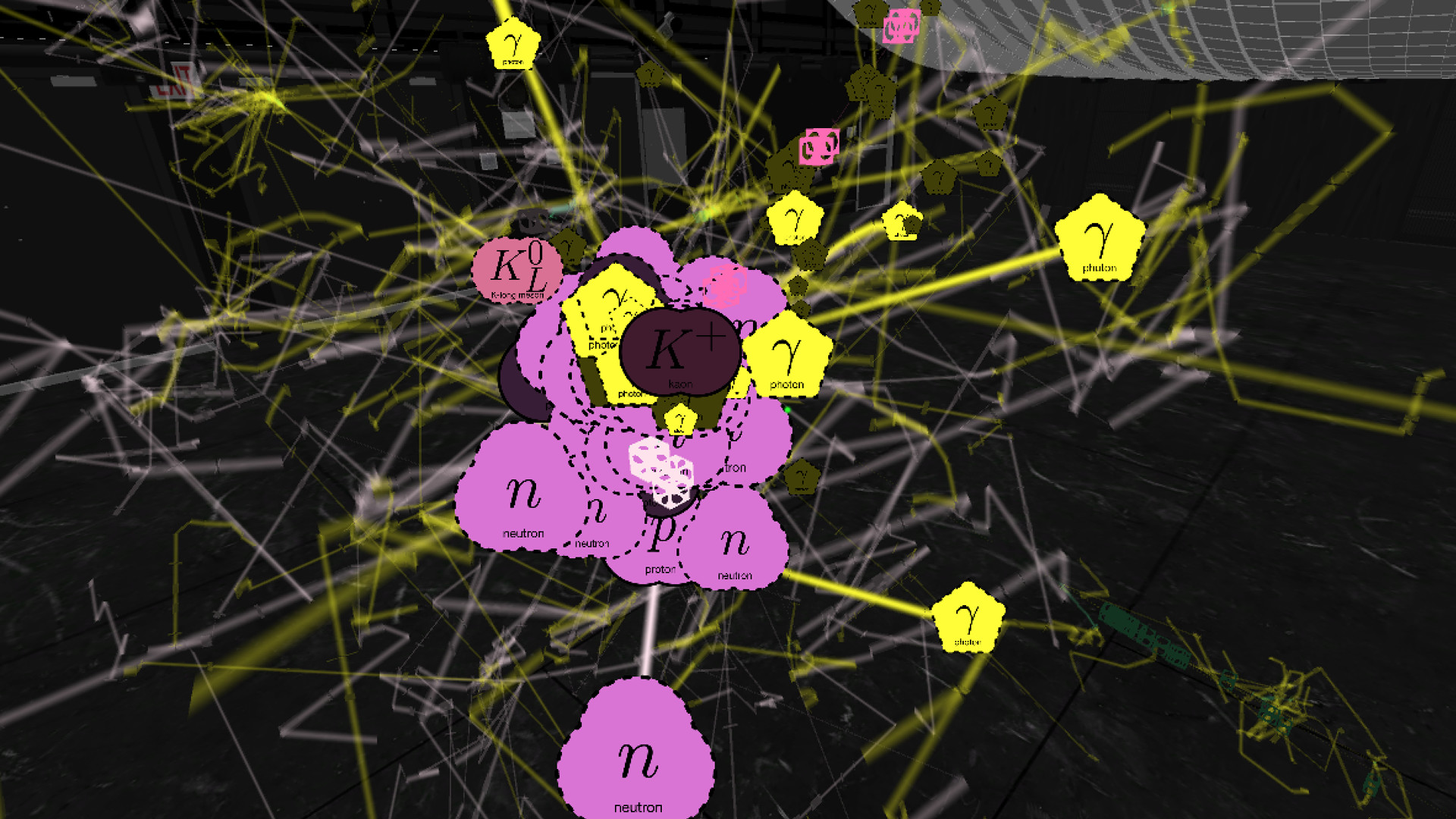
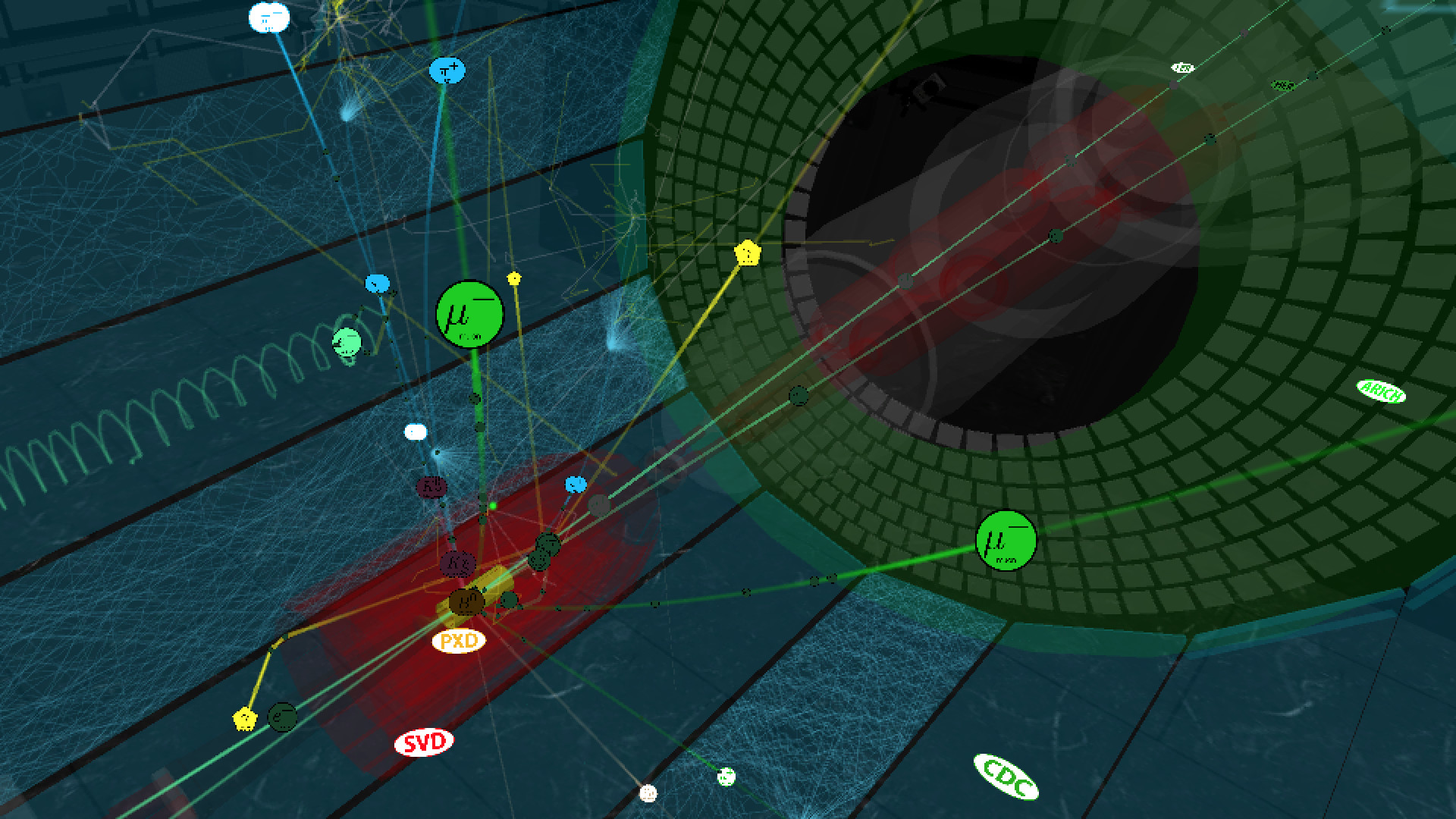
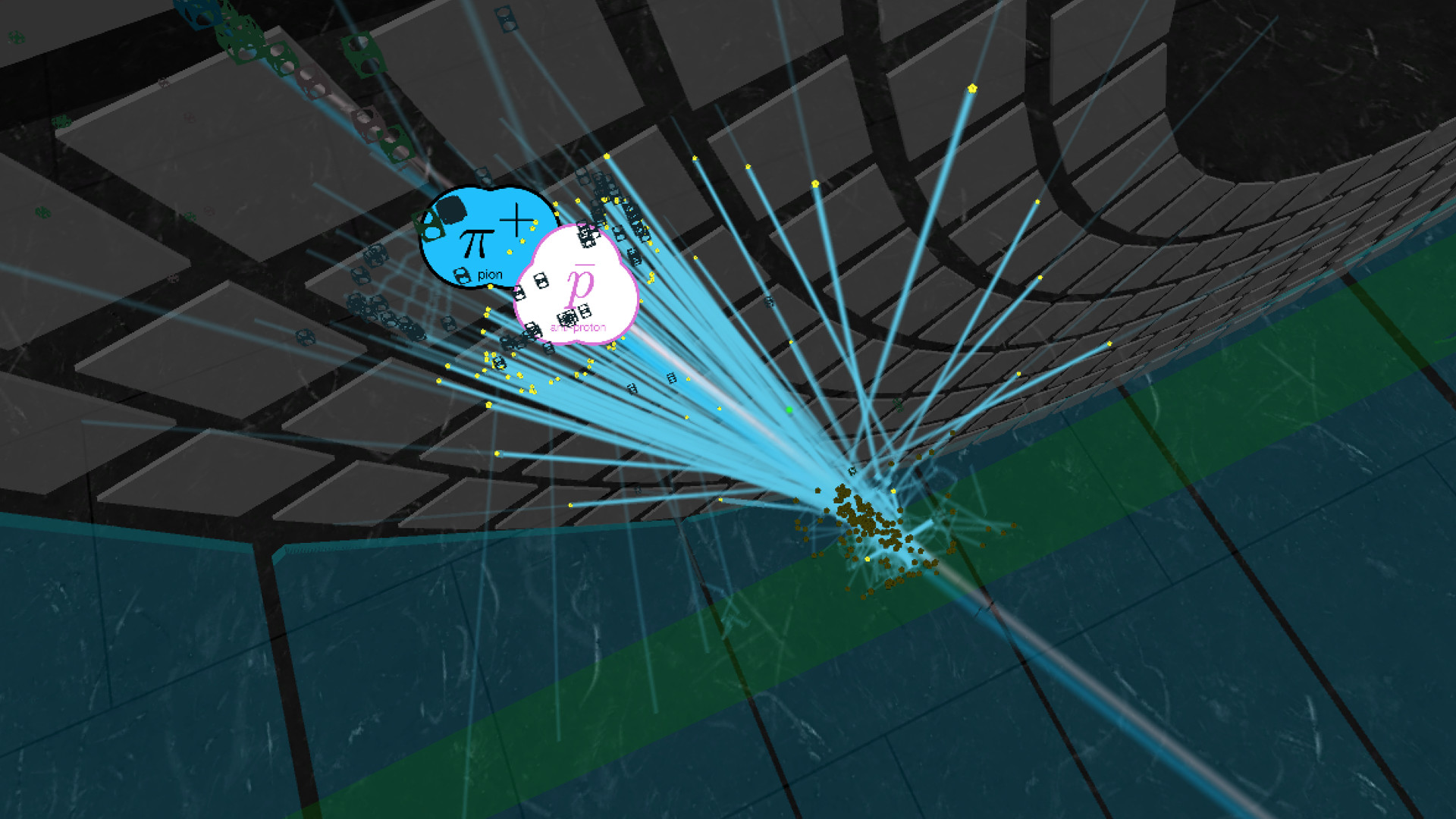
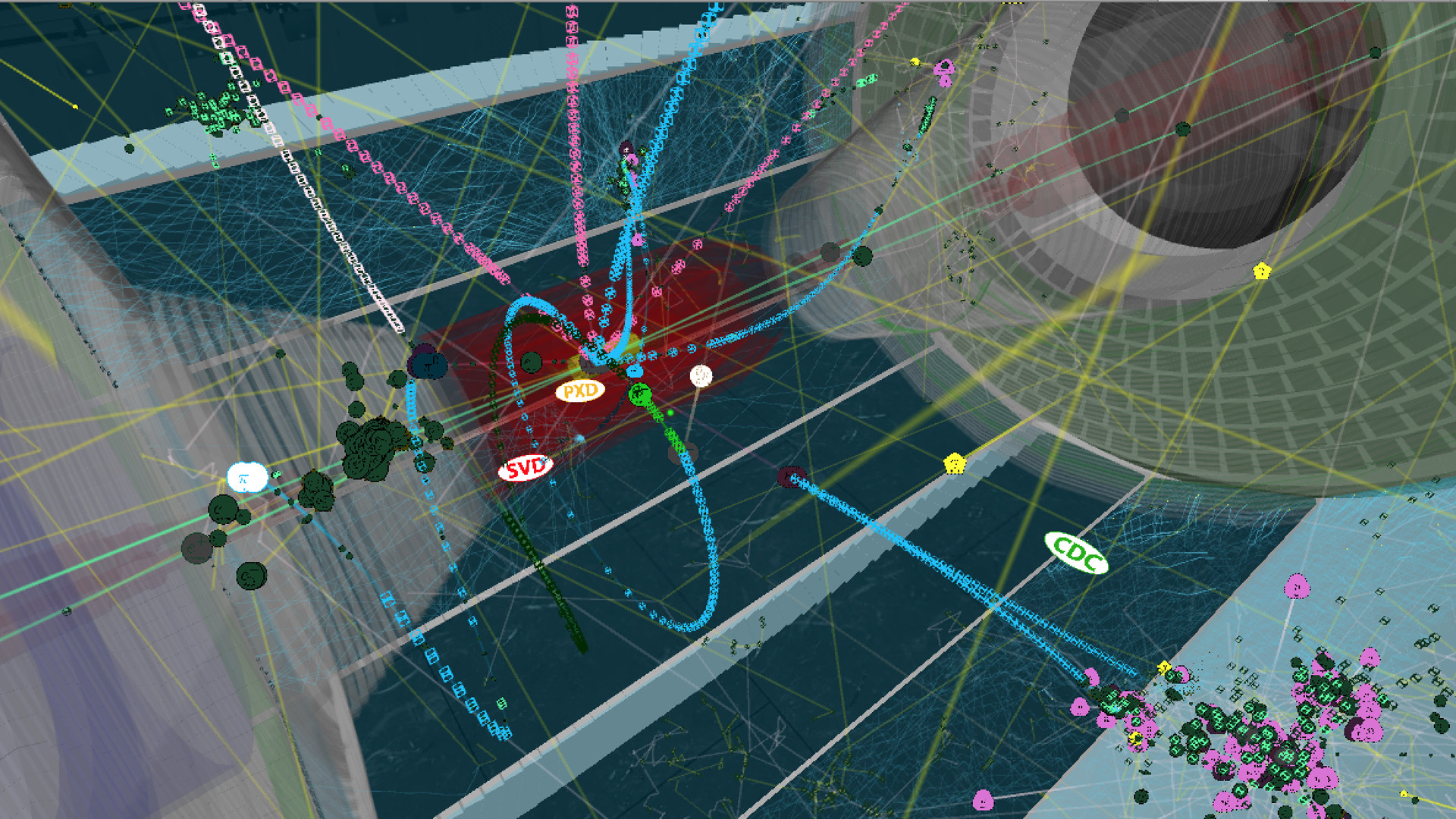
When you start the app, you see the true-scale Belle II apparatus (relocated from Japan into the CUBE at Virginia Tech). The exterior container fades away, exposing the active detector elements inside. The first electron-positron-collision event is loaded and then animated for its 100-nanosecond duration, showing the detailed trajectories of the incoming particles along the two beam lines and of the by-products from the collision of one electron with one positron. At the end of this collision history, the particle sprites and trails are erased so that you see only the hits recorded by the active detector elements in the "snapshot" of the collision event. Beam-line particle bunches pass through each other every 4 nanoseconds but only a few of these bunch crossings result in a collision; the colliding particles are highlighted in the animation. The beam-line particle bunches circulate in the vacuum beam lines of the 3-kilometer-circumference SuperKEKB accelerator; only the short section nearest the Belle II apparatus is shown in this app.
With your controllers, you may move horizontally and vertically to enter the detector's interior and rotate your viewpoint. By turning your head, you may view the detector and the collision by-products from different orientations. You may rewind and fast-forward through the history timeline of each collision event, pause/resume, and slow down or speed up the animation rate. You may zoom in or out with your controllers if you enable this feature in the in-game menu (guide page 6).
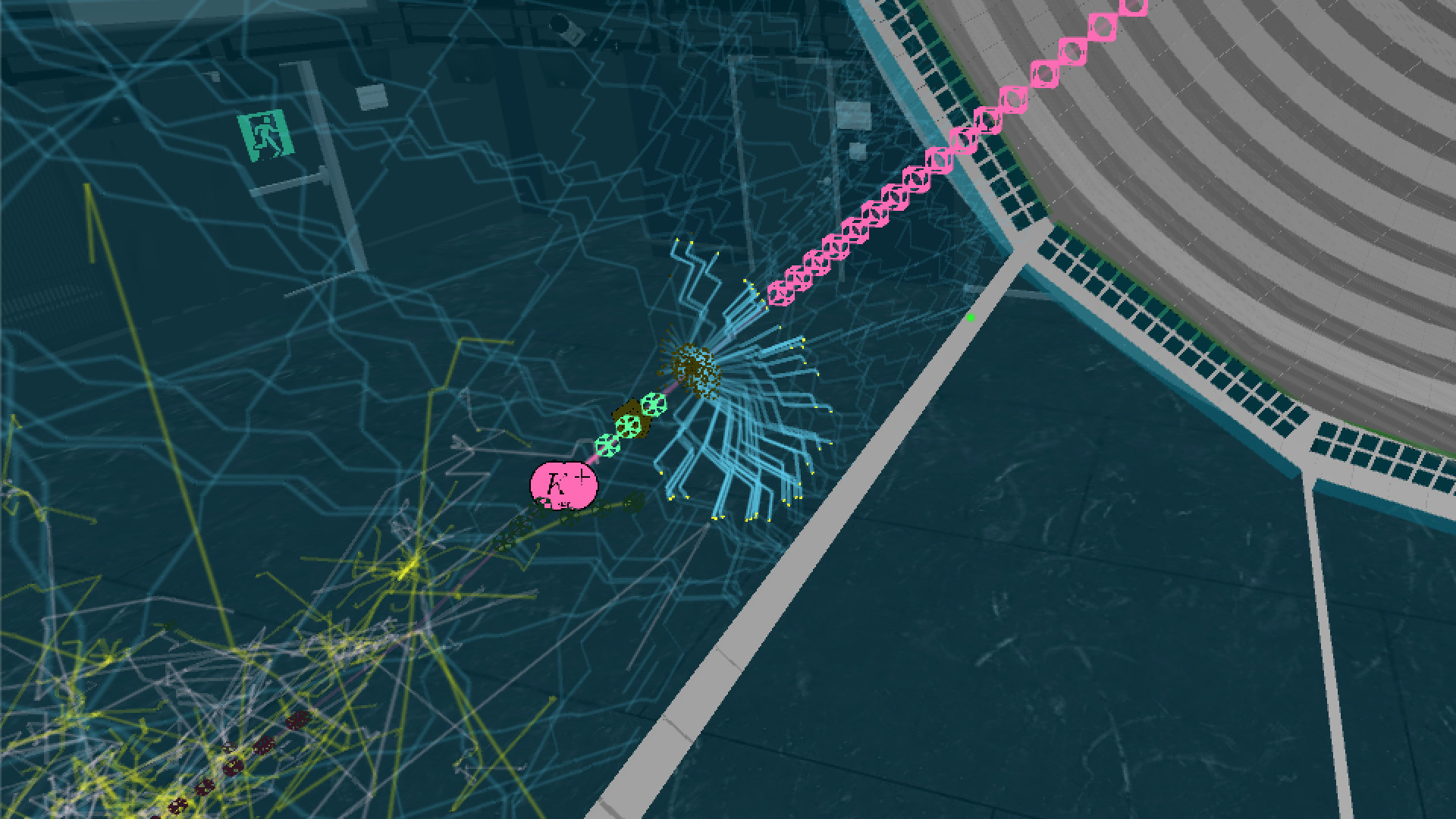
Gazing at one of the particle sprites, you may select it to expose a panel of detailed information about the particle (guide page 5). Check the SAVE box to copy this information to the virtual panel on one wall. Gazing at the rows on this wall, you may select among them to display the sum of the kinematic quantities in the bottom row. Check the FOCUS box on the sprite's info panel to highlight only the generational chain of daughters from this parent, temporarily hiding all other particle sprites and trajectories. In this state, bring up a similar information panel to UNFOCUS the generational chain and re-display all of the sprites and trajectories.
With your controllers, toggle the display of the in-game menu or reposition it in front of you. Choose among three sub-menus (guide page 6) to control aspects of the event animation. The event-history timeline is always visible at the bottom of the menu: with your gaze and selection, you may scrub through this timeline and change the animation rate. In the TRANSFORM sub-menu, you may reposition yourself and scale the size of the detector (nominally at the true scale of 1:1); you may also enable the use of the controller hot-keys for menu-free zooming. In the DETECTOR sub-menu, you may change the visibility of parts of the Belle II apparatus (the active parts record the event snapshots, the passive parts provide the supporting structure). In the PARTICLES sub-menu, you control the visibility of some or all of the particle sprites and the sprite size; gazing at the entries in the event list, you may select among the available collision events (guide page 7). You may edit the event sequence or add new event histories by following the instructions on guide page 8.
Enjoy your explorations of the subatomic world with the Belle II detector!
Media
Trailers and screenshots straight from the store page
Latest news
Recent updates from the game's own feeds

Belle II in Virtual Reality: Preisverlauf und aktuelle Angebote
Preisverfolgung für Belle II in Virtual Reality bei autorisierten Shops.
Bewertungen, Spielzeit und Altersfreigabe von Belle II in Virtual Reality
15 Personen haben Belle II in Virtual Reality bewertet. 87% sind positiv. Steam nennt das Positive.
Häufige Fragen
Beantwortet aus den eigenen Daten dieses Spiels. Wo ich nichts habe, sage ich nichts.
Lohnt sich Belle II in Virtual Reality?