Der Produkttext wird auf Englisch angezeigt, da kein Quelltext in dieser Sprache verfügbar ist.

HYPERVOX


 Chip's verdict · BE updated 25 days ago
 Why this verdict
Offers
Accepted regional prices from official stores
Report a wrong price
About this game
What this game is, in the developer's words
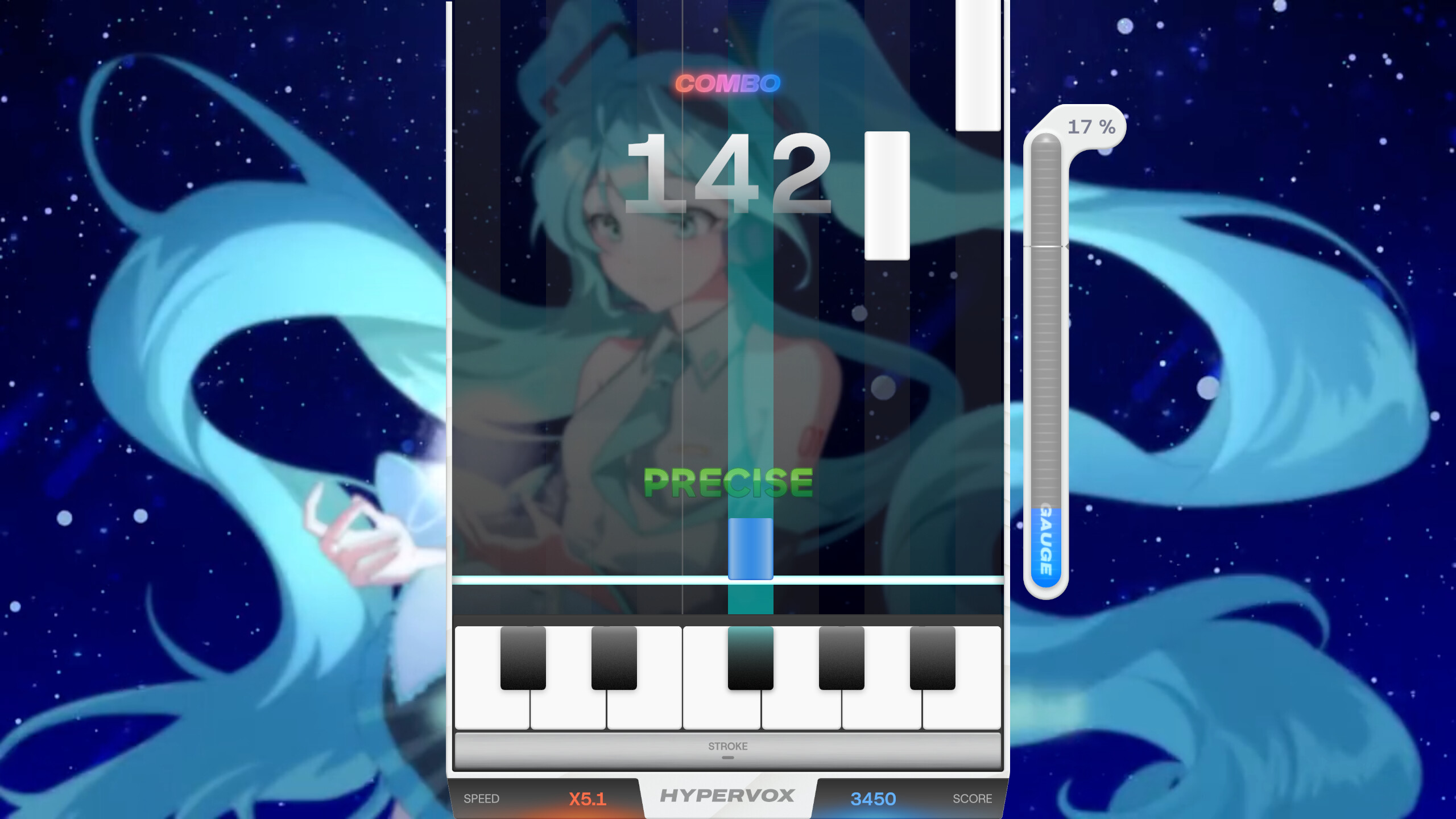
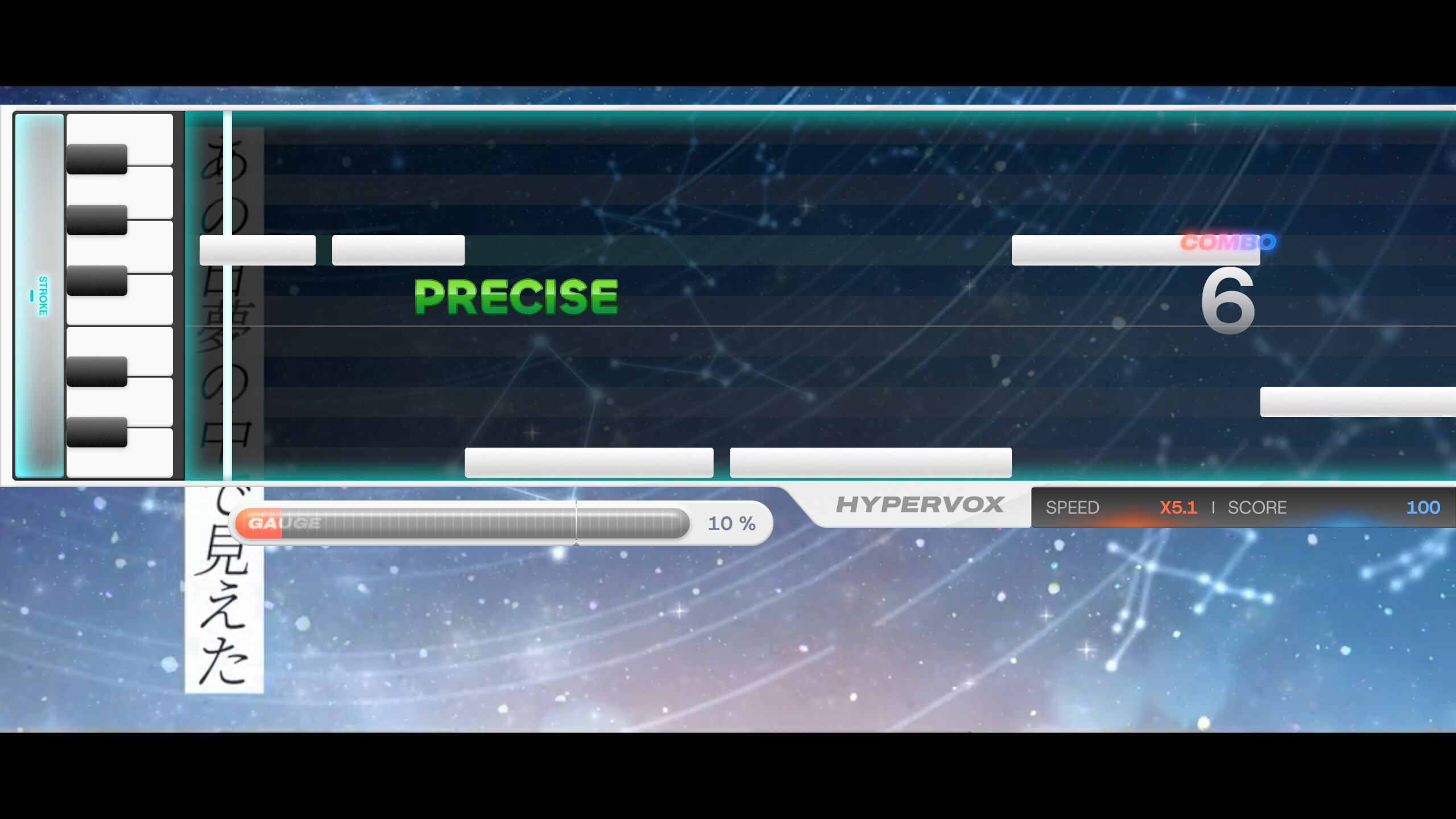
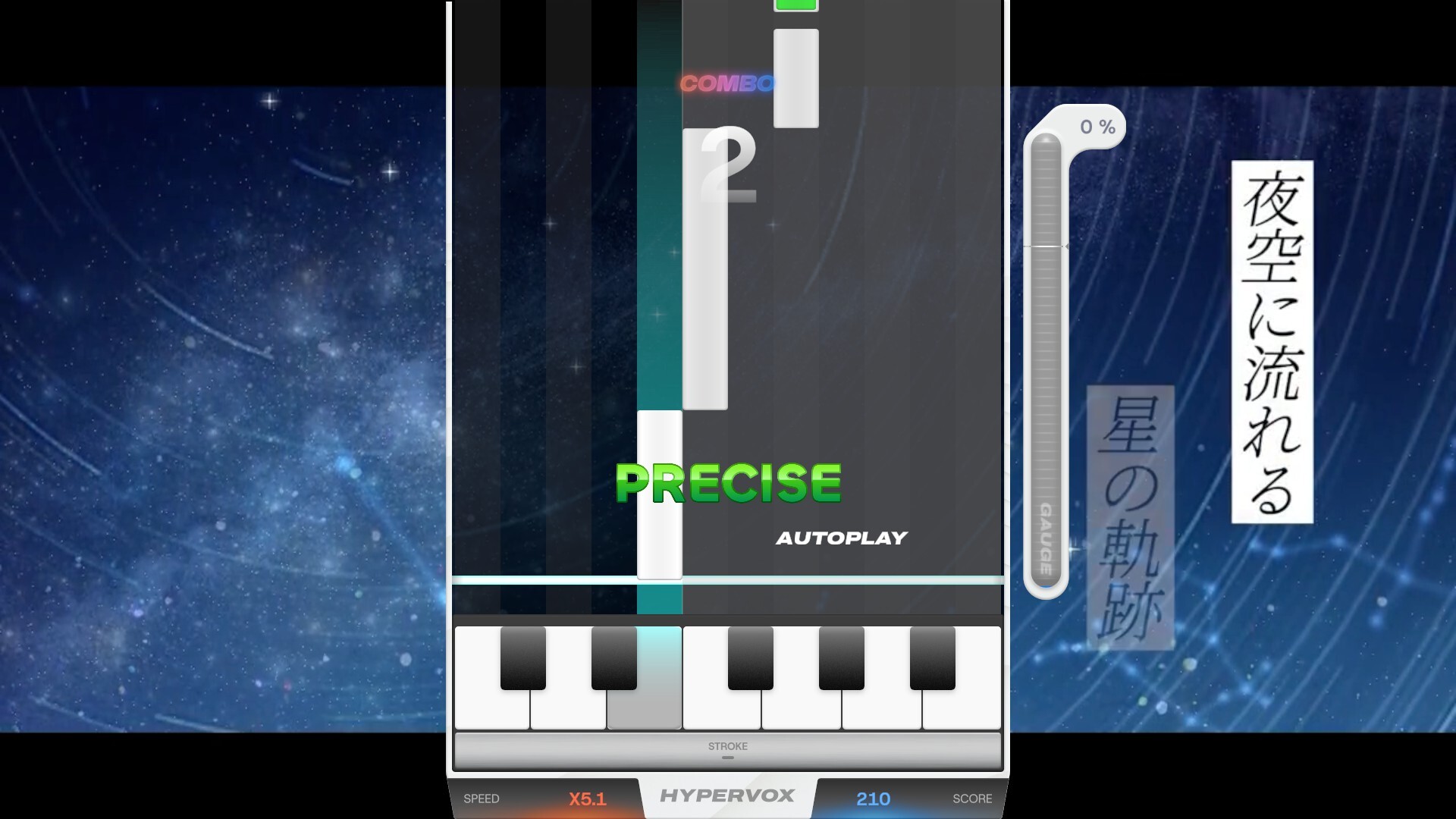
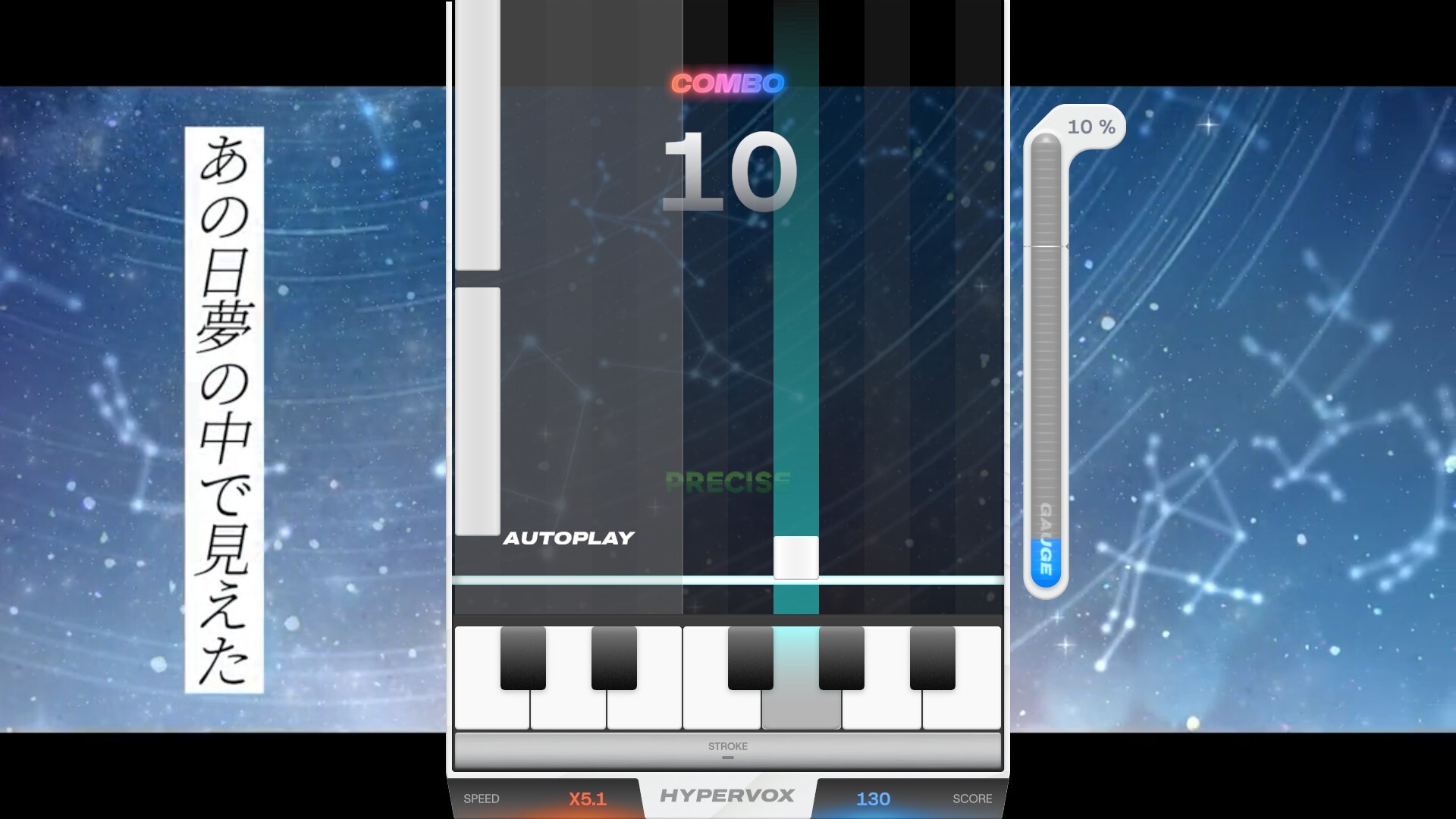
HYPERVOX is a music video game where players perform the vocal melody of songs. When notes reach the judgement line, press the corresponding key to hit the note and recreate the vocal melody in real-time. Aim for the highest score possible by hitting each note with precise timing and accuracy.
HYPERVOX is a music video game where players perform the vocal melody of songs.
The game uses 12 keys corresponding to each musical note (C through B), with each key having its own dedicated lane.
When notes reach the judgement line, press the corresponding key to hit the note and recreate the vocal melody in real-time.
Aim for the highest score possible by hitting each note with precise timing and accuracy.
Controls
The game uses 12 normal keys and 2 octave keys for gameplay.
Each lane corresponds to one normal key, which are assigned by default to: Z, S, X, D, C, V, G, B, H, N, J, M.
There are two octave keys in the game: octave up and octave down. By default, the octave up key is mapped to the Left Shift, and the octave down key is mapped to Spacebar.
All keys can be freely customized or reset to defaults in the settings menu.
MIDI keyboards are also supported. The 12 keys from C to B on your MIDI keyboard correspond to the 12 normal keys, regardless of which octave you play in. Tilting the pitch wheel up activates octave up, and tilting it down activates octave down.
How to Play
HYPERVOX features two types of notes: standard notes and octave notes.
Standard notes work like long notes in typical rhythm games — simply press and hold the corresponding lane key with proper timing to play the note. These notes appear in white or blue depending on the lane.
To play them: Press the corresponding lane key when the note reaches the start point. Hold the key through the note's duration, then release it when the note ends.
Octave notes require a different technique. Unlike standard notes, you must first hold the octave key, then use the lane key to actually play the note.
To play them: First, press and hold the octave key. Then, press the lane key when the note reaches the judgement line. Release the lane key when the note ends, matching the timing precisely.
Octave up notes are displayed in red, while octave down notes are displayed in green.
When Colorblind Mode is enabled, octave up notes will be displayed in magenta, and octave down notes will be displayed in cyan.
Judgement System
In HYPERVOX, your timing accuracy is evaluated with five different judgement levels. Each judgement reflects how close your button press or release was to the perfect timing.
Precise
The highest level of accuracy. You've hit the note with perfect timing, within ±50 milliseconds of the target. This judgement awards maximum points and maintains your combo.
Great
Excellent timing that's slightly off from perfect, within ±50-100 milliseconds. You'll receive high points and your combo continues.
Fair
Acceptable timing that's noticeably off but still within the rhythm, within ±100-150 milliseconds. You'll earn moderate points and maintain your combo, though with reduced scoring.
Close
Your timing is significantly off, within ±150-300 milliseconds of the target. This results in minimal points but still maintains your combo streak.
Break
You've either missed the note entirely or your timing was too far off (beyond ±300 milliseconds). This judgement breaks your combo, resetting it to zero, and awards no points.
Speed Control
If you feel the notes pass too fast or too slow, you can adjust their scroll speed using F1 to decrease speed and F2 to increase speed by default.
This only changes the visual speed of the notes — the actual timing for hitting notes remains unchanged.
The speed control keys can also be customized in the settings menu.
Creating Song Data
To create a track data for HYPERVOX, follow these steps in the CREATE menu:
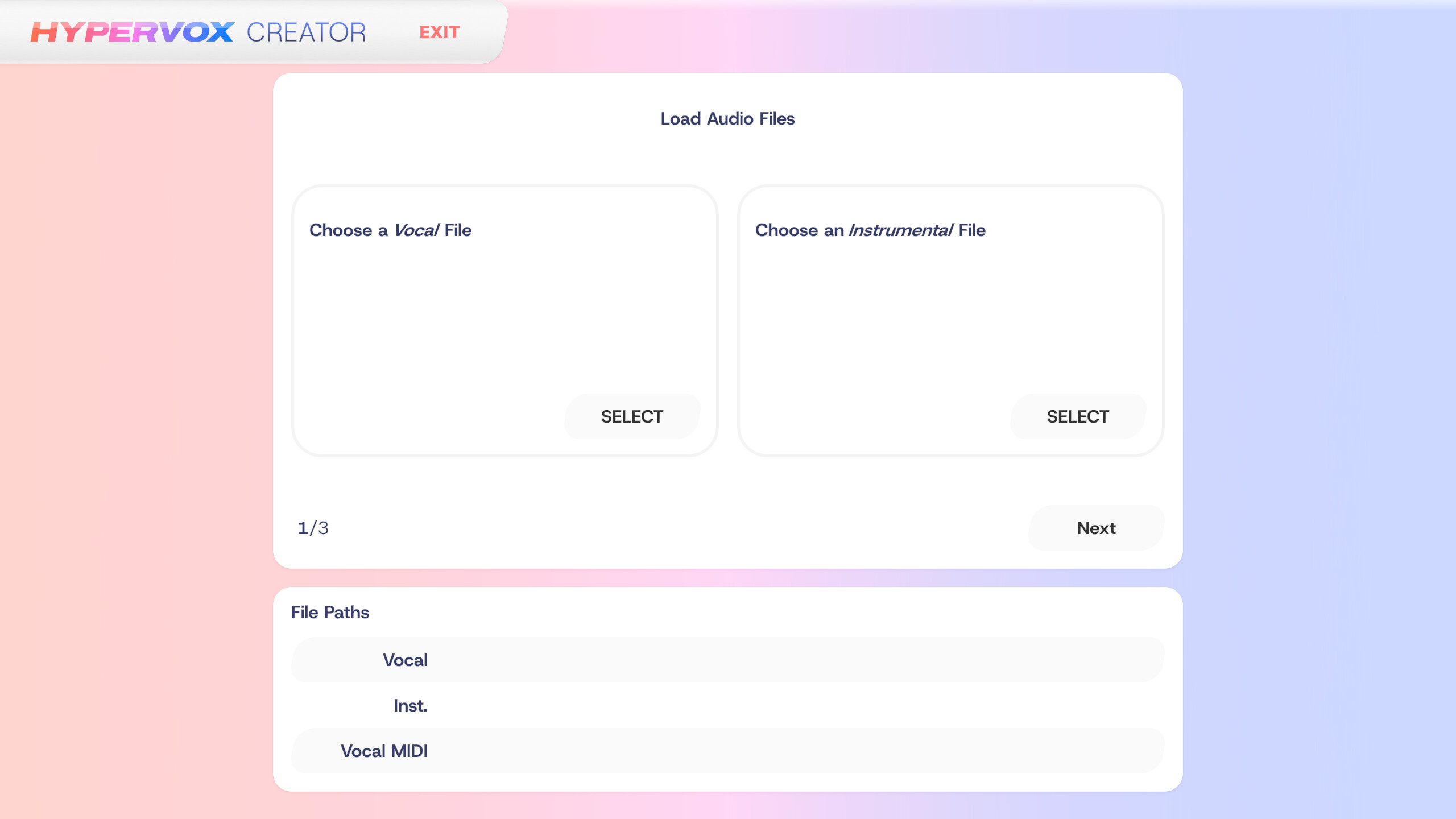
1. First, select the vocal and instrumental audio files. The recommended audio format is 44.1kHz/16bit WAV. Both audio files must have matching sampling frequencies for proper playback.
2. Select a MIDI file containing a single vocal track that matches the vocal audio. Harmonies are not supported. If you don't have a MIDI file, you can use AI to convert the vocal audio to MIDI. However, this is an experimental feature and conversion quality may decrease with longer songs (1m30s or longer). When using AI-generated MIDI files, some long notes may be split into multiple segments. In this case, apply the option to merge consecutive notes of the same pitch.
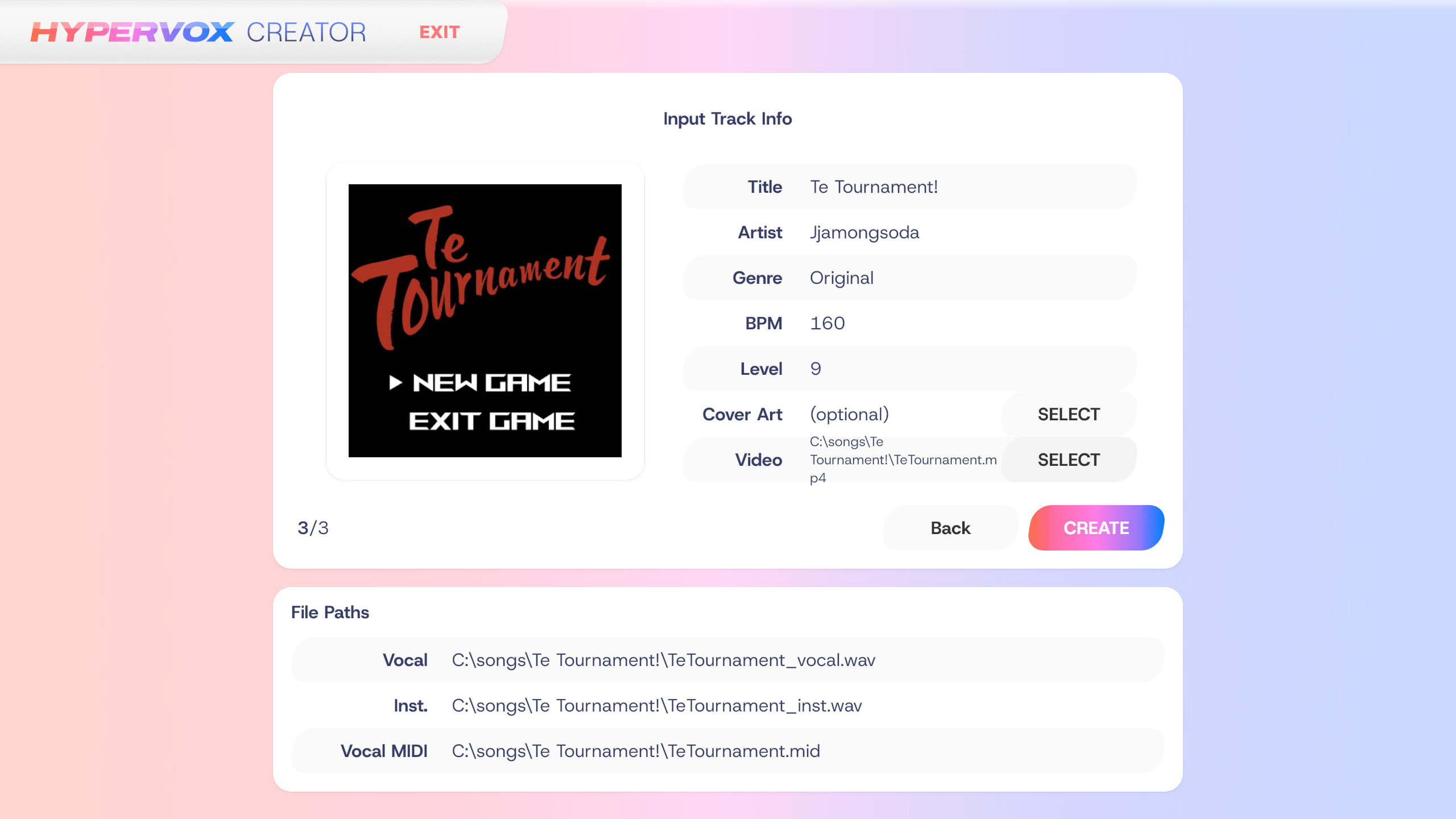
3. Finally, enter the chart information. For proper playback, you must input all information including accurate BPM. Album cover and background video are optional. If including a video, MP4 is recommended for Windows, while WebM with VP8 codec is recommended for other platforms.
Once the chart is successfully created, you can check it in the game's TRACKS menu.
Media
Trailers and screenshots straight from the store page
Price intelligence
Accepted price history and the lows that matter
No price history recorded yet.
No history yet.
HYPERVOX price history and best deals
HYPERVOX for PC currently sells from free at authorized stores.
Frequently asked questions
Answered from this game's own price and edition data
Where can I buy HYPERVOX?