Der Produkttext wird auf Englisch angezeigt, da kein Quelltext in dieser Sprache verfügbar ist.
PC Steam Region DE
Spiele MAGIX PC Check & Tuning 2015

simplitec GmbH
MAGIX PC Check & Tuning 2015

Windows
Mixed · 59% of 138
Price verdict · DE
Why this verdict
Player reviews 59% positive of 138
Quality score 59/100
Angebote
Preise offizieller Shops und gekennzeichnete Keyshop-Vergleiche
Für dieses Produkt werden noch keine Angebote erfasst.
Report a problem
Price history
Akzeptierter Preisverlauf und erfasste Tiefpreise
No price history recorded yet.
Historical lows
No history yet.
Rabattrhythmus
Noch keine Rabattstarts erfasst.
About this game
What this game is, in the developer's words
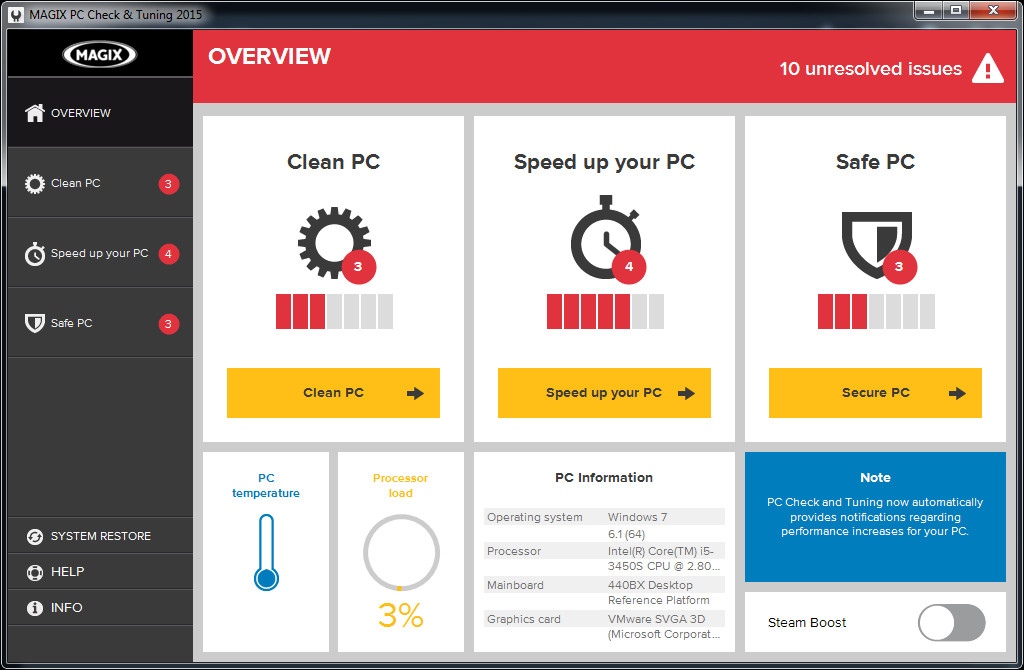
Packed with power for games and multimedia projects! Improve the speed of your games with automatic optimizations for Windows, driver updates, Steam Boost and tons of other optimization features.
MAGIX PC Check & Tuning 2015 has more to offer than other tuning programs and freeware when it comes to keeping your computer fast and powerful: It automatically finds weak points and problems in your system, removes the causes, and optimizes performance. This way you can enjoy top performance and speed for gaming.
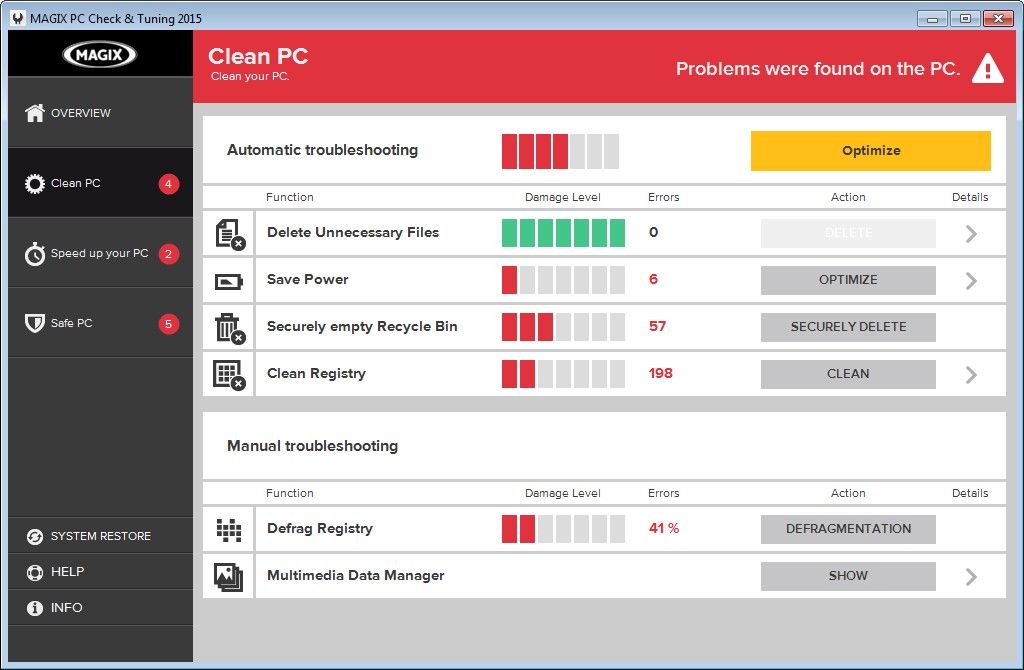
Clean up your PC: Clean your registry and free up storage space by locating storage hogs and deleting unnecessary and particularly large files.
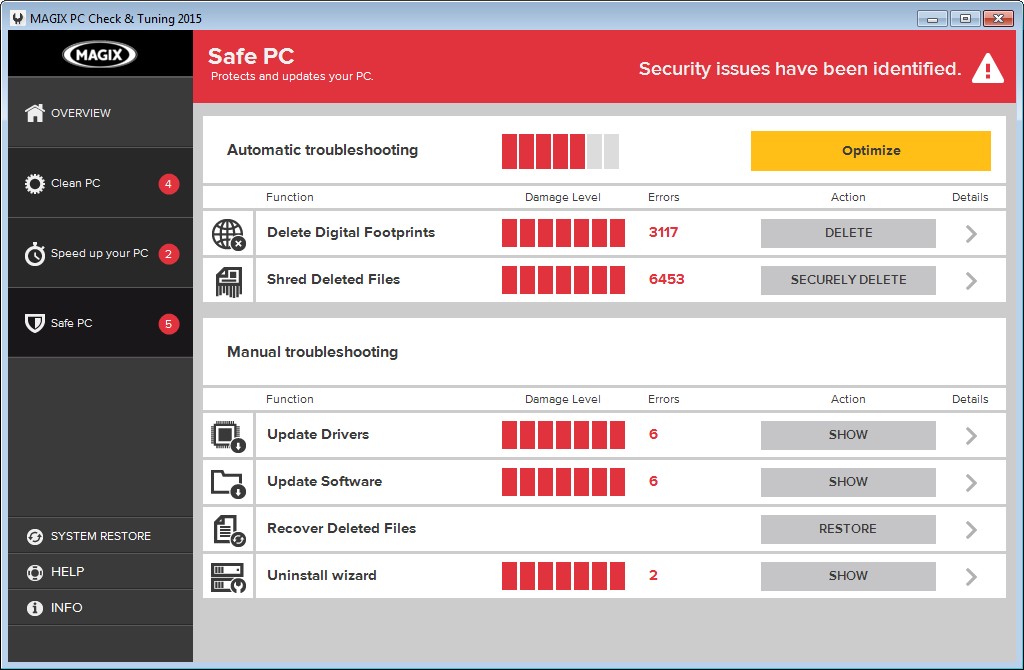
Secure your PC:Update your software and drivers, delete digital footprints, find and uninstall unused programs, and recover accidentally deleted files.
Thanks to the new, more intuitive program interface, you can find all features at a glance and start permanently improving your PC's performance.
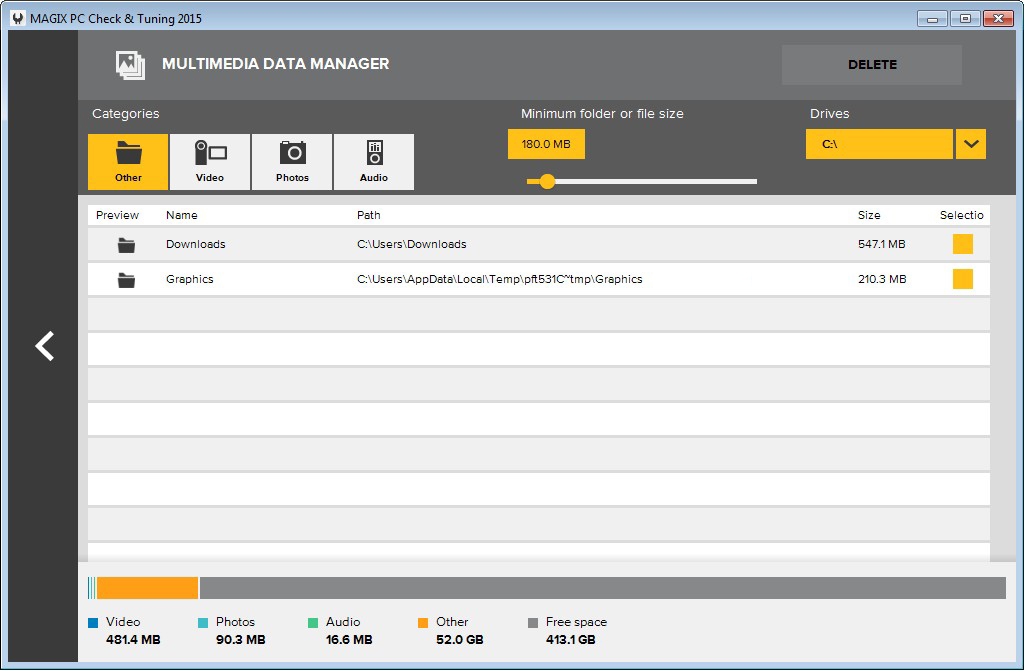
Multimedia Data Manager
Videos, photos and audio material take up large amounts of space on your PC. The data manager finds the largest folders and storage hogs on your hard drive and sorts them according to media type. This makes it possible to target and delete unnecessary files and free up disk space.
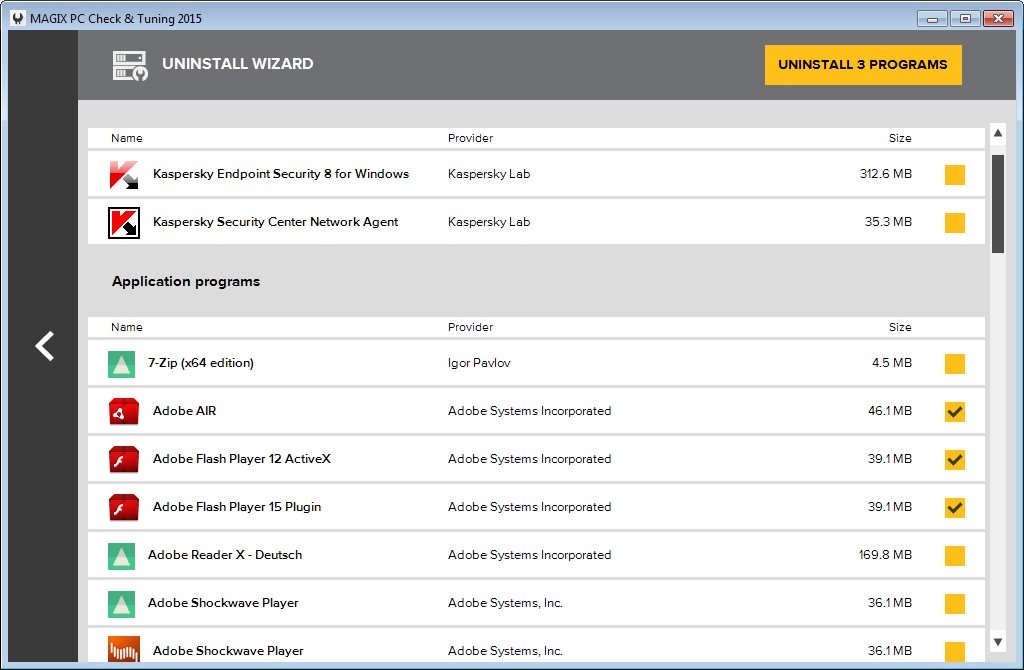
Uninstall Wizard
Unused programs unnecessarily take up space and can slow down your PC. The wizard identifies unnecessary software and allows you to uninstall several programs at once.
Monitor PC temperature
An overheated processor is a common cause of crashes. MAGIX PC Check & Tuning lets you monitor processor temperature and warns you before high temps damage your PC.
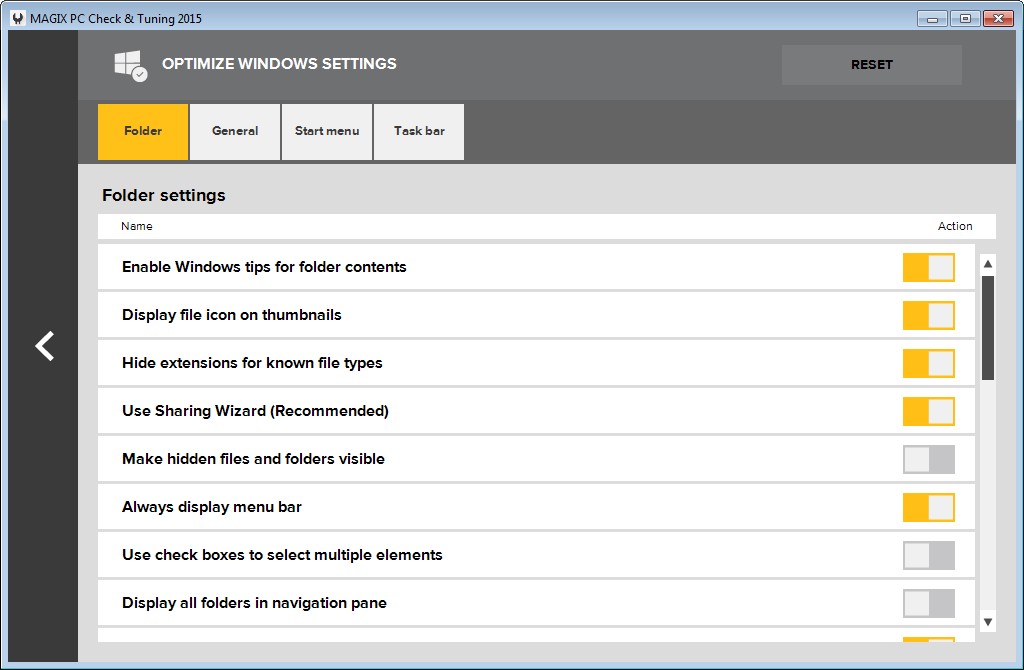
Optimize Windows settings
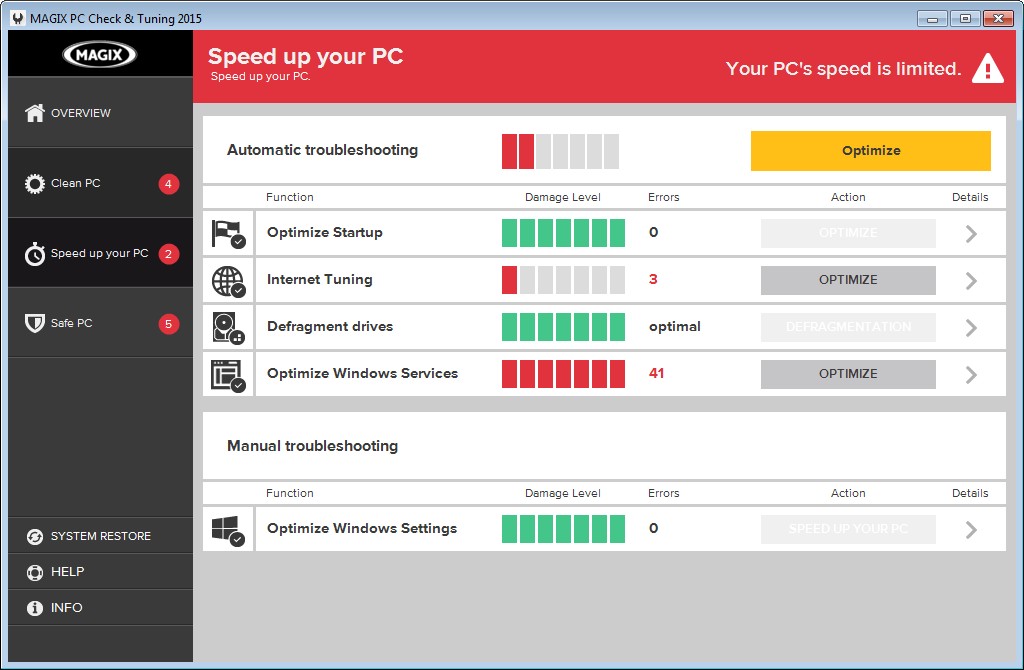
Optimizing Windows settings can accelerate the display of screen contents. An overview of the most important Windows settings lets you customize your system the way you want.
A better gaming experience!
We all love games, and we all hate when they don't play smoothly or crash. How can MAGIX PC Check & Tuning improve your gaming experience?- Updating drivers: The latest games and hardware require the latest drivers. Graphics card manufacturers optimize their drivers specifically for new games. Maximum performance is only possible with up-to-date graphics card drivers. You also gain the benefit of new driver features such as GPU over-clocking and running multiple displays.
- Ending processes: Unnecessary processes eat up your system's resources and slow down your games. MAGIX PC Check & Tuning prevents processes, services and startup programs from loading. You can also end additional superfluous programs by activating Steam Boost to give your games top priority and full power.
- Network acceleration: Automatically optimizing your broadband network settings improves performance for multiplayer games and gives you an advantage when milliseconds stand between you and victory.
3 steps to make your PC faster and more stable:
Accelerate your PC: Defrag your hard drive, optimize Windows settings and startup, and get more performance with energy saving settings.Clean up your PC: Clean your registry and free up storage space by locating storage hogs and deleting unnecessary and particularly large files.
Secure your PC:Update your software and drivers, delete digital footprints, find and uninstall unused programs, and recover accidentally deleted files.
The most important features:
- Steam boost: Ends all unnecessary background processes and services in one click for maximum gaming performance and the perfect Steam experience
- Performance boost: Removes unnecessary startup processes and deactivates unimportant services
- Update drivers: Keeps your graphics card and sound card drivers up to date and automatically searches for new updates.
- Update software: Automatic update of more than 2000 software titles
- Clean hard drive and registry: Accelerates hard drive access, deletes unnecessary files, and stabilizes your system
- Smart hard drive defragmentation: Uses intelligent file categorization to get the most out of your hard drive
- Internet Tuning: Optimizes web services and browser settings for faster surfing and protects your privacy online.
New in this version:
Modern user interfaceThanks to the new, more intuitive program interface, you can find all features at a glance and start permanently improving your PC's performance.
Multimedia Data Manager
Videos, photos and audio material take up large amounts of space on your PC. The data manager finds the largest folders and storage hogs on your hard drive and sorts them according to media type. This makes it possible to target and delete unnecessary files and free up disk space.
Uninstall Wizard
Unused programs unnecessarily take up space and can slow down your PC. The wizard identifies unnecessary software and allows you to uninstall several programs at once.
Monitor PC temperature
An overheated processor is a common cause of crashes. MAGIX PC Check & Tuning lets you monitor processor temperature and warns you before high temps damage your PC.
Optimize Windows settings
Optimizing Windows settings can accelerate the display of screen contents. An overview of the most important Windows settings lets you customize your system the way you want.
Media
Trailers and screenshots straight from the store page
MAGIX PC Check & Tuning 2015 price history and current deals
Price tracking for MAGIX PC Check & Tuning 2015 across authorized stores.
Scores
Steam reviews Mixed · 59%
59% positive of 138
Media (7)
Requirements
Facts
Links