Der Produkttext wird auf Englisch angezeigt, da kein Quelltext in dieser Sprache verfügbar ist.
PC
3,99 € Region DE
Content rating unavailable
Casual · SOPHRA
OverlayDeck
Content rating unavailable
Windows
2 user reviews · 0% of 2

 Chip's verdict · BE updated 2 days ago
 Why this verdict
All-time low €3.99 · 25d ago
Player reviews 0% positive of 2
Quality score 0/100 · small sample
Offers
Accepted regional prices from official stores
Official stores (1)
Clean outbound link. We never touch your payment.
Report a wrong price
About this game
What this game is, in the developer's words
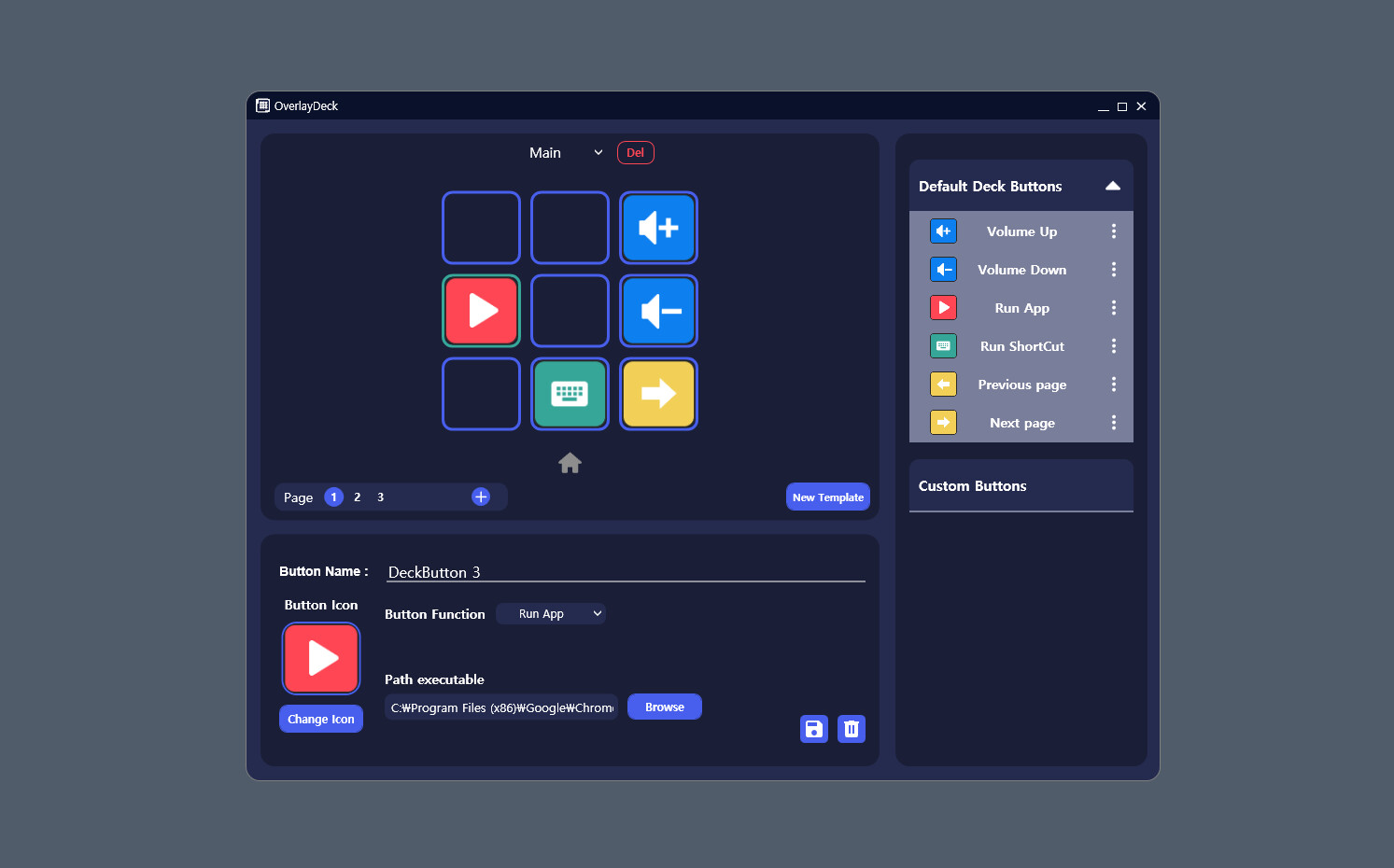
An app that provides customizable decks so you can quickly activate a shortcut or hotkey anytime, anywhere.
OverlayDeck is a powerful tool that allows you to swiftly access your preferred programs. It innovates your computer user experience, making work and play more efficient. Now, launching applications and commencing tasks is a breeze, with no time wasted. What's more, OverlayDeck offers a fully customizable one-click interface, giving you complete control.
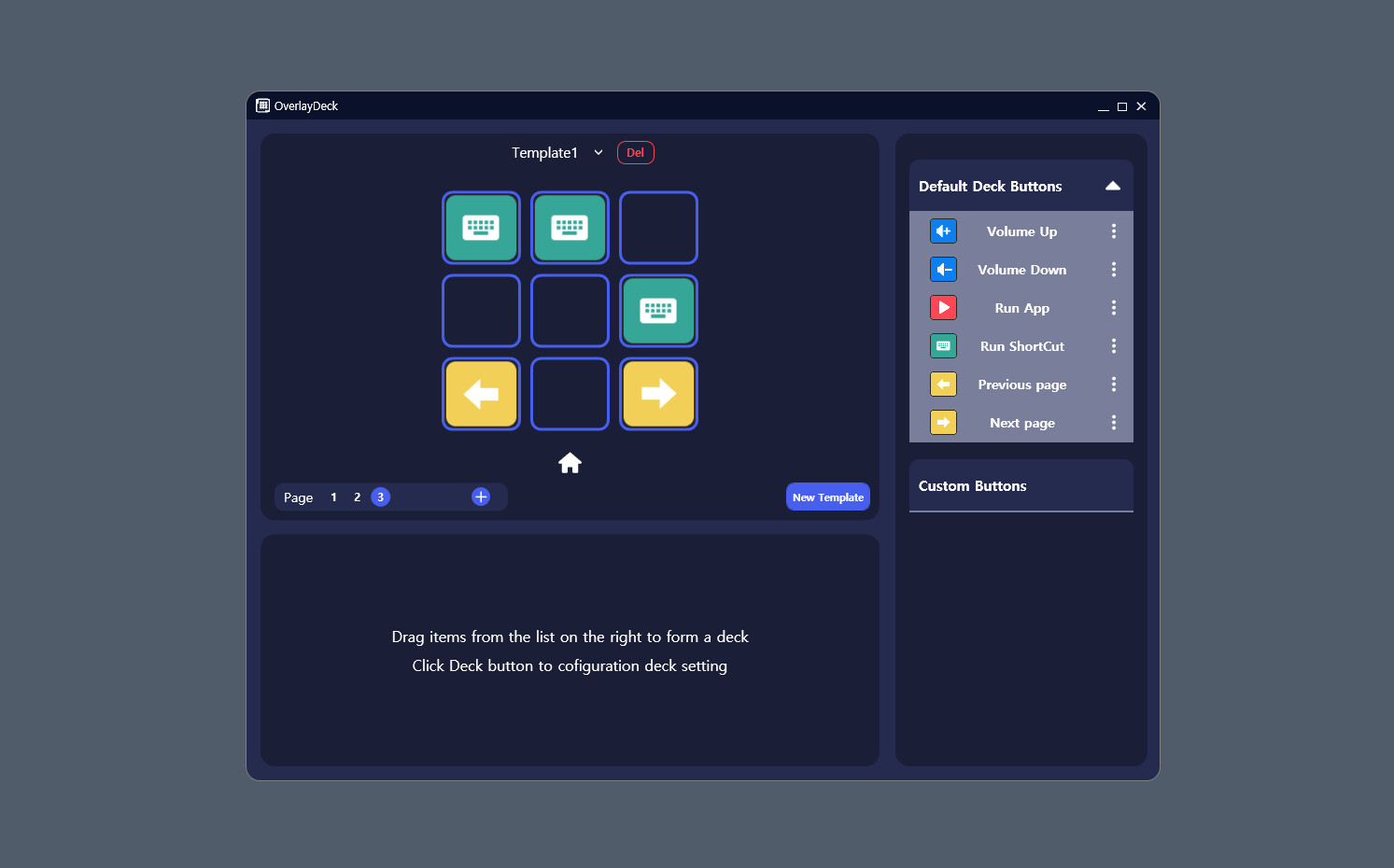
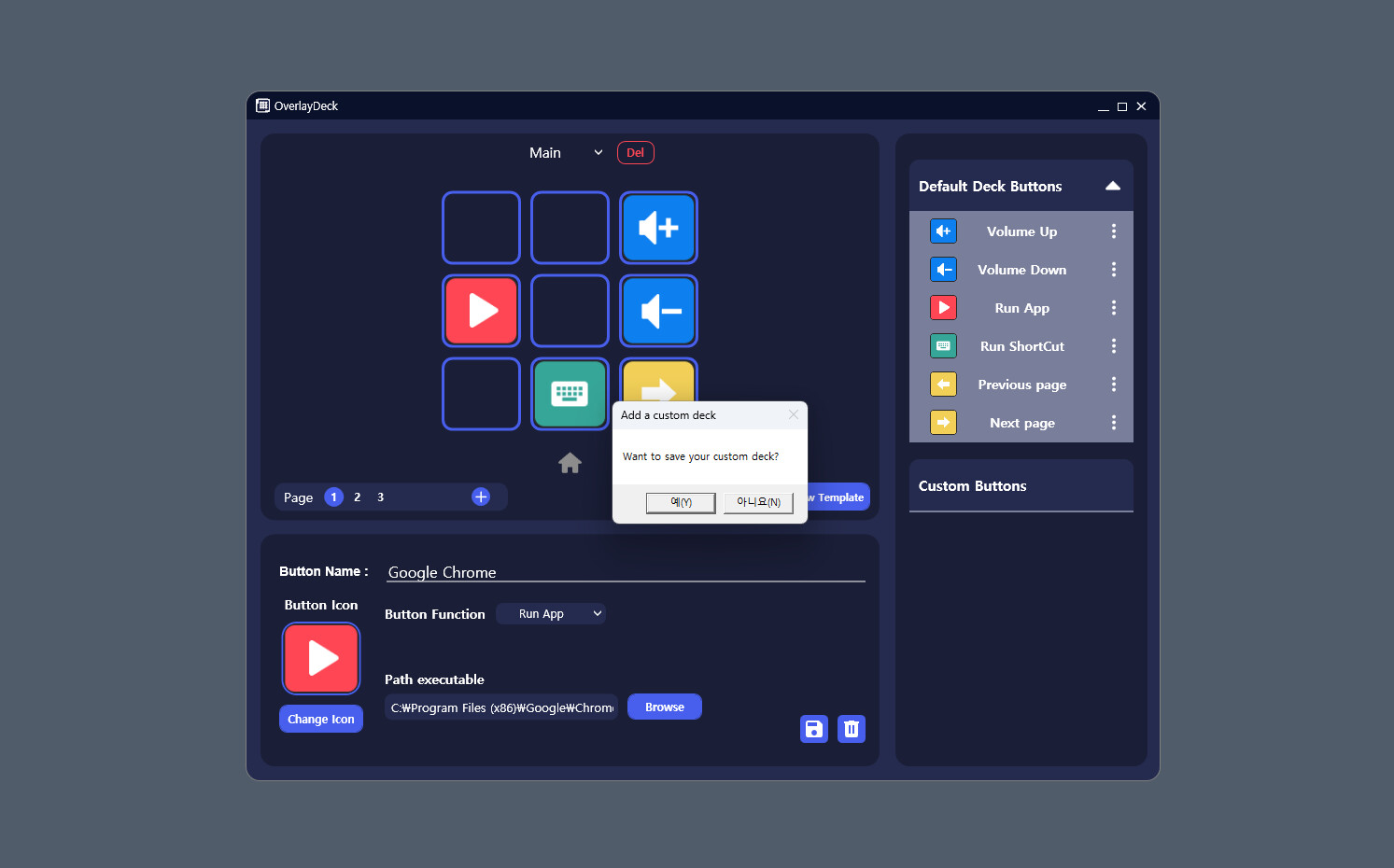
Drag and drop to create a deck and press the keyboard shortcut Ctrl+Shift+D to run the deck.
You can access the settings by double-clicking the tray icon.
With OverlayDeck, you can quickly access your desired programs. Say goodbye to the hassle of locating and starting applications – it's all done with a single click.
Customizability
OverlayDeck provides customizable buttons for easy access to your favored programs, websites, files, and folders. Tailor your environment to match your workflow style, and maximize productivity.
Visual Overlay
OverlayDeck offers a visual overlay displayed at the top of your screen, enabling you to swiftly locate and execute the apps you need. It won't obstruct your view and can be accessed at any time, even during tasks.
Shortcut Support
In addition to the one-button feature, OverlayDeck supports keyboard shortcuts for even quicker application launch and switching.
When Is OverlayDeck Useful?
When you need to rapidly execute and switch between frequently used programs during work.
When you want to launch applications quickly while gaming or enjoying multimedia content.
For anyone looking to work efficiently and save time.
The Future of OverlayDeck
OverlayDeck will continue to evolve and improve, incorporating user feedback and introducing more features. The future will bring themes, scalability, and additional customization options to enhance the user experience.
Download OverlayDeck Now!
Download OverlayDeck and embark on a new computer experience. Start programs with a single click and revel in remarkable productivity.
Drag and drop to create a deck and press the keyboard shortcut Ctrl+Shift+D to run the deck.
You can access the settings by double-clicking the tray icon.
Key Features
Quick AccessWith OverlayDeck, you can quickly access your desired programs. Say goodbye to the hassle of locating and starting applications – it's all done with a single click.
Customizability
OverlayDeck provides customizable buttons for easy access to your favored programs, websites, files, and folders. Tailor your environment to match your workflow style, and maximize productivity.
Visual Overlay
OverlayDeck offers a visual overlay displayed at the top of your screen, enabling you to swiftly locate and execute the apps you need. It won't obstruct your view and can be accessed at any time, even during tasks.
Shortcut Support
In addition to the one-button feature, OverlayDeck supports keyboard shortcuts for even quicker application launch and switching.
When Is OverlayDeck Useful?
When you need to rapidly execute and switch between frequently used programs during work.
When you want to launch applications quickly while gaming or enjoying multimedia content.
For anyone looking to work efficiently and save time.
The Future of OverlayDeck
OverlayDeck will continue to evolve and improve, incorporating user feedback and introducing more features. The future will bring themes, scalability, and additional customization options to enhance the user experience.
Download OverlayDeck Now!
Download OverlayDeck and embark on a new computer experience. Start programs with a single click and revel in remarkable productivity.
Media
Trailers and screenshots straight from the store page




Price intelligence
Accepted price history and the lows that matter
Historical lows
All-time low ATL €3.99 2026-06-18
3-month low €3.99
12-month low €3.99
Current €3.99
Price events From the accepted price history · updates automatically
Jun 18, 2026
New all-time low €3.99
OverlayDeck price history and best deals
OverlayDeck for PC currently sells from 3,99 € at authorized stores. Its all-time low is 3,99 €, set on 2026-06-18.
Frequently asked questions
Answered from this game's own price and edition data
Where can I buy OverlayDeck?
OverlayDeck is tracked at steam. We only list authorized stores here and always link out with a clean outbound link.
Scores
Steam reviews 2 user reviews · 0%
Media (7)
Tech
Requirements
Facts
EntwicklerSOPHRA
PublisherSOPHRA
GenresCasual · Indie · Utilities · Early Access
TagsDienstprogramme · Indie · Early Access · Gelegenheitsspiel · Software
Links
Altersfreigaben
dejusl
igrs3
steam_germany0