Der Produkttext wird auf Englisch angezeigt, da kein Quelltext in dieser Sprache verfügbar ist.
PC
9,75 € Region DE

Content rating unavailable
Design & Illustration · RGByte Software
RGByte

Content rating unavailable
Windows
3 user reviews · 67% of 3

 Chip's verdict · BE updated 2 days ago
 Why this verdict
All-time low €9.75 · 24d ago
Player reviews 67% positive of 3
Quality score 67/100 · small sample
Offers
Accepted regional prices from official stores
Official stores (1)
Clean outbound link. We never touch your payment.
Report a wrong price
About this game
What this game is, in the developer's words
RGByte is batch image editing software with a focus on simplicity and productivity.
RGByte is batch image editing software with a focus on simplicity and productivity.
With it, you can easily perform basic edits and save changes for later use.
Available resources:
Useful for resizing multiple images in a folder, leaving all with a default resolution. You can resize by width or height, or even select the longest or shortest side to base your changes on. The resize feature is useful for standardizing images for use on websites, distribution or even storage. Its focus is on decreasing the dimensions of the image.
Quality and format of files
It is possible to export the images in PNG and JPG format.
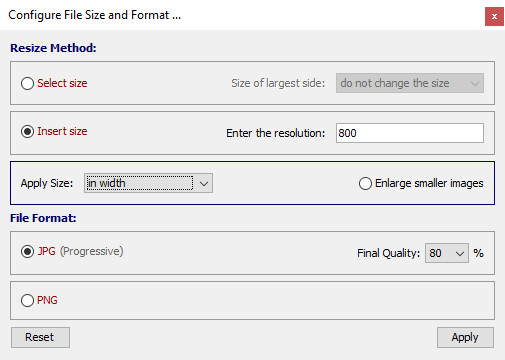
For JPG files, it is possible to modify the image quality and consequently the file size, very useful for sending images by email or even when you need to send samples to a client.
Basic color adjustments
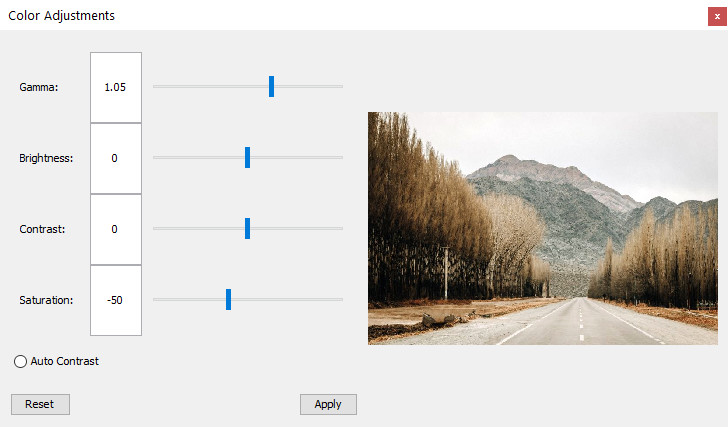
Brightness, contrast, saturation and gamma.
Modification of the alpha channel (transparency)
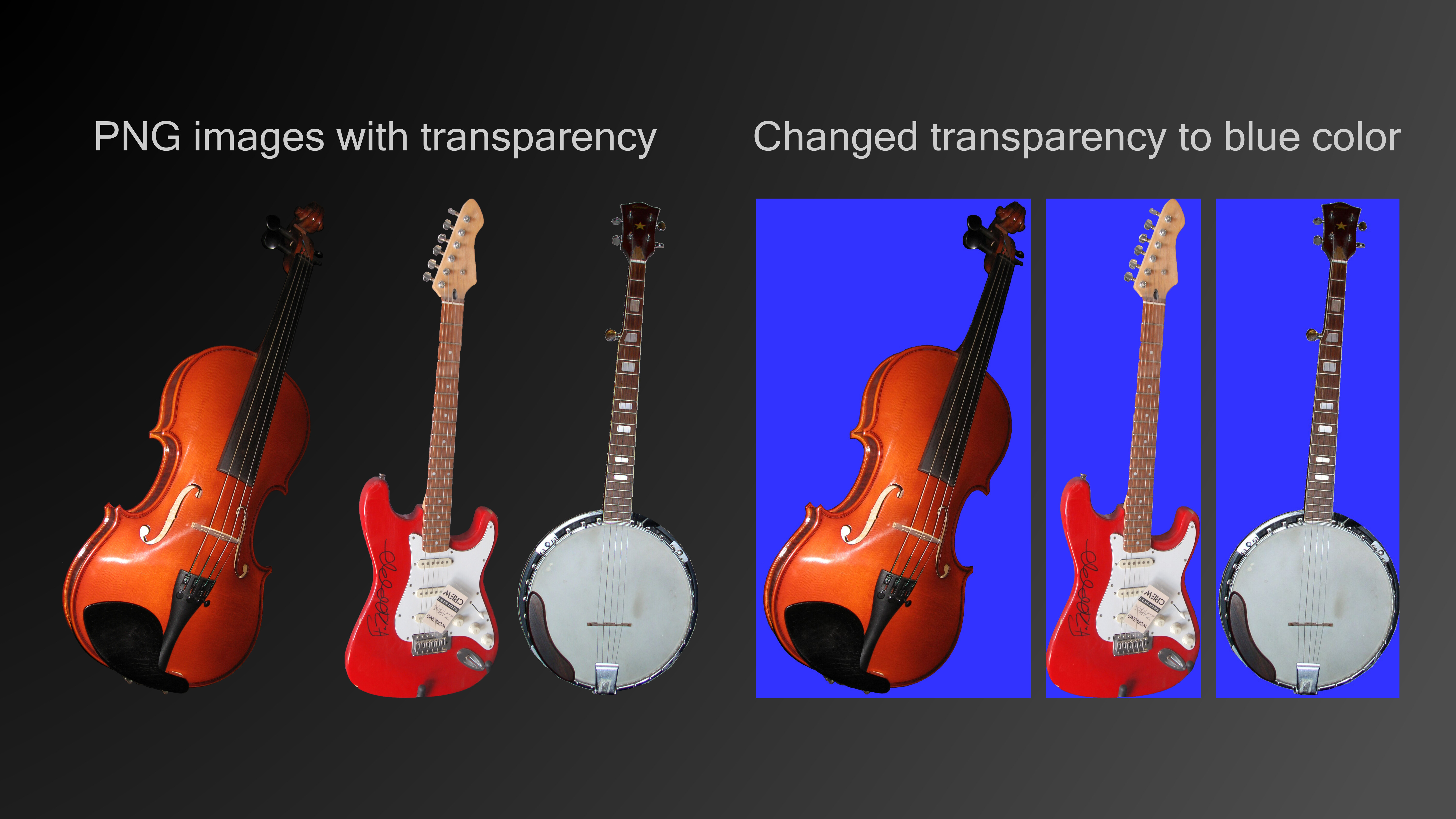
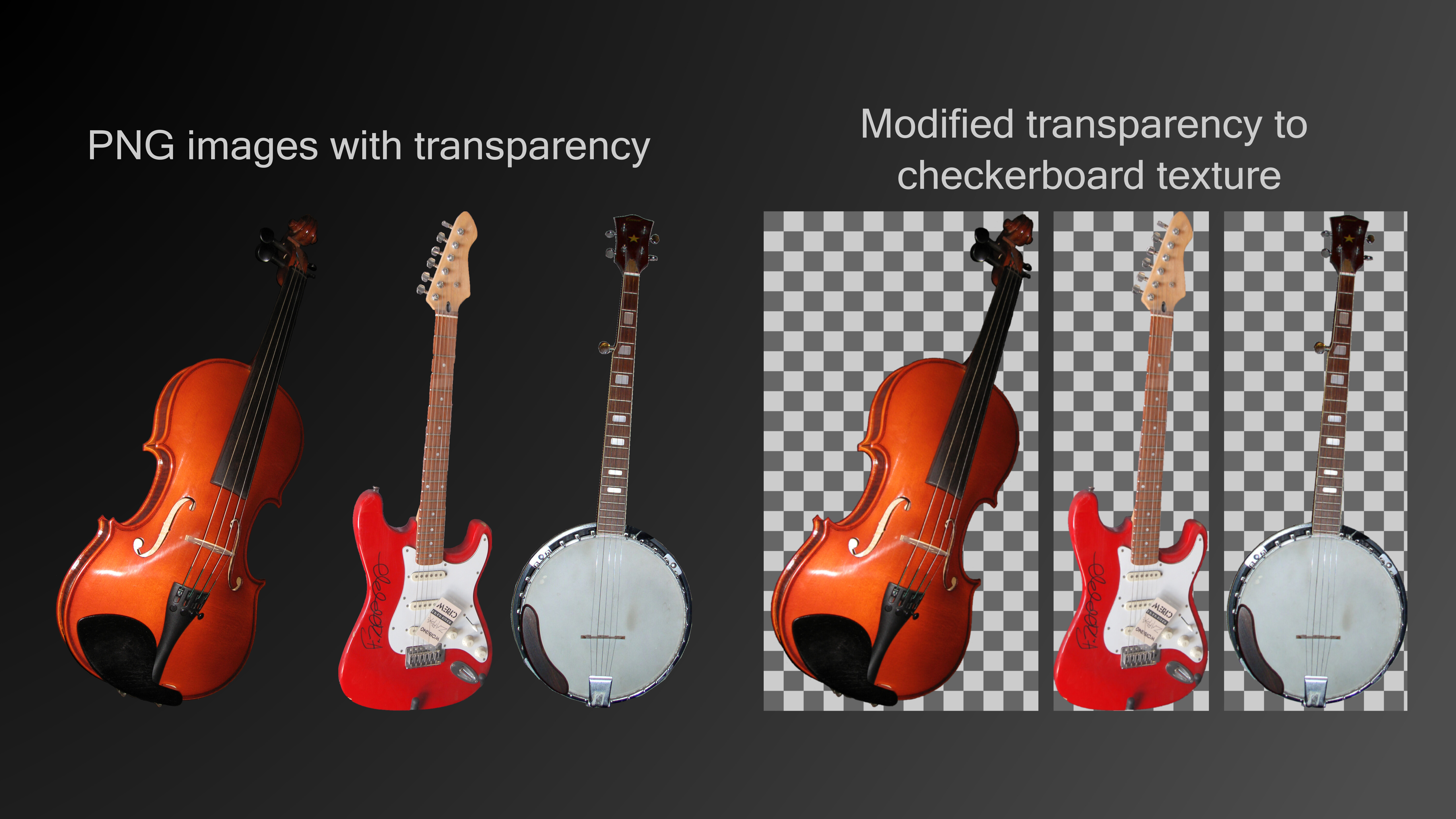
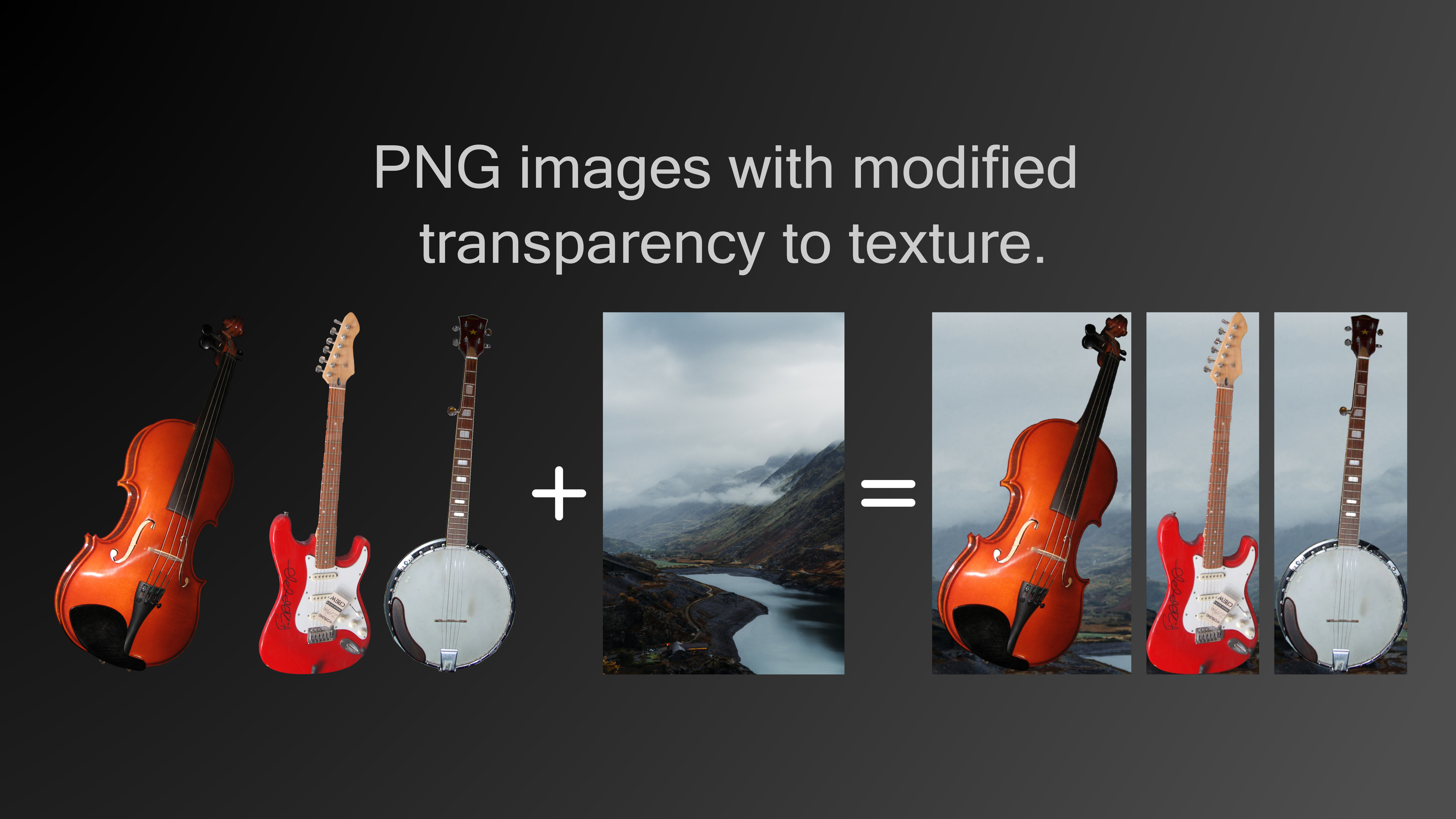
Allows the editing of the alpha channel (transparency) of PNG images, being possible to insert a solid color, checkerboard texture (automatically generated) or insert an image (texture) to serve as a background.
This edit can be applied to a folder containing multiple images (PNG or JPG), images without transparency will not be affected by the edit.
Watermark addition (insert logo)
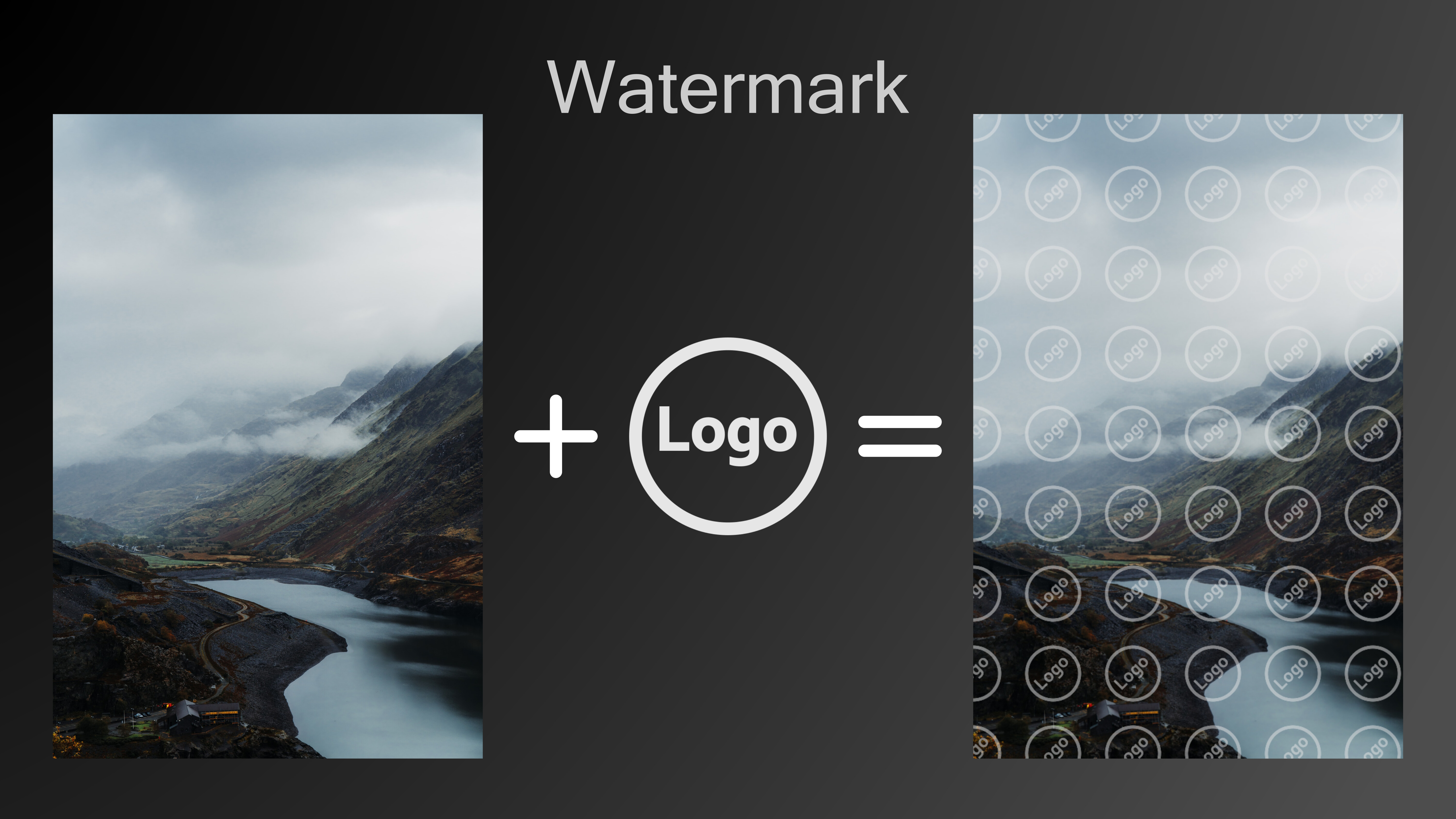
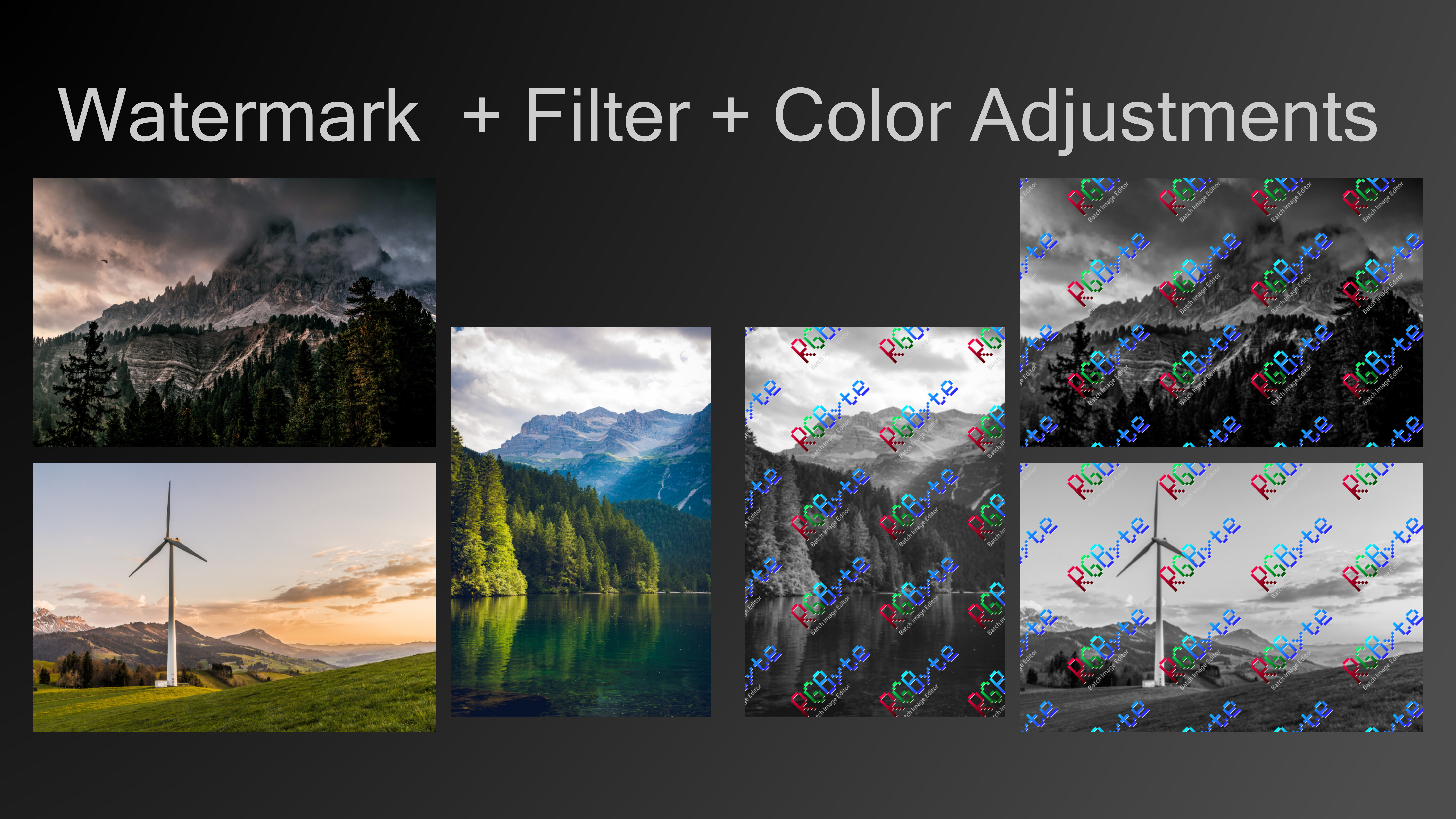
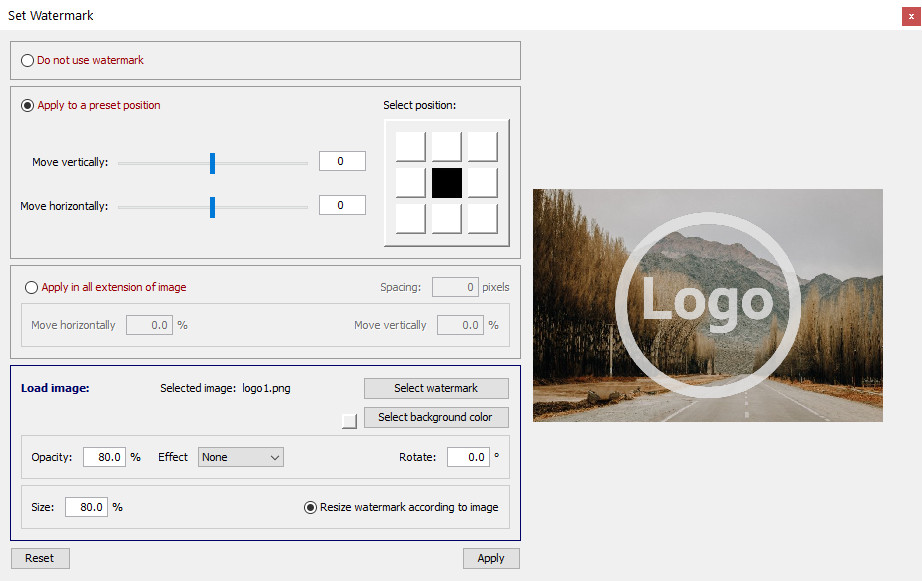
It is possible to insert a logo over the images in the selected folder. The logo can be inserted over the entire image or in a specific position. It is also possible for the logo to scale according to the size of the images in the folder so that it occupies a specified percentage, very useful for a folder with images of several different resolutions.
Sharpness and median filters
It has a sharpness and median filter (noise remover)
Batch rename
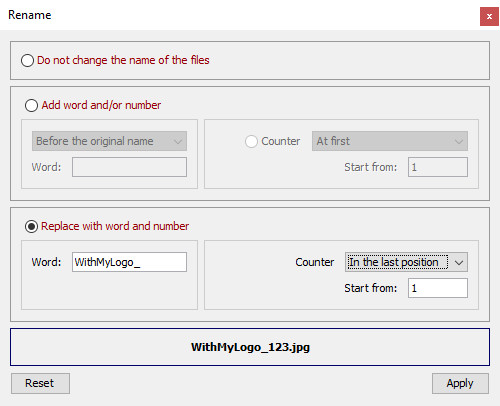
It is possible to define a new name for the images, adding a word and/or a counter (increasing number) at the end or beginning of the files.
Scripting
After making the necessary adjustments, it is possible to save the edits in a file (script) that can be used whenever needed. Just open the folder with the new images to be edited and open the script file.
Supported file format
Open JPG, PNG, BMP and GIF files.
Export to JPG and PNG.
With it, you can easily perform basic edits and save changes for later use.
Available resources:
- Resizing - focus on standardization
- Basic color adjustments
- Modification of the alpha channel (transparency) - possibility to insert colors or textures
- Watermark addition - logo or image in specified position and size
- Sharpness and median filters
- Save edits via script
- Batch rename
- Use of multiple threads
- All selected features are applied to all images in the selected folder
Details:
ResizeUseful for resizing multiple images in a folder, leaving all with a default resolution. You can resize by width or height, or even select the longest or shortest side to base your changes on. The resize feature is useful for standardizing images for use on websites, distribution or even storage. Its focus is on decreasing the dimensions of the image.
Quality and format of files
It is possible to export the images in PNG and JPG format.
For JPG files, it is possible to modify the image quality and consequently the file size, very useful for sending images by email or even when you need to send samples to a client.
Basic color adjustments
Brightness, contrast, saturation and gamma.
Modification of the alpha channel (transparency)
Allows the editing of the alpha channel (transparency) of PNG images, being possible to insert a solid color, checkerboard texture (automatically generated) or insert an image (texture) to serve as a background.
This edit can be applied to a folder containing multiple images (PNG or JPG), images without transparency will not be affected by the edit.
Watermark addition (insert logo)
It is possible to insert a logo over the images in the selected folder. The logo can be inserted over the entire image or in a specific position. It is also possible for the logo to scale according to the size of the images in the folder so that it occupies a specified percentage, very useful for a folder with images of several different resolutions.
Sharpness and median filters
It has a sharpness and median filter (noise remover)
Batch rename
It is possible to define a new name for the images, adding a word and/or a counter (increasing number) at the end or beginning of the files.
Scripting
After making the necessary adjustments, it is possible to save the edits in a file (script) that can be used whenever needed. Just open the folder with the new images to be edited and open the script file.
Supported file format
Open JPG, PNG, BMP and GIF files.
Export to JPG and PNG.
Media
Trailers and screenshots straight from the store page


Price intelligence
Accepted price history and the lows that matter
Historical lows
All-time low ATL €9.75 2026-06-18
3-month low €9.75
12-month low €9.75
Current €9.75
Price events From the accepted price history · updates automatically
Jun 18, 2026
New all-time low €9.75
RGByte price history and best deals
RGByte for PC currently sells from 9,75 € at authorized stores. Its all-time low is 9,75 €, set on 2026-06-18.
Frequently asked questions
Answered from this game's own price and edition data
Where can I buy RGByte?
RGByte is tracked at steam. We only list authorized stores here and always link out with a clean outbound link.
Scores
Steam reviews 3 user reviews · 67%
67% positive of 3
Media (11)
Tech
Requirements
Facts
EntwicklerRGByte Software
PublisherRGByte Software
GenresDesign & Illustration · Photo Editing · Utilities · Web Publishing
Links
Altersfreigaben
dejusl
igrs3
steam_germany0