Der Produkttext wird auf Englisch angezeigt, da kein Quelltext in dieser Sprache verfügbar ist.

Simplode Suite - Color Grabber

Angebote
Preise offizieller Shops und gekennzeichnete Keyshop-Vergleiche
Report a wrong price
Packs and bundles (2)
Multi-item packages that include this game
- Simplode Suite All Packages + Virtual Touch Screen 2 From €21.54Simplode Suite All Packages + Virtual Touch Screen 2
- Simplode Suite All Packages + Virtual Touch Screen 2 (Giftable) From €21.54Simplode Suite All Packages + Virtual Touch Screen 2 (Giftable)
About this game
What this game is, in the developer's words
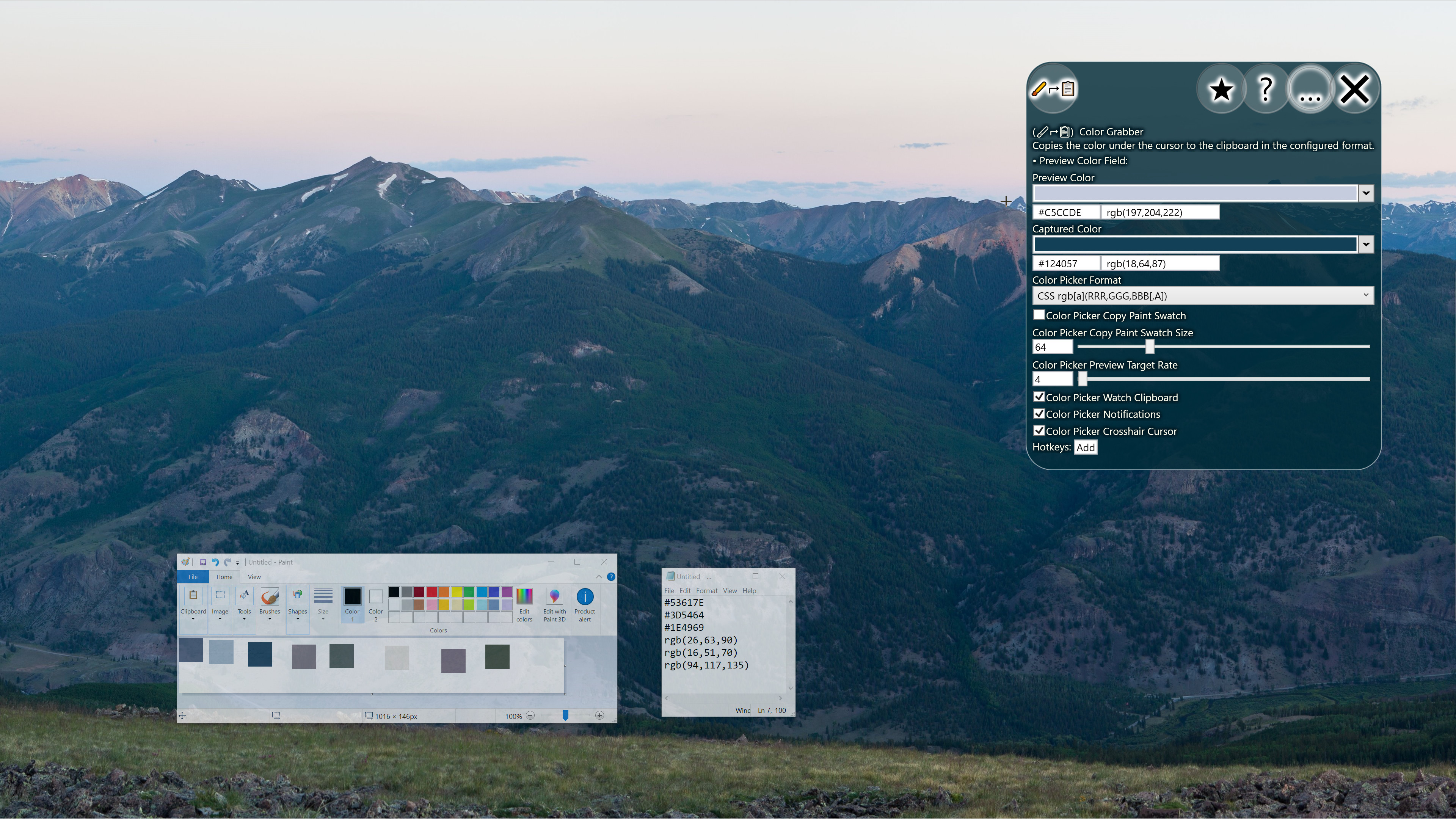
The Color Grabber package simply enables you to quickly grab color information from pixels on screen and access this information in various formats or copy directly to clipboard. You can also quickly copy a single pixel or color swatch of configurable size as an image.
This product is available natively in English, but it has automated translations for most major languages.
Contents: Color Grabber (🖌⮣📋)
Color Grabber (🖌⮣📋)
Copies the color under the cursor to the clipboard in the configured format.- Preview Color Field:
- Color Picker Format (Default: Hex #[AA]RRGGBB)
This is the format that the Color Picker will use when copying color information to your clipboard.
- Hex #[AA]RRGGBB: A compact hexadecimal color format. The alpha transparency (if included) is incompatible with many older web browsers.
- CSS rgb[a](RRR,GGG,BBB[,A]): A color format with general compatibility with all browsers' CSS implementations, including alpha transparency support. - Color Picker Copy Paint Swatch (Default: False)
If enabled, copies a paint swatch to the clipboard instead of the color string. - Color Picker Copy Paint Swatch Size (Default: 64)
Controls the size of the paint swatch that the color picker will put on the clipboard. - Color Picker Preview Target Rate (Default: 4)
This is the target rate at which the color grabber preview will try to update itself when visible, in frames per second. Setting the rate to 0 will disable the feature. - Color Picker Watch Clipboard (Default: True)
If enabled, the color grabber window will watch the clipboard for valid colors and update the captured color accordingly. This is useful for quickly converting color information from decimal to hexadecimal or from hexadecimal to decimal. - Color Picker Notifications (Default: True)
If enabled, the color picker will create a visible notification of the color found. - Color Picker Crosshair Cursor (Default: True)
The crosshair cursor is supposed to be better for pixel accurate selection. When enabled, the system crosshair cursor will be used when grabbing a color. If you use the secondary action or a hotkey, however, the cursor will not change, as this setting only impacts the two-step selection process where you click the button and then click your target.
Media
Trailers and screenshots straight from the store page
Price history
Accepted price history and recorded lows
No price history recorded yet.
No history yet.
Simplode Suite - Color Grabber price history and current deals
Simplode Suite - Color Grabber for PC currently sells from 1,19 € at authorized stores.
Frequently asked questions
Answered from this game's own price and edition data
Which stores list Simplode Suite - Color Grabber?