Der Produkttext wird auf Englisch angezeigt, da kein Quelltext in dieser Sprache verfügbar ist.

Touch Typing Home Row Speed Grinder

No discount right now. The current price is 100% of the way from its all-time low to full price.
Why this verdict
Angebote
Preise offizieller Shops und gekennzeichnete Keyshop-Vergleiche
Report a problem
Price history
Akzeptierter Preisverlauf und erfasste Tiefpreise
Purchase options (1)
Steam packages and bundles that include this game
- Touch Typing Home Row Speed Grinder From €4.24
DLC (9)
Add-on content for this game
- Touch Typing Home Row Speed Grinder - Contorted Information Skin + Physical Access Ethical Hacking Windows Xp, Vista, 7, 8, 10 & Linux Tutorial Access Free
- Touch Typing Home Row Speed Grinder - Eyes Only Skin Free
- Touch Typing Home Row Speed Grinder - Normal Silver Skin From €3.99
- Touch Typing Home Row Speed Grinder - USA American Skin From €3.99
- Touch Typing Home Row Speed Grinder - Zombie Black Layout Prowl Skin Free
- Touch Typing Home Row Speed Grinder - iReact Alien Skin They Are Among Us Free
- Touch Typing Home Row Speed Grinder - iReact Freddy Krueger Nightmare Custom Art Keyboard Free
- Touch Typing Home Row Speed Grinder - iReact Gnomey Christmas Onscreen Keyboard Free
- Touch Typing Home Row Speed Grinder - iReact Tech 01001010 01101111 01100101 Free

Packs and bundles (1)
Multi-item packages that include this game
- Typity, Type, Type! From €4.24
About this game
What this game is, in the developer's words
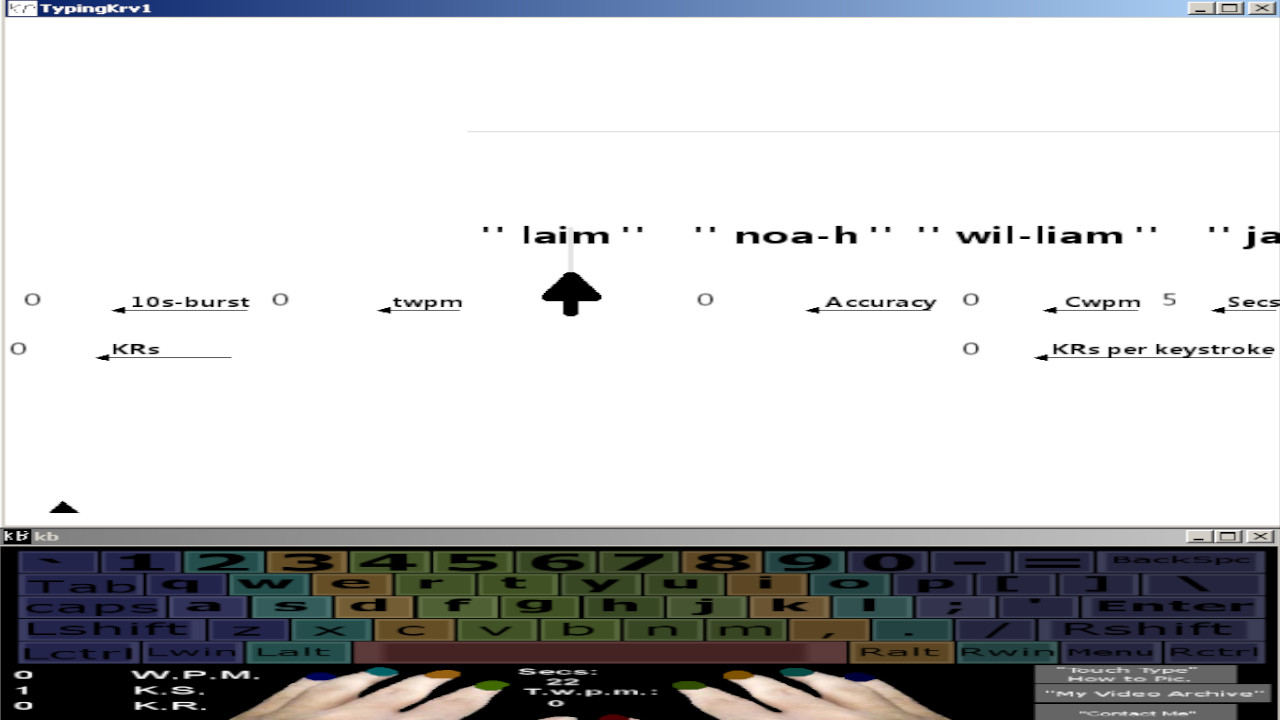
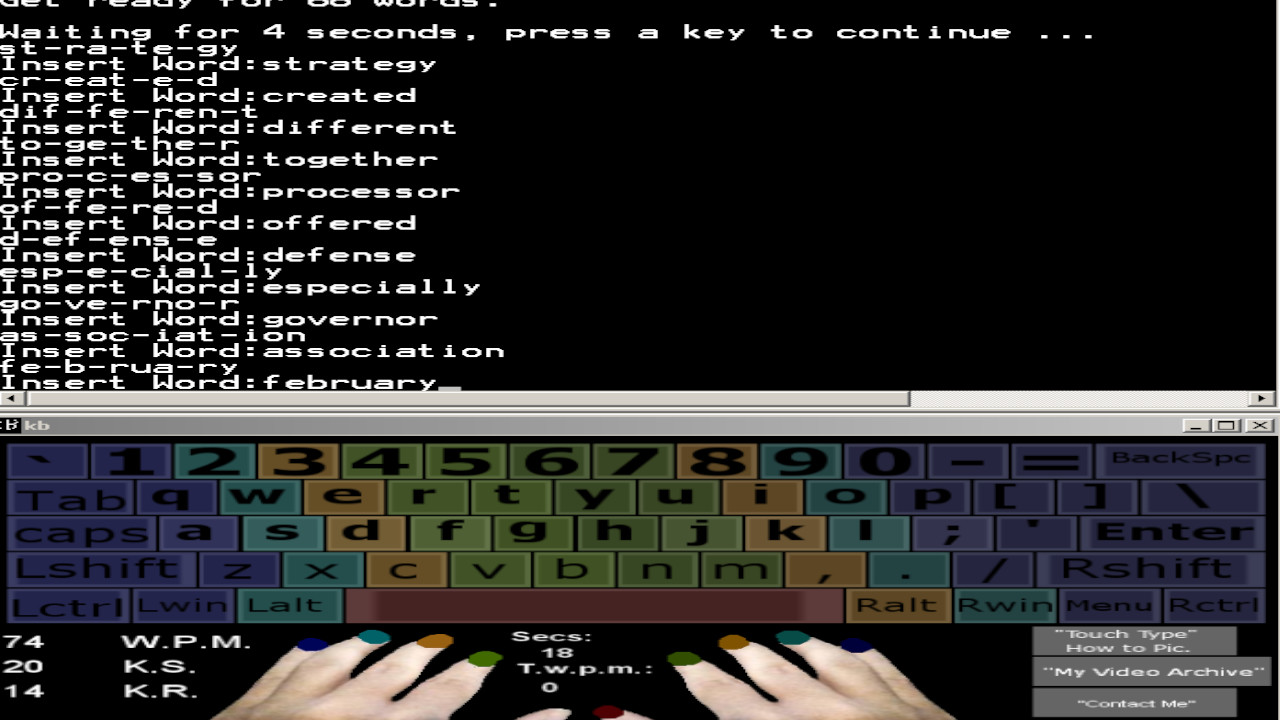
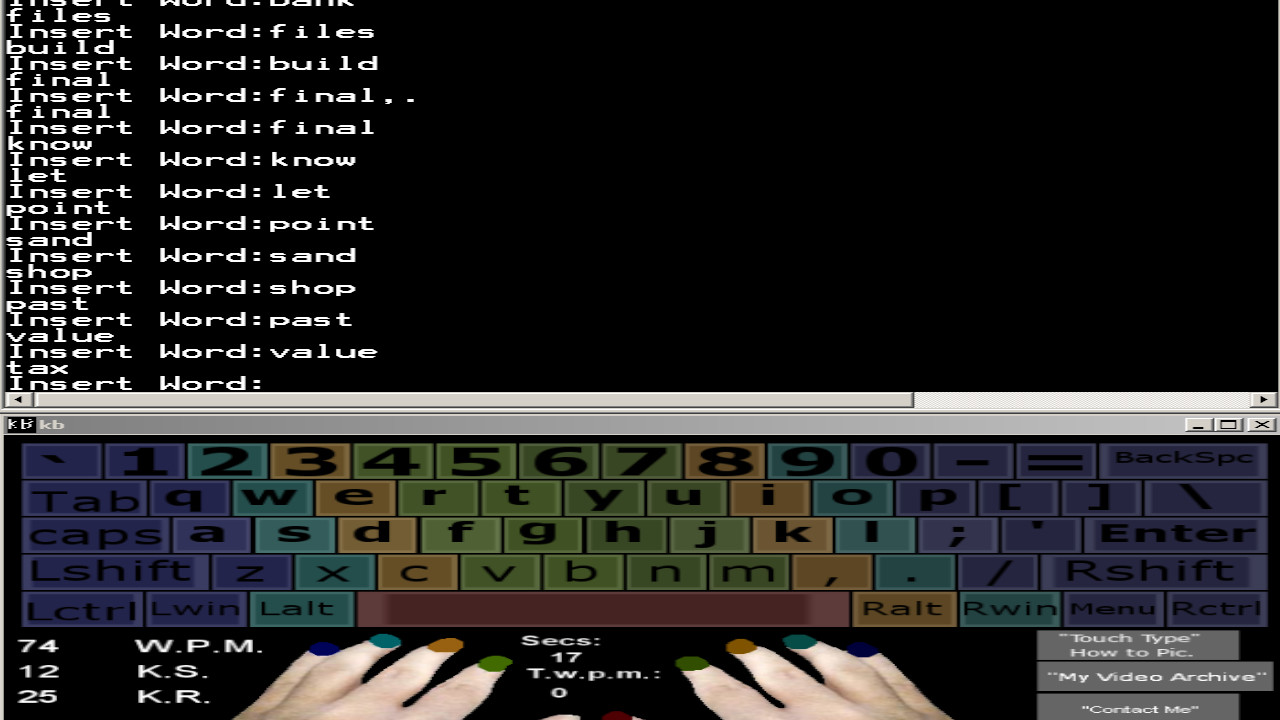
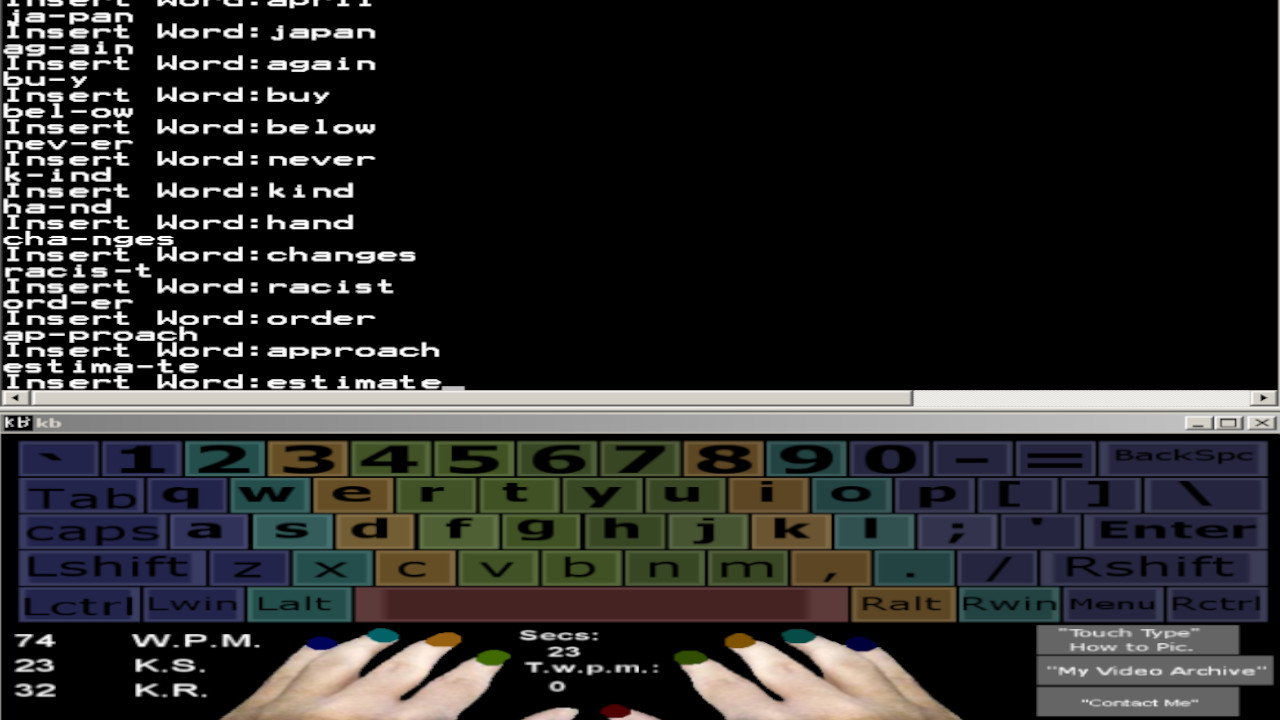
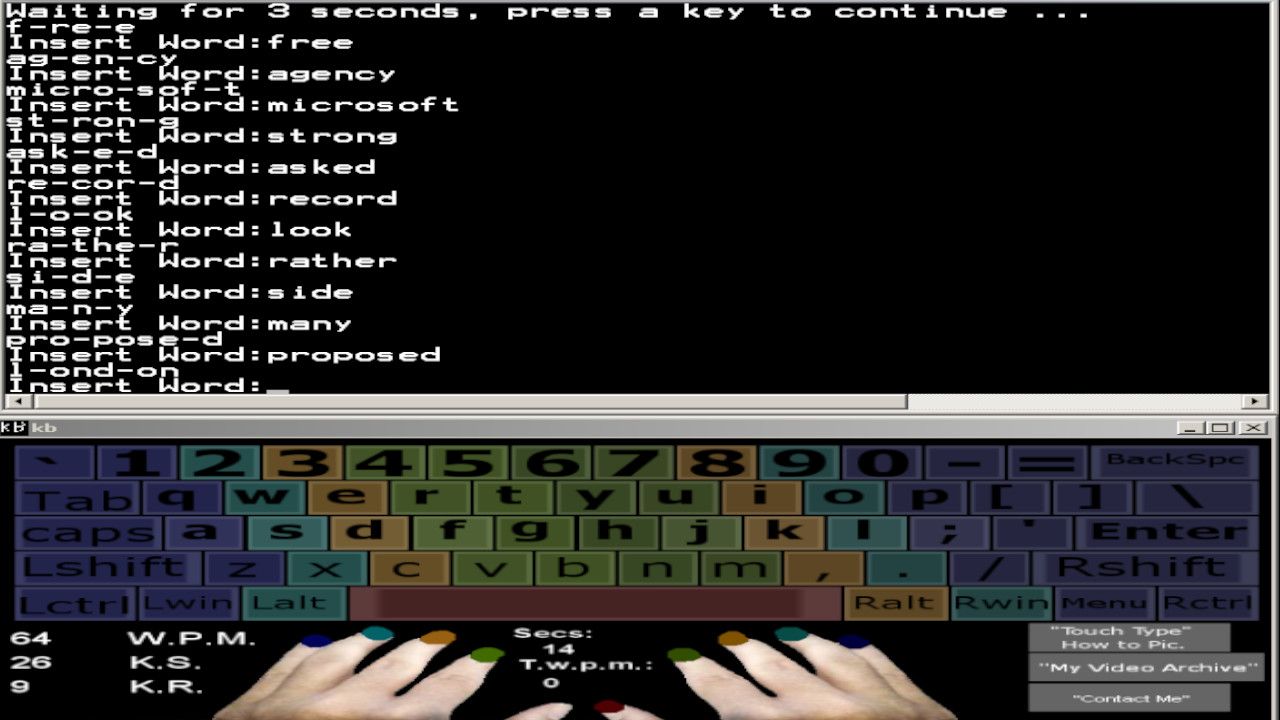
An Onscreen Keyboard that is compatible with many programs, it allows you to take your Typing Training Everywhere You go! It also has Onboard Grinding Games that can be played offline allowing you to learn how to type using the "Key Rollover Method".
Check out the several pre-created DLC's available for this game, these skins give it a completely different feel.
--
I have verification videos above posted before the actual Onboard Lesson previews of the keyboard where I have typed on the well-known sites, Typeracer and 10fastfingers to prove my Typing Speed is legit. (Note: Anyone can type on these sites for free without buying the keyboard, just google them They're great fun and a nice productive place to test your typing speed!) My Keyboard is compatible with multiple windows programs and not just with the onboard lessons that it comes with.
Are you faster than me? There's one way to find out, come see & Type with me on the weekends (First to 10 wins).
I invite all to compete with me. ---> "Visit the Website" on the right side of this page to go to the Discord.
This is part of the onboard lessons that comes with the onscreen keyboard. I believe that everyone has the ability to type 90+ WPM, if they are trained using the correct method of Typing. Most Typing Instructors Neglect "Key Rollovers", and don't even mention them to their students.
What is Key Rollovers
Key Rollover is performed when 2 or more keys are pressed down simultaneously just milliseconds apart without lifting the previous key.
In a word like "land" All letters can be pressed down together and even held. If you hold them it will spell, "landddddd" If you held them down in the right order since the last key is repeated.
I transformed my Standard Touch Typing Skills with my onscreen keyboard that I developed using, the "Key Rollover" Method to help me soar above the 60 W.P.M. (Words per Minute) expectations that I was originally told was for successful Typing Students.
My Onscreen Keyboard comes with a wordlist broken down in motions, which encourages Key Rollover Training for around 1,000 Common English Words, 0/9 Numerical Keys, and Syllable Training, which contain Common Syllables that are found in over 5,000 common English words. I have also included the "grind software" which has a list of 100 names, some which are very difficult to type, it's sure to help your accuracy if you practice using the practice methods contained within this program.
Why do we need to know Syllables in Typing? If you are familiar with the Syllable inside of a Word that is not in your Vocabulary then you can type the Syllables that make up the word instead, this will speed up your typing speed dramatically vs. writing each individual Keystroke as you see them, because it increases the speed at which you can process the word.
Do you want to be within the top 1% of Typists in the world also? Being able to Type at a speed of 108/126 W.P.M. for an entire minute is something only 1% of all Typists can do. In order to do this, you must train the correct way.
You will need to practice reading ahead of what you're typing as well as following the "key rollover" training mindset everytime you sit down to type.
I will share some techniques, and secrets which will help you to improve your speed drastically.
Do you have a busy schedule? You will also get my Onscreen Keyboard App for Windows Xp, 7, Vista, 8, and 10. That I have developed to help people increase their speed at their own pace.
This Onscreen Keyboard is compatible with nearly every windows program, browsers, that can be run in windowed mode along side of it. You can practice good Touch Typing form while writing your e-mails, web browsing, playing games, or writing stories. It will monitor your Keystroke Speed, and it Displays the WPM result back to you in real-time every 5 seconds so you can keep an eye on your raw "5 Second Speed Burst" as you press them.
The Keyboard App has been created to help make everything easier for you while developing your typing skills and letting you type at your own pace.
Even while you are not typing, you can review which keys are for which fingers because it's all color-coded.
Who this course is for:
People who want to be more productive, who want to learn how to Touch Type using the correct method using all 9 fingers without having to look at there keyboards.
Developers who wish to type faster, get projects done faster, and be more productive without constantly having to look down at their Keyboards.
Command Prompt, Pentesting, Hacking Enthusiasts who wish to increase their Keyboarding Speed.
People who spend a lot of time on Computers.
Researchers, imagine how many hours you can save while researching, and how much more Data You can Collect if you could type 3x faster than the Average 40 WPM that most Users Type!
That's all... Join Me You Keyboard Warrior.
Media
Trailers and screenshots straight from the store page
Touch Typing Home Row Speed Grinder price history and current deals
Touch Typing Home Row Speed Grinder for PC currently sells from 8,19 € at authorized stores. Its all-time low is 2,45 €, set on 2026-07-06.
Frequently asked questions
Answered from this game's own price and edition data
How does the current Touch Typing Home Row Speed Grinder price compare?
How does 8,19 € compare with the Touch Typing Home Row Speed Grinder price history?
Which stores list Touch Typing Home Row Speed Grinder?