

Der Produkttext wird auf Englisch angezeigt, da kein Quelltext in dieser Sprache verfügbar ist.

VRCTEEF

Offers
Accepted regional prices from official stores
No offers tracked yet for this product.
Report a wrong price
About this game
What this game is, in the developer's words
VRCTEEF is a face tracking and animation tool for VRChat. Supports real face-tracking hardware as well as animation based face emulation. Works for VR and Desktop users, with or without physical face-tracking hardware. Trigger and modify facial expressions using bindings, gestures, or custom logic.
VRCTEEF
Toxicy's Expressive Emulated Facetracking for VRChat
VRCTEEF is a face tracking and animation tool for VRChat.
It supports real face-tracking hardware as well as animation-based face tracking emulation.
Works for VR and Desktop users, with or without face-tracking hardware.
Trigger expressive facial movements using controller bindings, gestures, or custom logic.
(and yes its a pun for teeth, sorry not sorry!)
Global Features (FT & Non-FT):
Real Hardware Face Tracking
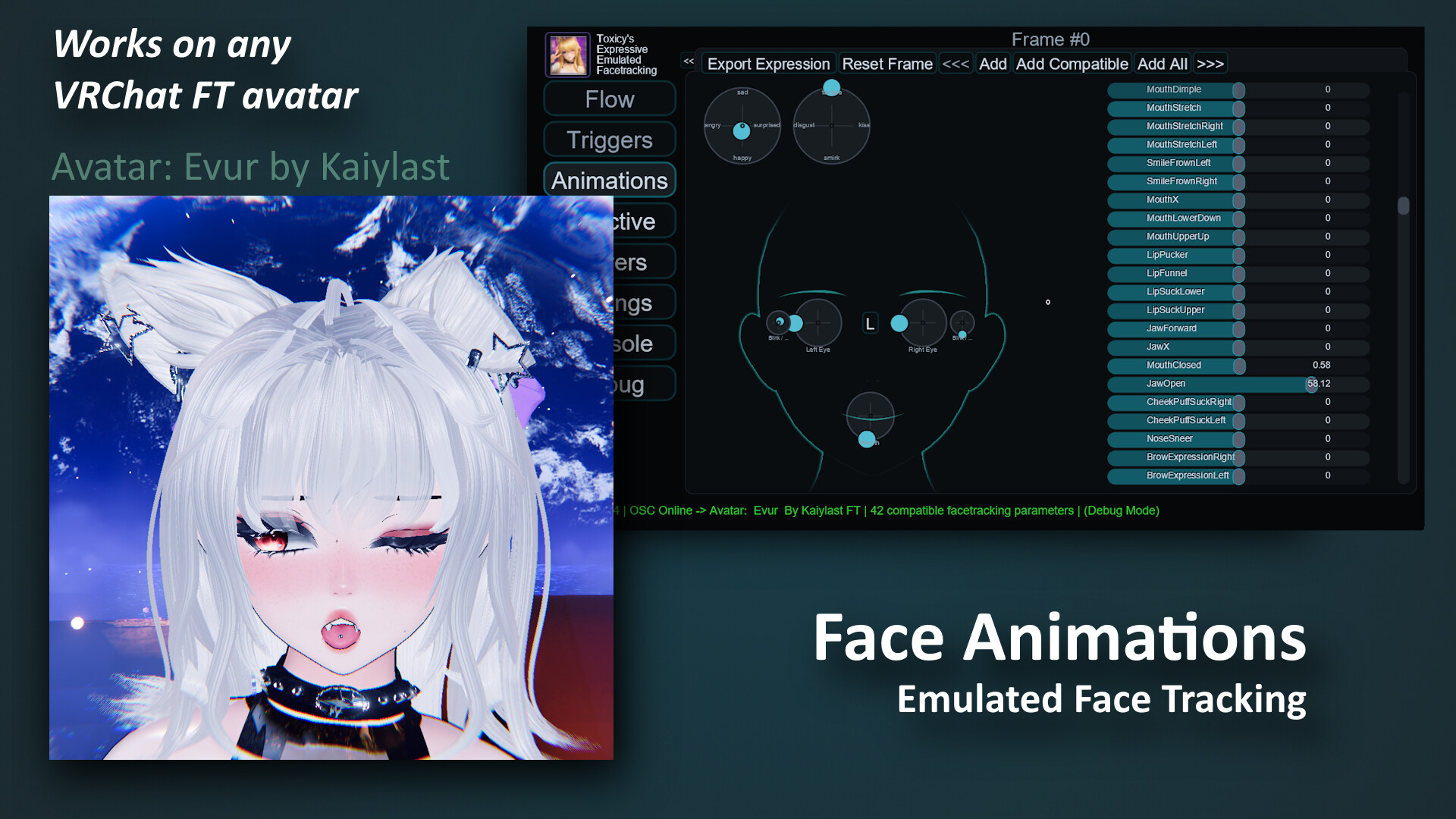
Emulated Face Tracking
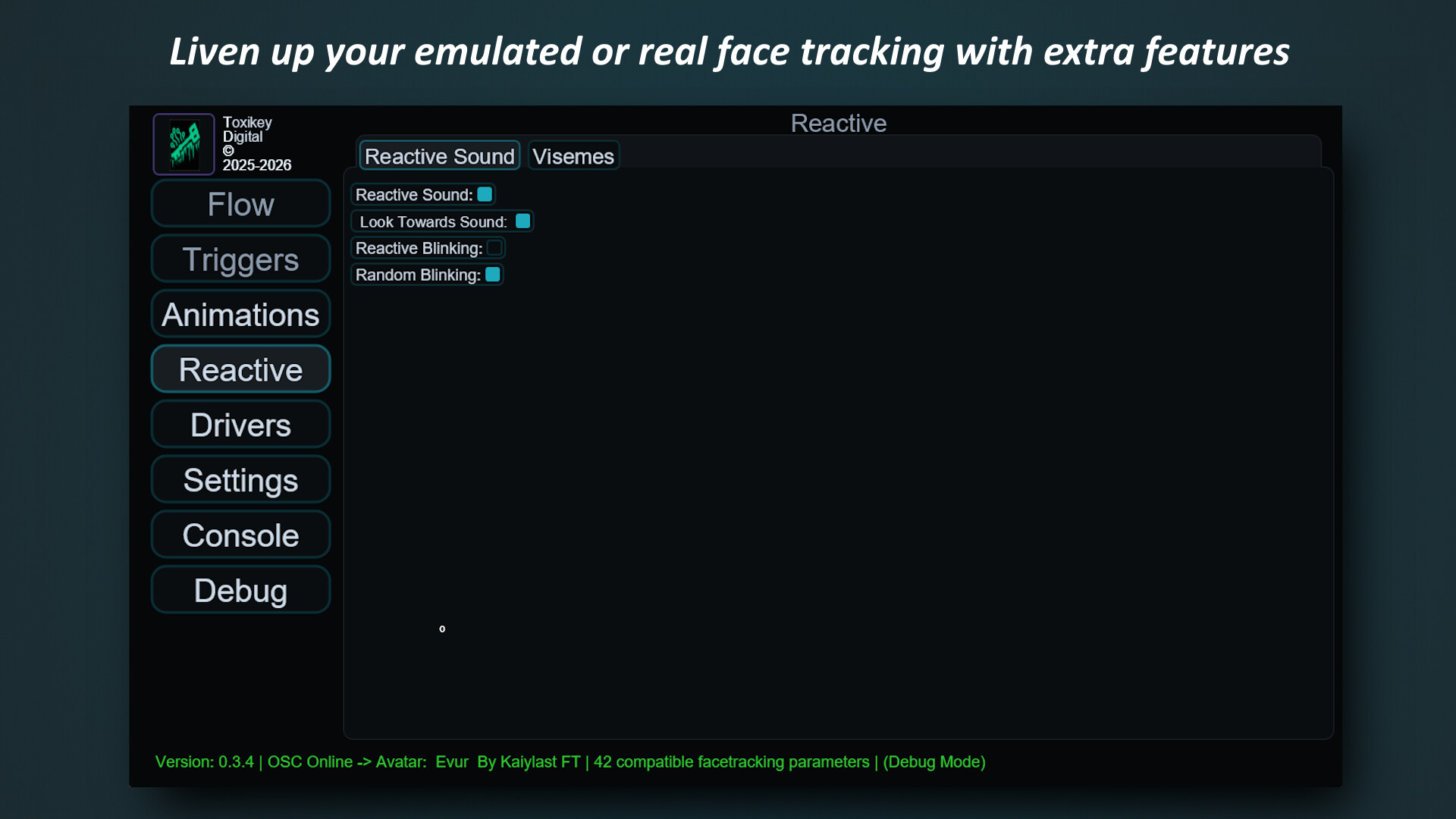
Sound Re-active Eyes
Face Idle System
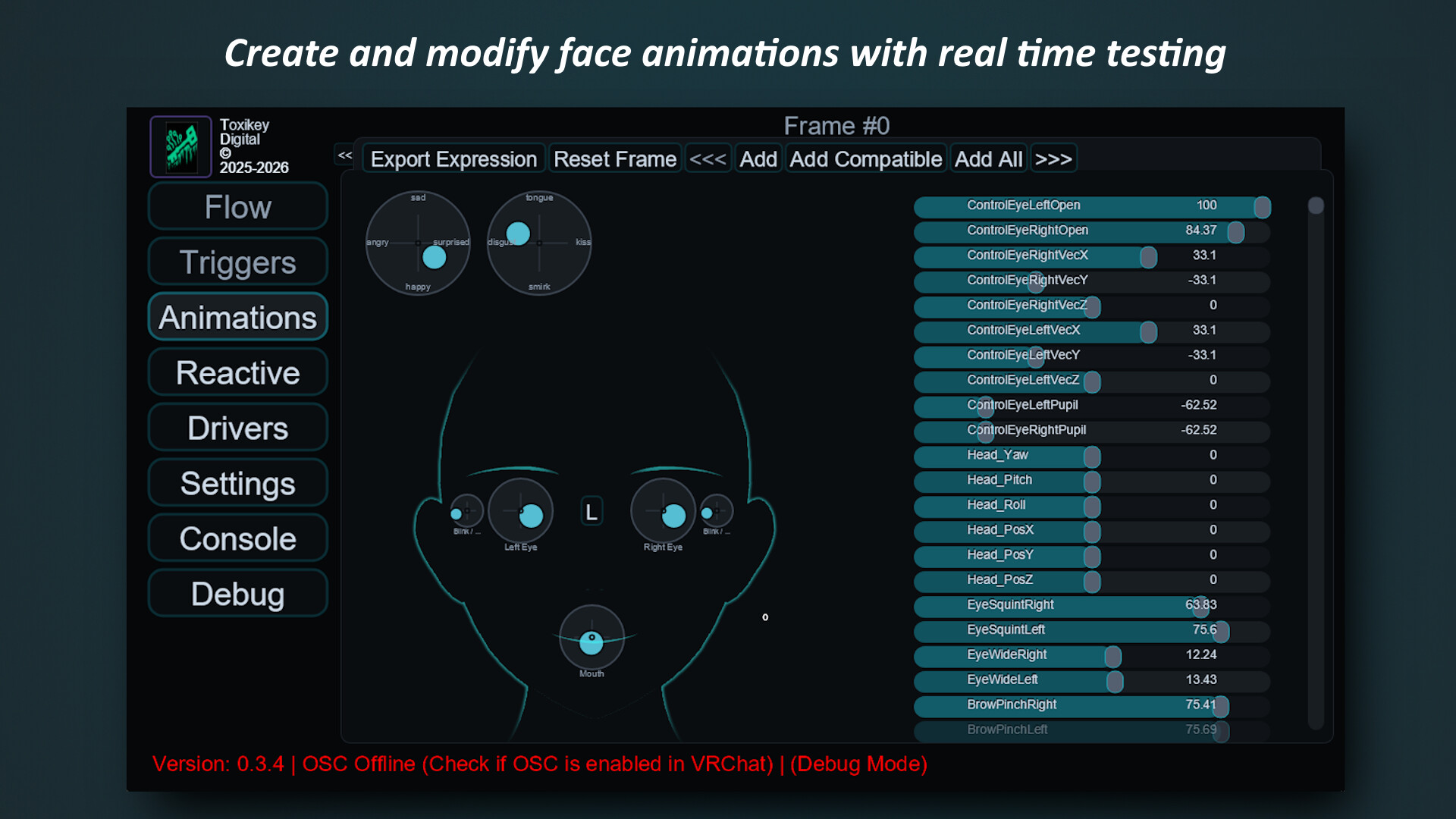
Create animations (+ easy import / export)
Non-Static Face Animations
Unlimited* Face Expressions
Drivers (API plugins)
Steam VR Dashboard Overlay or Desktop Application
Real Hardware Face Tracking
Yes, VRCTEEF can be used as a normal interface for your face tracking hardware to be translated into VRChat.
What does VRCTEEF improve for real face tracking hardware?
Full control and lots of features like blending FT data with custom animations
Control all the outputs by using custom modifiers, for example to exaggerate your expressions by 130%.
You can use any of the animation features on-top of your actual face tracking, using blended weights, an animation can affect how expressive your face appears, the idle system is a good example, if your real face is not doing anything and no other animation systems are active, it can trigger random blended animations that liven up your avatars face.
or you can just use it normally, with no modifiers applied, the data goes direct from your hardware to the game, no buffers. VRCTEEF aims to be deliver extra features for FT while being efficient, low process and ram usage, and instantly accessible from the Steam VR overlay (or desktop application).
Emulated Face Tracking
VRCTEEF is technically an animation player for the Avatar's face, using the avatars face tracking parameters.
(Avatar with face tracking support is required, however basic features on normal avatars can still work, like eye movement)
Custom / Pre-made face animations that get transmitted to your VRChat Avatar (via OSC) real time in-game.
These animations can be triggered many ways, hand gestures, controller bindings / VR device positions + rotations, sound... and many more in future updates.
Sound Re-active Eyes
(Eyes react to sound in different ways)
By enabling this option your avatars eyes will try to react to sound, this is mainly for Non-FT users.
Tries to smoothly look towards the loudest sound source (left / right)
Eyes squint when sound goes over a set threshold (example a loud sound right in-front of you auto reacts by squinting when something is too loud)
Eyes slowly widen when sound goes under a set threshold (Makes it look like your avatar is more focused)
Face Idle System
(make your avatar look alive while you're not triggering any animations)
By enabling this option your avatar will use a face animation when its considered 'in idle mode'
Idle mode can be set to trigger different ways, example it can be triggered when no mic activity is detected
or when no animations have been triggered in a configurable X amount of seconds.
Plays pre-set / custom animations that can be randomized and blended a bit to avoid repetition with the goal to look natural.
Eye wandering option can be enabled for eyes to look around randomly every now and then.
and of course Normal Blinking (Natural randomized interval)
Create animations
As mentioned above, animations can be used for lots of things, using the animation editor lets you easily make different face expressions and animations that you can use, these can be exported as well as imported.
VRCTEEF includes a bunch of common default animations and face expressions that you can instantly use and set up in whatever way you want, as well as cloning them and editing them for yourself or to share in the community.
Non-Static Face Animations
Usually normal VRChat face expressions are a single frame, while you can set up face animations in VRChat Avatars
its usually an per-avatar situation and can be lots of work if you make avatars!
VRCTEEF lets you set up animations for your gestures (or any trigger)
for example: vrchat's 'peace gesture' would play an animation where your avatar winks and then transitions to a smile
best part is? Set it up only once and it will usually work across ANY and ALL of your face tracking supported avatars!
(assuming the avatars are set up correctly to use UE or other compatible FT parameters)
Unlimited* Face Expressions
(Bind your face expressions to any trigger like a controller binding combination, hand gestures... etc)
VRChat avatars are limited to a small set of hand gestures for face animations,
usually around 14 combinations + menus and extra animation layers for separate expressions can work, but they feel bulky and unnatural.
Using VRCTEEF (and a face-tracking-ready avatar), you can assign multiple face animations to a single trigger and have them randomly cycle,
making expressions feel more natural. Not limited to VRChat’s default gestures either. Example: using a Valve Index Controller to trigger an animation using a specific finger? Go for it.
Drivers (API plugins):
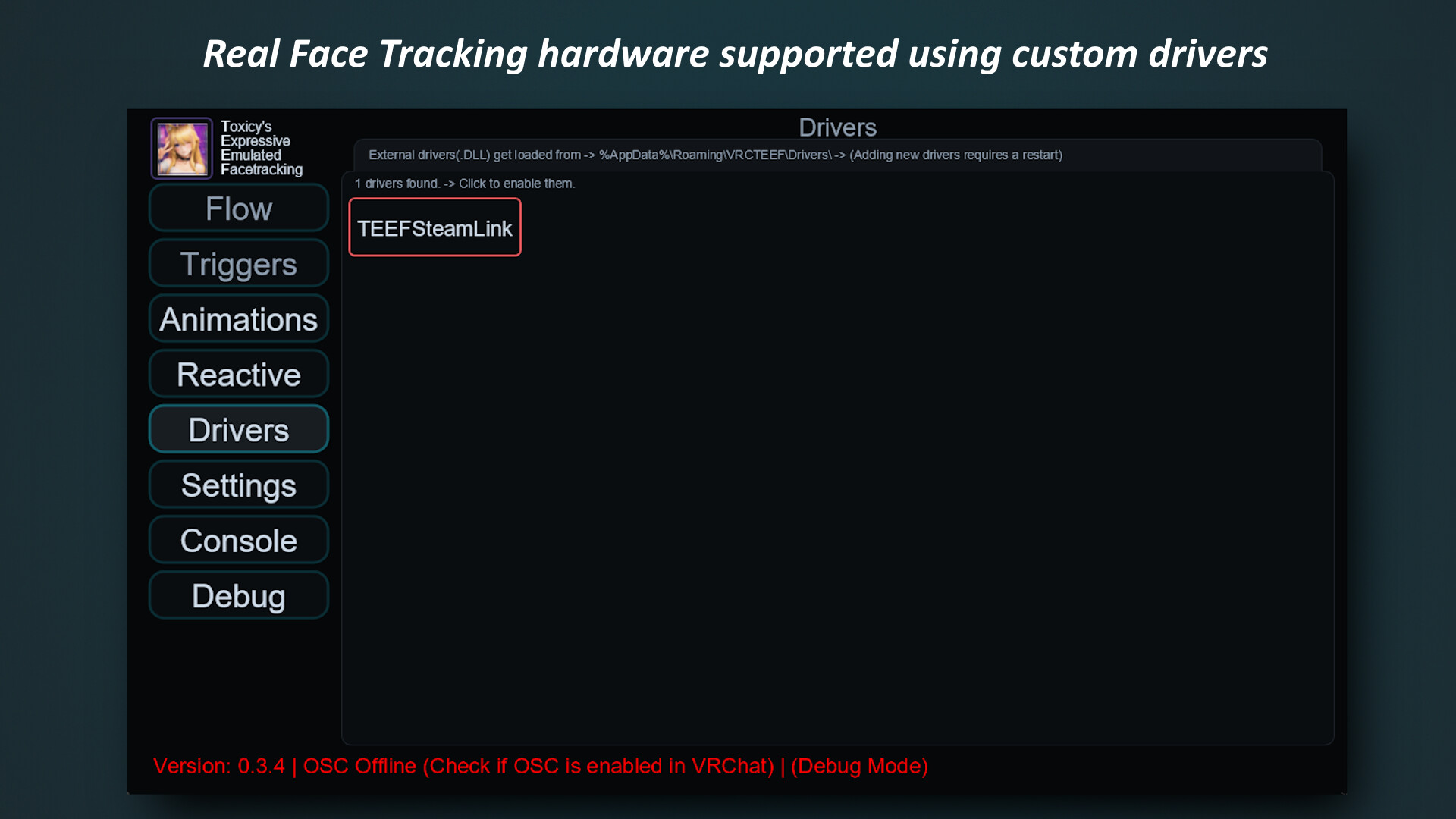
Different hardware requires different VRCTEEF Drivers to work, by default VRCTEEF includes some.
List of included drivers:
SteamLinkDriver
an API library is included and available publicly for any developer to make their own hardware support.
for FT users:
'Blend' or 'Overwrite' the real face tracking with custom animations,
More Info:
Launch in either VR Dashboard Mode or Desktop Mode.
Notes:
Please note: VRCTEEF is currently in development/beta. Performance, features, and avatar compatibility may change as the software continues to improve, feel free to visit our discord community if you need more info on a specific hardware setup!
Hardware compatibility:
VRCTEEF Sends direct OSC data to VRChat, this is the preferred fastest low latency way, if for whatever reason should direct mode not work or if your hardware is not compatible yet with VRCTEEF, we have compatibility with VRCFaceTracking using our VRCTEEFModule in External Mode as backup, this is experimental as it introduces another layer / program to the mix and thus some features might not work as expected, however if your hardware is still not supported, please send us an email or DM on our discord community so we or the community can develop a driver for your setup!
Media
Trailers and screenshots straight from the store page

Price intelligence
Accepted price history and the lows that matter
No price history recorded yet.
No history yet.
VRCTEEF price history and best deals
Price tracking for VRCTEEF across authorized stores.