Le texte du produit est affiché en anglais parce que le texte source n’est pas disponible dans cette langue.
![[depreciated] Zoom Player 14 upgrade: illustration d’en-tête](https://shared.fastly.steamstatic.com/store_item_assets/steam/apps/746700/header.jpg)
[depreciated] Zoom Player 14 upgrade
![[depreciated] Zoom Player 14 upgrade](https://shared.fastly.steamstatic.com/store_item_assets/steam/apps/746700/library_600x900.jpg)
Pourquoi ce verdict
Offres
Prix des boutiques officielles et comparaisons de keyshops signalées
Aucune offre suivie pour ce produit.
Signaler un problème
Historique des prix
Historique des prix acceptés et prix enregistrés les plus bas
Aucun historique de prix enregistré pour le moment.
Pas encore d’historique.
Aucun début de promotion enregistré pour le moment.
À propos de ce jeu
Le jeu, présenté avec les mots de ses créateurs
Zoom Player is the most Powerful, Flexible and Customizable Media Player application for the Windows PC platform. Based on our highly-touted Smart Play technology, more media formats play with less hassle, improved stability and greater performance.
Dedicated support staff & documentation
With Zoom Player, you are not only getting a professional quality software, but also tech support from fans, QA personal and access to the development and art team.To top it off, Zoom Player's documentation is unparallelled in scope, every feature is explained in great detail, the vast number of customization features are easily searchable through the options dialog search feature and selected features are shown & automatically highlighted.
Main Features
- A polished user interface with no bloat!
- The User-Interface is customizable to the extreme with hundreds of settings that control every aspect of the user experience.
- Use the XBOX 360 controller (or compatible devices) as a remote control with custom functions assignable to buttons and thumb sticks.
- Over 300 functions, assignable to keyboard keys, mouse buttons, remote control buttons or controller buttons and thumb sticks.
- Hardware accelerated video Decoding & DeInterlacing (DXVA, CUDA, QuickSync).
- Hardware, GPU based high-quality image upscaling algorithms (Bicubic, Lanczos, Jinc), maxing out high-end gaming cards for best-in-class video image quality.
- Digital Audio output over S/PDIF & HDMI Bit-Streaming to external receivers/amps.
- An Install Center application which makes life easy by keeping decoding components consistently up to date (optional).
- A fullscreen navigation interface, easily upgrading the PC into a full Home Theater experience or for use on touch-screen tablets.
- A Command & Control API that works over TCP/IP (the internet), COM or WinAPI, providing access to custom mods you can create yourself.
- Decrypted Blu-Ray Movie playback with Subtitle support.
- Video Wall (Span a single video across multiple monitors).
- Scene-Cut (Dynamic, Virtual Audio/Video editing).
- Non-Linear 16:9 (widescreen) / 4:3 (fullscreen) video scaling.
- Video Orbiting (Prevents screen-burns by slowly moving the video image every few seconds).
- HTML, Flash and QuickTime Interactivity (Browse content from within Zoom Player, bypassing standard media controls).
- Create custom Mobile-Phone RingTones from playing media.
- GuardDog (Automatically restart Zoom Player if the player becomes unresponsive).
- All popular formats are supported : H.264, XVID, DIVX, DVD, Blu-Ray, FLV, WMV, QuickTime, MPEG 1/2/4, MP3, AAC, DTS, Dolby Digital, FLAC and many more including the recent ones such as Dolby-TrueHD, WebM, OPUS, etc...
Note: The latest version of DirectX is recommended but not mandatory. We suspect most of you have updated already and we simply did not want to burden you with a bloated download. If you feel it is finally time to upgrade to the latest DirectX.
Médias
Bandes-annonces et captures de la page de la boutique
![[depreciated] Zoom Player 14 upgrade screenshot 1](https://shared.fastly.steamstatic.com/store_item_assets/steam/apps/746700/ss_7a3cf1fab11a79a8235f80b2bd71594c3fcfa9ee.jpg?t=1707724702)
![[depreciated] Zoom Player 14 upgrade screenshot 2](https://shared.fastly.steamstatic.com/store_item_assets/steam/apps/746700/ss_ee12d4d8459e889abaf57fe5ed7d538be37aafa5.jpg?t=1707724702)
![[depreciated] Zoom Player 14 upgrade screenshot 3](https://shared.fastly.steamstatic.com/store_item_assets/steam/apps/746700/ss_1b7325a2267141c5dc7053726f95a755f0933a2f.jpg?t=1707724702)
![[depreciated] Zoom Player 14 upgrade screenshot 4](https://shared.fastly.steamstatic.com/store_item_assets/steam/apps/746700/ss_c54c66484470d1fa40fbc3216e7fed42b51a33d8.jpg?t=1707724702)
![[depreciated] Zoom Player 14 upgrade screenshot 5](https://shared.fastly.steamstatic.com/store_item_assets/steam/apps/746700/ss_0a8a426c54394b634652711fd51a5c91ae98de8e.jpg?t=1707724702)
![[depreciated] Zoom Player 14 upgrade screenshot 6](https://shared.fastly.steamstatic.com/store_item_assets/steam/apps/746700/ss_c675f4086e2b42f0e549bdfdabe5e66223aac64d.jpg?t=1707724702)
![[depreciated] Zoom Player 14 upgrade screenshot 7](https://shared.fastly.steamstatic.com/store_item_assets/steam/apps/746700/ss_2c361f645fde053ab3d7f8e7efd63dcf1d7ed40e.jpg?t=1707724702)
![[depreciated] Zoom Player 14 upgrade screenshot 8](https://shared.fastly.steamstatic.com/store_item_assets/steam/apps/746700/ss_94ac19e7ec3703971ba518d9996ade45ea2efefe.jpg?t=1707724702)
![[depreciated] Zoom Player 14 upgrade screenshot 9](https://shared.fastly.steamstatic.com/store_item_assets/steam/apps/746700/ss_f7053f134943e145773cdd8d62bd24aaa5542160.jpg?t=1707724702)
![[depreciated] Zoom Player 14 upgrade screenshot 10](https://shared.fastly.steamstatic.com/store_item_assets/steam/apps/746700/ss_dd64a643a9aa9624fd21d4ff9655bbac84031853.jpg?t=1707724702)
![[depreciated] Zoom Player 14 upgrade screenshot 11](https://shared.fastly.steamstatic.com/store_item_assets/steam/apps/746700/ss_ed70aa90be1da69c436d3ee868c60971cd494800.jpg?t=1707724702)
![[depreciated] Zoom Player 14 upgrade screenshot 12](https://shared.fastly.steamstatic.com/store_item_assets/steam/apps/746700/ss_cd2a02d716b42e101e9ac3f9742123e7890fa87d.jpg?t=1707724702)
![[depreciated] Zoom Player 14 upgrade screenshot 13](https://shared.fastly.steamstatic.com/store_item_assets/steam/apps/746700/ss_dbd20536d4302e1030f3231ddf5ec99abfe98b55.jpg?t=1707724702)
![[depreciated] Zoom Player 14 upgrade screenshot 14](https://shared.fastly.steamstatic.com/store_item_assets/steam/apps/746700/ss_8a14ac43f25326b69aa670811615a4cd7f96c8d9.jpg?t=1707724702)
![[depreciated] Zoom Player 14 upgrade screenshot 15](https://shared.fastly.steamstatic.com/store_item_assets/steam/apps/746700/ss_6ee6a8d541f5d8f2701003af6cc33d8b64f787dd.jpg?t=1707724702)
![[depreciated] Zoom Player 14 upgrade screenshot 16](https://shared.fastly.steamstatic.com/store_item_assets/steam/apps/746700/ss_d12e69a8027777bbbc2bdbdd73264d45652927a2.jpg?t=1707724702)
![[depreciated] Zoom Player 14 upgrade screenshot 17](https://shared.fastly.steamstatic.com/store_item_assets/steam/apps/746700/ss_da5c1392fb54347efea900d2b2adbffa0ac28fc3.jpg?t=1707724702)
![[depreciated] Zoom Player 14 upgrade screenshot 18](https://shared.fastly.steamstatic.com/store_item_assets/steam/apps/746700/ss_c4f3bb0d7e483f543a415d79e69e05dfd9e91c81.jpg?t=1707724702)
![[depreciated] Zoom Player 14 upgrade screenshot 19](https://shared.fastly.steamstatic.com/store_item_assets/steam/apps/746700/ss_3f80f1155a2fd37ec9b7f11f0f66c1b437cab70e.jpg?t=1707724702)
![[depreciated] Zoom Player 14 upgrade screenshot 20](https://shared.fastly.steamstatic.com/store_item_assets/steam/apps/746700/ss_8fa1a501500b57514e677822f2190c5248ab0625.jpg?t=1707724702)
![[depreciated] Zoom Player 14 upgrade screenshot 21](https://shared.fastly.steamstatic.com/store_item_assets/steam/apps/746700/ss_8ac37c22b286eec67736bfb4c915f0927090f57d.jpg?t=1707724702)
![[depreciated] Zoom Player 14 upgrade screenshot 22](https://shared.fastly.steamstatic.com/store_item_assets/steam/apps/746700/ss_d8f43ce3b2ada95cdad6ea2c7ba14b7e30642045.jpg?t=1707724702)
![[depreciated] Zoom Player 14 upgrade screenshot 23](https://shared.fastly.steamstatic.com/store_item_assets/steam/apps/746700/ss_7de66b320ac56c111bd51462500320d39b33937c.jpg?t=1707724702)
![[depreciated] Zoom Player 14 upgrade screenshot 24](https://shared.fastly.steamstatic.com/store_item_assets/steam/apps/746700/ss_eabde5fa51d52b2a0aecc8cf8af13b3c77092f80.jpg?t=1707724702)
![[depreciated] Zoom Player 14 upgrade screenshot 25](https://shared.fastly.steamstatic.com/store_item_assets/steam/apps/746700/ss_15b6919cb04331f49255556a37674a3a374566a6.jpg?t=1707724702)
![[depreciated] Zoom Player 14 upgrade screenshot 26](https://shared.fastly.steamstatic.com/store_item_assets/steam/apps/746700/ss_1eeb4b1896a9c78638085bef92c5618e743c804c.jpg?t=1707724702)
![[depreciated] Zoom Player 14 upgrade screenshot 27](https://shared.fastly.steamstatic.com/store_item_assets/steam/apps/746700/ss_296687ba0ee8ddf6bfc3c4787325bd05dc42172c.jpg?t=1707724702)
![[depreciated] Zoom Player 14 upgrade screenshot 28](https://shared.fastly.steamstatic.com/store_item_assets/steam/apps/746700/ss_3b3c771851c46c56ea5bcf3dcd4071ceadbefa22.jpg?t=1707724702)
![[depreciated] Zoom Player 14 upgrade screenshot 29](https://shared.fastly.steamstatic.com/store_item_assets/steam/apps/746700/ss_2da1448497eb73504f8d066c3d12d2482b406f68.jpg?t=1707724702)
![[depreciated] Zoom Player 14 upgrade screenshot 30](https://shared.fastly.steamstatic.com/store_item_assets/steam/apps/746700/ss_c2a425c85ed5ea13090abb6c5cd0ca7c4f14da2b.jpg?t=1707724702)
![[depreciated] Zoom Player 14 upgrade screenshot 31](https://shared.fastly.steamstatic.com/store_item_assets/steam/apps/746700/ss_397617dd99f035b4f44a8d5f2d299f9c7267ee2f.jpg?t=1707724702)
![[depreciated] Zoom Player 14 upgrade screenshot 32](https://shared.fastly.steamstatic.com/store_item_assets/steam/apps/746700/ss_56a293d60e510a5375d3266124a21bb25fe98f3d.jpg?t=1707724702)
![[depreciated] Zoom Player 14 upgrade screenshot 33](https://shared.fastly.steamstatic.com/store_item_assets/steam/apps/746700/ss_9b122ef93aaa418d4198e2f78cf4bd08ccefeaa9.jpg?t=1707724702)
![[depreciated] Zoom Player 14 upgrade screenshot 34](https://shared.fastly.steamstatic.com/store_item_assets/steam/apps/746700/ss_6f0078c1f2378727538734c7fa2ed9b18a2ca387.jpg?t=1707724702)
![[depreciated] Zoom Player 14 upgrade screenshot 35](https://shared.fastly.steamstatic.com/store_item_assets/steam/apps/746700/ss_d0e81ff4f2ac15ca8c311eebce11e011775bf6c2.jpg?t=1707724702)
![[depreciated] Zoom Player 14 upgrade screenshot 36](https://shared.fastly.steamstatic.com/store_item_assets/steam/apps/746700/ss_8cab802013792adce9f7e50862cc9eaf75cbd4fe.jpg?t=1707724702)
![[depreciated] Zoom Player 14 upgrade screenshot 37](https://shared.fastly.steamstatic.com/store_item_assets/steam/apps/746700/ss_518fb359e457685b6c400d4b20aee7c826684738.jpg?t=1707724702)
![[depreciated] Zoom Player 14 upgrade screenshot 38](https://shared.fastly.steamstatic.com/store_item_assets/steam/apps/746700/ss_becf6b4623f9d72f9c70bfba993956049496c865.jpg?t=1707724702)
![[depreciated] Zoom Player 14 upgrade screenshot 39](https://shared.fastly.steamstatic.com/store_item_assets/steam/apps/746700/ss_c064ea0c4d7b9d716c5574497cffde21501b657f.jpg?t=1707724702)
![[depreciated] Zoom Player 14 upgrade screenshot 40](https://shared.fastly.steamstatic.com/store_item_assets/steam/apps/746700/ss_799f6303406aa1ad2fd4f3d9274befcb0d7ceb7d.jpg?t=1707724702)
Jeux comme [depreciated] Zoom Player 14 upgrade
Tags en commun, pas la même série.
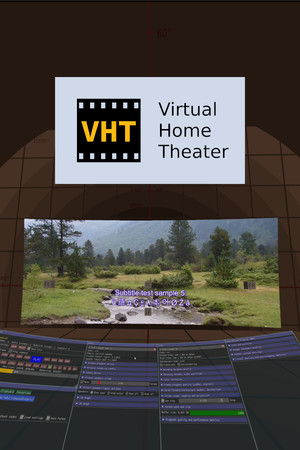










[depreciated] Zoom Player 14 upgrade : historique des prix et offres actuelles
Suivi des prix de [depreciated] Zoom Player 14 upgrade dans les boutiques autorisées.
Avis, durée de jeu et classification de [depreciated] Zoom Player 14 upgrade
1 personnes ont évalué [depreciated] Zoom Player 14 upgrade. 100% sont positives. Steam appelle ça 1 user reviews.
Questions fréquentes
Réponses tirées des données de ce jeu. Là où je n'ai rien, je ne dis rien.
[depreciated] Zoom Player 14 upgrade vaut-il le coup ?