Le texte du produit est affiché en anglais parce que le texte source n’est pas disponible dans cette langue.
Driver4VR Puppeteer: Full Body Estimation

Why this verdict
Offres
Prix des boutiques officielles et comparaisons de keyshops signalées
Aucune offre suivie pour ce produit.
Report a problem
Price history
Historique des prix acceptés et prix enregistrés les plus bas
No price history recorded yet.
No history yet.
Aucun début de promotion enregistré pour le moment.
About this game
What this game is, in the developer's words
Puppeteer Mode leverages VR headset and controllers, enabling immersive full-body tracking controlled solely by hand movements. No extra hardware is needed, optimizing for low CPU usage. Experience seamless control in virtual environments!
Overview
Puppeteer Mode allows users to directly control their VR avatar's movements through the controllers. By holding the grip, users can manipulate their avatar's feet with precision just like a Puppet Master, enabling detailed and complex movements. When Puppeteer Mode is not active, the system continues to estimate points of your body that are not currently tracked, ensuring a continuous and seamless VR experience, even when not directly controlling the avatar. Use Puppeteer Mode when precise movements are necessary, such as during specific interactions, dances, or maneuvers depending on the situation.Quick Video Overview of the Puppeteer Mode
Key Features
- Puppeteer Mode: Control your feet with hand controllers like a Puppet Master.
- Dynamic Pose Estimation: Real-time calculation of body positions and movements.
- Low CPU Usage: Optimized for efficiency, minimizing impact on device performance.
- No Dedicated Hardware Required: Works with existing VR headset and controllers, eliminating the need for extra devices.
Setup Guide
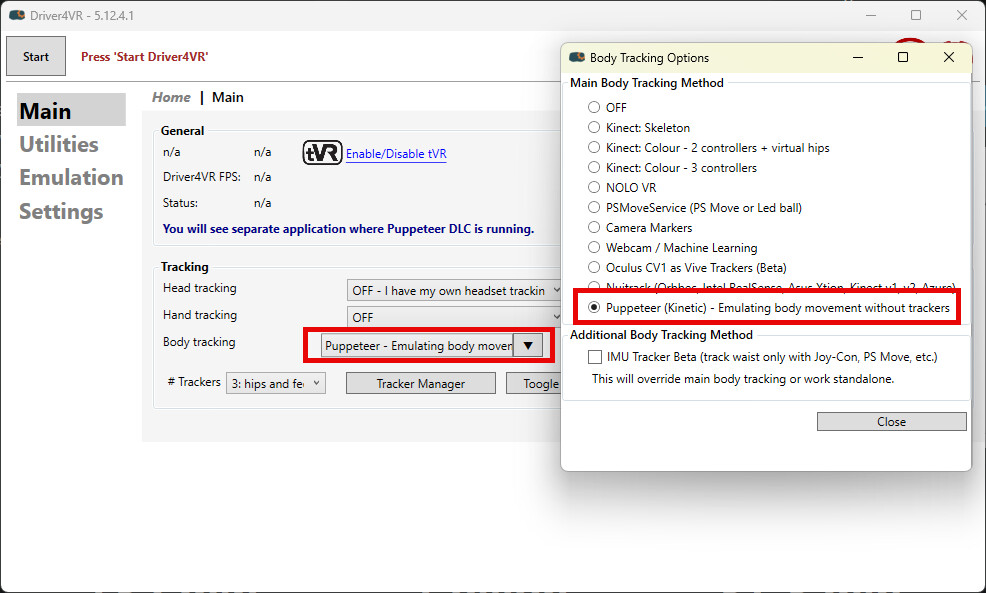
Here’s a streamlined setup guide for your Driver4VR Puppeteer DLC:- Choose 'Puppeteer' from the Body Tracking options and download the DLC. After launching Driver4VR, the Puppeteer application will automatically start. Verify that your avatar responds correctly.
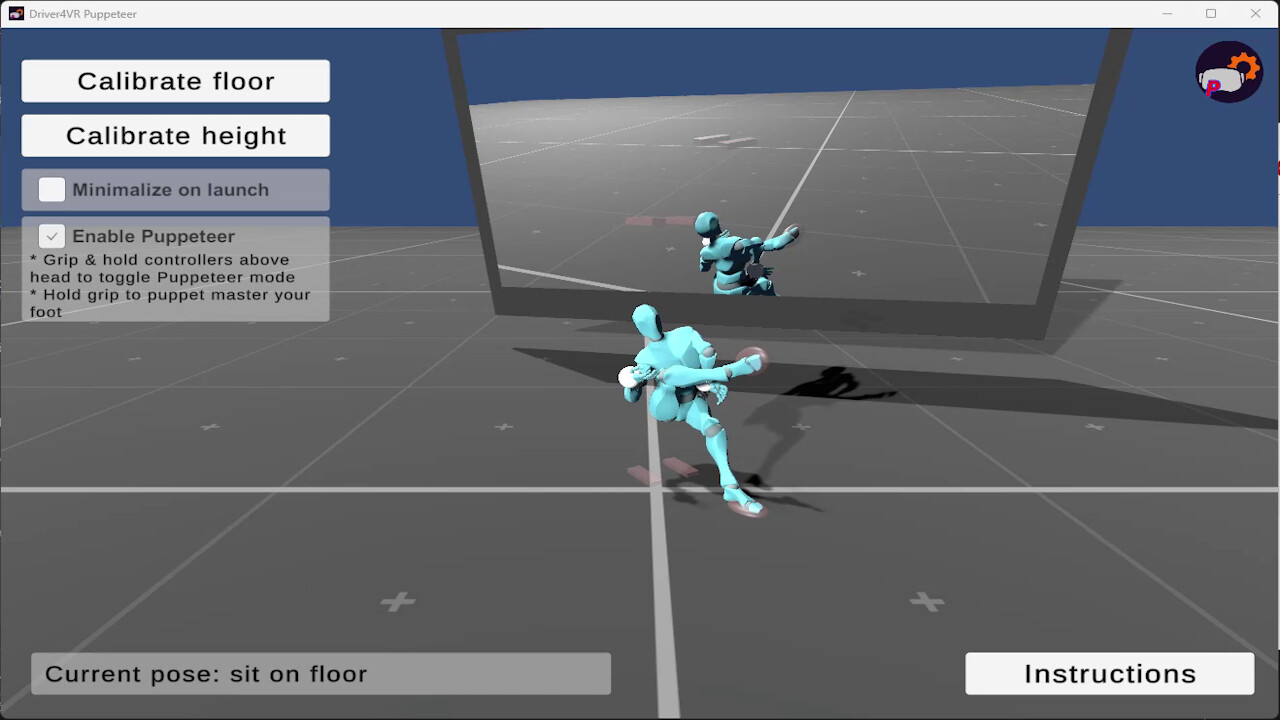
- To calibrate the floor, press the 'Calibrate Floor' button and place the controllers on the floor. Wait for the process to complete, which will be signaled by an applause sound.
- Next, press 'Calibrate Height'.
- Enjoy :)
Controlling Puppeteer
Use your controllers to control the feet pose:- Enable Puppeteer mode by holding your hands above your head and holding the grip.
- Activate the grip to enable precise and responsive foot movement.
- Once the grip is released, the foot will return to its estimated pose.
Media
Trailers and screenshots straight from the store page
Driver4VR Puppeteer: Full Body Estimation : historique des prix et offres actuelles
Suivi des prix de Driver4VR Puppeteer: Full Body Estimation dans les boutiques autorisées.
Avis, durée de jeu et classification de Driver4VR Puppeteer: Full Body Estimation
8 personnes ont évalué Driver4VR Puppeteer: Full Body Estimation. 63% sont positives. Steam appelle ça 8 user reviews. Brazil le classe l.
Questions fréquentes
Réponses tirées des données de ce jeu. Là où je n'ai rien, je ne dis rien.
Driver4VR Puppeteer: Full Body Estimation vaut-il le coup ?
Quelle est la classification par âge de Driver4VR Puppeteer: Full Body Estimation ?