PC Region US

Casual · DeveloperJy
Aspiring Light: Gold Edition

Windows macOS Linux Brazil · 14+
No user reviews · 0% of 0
Offers
Official store prices and labeled keyshop comparisons
No offers tracked yet for this product.
Report a wrong price
About this game
What this game is, in the developer's words
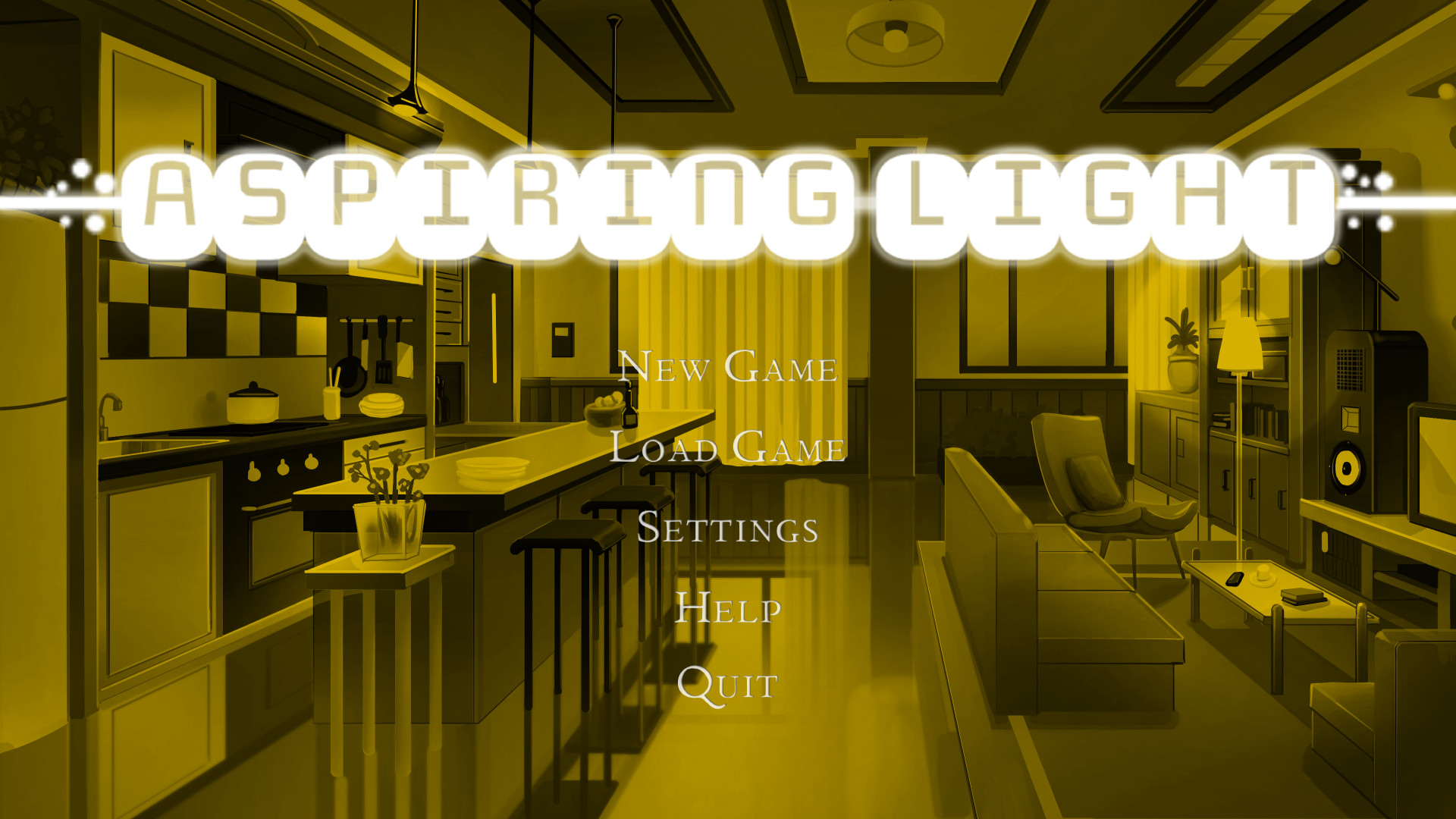
Augments your game with the latest hue-shift technology: - A golden menu screen - A golden icon - Literally nothing else
Augments your game with the latest hue-shift technology:
- A golden menu screen and window icon
- A sense of pride and accomplishment
- Literally nothing else
In order for the changes to appear in-game (you even have to install it yourself):
1. Right-click the game in Steam and select "Properties..."
2. Select "Local Files" and click the "Browse" button
3. You will find the "main_menu.png" and "window_icon.png" elements.
4. Navigate to "Aspiring_Light-{version}-pc/game/gui".
5. Drag and drop the files into the directory, and click "Replace the files in the destination" if prompted.
6. Enjoy your money well spent.
- A golden menu screen and window icon
- A sense of pride and accomplishment
- Literally nothing else
In order for the changes to appear in-game (you even have to install it yourself):
1. Right-click the game in Steam and select "Properties..."
2. Select "Local Files" and click the "Browse" button
3. You will find the "main_menu.png" and "window_icon.png" elements.
4. Navigate to "Aspiring_Light-{version}-pc/game/gui".
5. Drag and drop the files into the directory, and click "Replace the files in the destination" if prompted.
6. Enjoy your money well spent.
Media
Trailers and screenshots straight from the store page
Aspiring Light: Gold Edition price history and current deals
Price tracking for Aspiring Light: Gold Edition across authorized stores.
Scores
Steam reviews No user reviews · 0%
Media (2)
Requirements
Facts
DeveloperDeveloperJy
PublisherDeveloperJy
TagsIndie · Casual · Anime · Singleplayer · Text-Based
ModesSingle-player
Links
Ratings
Brazil14+