Book of Demons - Dungeons & Streamers

Why this verdict
Price memory
Official-store evidence for this region · US
Not enough recorded evidence for a price comparison.
- Current official price Not recorded
- Regular price Not recorded
- Recorded low Not recorded
- Compared with usual sales Not recorded
- Observed sale intervals Not enough recorded sale starts for an interval range.
- Interval samples 0
- Observed window Not recorded
- Confidence insufficient
Offers
Official store prices and labeled keyshop comparisons
No offers tracked yet for this product.
Report a problem
Price history
Accepted price history and recorded lows
No price history recorded yet.
No history yet.
No recorded sale starts yet.
About this game
What this game is, in the developer's words
Dungeons & Streamers is a free DLC that adds Twitch and Mixer integration to Book of Demons. You play the game and your audience goes crazy typing commands in the chat. They spawn monsters and traps, but they can also aid you in your quest. Will they help you or harm you? Try your luck and see if you can outsmart them in the paper dungeons!
Dungeons & Streamers is a free DLC that adds Twitch and Mixer integration to Book of Demons. You play the game and your audience goes crazy typing commands in the chat. They spawn monsters and traps, but they can also aid you in your quest. Will they help you or harm you? Try your luck and see if you can outsmart them in the paper dungeons!
Features
Allow your Twitch or Mixer audience to interact with your gameEnable or disable select features
Control audience influence strength
Limit the interactions to paid subscribers (Twitch)
Types of Interactions
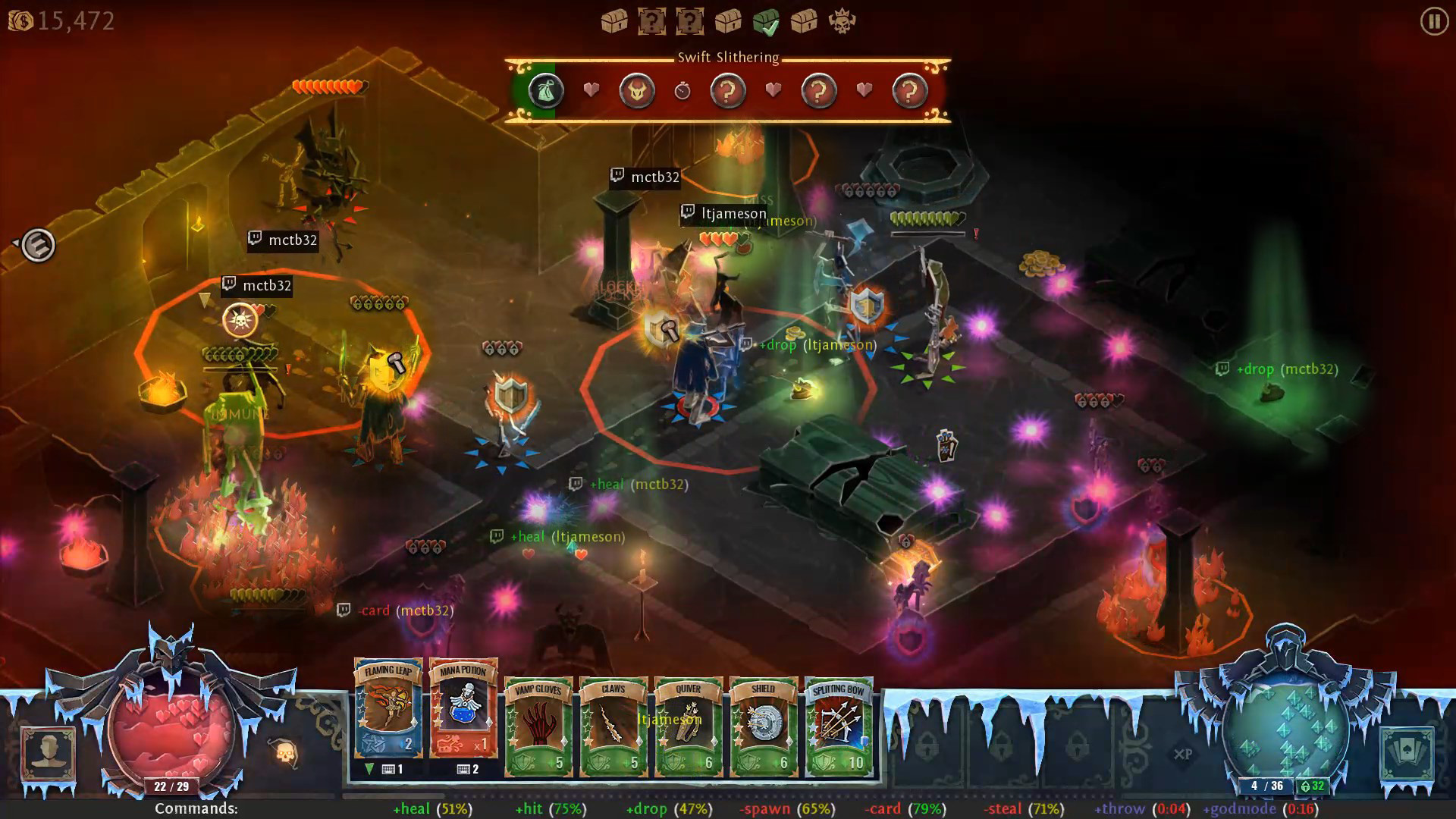
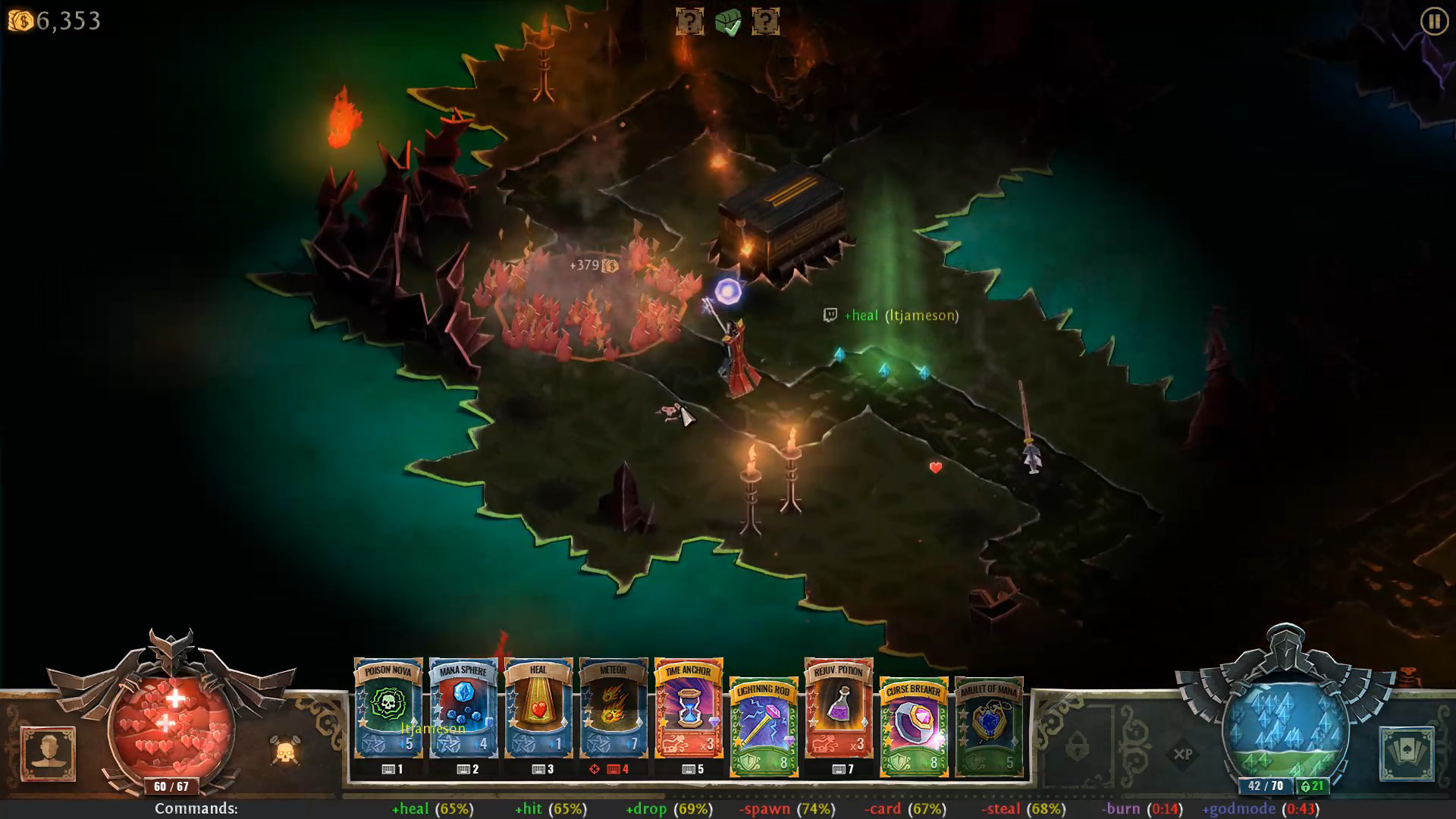
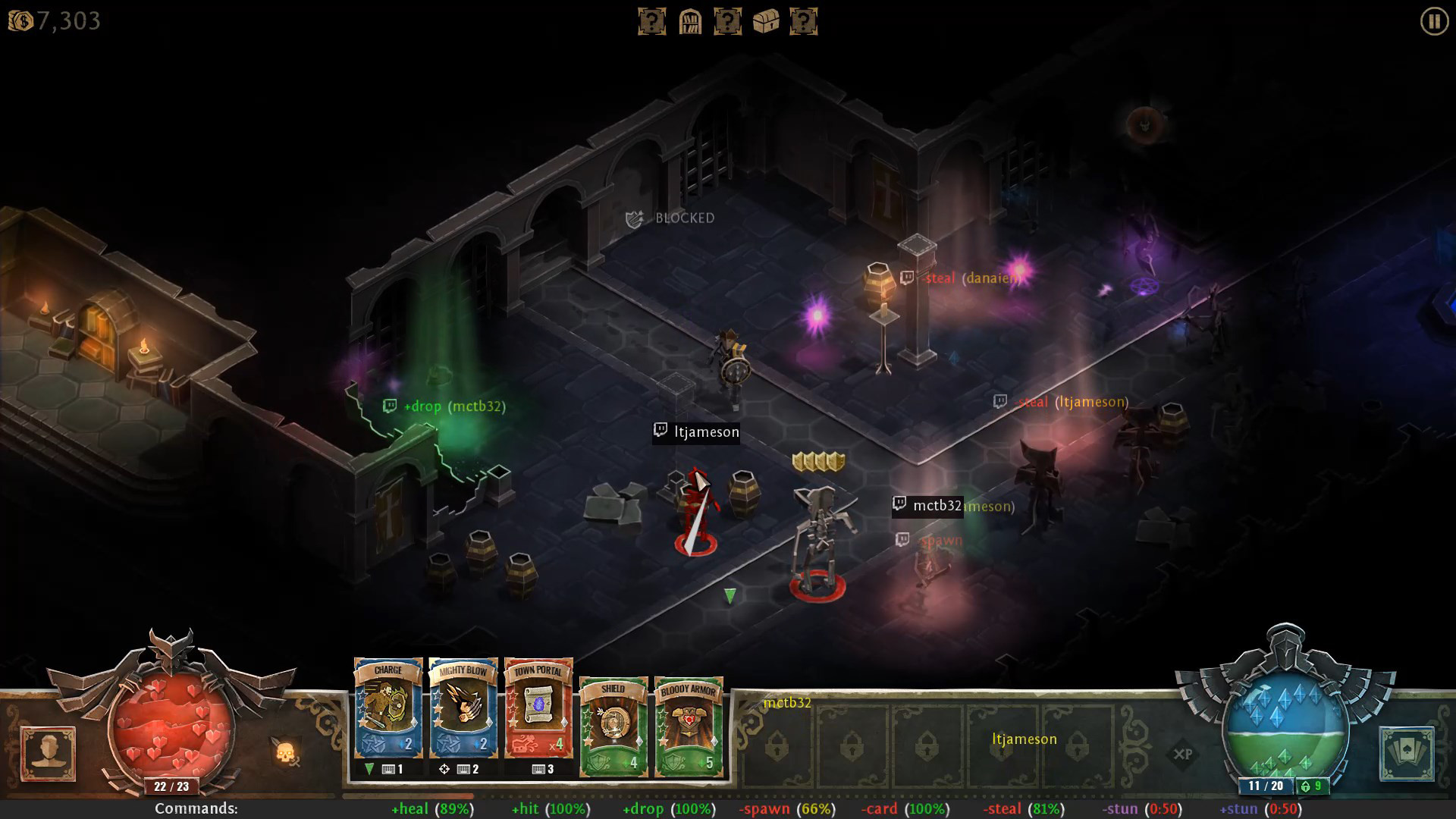
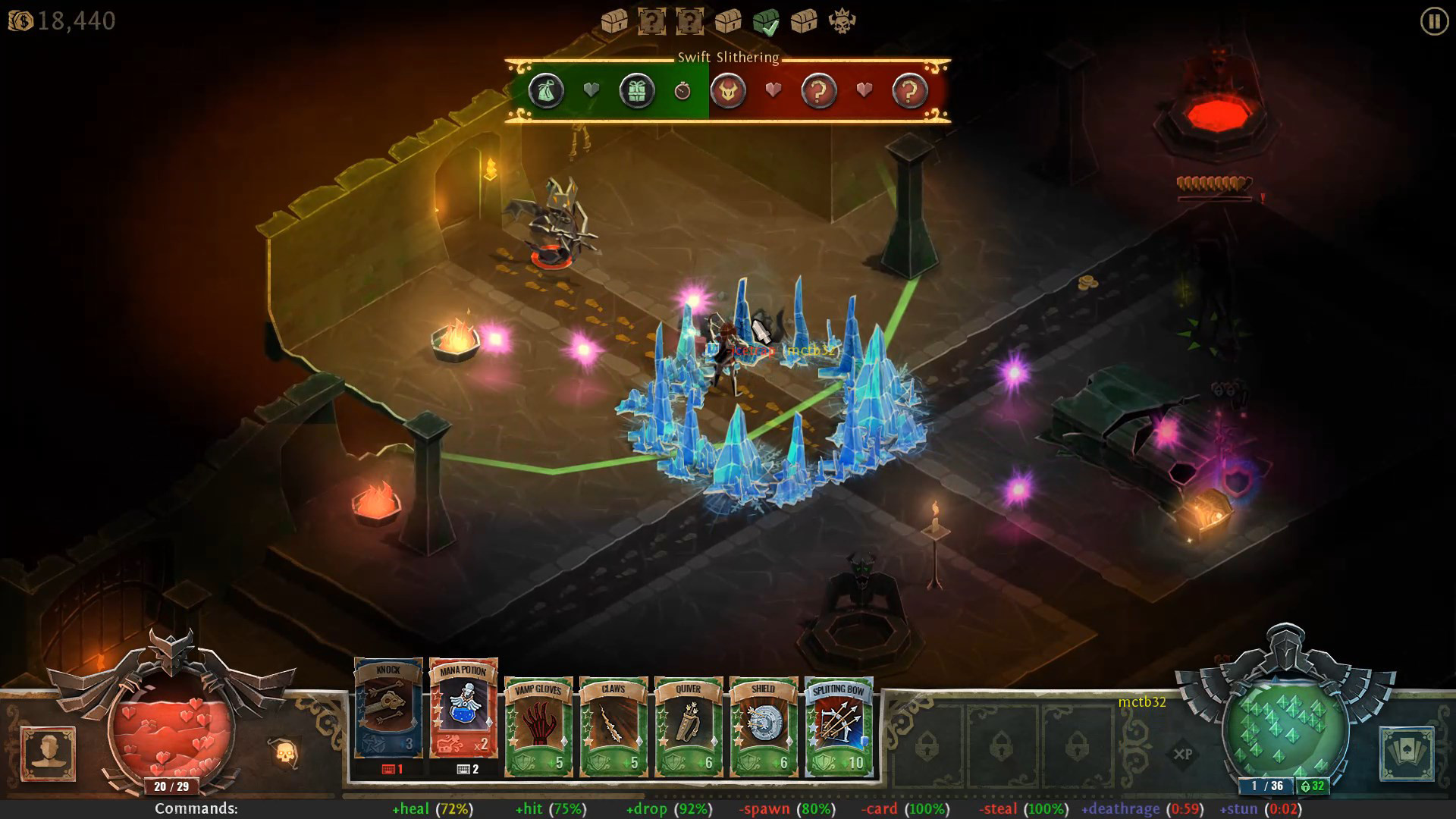
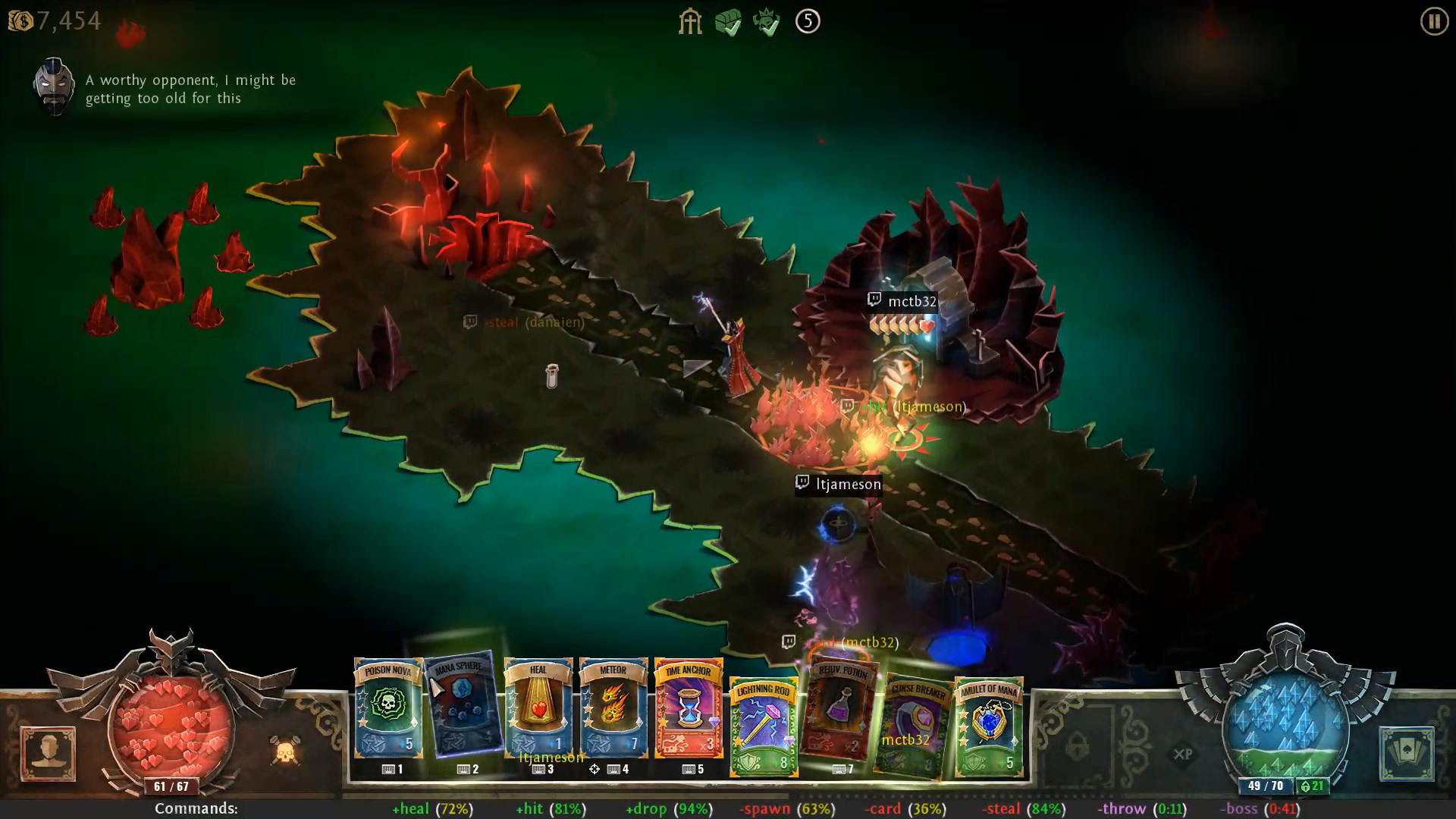
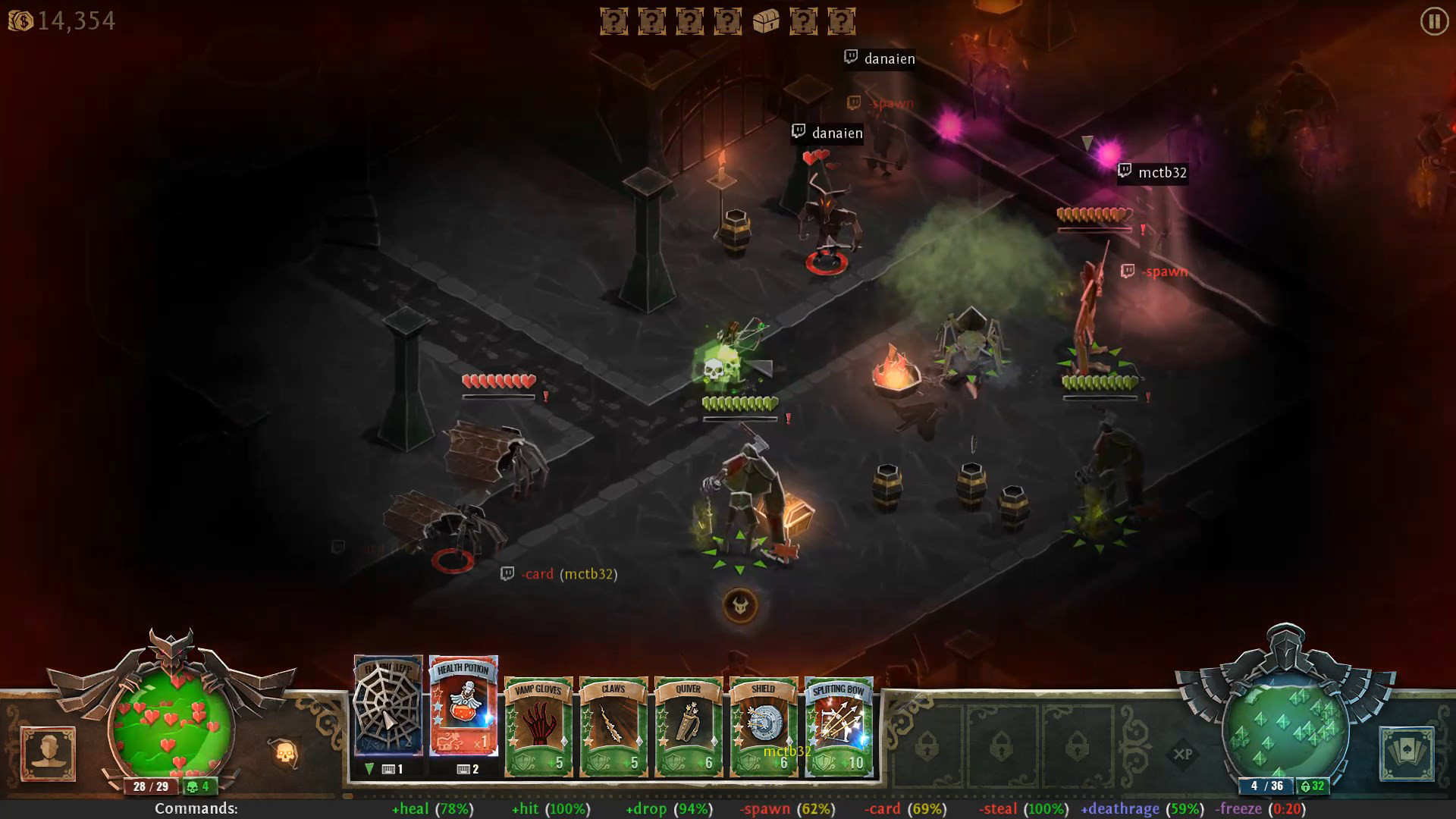
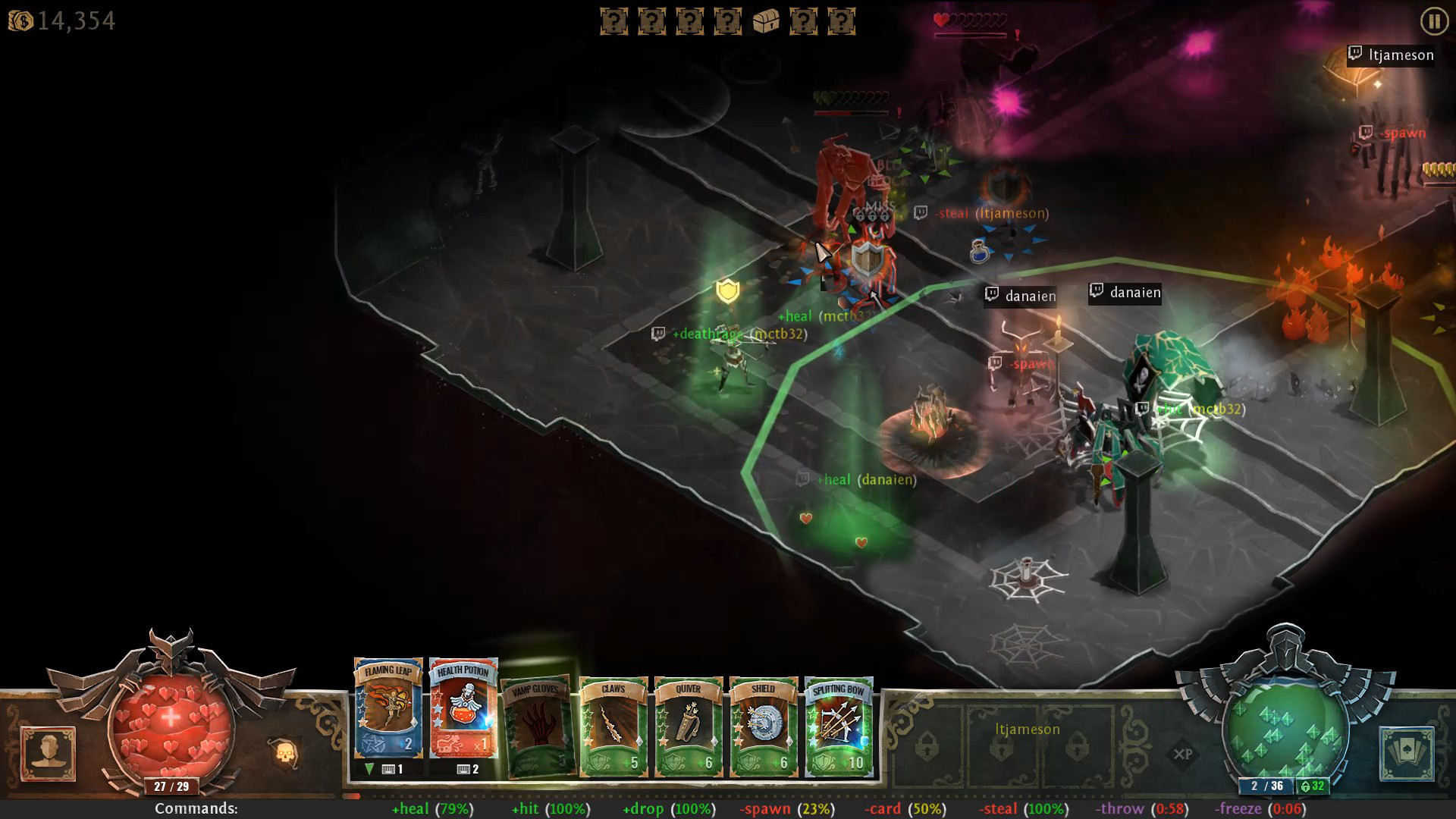
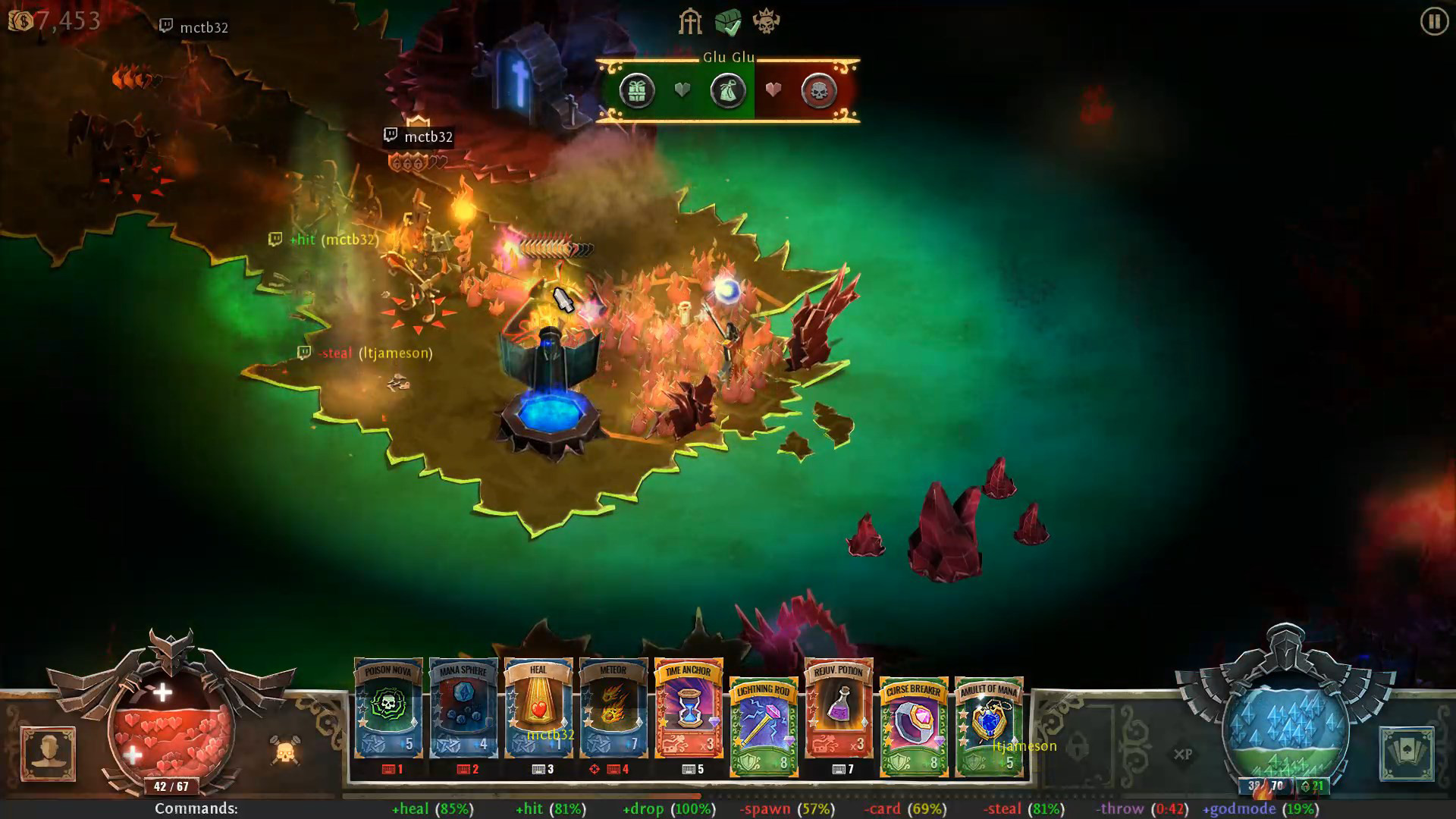
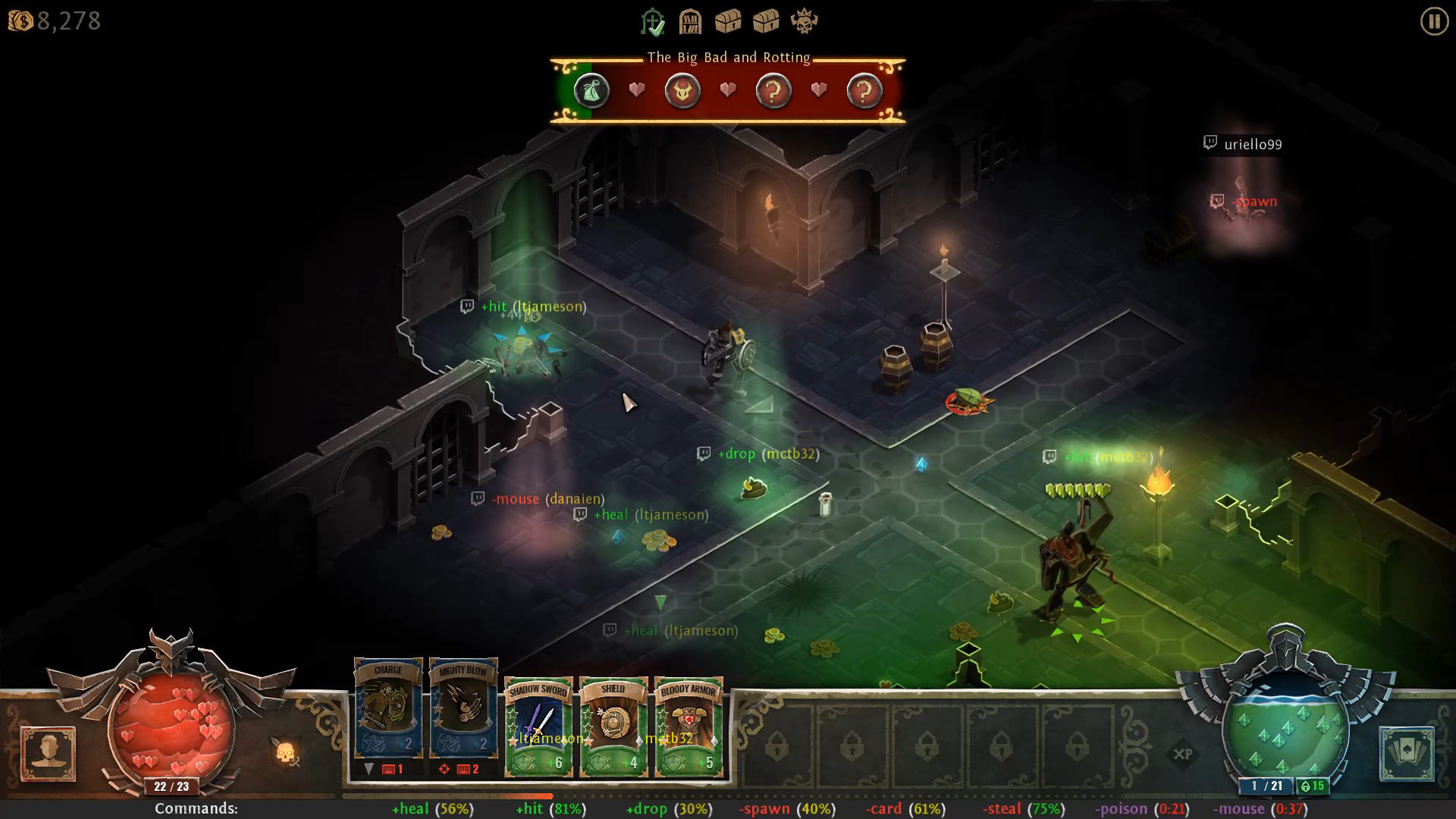
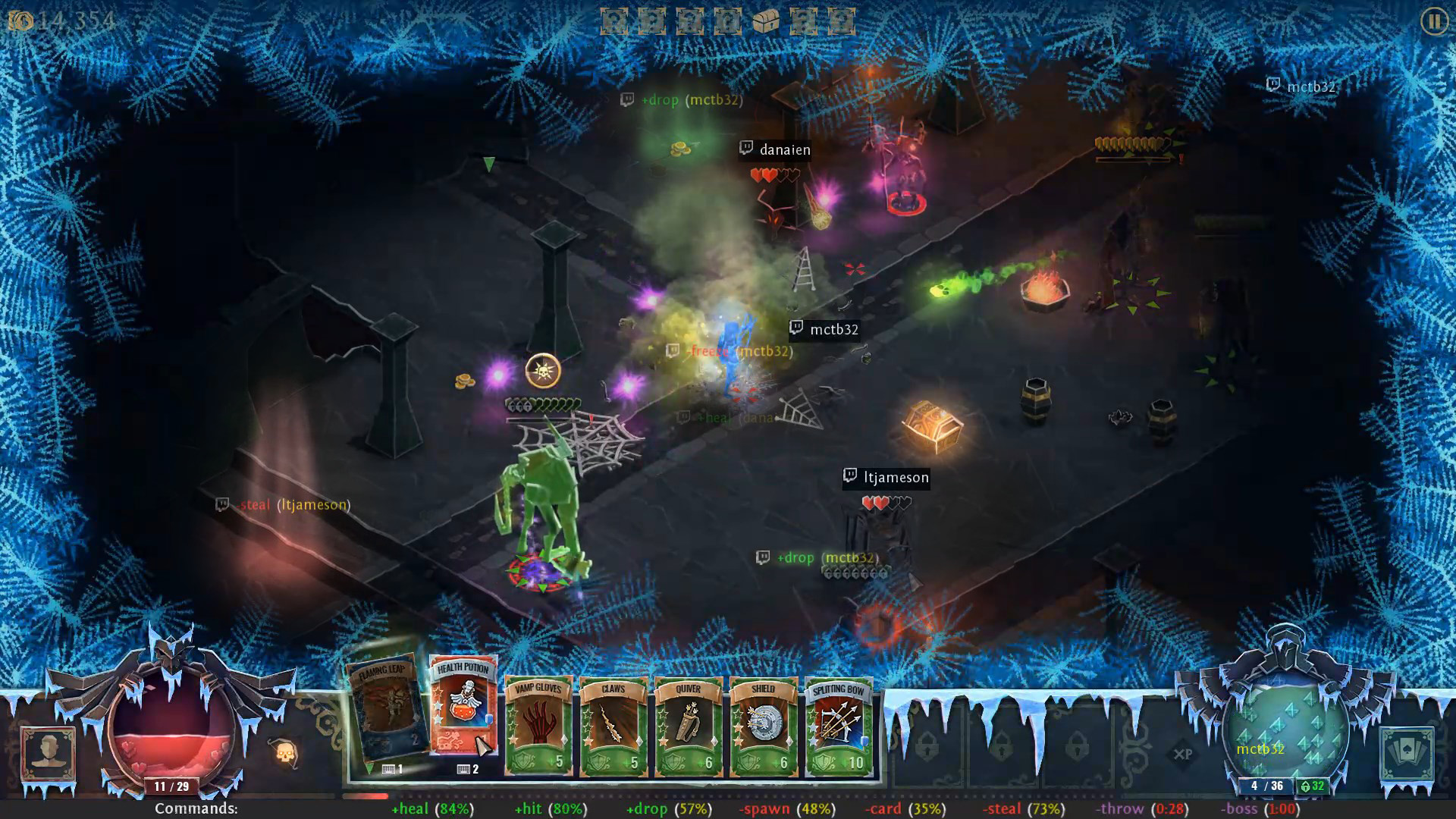
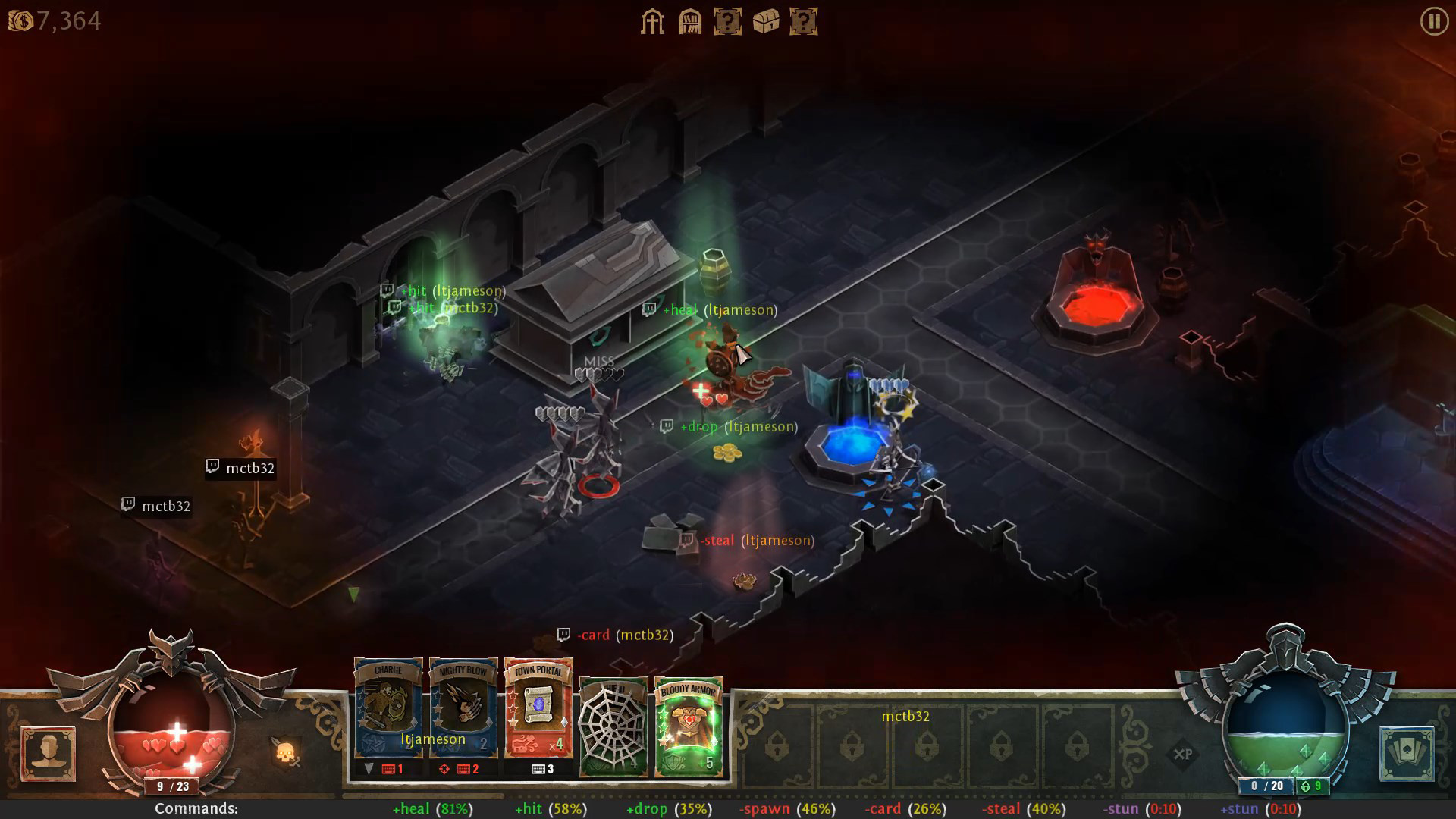
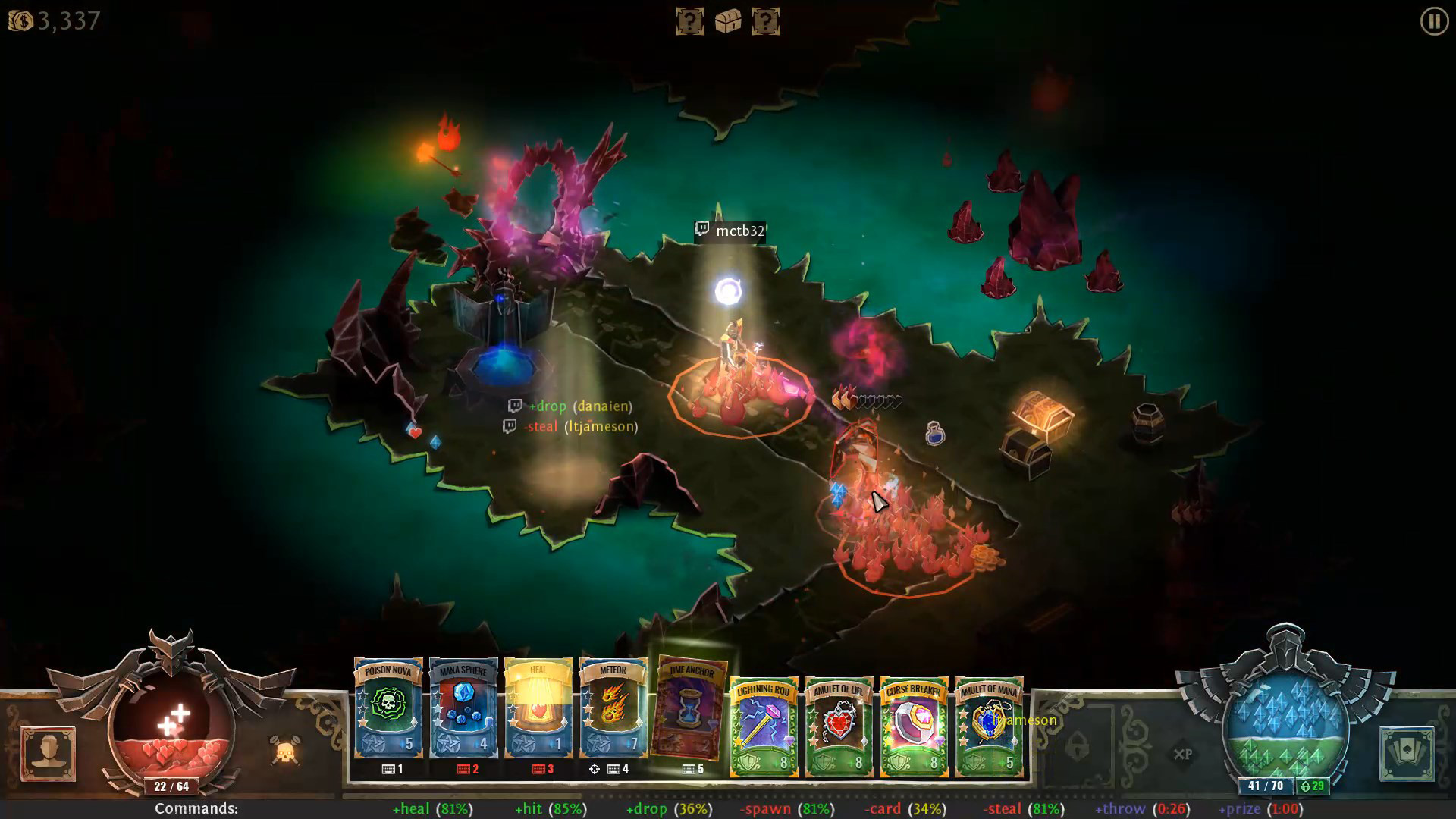
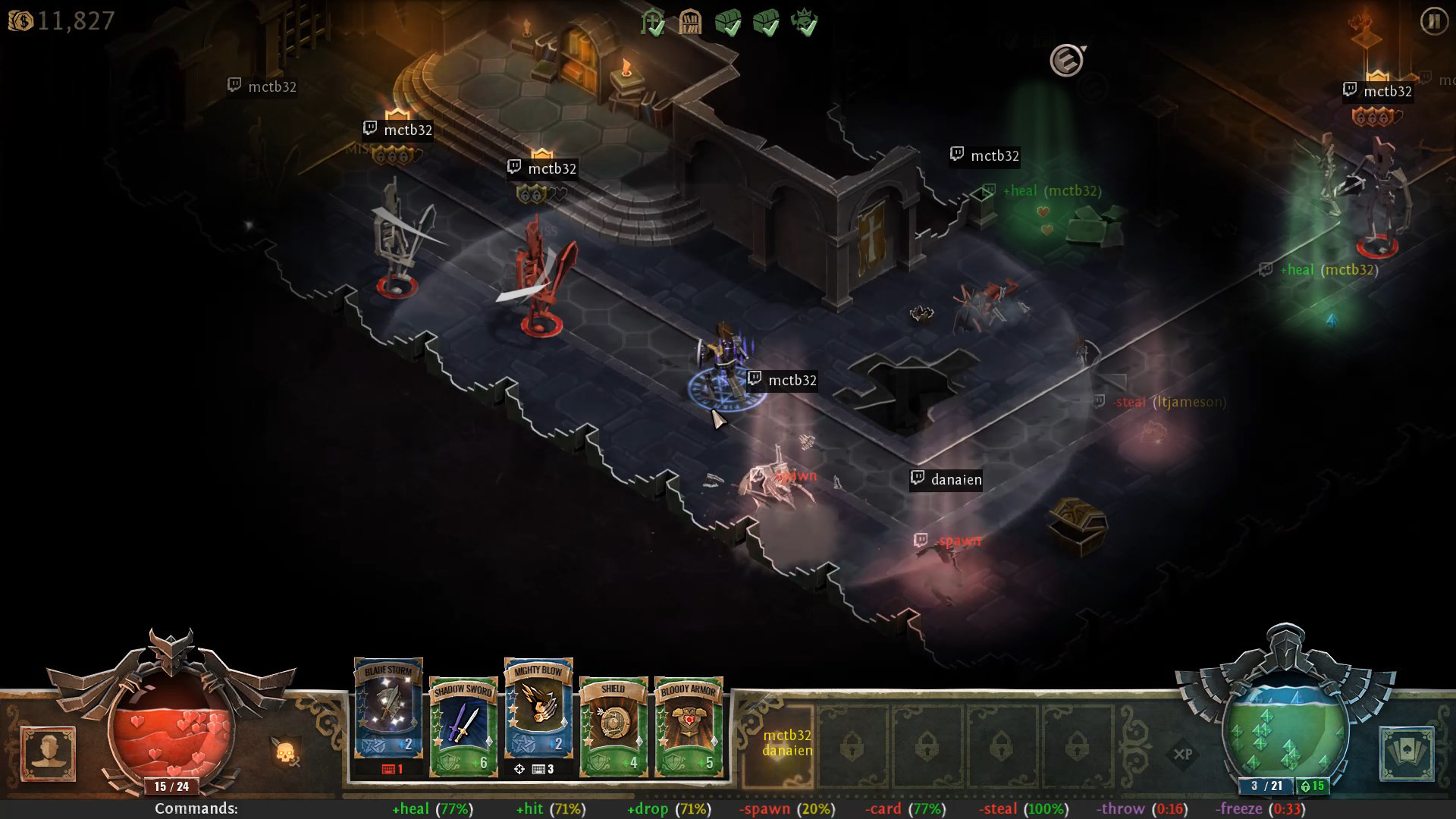
When in game, the bar at the bottom of the screen always shows the commands available to your audience. In the dungeon, there are always 6 basic interactions (3 positive and 3 negative), followed by two special interactions. Your audience activates the functions by typing the commands in the chat window, for example +heal.
Basic Interactions
Each basic interaction is associated with an activation chance percentage, shown after the name in parenthesis. This is the chance that a viewer’s command will actually work. It falls when too many people trigger the corresponding action and it rises when it sits idle. If too many people trigger the action and it drops to 0% chance, it will go on a cooldown.Positive:
+heal – drops health or mana globes near player
+hit – deal damage to random monster near player
+drop – spawn a random drop near player (gold, card charge, etc.)
Negative:
-spawn – spawn a random monster near player
-card – apply a negative effect to player’s card (knock, web, etc.)
-steal – destroy one of the visible drops at random
Special Interactions
The special interactions are more powerful and they behave a bit differently. They start on cooldown and once available they can be triggered only once, or they are active for a specified amount of time. After this, they are replaced with another random special action.
Positive:
+prize – drop a random prize for the player
+throw – when active, viewers can type +throw to throw random monsters away from player
+godmode – give the player a short divine shield
+stun – when active, viewers can type +stun to stun monsters
+deathrage – trigger player’s deathrage effect
+freeze – when active, viewers can type +freeze to freeze random monsters
Negative:
-stun – stun the player
-poison – poison player
-boss – spawn a random boss near player
-freeze – freeze player
-burn – spawn fire under player
-icetrap – surround player with icicles
-mouse – when active, viewers can type -mouse to knock players mouse cursor
-throw – when active, viewers can type -throw to throw random monsters towards player
Legendary Card Voting
When you find a magic card, you will need to bring it to the Sage for identification. When this is a Legendary card (the most rare type of cards) you will be presented with two different cards for your audience to choose. During the vote, your viewers must type +vote1 or +vote2. Everyone is entitled to one vote. If there is a tie, the card is selected at random.
In the options, you can disable this feature or set the length of the vote (default 30 sec).
How to connect
Before you can start playing with your audience, you need to connect Book of Demons to your Twitch or Mixer account. After you install the DLC, a new button appears in the lower right corner of the character selection screen. It opens the Dungeons & Streamers connection and configuration window.
Set up your connection with either Twitch or Mixer on the left side, by entering the name of your channel and requesting an OAuth token (Twitch) or by logging into Mixer in the external browser. For Twitch mode you can also limit the interactions to your paid channel subscribers.
On the right side, you can tweak the integration options. Hover on the checkbox labels for an explanation of each feature.
Viewer Influence Option
The Viewer Influence slider allows you to adjust the extent to which your audience can affect your game. Making it lower will make your game more balanced, but your audience will have fewer opportunities to spawn threats or aids. If you set it to High you will be totally at the mercy of your viewers and their actions will decide the difficulty level of the game.
Note: viewer influence also automatically scales with the number of viewers active in the channel, so having more active viewers should NOT make the game any less balanced.
Media
Trailers and screenshots from the store page
Games like Book of Demons - Dungeons & Streamers
Shared tags, not the same series.






Book of Demons - Dungeons & Streamers price history and current deals
Price tracking for Book of Demons - Dungeons & Streamers across authorized stores.
Book of Demons - Dungeons & Streamers reviews, playtime, and age rating
10 people have reviewed Book of Demons - Dungeons & Streamers. 70% are positive. Steam calls that Mostly Positive.
Frequently asked questions
Answered from this game's own data. Where I have none, I say nothing.
Is Book of Demons - Dungeons & Streamers worth playing?