
Crosshair EDGE

Well reviewed at 100% positive. The current price is 0% of the way from its all-time low to full price.
Why this verdict
Offers
Official store prices and labeled keyshop comparisons
Report a wrong price
About this game
What this game is, in the developer's words
Custom crosshair overlay for Windows games. High performance, safe overlay design, configurable bullet counter, right-click actions, Steam Workshop sharing, Top Creators leaderboard, and built-in desktop organizer.
Create Your Perfect Crosshair
Crosshair EDGE is a powerful crosshair overlay built for players who want full control over their aiming point.
Create anything from a clean minimal dot to a fully layered custom design. Add a bullet counter, automatically switch presets by game, set custom right-click actions, share presets through Steam Workshop, follow the Top Creators Leaderboard, sync your setup with Steam Cloud, and keep your desktop organized with built-in edge panels.
Simple while playing. Powerful while editing. Flexible enough for players who want more than a basic static crosshair.
Advanced Crosshair Customization
Build your crosshair exactly the way you want.
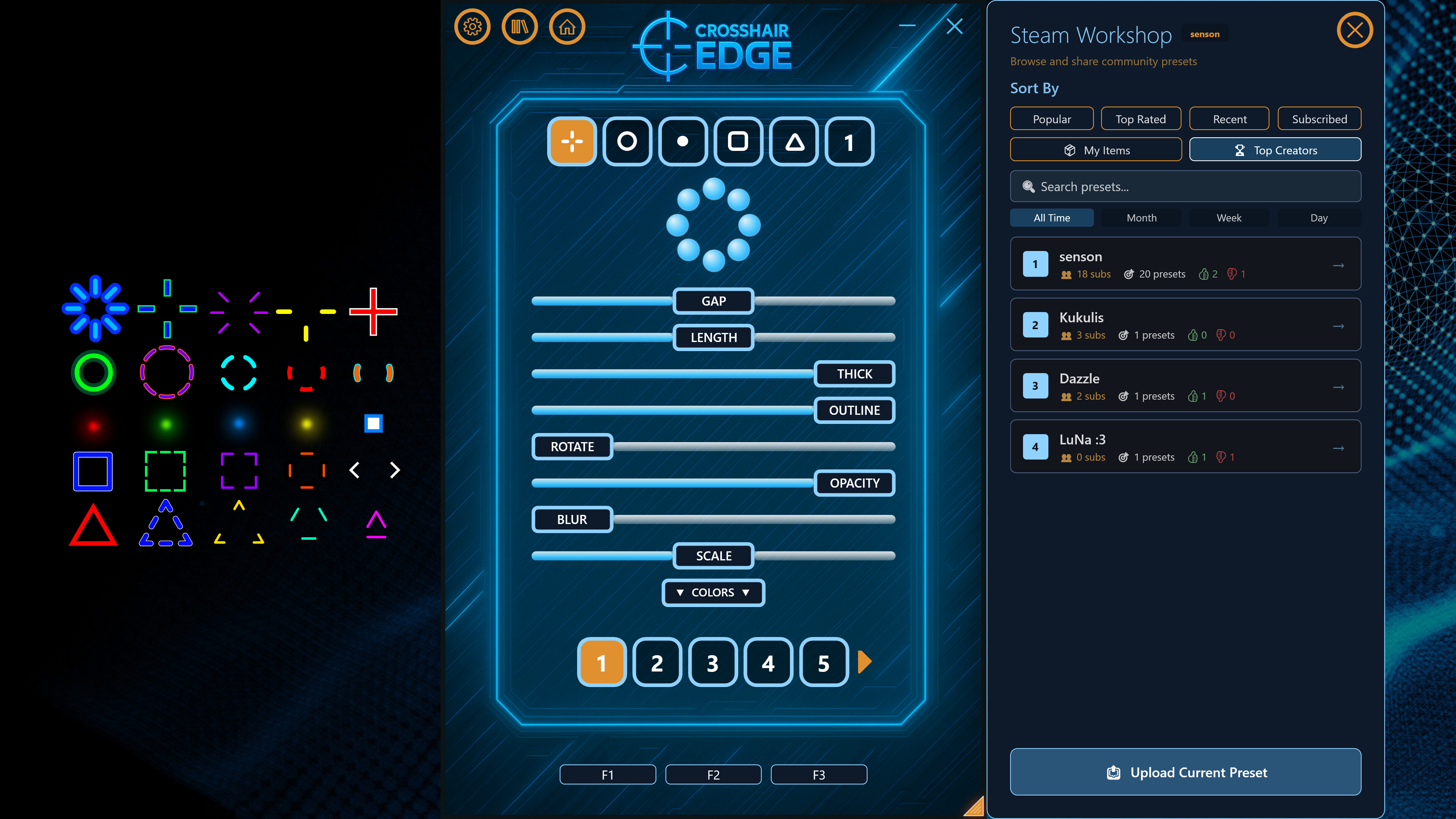
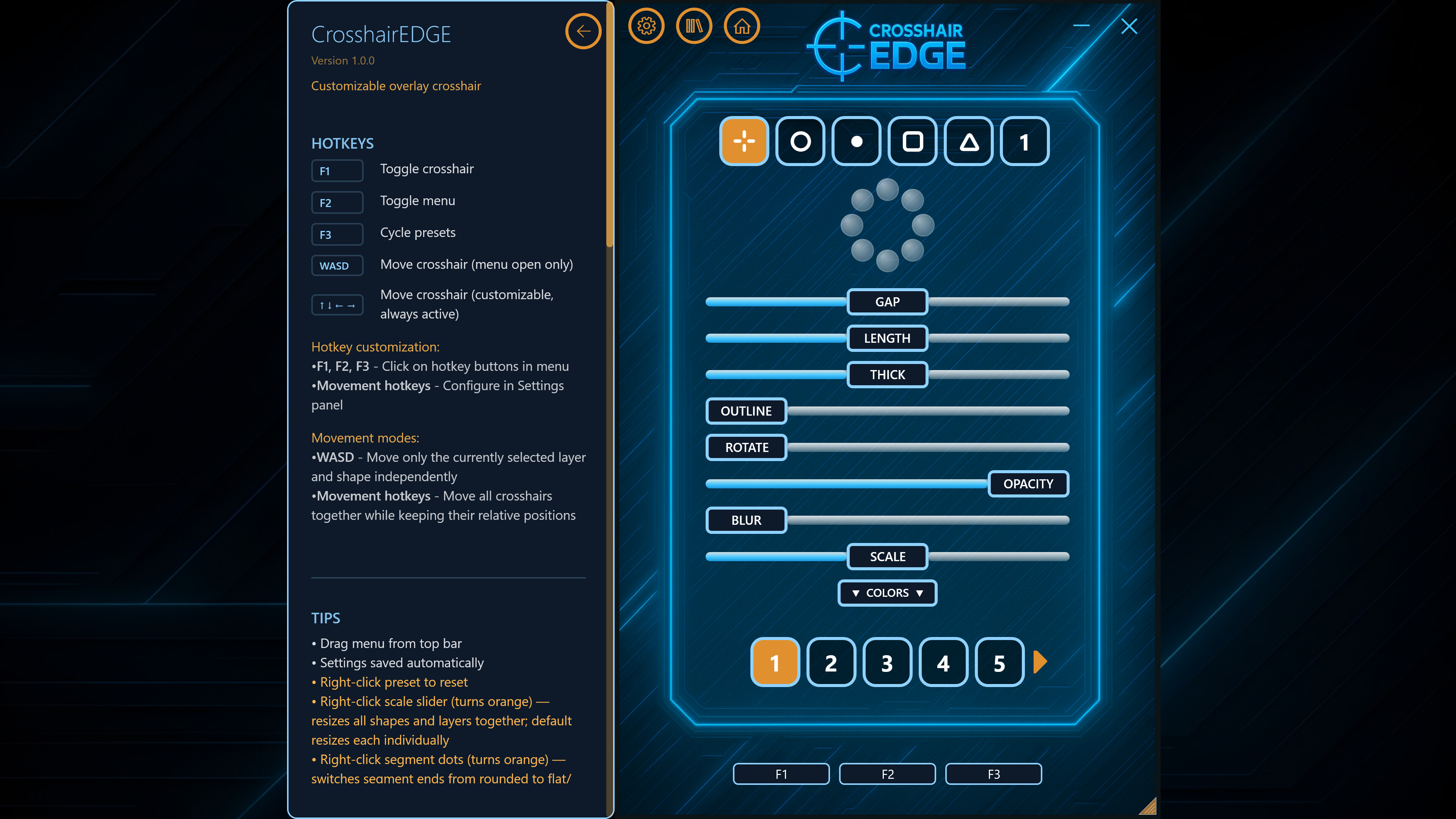
5 crosshair shapes: Plus, Ring, Square, Triangle, and Dot
9 independent layers that can be stacked together
20 preset slots for different games, weapons, or playstyles
Full color control for crosshair and outline
Individual segment toggles
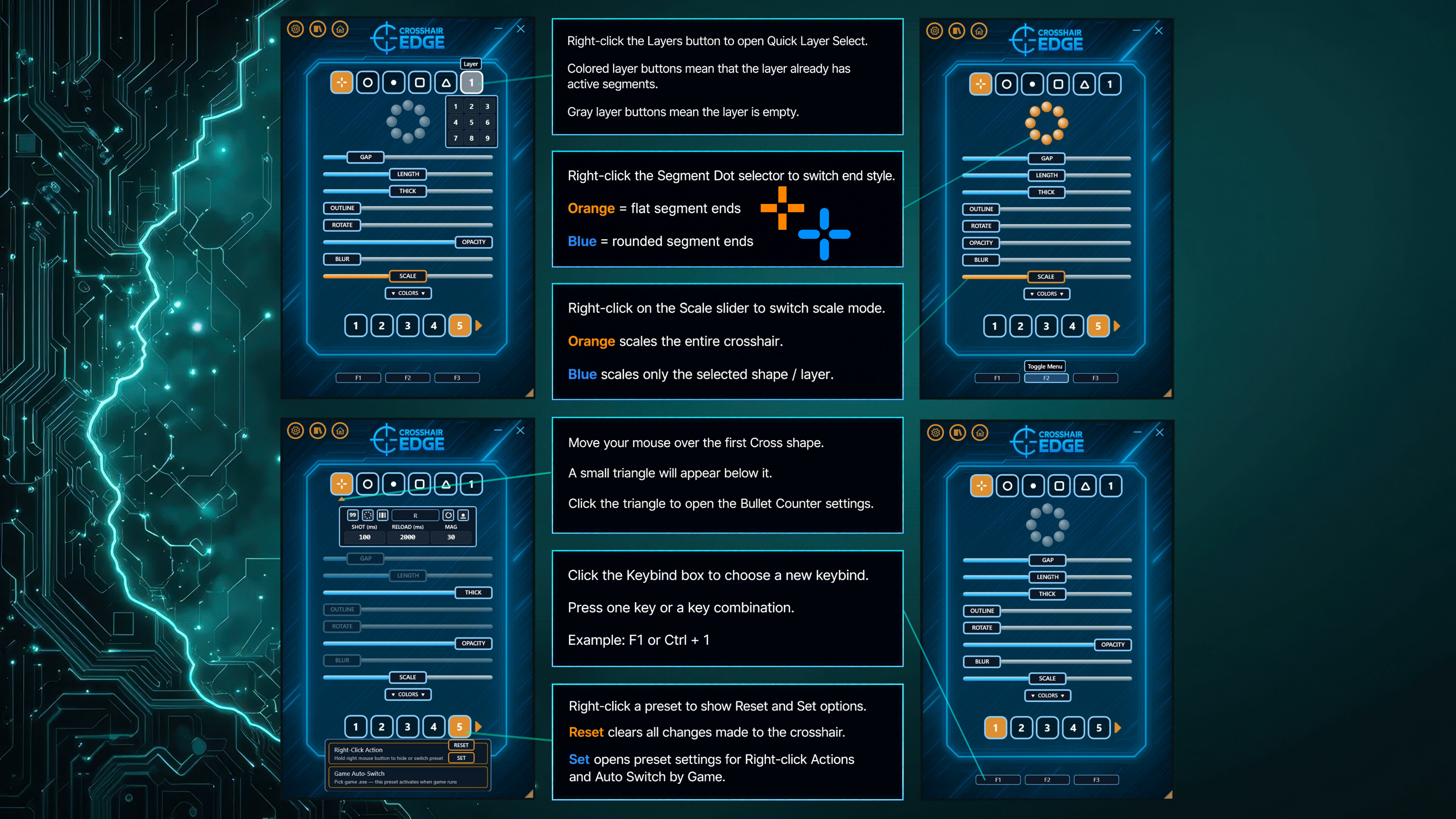
Rounded or flat segment styles
Per-layer position offsets
Global scale control
Each layer can have its own shape, size, color, opacity, outline, blur, rotation, and position. Use a single dot, combine multiple shapes, or create a detailed multi-layer crosshair with different colors, outlines, and styles.
Bullet Counter
Add a customizable ammo-style counter directly to your crosshair overlay.
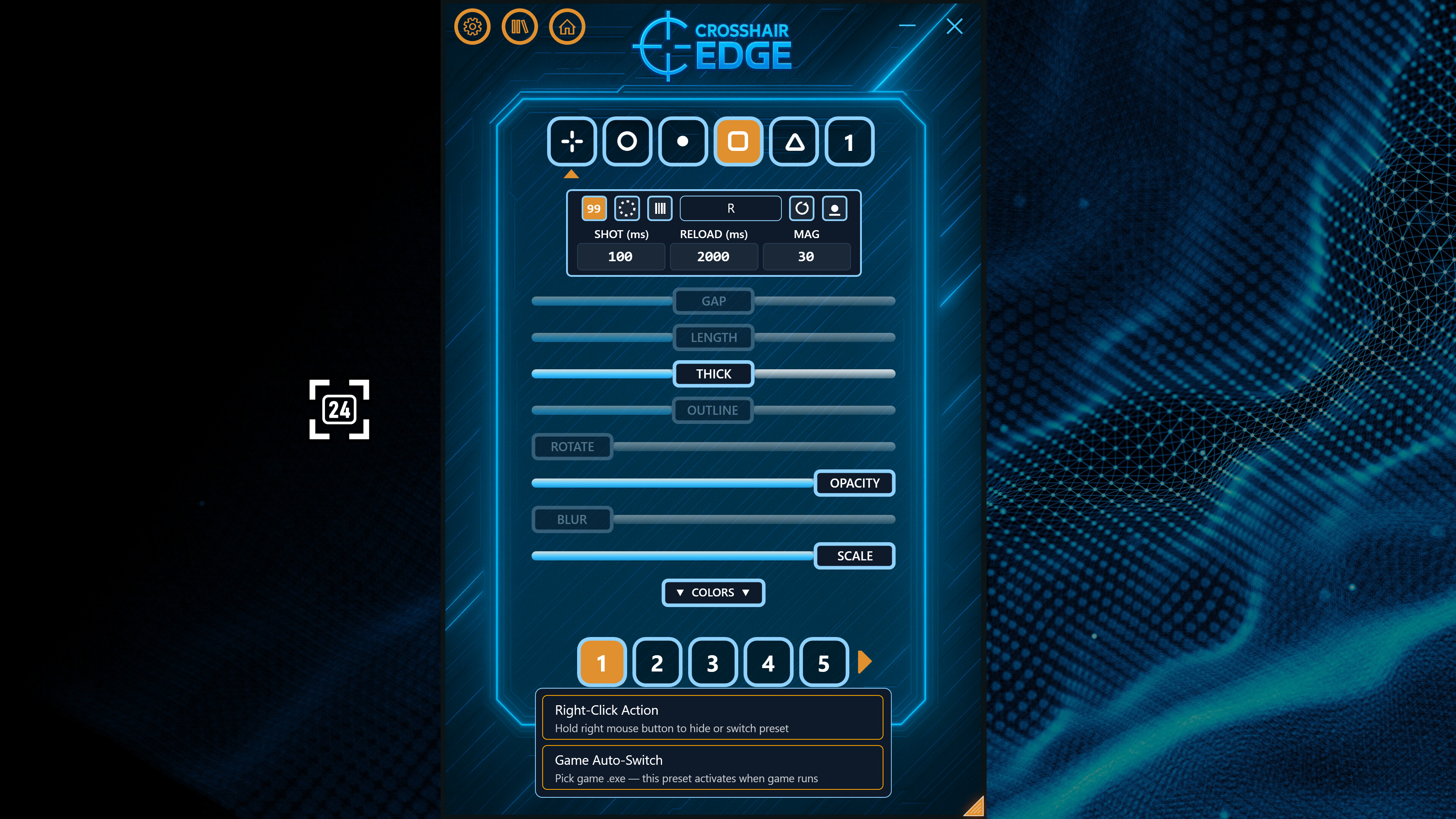
Choose between three display modes:
Numeric — show the bullet count as digits
Circular — show bullets as ticks around the crosshair
Linear — show bullets as a row of ticks with configurable rotation
Customize magazine size, shot delay, reload delay, reload key, colors, thickness, opacity, scale, position, and visual style.
Bullet Counter settings are saved per preset, so different crosshair setups can have different counter modes, magazine sizes, reload keys, colors, and positions.
Automatic Game Detection
Set different crosshair presets for different games and let CrosshairEDGE switch automatically.
Bind a preset to a specific game executable. When that game is detected, CrosshairEDGE can switch to the matching preset. When the game closes, it can return to your previous preset.
Detect running games automatically
Switch presets when a linked game launches
Return to the previous preset when the game closes
Use different crosshairs, bullet counters, and right-click actions for different games
Perfect for keeping separate setups for different games, weapons, playstyles, or screen layouts.
Custom Right-Click Actions
Make your crosshair react when you hold right click.
Each preset can behave differently while the right mouse button is held.
Hide the crosshair while holding right click
Switch to another preset while holding right click
Return to the original preset when right click is released
Configure behavior per preset
Useful for aiming down sights, using scopes, switching weapons, or whenever you want a different crosshair
Steam Workshop & Top Creators
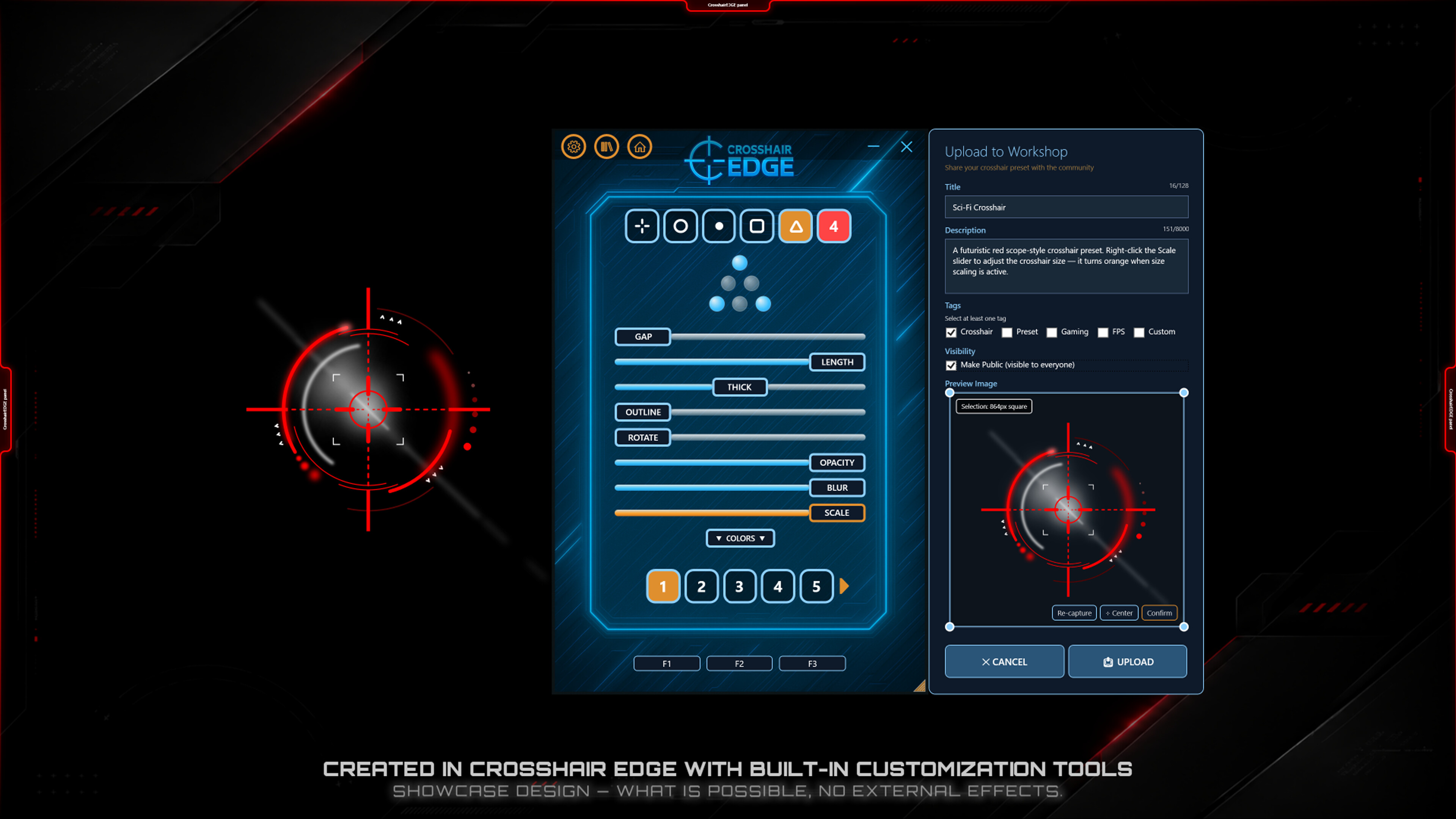
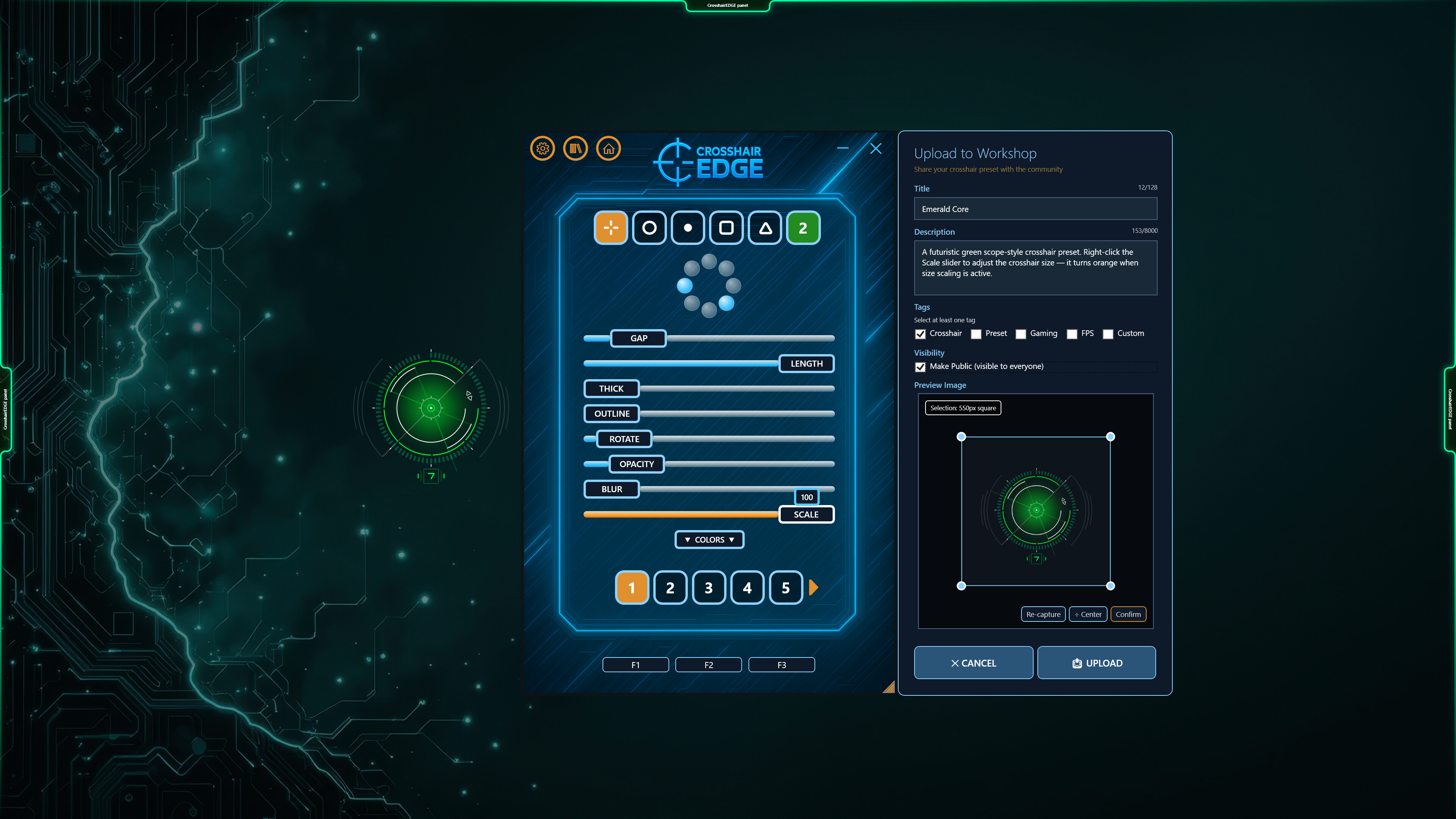
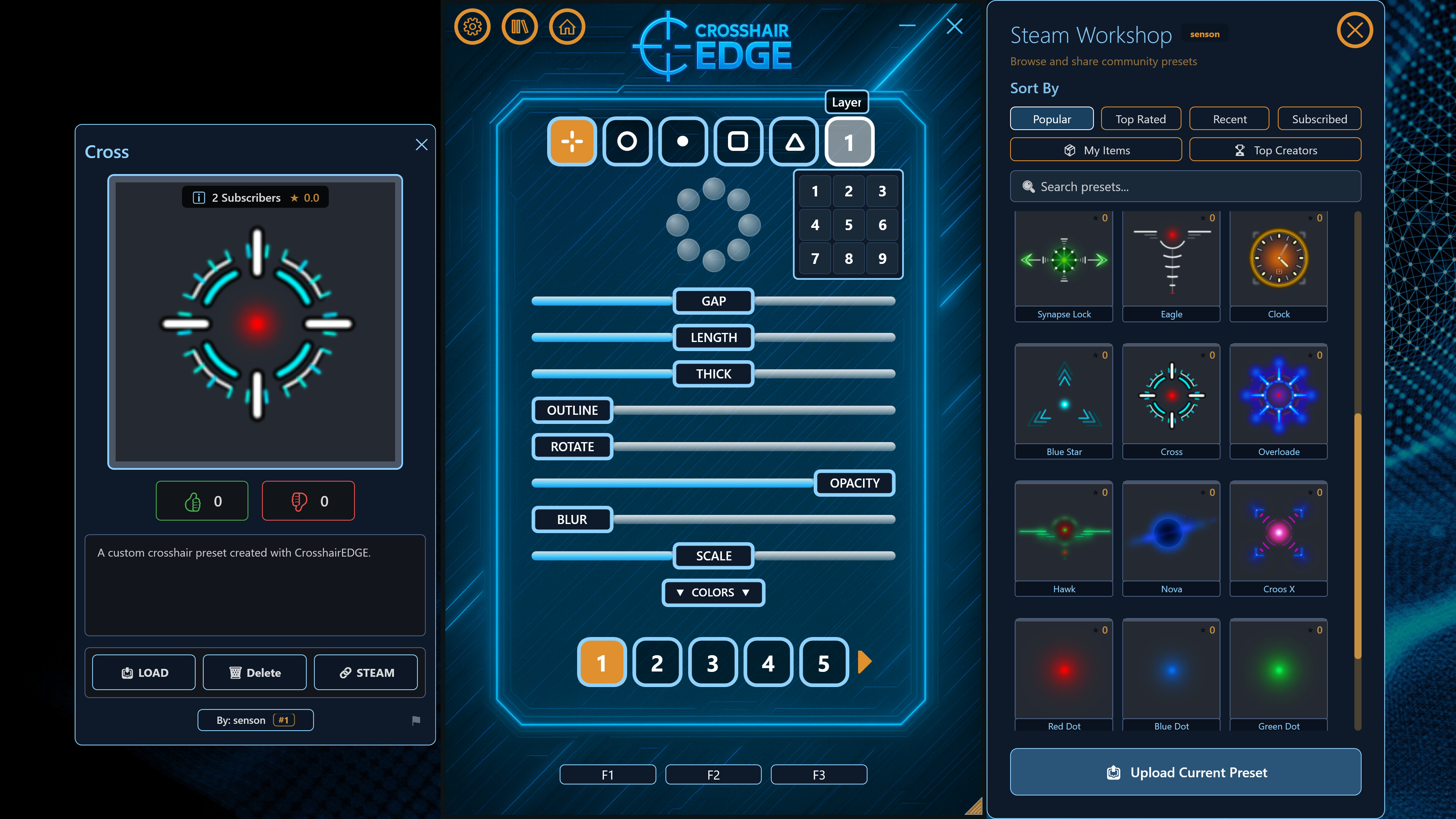
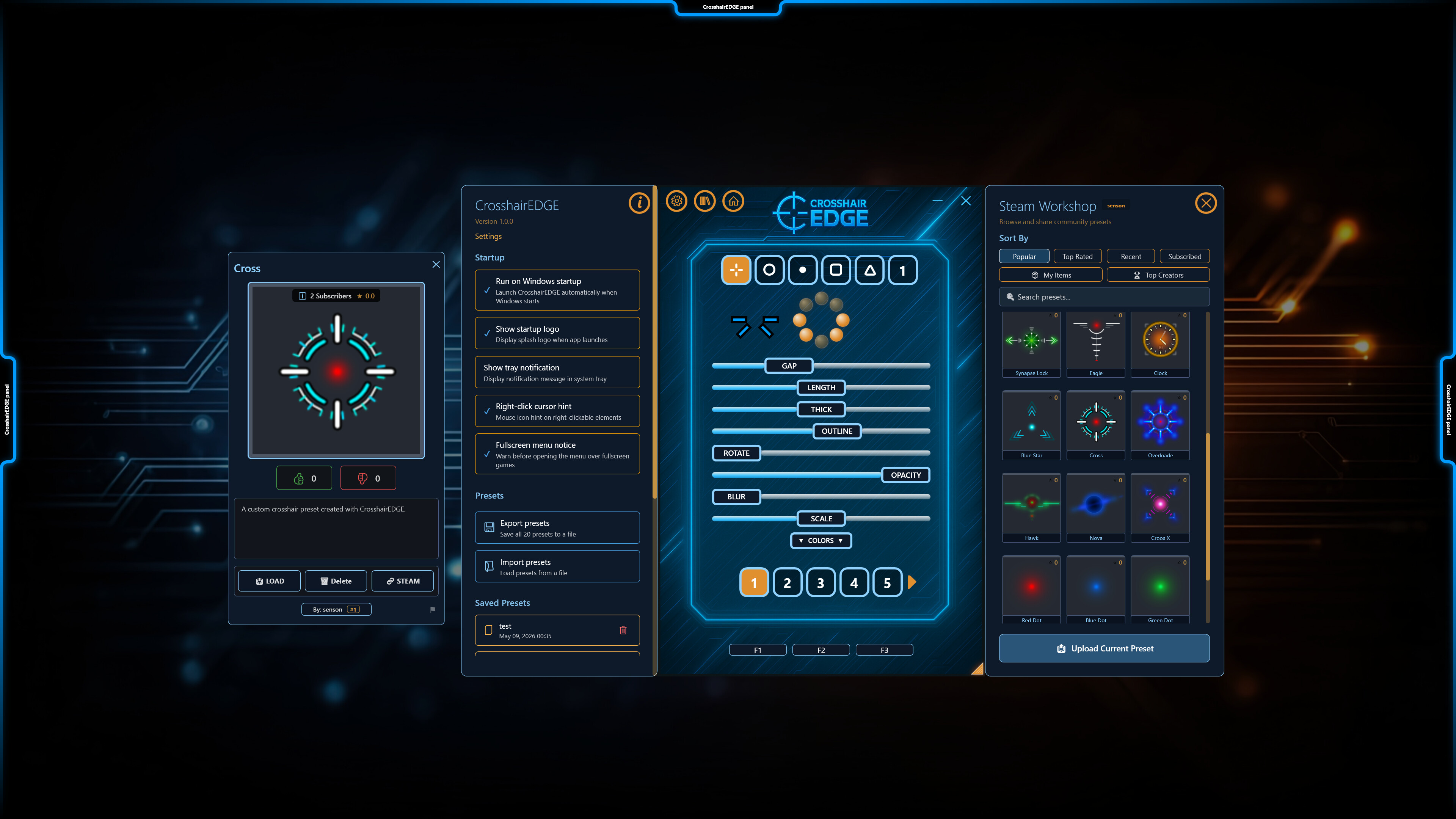
Browse, download, rate, and upload crosshair presets directly through the app.
Discover community-made crosshairs
Sort by Popular, Top Rated, Recent, Subscribed, and My Items
Instantly load downloaded presets
Subscribe to presets you like
Vote on community creations
Upload your own crosshair with a preview image, title, description, and tags
The Top Creators Leaderboard ranks creators by total subscribers across their Workshop uploads. Filter by All Time, This Month, This Week, or Today, then browse presets from selected creators directly inside the app.
The leaderboard adds a competitive and community-driven layer to preset sharing, making Workshop feel alive instead of just being a download list.
Built-In Desktop Organizer
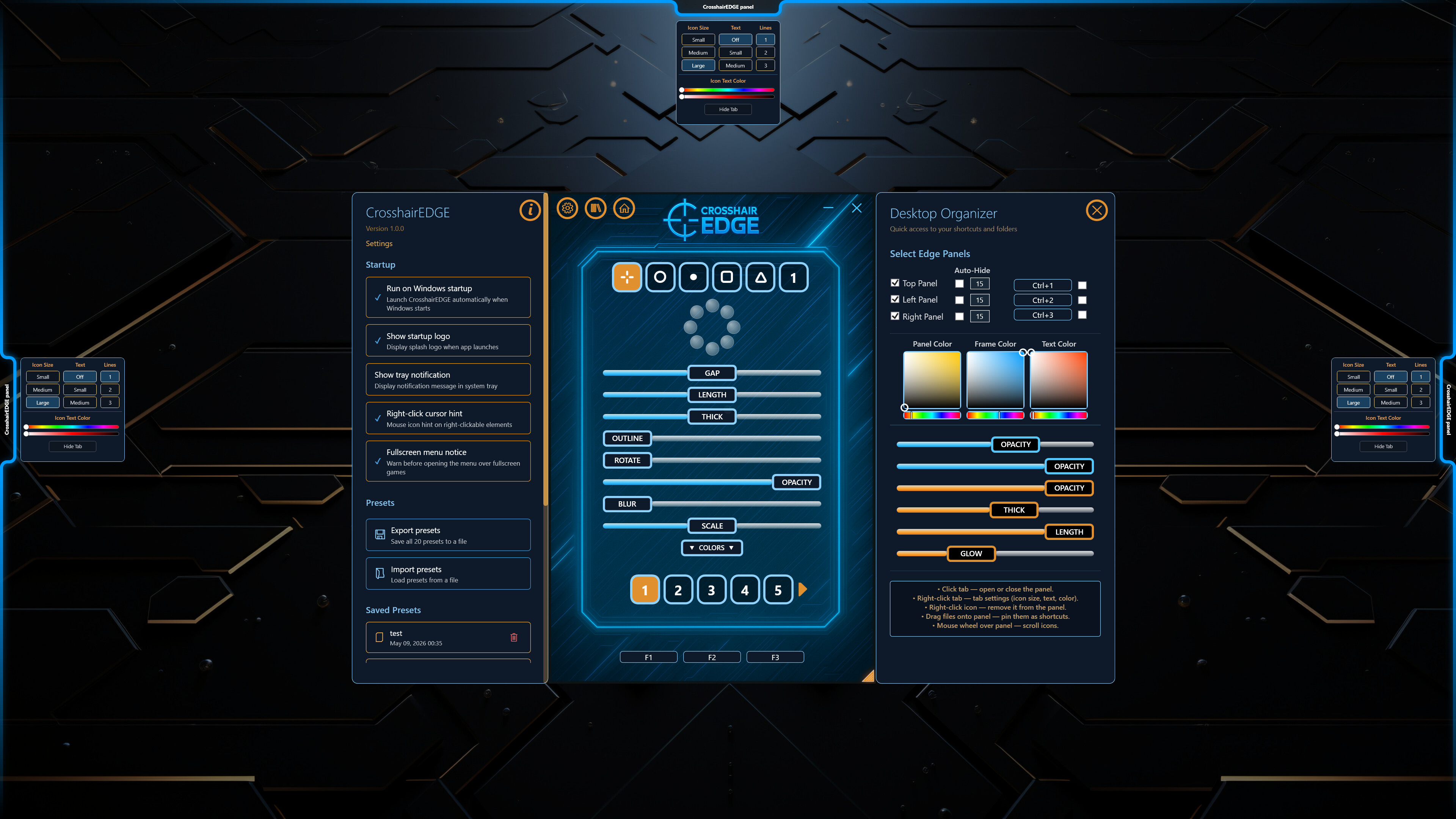
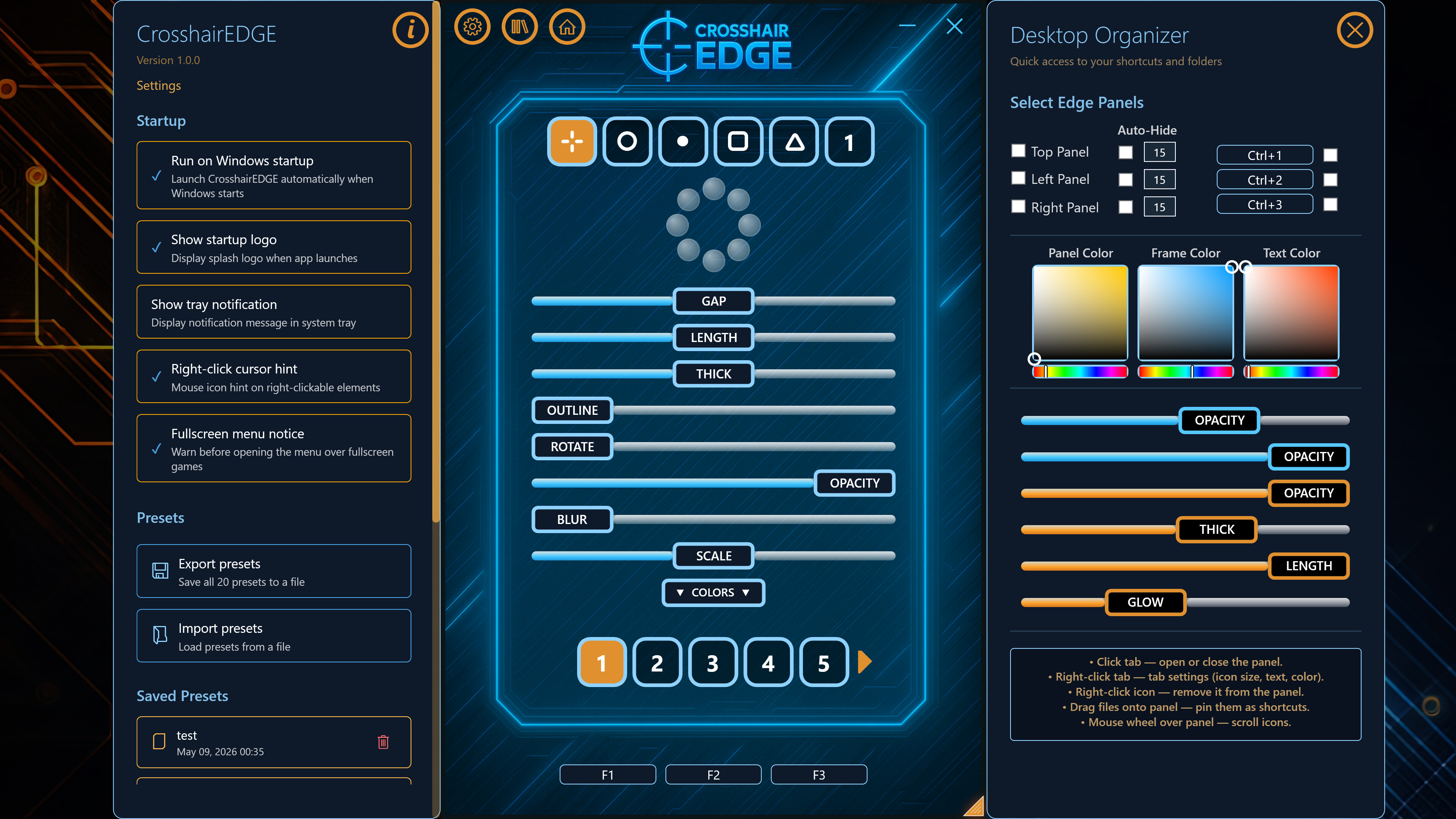
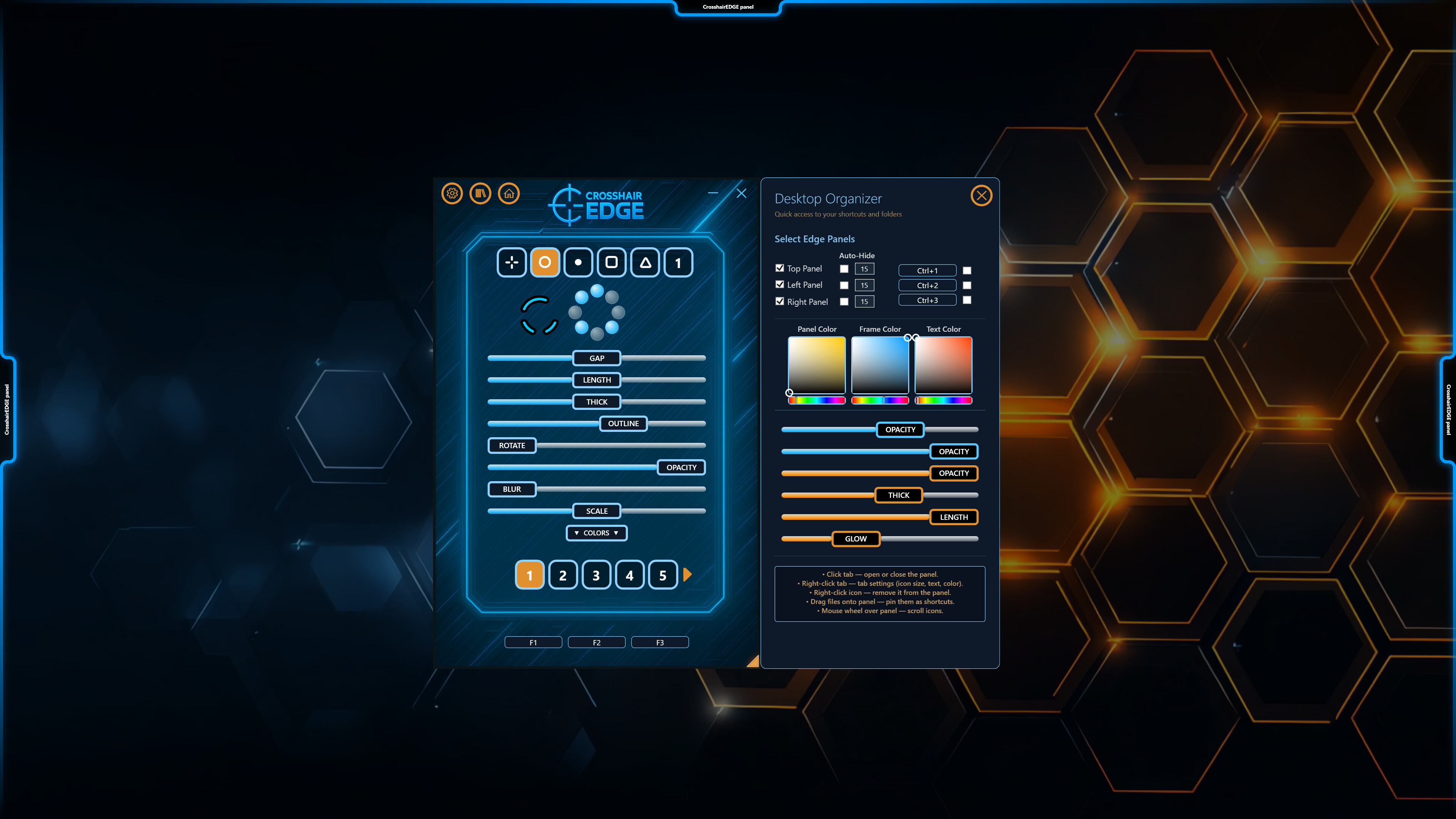
Crosshair EDGE also includes a built-in Desktop Organizer with slide-out edge panels.
Pin your favorite files, folders, shortcuts, games, launchers, and tools to hidden panels on the edges of your screen.
Top, left, and right edge panels
Drag and drop support
Pin files, folders, and shortcuts
Freely reorder icons
Customize icon size, text size, colors, opacity, and panel visuals
Optional desktop cleanup support
A practical bonus tool for quick access to frequently used files, folders, games, and tools without cluttering your desktop.
Steam Cloud Sync
Take your setup with you.
Sync presets across PCs
Sync hotkeys and configuration
Automatic background synchronization
Seamless multi-device experience
Launch CrosshairEDGE on another computer and your setup is already there.
Smooth Overlay Workflow
CrosshairEDGE is built to stay out of your way while you play.
Overlay mode for clean on-screen use
Menu mode for full editing access
Customizable hotkeys
System tray integration
DPI-aware scaling
Multi-monitor support
Auto-save for changes
Fast preset switching
Resolution-aware behavior for a consistent appearance across displays
High Performance
Runs with High process priority to ensure smooth overlay rendering even during demanding games. Hardware-accelerated rendering with DWM compositing.
Open the menu, make your changes, hide it, and keep playing.
Overlay-Only Design
Crosshair EDGE is designed as a visual overlay tool.
Does not inject into games
Does not modify game files
Does not read or write game memory
Does not hook into games
Uses its own overlay window only
For the best experience, use games in borderless fullscreen mode.
Why Crosshair EDGE?
Crosshair EDGE combines advanced crosshair customization, a live bullet counter, automatic game-based preset switching, custom right-click actions, Steam Workshop sharing, Top Creators discovery, Steam Cloud sync, and Desktop Organizer tools in one polished overlay app.
If you want more than a basic static crosshair, Crosshair EDGE gives you the tools to create, save, share, discover, and compete.
Media
Trailers and screenshots straight from the store page
Price history
Accepted price history and recorded lows
Crosshair EDGE price history and current deals
Crosshair EDGE for PC currently sells from $0.49 at authorized stores. Its all-time low is $0.49, set on 2026-07-12. That is 51% off the $0.99 list price.
Frequently asked questions
Answered from this game's own price and edition data
How does the current Crosshair EDGE price compare?
How does $0.49 compare with the Crosshair EDGE price history?
Which stores list Crosshair EDGE?