PC
$0.00 Region US
Content rating unavailable
Casual · Nicholas Pellegrino
Curiosity

Content rating unavailable
Windows
Mostly Positive · 80% of 74

 Chip's verdict · US updated 25 days ago
 Why this verdict
Player reviews 80% positive of 74
Quality score 80/100
Offers
Accepted regional prices from official stores
Official stores (1)
Clean outbound link. We never touch your payment.
Report a wrong price
About this game
What this game is, in the developer's words
A simple world where the player is able to change things that are not supposed to be changed. Welcome to Curiosity, the game where you can hack. Try out different hacks, get creative, entertain yourself! And hey, maybe you'll find a secret or two along the way!
A simple world where the player is able to change things that are not supposed to be changed. Welcome to Curiosity, the game where you can hack. Try out different hacks, get creative, entertain yourself! And hey, maybe you'll find a secret or two along the way!
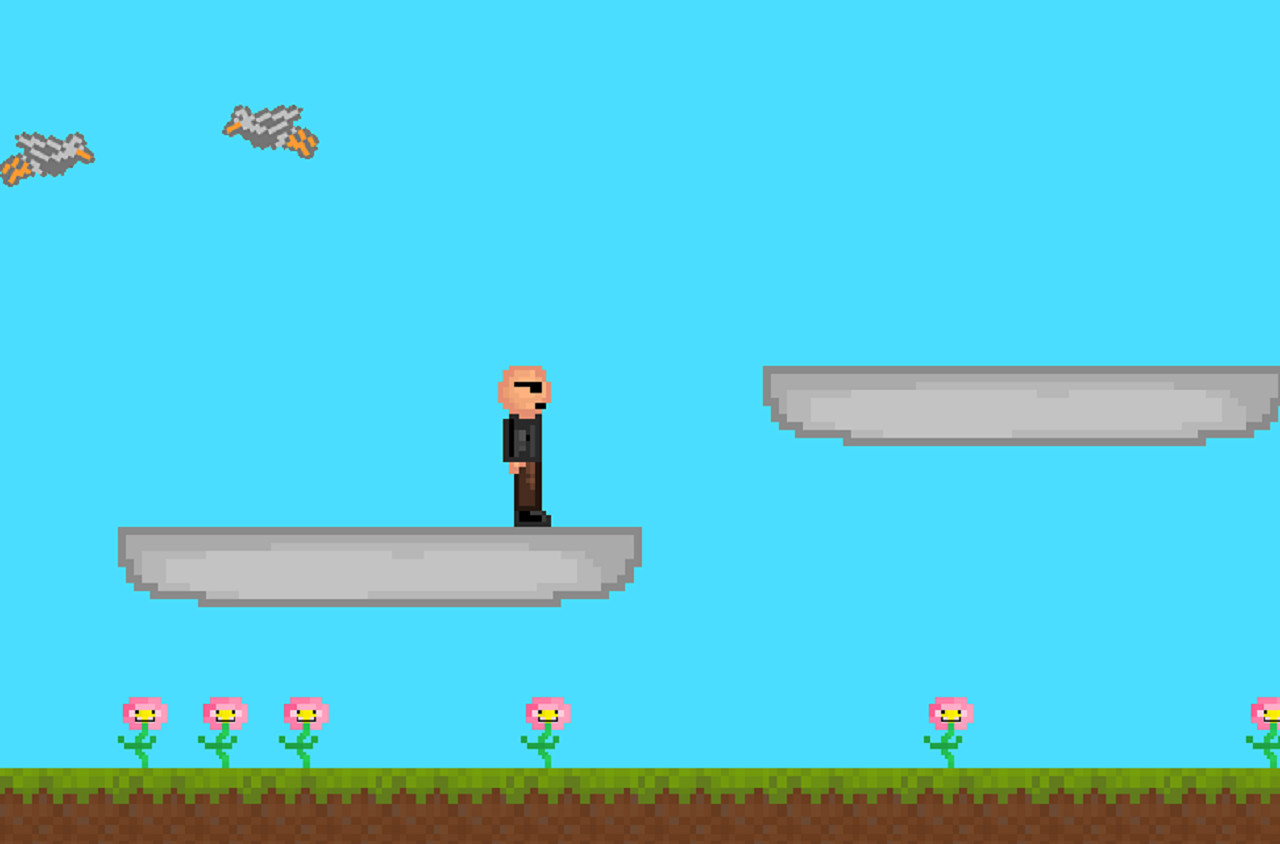
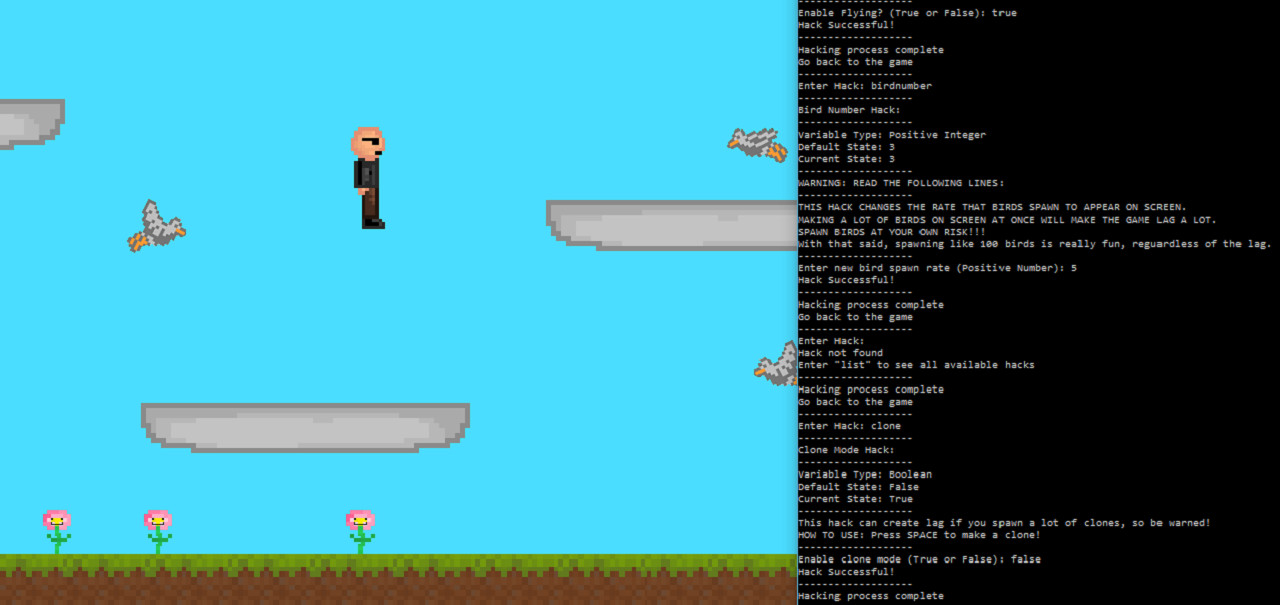
This is an infinite platformer with horizontal player movement. When the game is started, two tabs open: one with the platformer itself, and one that appears to be a command prompt. A narrator starts speaking, and quickly notes that the platformer seems to be dull and uninteresting. He then tutorials the player on how to "hack". "Hacking" gives the ability to change important variables in the code and to enable things that affect the environment.
As the narrator will explain, to "hack", the player must press the "h" key while the platformer tab is selected. The platformer will then freeze as it waits for input from the hacking tab (the one that looks like a command prompt). The player then must switch to the command prompt, type in a "hack", and press enter. They will then be prompted to enter an integer (numbers), string (words), or boolean (true/false) to complete the hack. After completing the hack, the player can go back to the platformer to see what changed.
Here's an example of what happens in the hacking tab with a player doubling their speed:
-------------------
Enter Hack: speed
-------------------
Speed Hack:
-------------------
Variable Type: Integer
Default State: 6
Current State: 6
-------------------
Enter new speed: 12
Hack Successful!
-------------------
Hacking process complete
Go back to the game
-------------------
The game encourages using trial and error to see what each hack does (and using the hack "list" to see which hacks exist), but here's what they do if you don't want to test them out for yourself:
"ascend" - Enter a boolean. When enabled, platforms rise into the sky whenever the player steps on them.
"birdNumber" - Enter an integer. Affects the maximum amount of birds the player can spawn.
"birdPoop" - Enter a boolean. When enabled, birds will occasionally drop bird poop.
"birdPoopRate" - Enter an integer. Affects the rate at which birds can drop poop ("birdPoop" must be enabled to see this change).
"birdSpeed" - Enter an integer. Affects the speed at which the birds fly.
"blackhole" - Enter a boolean. Enables a blackhole that sucks in all sprites and the player's mouse. The game warns you to have caution, since it will take control of your mouse while this hack is enabled.
"clearScreen" - Enter a boolean. When enabled, the command prompt is cleared.
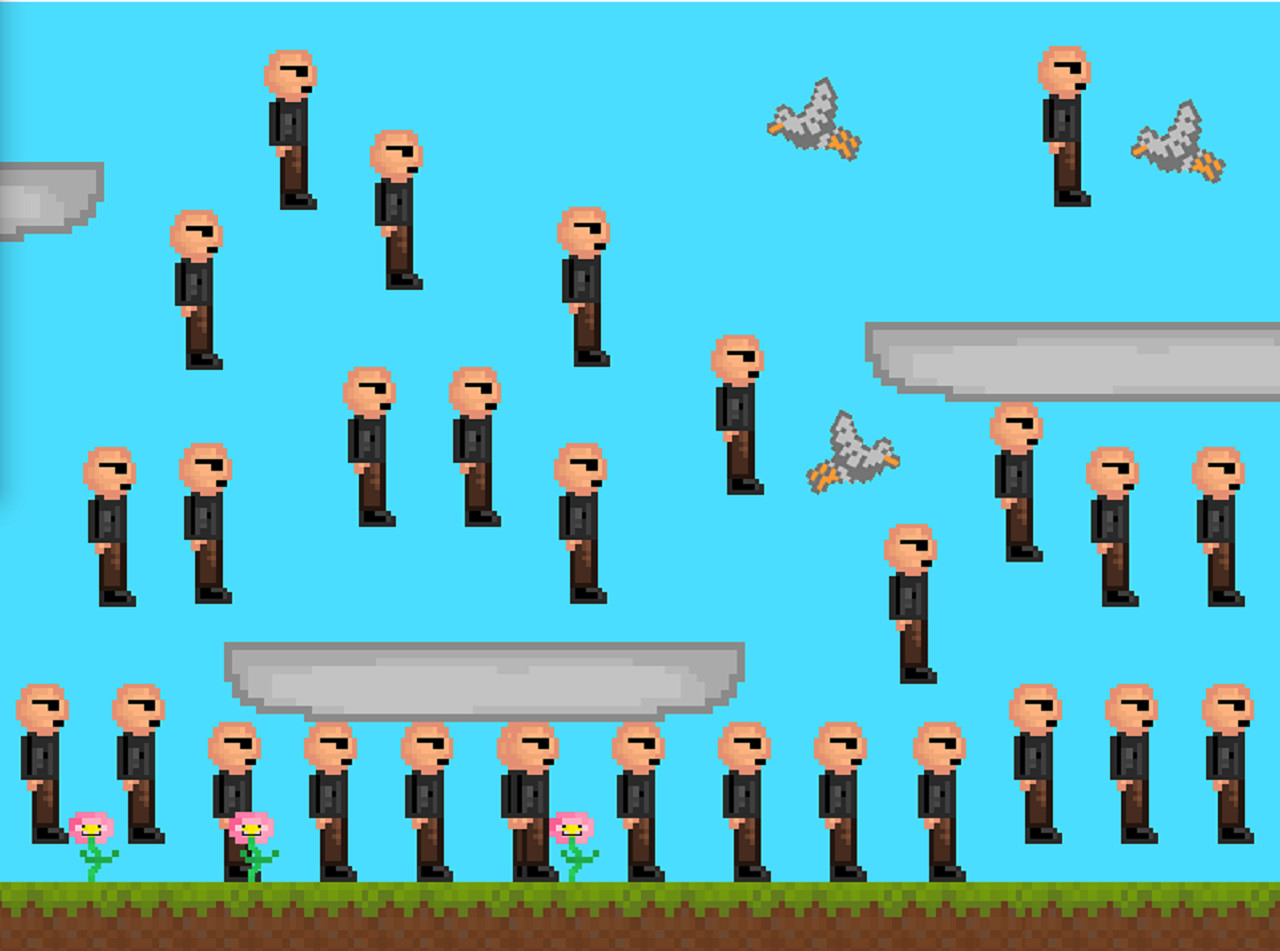
"clone" - Enter a boolean. When enabled, clones of the player can be created by pressing the space bar.
"color" - Enter three integers, as instructed. Affects the background color of the sky.
"deathTouch" - Enter a boolean. When enabled, the player destroys whatever they touch.
"fly" - Enter a boolean. When enabled, the player can fly.
"gravity" - Enter an integer. Affects the strength of the game's gravity.
"jump" - Enter an integer. Affects the player's jump height.
"language" - Enter a string as prompted. Changes the language of the words "Dull Platformer" at the top of the tab, and of the "Ouch" said by sprites when they crash their heads into platforms.
"list" - Shows this list of hacks. Does not show the hack "secret".
"morph" - Enter a string as prompted. Changes the player into other sprites in the game. Your hit-box and abilities are updated accordingly.
"mousePlay" - Enter a boolean. When enabled, the player becomes your mouse, and the game attempts to give your mouse collision detection. As with the hack "blackhole", the game cautions you that this hack will take control of your mouse.
"multiplayer" - Enter a boolean. When enabled, a second player can join by playing on the same keyboard as instructed.
"music" - Enter a string as prompted. Allows players to change the sounds of the game to a song, silence, or the tutorial again.
"secret" - Enter a boolean. When enabled, the birds and flowers get sunglasses.
"speed" - Enter an integer. Affects the speed of the player.
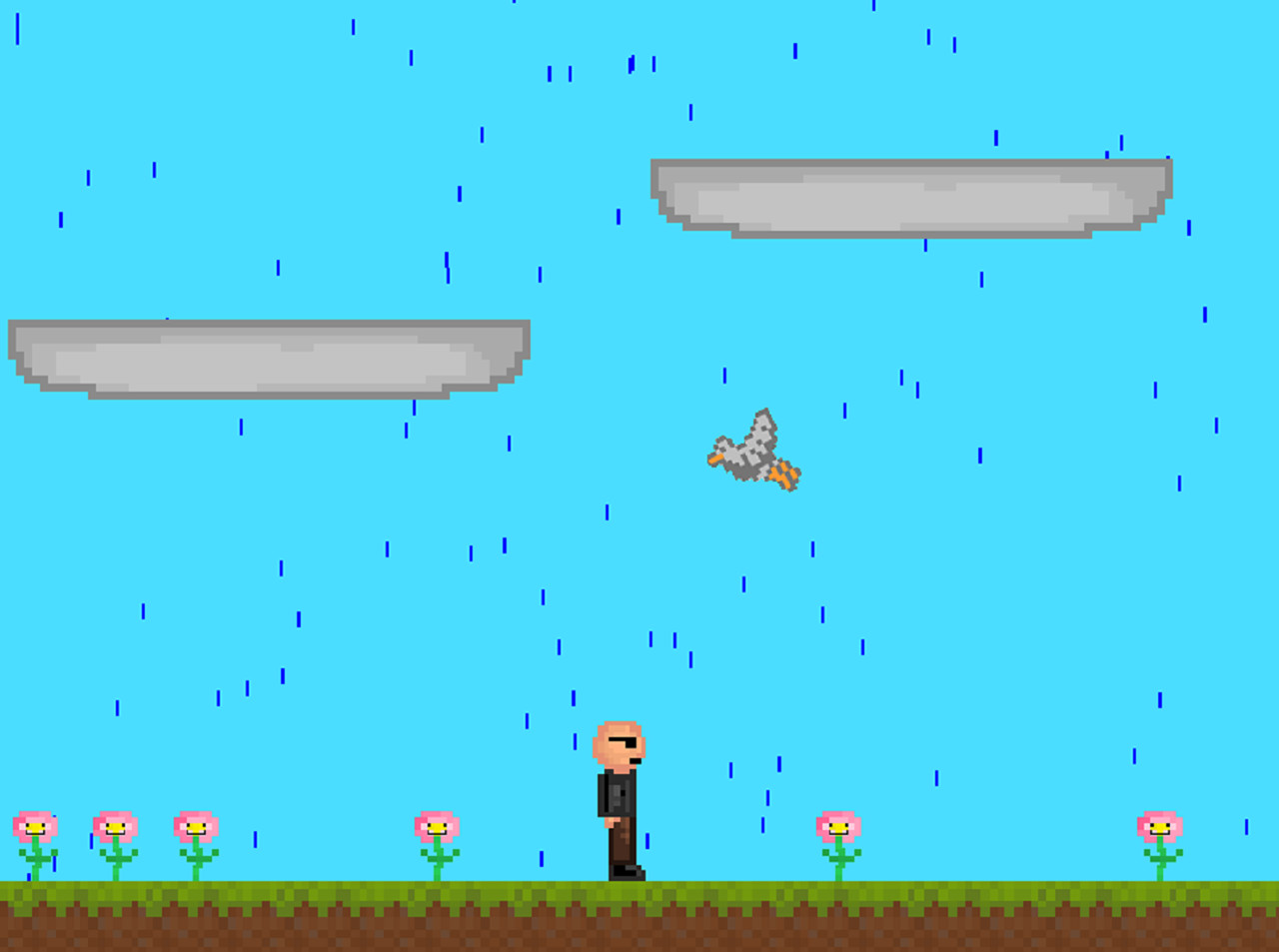
"weather" - Enter a string as prompted. Changes the weather of the platformer.
As players experiment with different hacks, 5 pieces of a key can be found. When the player finds all 5 pieces, the narrator comes back to speak to you and the ending is unlocked.
This is an infinite platformer with horizontal player movement. When the game is started, two tabs open: one with the platformer itself, and one that appears to be a command prompt. A narrator starts speaking, and quickly notes that the platformer seems to be dull and uninteresting. He then tutorials the player on how to "hack". "Hacking" gives the ability to change important variables in the code and to enable things that affect the environment.
As the narrator will explain, to "hack", the player must press the "h" key while the platformer tab is selected. The platformer will then freeze as it waits for input from the hacking tab (the one that looks like a command prompt). The player then must switch to the command prompt, type in a "hack", and press enter. They will then be prompted to enter an integer (numbers), string (words), or boolean (true/false) to complete the hack. After completing the hack, the player can go back to the platformer to see what changed.
Here's an example of what happens in the hacking tab with a player doubling their speed:
-------------------
Enter Hack: speed
-------------------
Speed Hack:
-------------------
Variable Type: Integer
Default State: 6
Current State: 6
-------------------
Enter new speed: 12
Hack Successful!
-------------------
Hacking process complete
Go back to the game
-------------------
The game encourages using trial and error to see what each hack does (and using the hack "list" to see which hacks exist), but here's what they do if you don't want to test them out for yourself:
"ascend" - Enter a boolean. When enabled, platforms rise into the sky whenever the player steps on them.
"birdNumber" - Enter an integer. Affects the maximum amount of birds the player can spawn.
"birdPoop" - Enter a boolean. When enabled, birds will occasionally drop bird poop.
"birdPoopRate" - Enter an integer. Affects the rate at which birds can drop poop ("birdPoop" must be enabled to see this change).
"birdSpeed" - Enter an integer. Affects the speed at which the birds fly.
"blackhole" - Enter a boolean. Enables a blackhole that sucks in all sprites and the player's mouse. The game warns you to have caution, since it will take control of your mouse while this hack is enabled.
"clearScreen" - Enter a boolean. When enabled, the command prompt is cleared.
"clone" - Enter a boolean. When enabled, clones of the player can be created by pressing the space bar.
"color" - Enter three integers, as instructed. Affects the background color of the sky.
"deathTouch" - Enter a boolean. When enabled, the player destroys whatever they touch.
"fly" - Enter a boolean. When enabled, the player can fly.
"gravity" - Enter an integer. Affects the strength of the game's gravity.
"jump" - Enter an integer. Affects the player's jump height.
"language" - Enter a string as prompted. Changes the language of the words "Dull Platformer" at the top of the tab, and of the "Ouch" said by sprites when they crash their heads into platforms.
"list" - Shows this list of hacks. Does not show the hack "secret".
"morph" - Enter a string as prompted. Changes the player into other sprites in the game. Your hit-box and abilities are updated accordingly.
"mousePlay" - Enter a boolean. When enabled, the player becomes your mouse, and the game attempts to give your mouse collision detection. As with the hack "blackhole", the game cautions you that this hack will take control of your mouse.
"multiplayer" - Enter a boolean. When enabled, a second player can join by playing on the same keyboard as instructed.
"music" - Enter a string as prompted. Allows players to change the sounds of the game to a song, silence, or the tutorial again.
"secret" - Enter a boolean. When enabled, the birds and flowers get sunglasses.
"speed" - Enter an integer. Affects the speed of the player.
"weather" - Enter a string as prompted. Changes the weather of the platformer.
As players experiment with different hacks, 5 pieces of a key can be found. When the player finds all 5 pieces, the narrator comes back to speak to you and the ending is unlocked.
Media
Trailers and screenshots straight from the store page

Price intelligence
Accepted price history and the lows that matter
No price history recorded yet.
Historical lows
No history yet.
Curiosity price history and best deals
Curiosity for PC currently sells from free at authorized stores.
Frequently asked questions
Answered from this game's own price and edition data
Where can I buy Curiosity?
Curiosity is tracked at steam. We only list authorized stores here and always link out with a clean outbound link.
Scores
Steam reviews Mostly Positive · 80%
80% positive of 74
Media (5)
Tech
Requirements
Facts
DeveloperNicholas Pellegrino
PublisherNicholas Pellegrino
GenresCasual · Free To Play · Indie
TagsFree to Play · Casual · Indie
ModesSingle-player
Links