PC
Region US
Games HGFaceDD

Content rating unavailable
HG重工
HGFaceDD

Content rating unavailable
Windows
Very Positive · 97% of 190

 Chip's verdict · US
 Why this verdict
Player reviews 97% positive of 190
Quality score 97/100
Offers
Accepted regional prices from official stores
No offers tracked yet for this product.
Report a wrong price
About this game
What this game is, in the developer's words
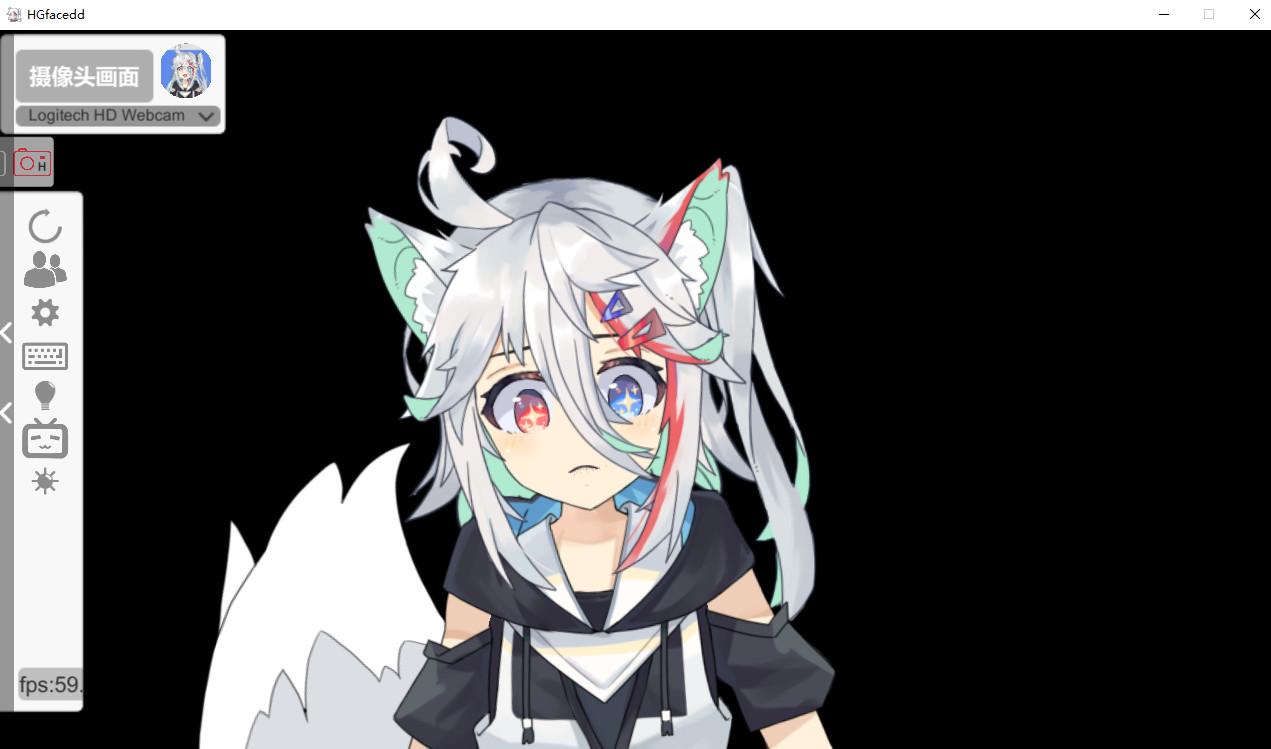
Hgfacedd is a live virtual role simulation software, which can capture the face state changes of the captured person in real time through the webcam, and copper step it to the user's own virtual role
Hgfacedd is a live virtual role simulation software, which can capture the face state changes of the captured person in real time through the webcam, and copper step it to the user's own virtual role
Facedd use relatively lightweight face on the computer facial capture program therefore capture accuracy is not very accurate that does not have the big manufacture of facial capture the effect (I do not to come out of) need friends free smoothly, and the adjustment of the threshold can be oh ~ (using the iphone faceid just ignore this one ww)
Note to buy: This software is developed by a single user of the Hao International so the accuracy of facial capture is not particularly high (important things say wW many times)
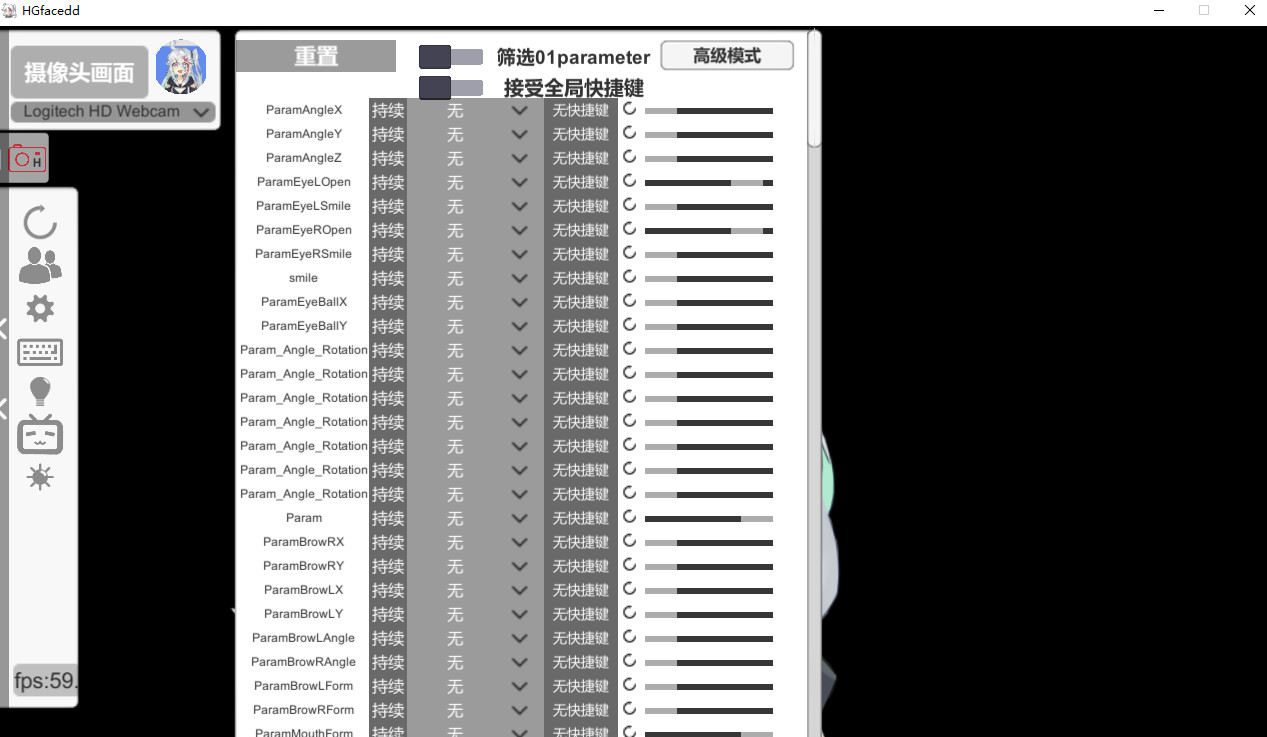
Generally, manual calibration is used to customize the adjustment of each capture parameter to make the capture relatively stable
Those of you who don't have faceid iphones should take a detour if you want foolproof ultra-accurate face capture
Hao Ji is also a painter because his computer is too bad to carry a certain F-beginning leather live streaming software, so he developed a face capture software for himself
Then all sorts of things came out of the blue on Steam. (Of course faceDD has an extension license from Live2D.)
Hao Ji, as a virtual leather case, man mainly uses its own software, so it will update and optimize the FACEDD, and these optimizations will be updated here for free main functions [/]
Facedd use relatively lightweight face on the computer facial capture program therefore capture accuracy is not very accurate that does not have the big manufacture of facial capture the effect (I do not to come out of) need friends free smoothly, and the adjustment of the threshold can be oh ~ (using the iphone faceid just ignore this one ww)
Note to buy: This software is developed by a single user of the Hao International so the accuracy of facial capture is not particularly high (important things say wW many times)
Generally, manual calibration is used to customize the adjustment of each capture parameter to make the capture relatively stable
Those of you who don't have faceid iphones should take a detour if you want foolproof ultra-accurate face capture
Hao Ji is also a painter because his computer is too bad to carry a certain F-beginning leather live streaming software, so he developed a face capture software for himself
Then all sorts of things came out of the blue on Steam. (Of course faceDD has an extension license from Live2D.)
Hao Ji, as a virtual leather case, man mainly uses its own software, so it will update and optimize the FACEDD, and these optimizations will be updated here for free
main functions [/]
Hgfacedd also has the online function of p2p multi-person linkage, which makes the model interaction when multi-person linkage live broadcast become more simple!
It is mainly used for bilibili live broadcast and has the custom gift interaction function of Bilibili live broadcast room
You can customize emoji shortcuts
The global shortcut can be turned on or off to control the model expression whenever it is pressed
The FacedD can also connect to the iPhone and use the iPhone's 3D structured light camera to capture w's face. The iPhone app is called Amgface
Apk can also be captured on an Android phone using the "ReadME" file in the "Facedd root" directory
Using the mobile phone to capture and connect the computer can not only greatly reduce the CPU burden of the computer, but also provide more accurate and stable facial capture w [method of use] [/]
1. First put the model into the specified model library hglivedd \ hgfacedd_data \ streamingassets \ liveddmodel
2. Make sure that the model folder and the file name in the folder with the suffix of model3.json are the same
3. The thumbnail of the model also needs to be the same as the name of the previous bar to be displayed and in PNG format
4. First, make sure the camera can be used normally
2. Open hgfacedd
3. Select the model you need to use
4. At this time, you are already a Piman!
1. First put the model into the specified model library hglivedd \ hgfacedd_data \ streamingassets \ liveddmodel
2. Make sure that the model folder and the file name in the folder with the suffix of model3.json are the same
3. The thumbnail of the model also needs to be the same as the name of the previous bar to be displayed and in PNG format
4. First, make sure the camera can be used normally
2. Open hgfacedd
3. Select the model you need to use
4. At this time, you are already a Piman!
Media
Trailers and screenshots straight from the store page



Latest news
Recent updates from the game's own feeds
Price intelligence
Accepted price history and the lows that matter
No price history recorded yet.
Historical lows
No history yet.
HGFaceDD price history and best deals
Price tracking for HGFaceDD across authorized stores.
Scores
Steam reviews Very Positive · 97%
97% positive of 190
Media (5)
Tech
Requirements
Facts
Links