PC Region US

Utilities · Mediator Software
IVRy Monado Tracker for SteamVR

Windows Brazil · l
Mostly Positive · 77% of 13
Price verdict · US updated 31 days ago
Why this verdict
Player reviews 77% positive of 13
Quality score 77/100 · small sample
Offers
Official store prices and labeled keyshop comparisons
No offers tracked yet for this product.
Report a problem
About this game
What this game is, in the developer's words
Use your PSMove controllers in SteamVR. Lets you add 6DOF tracking to your PSVR VR headset.
Before you start
BETA TEST VERSION:
The IVRy Monado Tracker for SteamVR is currently a Beta test version, and will be updated continually. In order to use the tracker, you will need to start SteamVR, open the iVRy settings and select 'Monado' from the drop-down list in the 'Tracking' section, and restart SteamVR.
IMPORTANT:
It is recommended to use the Sony Playstation 5 adapter for the Sony Playstation 4 camera. Also compatible with equivalent AUX to USB3 adapters.
CAMERA SETUP
Before you can use the tracker, you will need to calibrate the camera. Please refer to the 'README' in the 'steamapps\common\iVRy\data' folder of your Steam installation.
PSMOVE SETUP
PSMove controllers must be paired to your computer before they will be recognised. To pair PSMove controllers, use the 'psmove' utility, found in the 'steamapps\common\iVRy\bin\win64' folder of your Steam installation. You will need to open an Administator command prompt to use it. Pairing requires Bluetooth 4.0+, and may not work with all BT controllers. A known working controller is the ASUS BT400 USB dongle.
Pairing with 'psmove' is described here:
If you are using the original (PS3) PSMove controllers (model ZMC1), then you will need to perform an additional calibration step to calibrate the magnetometer, using the following command after pairing:
psmove calibrate
PSMove controllers use the same mappings as PSMoveSteamVRBridge. It is not necessary to install PSMoveService or PSMoveServiceSteamVRBridge.
NOTE:
The Monado tracker for iVRy is experimental software. It is provided in DLC form as a convenience for those users who wish to experiment with it. If you are not comfortable with experimental software, that requires some tweaking, and may not be suitable for your purposes, then please do not use it. It is not, under any circumstances, to be considered as "production-level quality" software.
About the Game
What is the iVRy Monado Tracker for SteamVR DLC?
• It is a tracking-only version of the Monado Linux OpenXR software that has been ported to Windows and customised to simplify installation and configuration for use with the iVRy Driver for SteamVR.
What does that mean?
• Want to use your Sony Playstation PSVR and Move controllers to play PC VR* (Virtual Reality) titles?
• Want to add 6DOF (orientation & positional) tracking to your PSVR headset?
• With iVRy, the Monado Tracker for SteamVR and a Sony Playstation 4 camera** you can!
* Valve OpenVR/SteamVR. Requires Valve Steam & SteamVR on Windows 7 or later.
** Sony Playstation 4 camera requires Sony PS5 camera adapter or equivalent.
Media
Trailers and screenshots straight from the store page
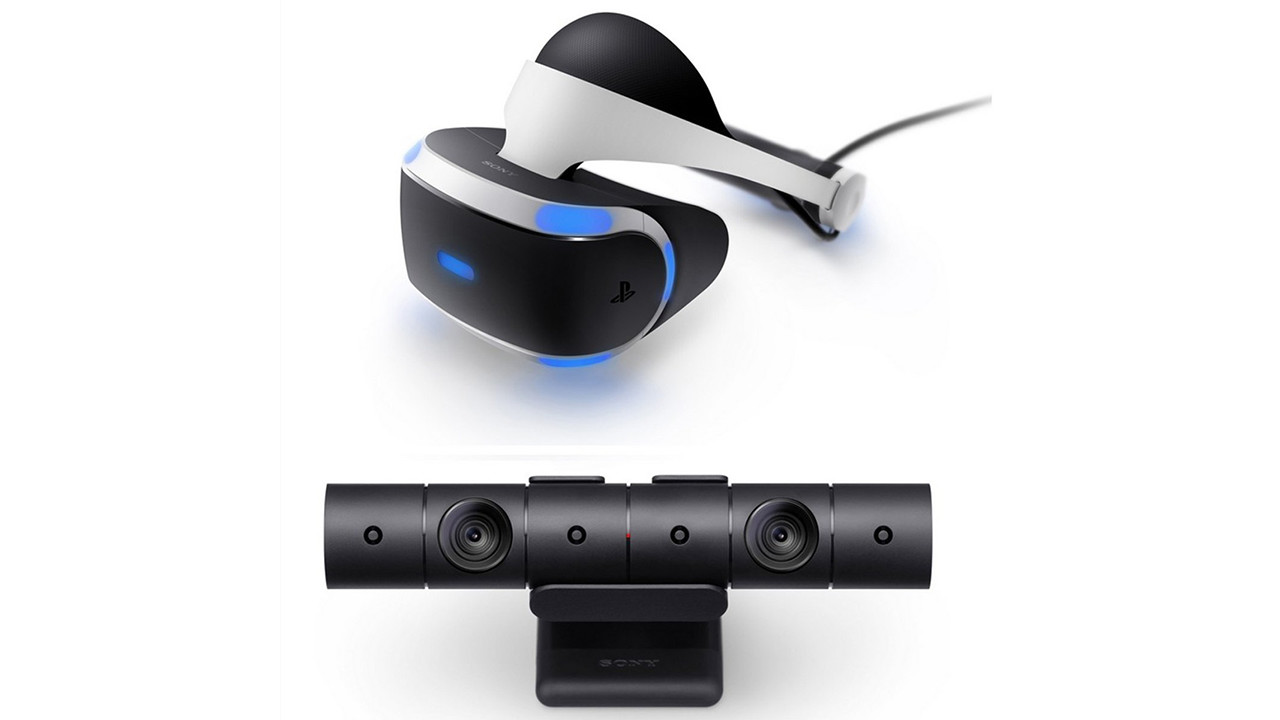

IVRy Monado Tracker for SteamVR price history and current deals
Price tracking for IVRy Monado Tracker for SteamVR across authorized stores.
Scores
Steam reviews Mostly Positive · 77%
77% positive of 13
Media (2)
Tech
ControllerFull
Requirements
Links
Ratings
Brazill