
LuminaryPrimer


 Wait for a sale Chip's verdict · US updated 2 hr. ago
 No real discount right now, sitting 100% of the way from its all-time low to full price. One to watch rather than buy today.
Why this verdict
Offers
Accepted regional prices from official stores
Report a wrong price
About this game
What this game is, in the developer's words
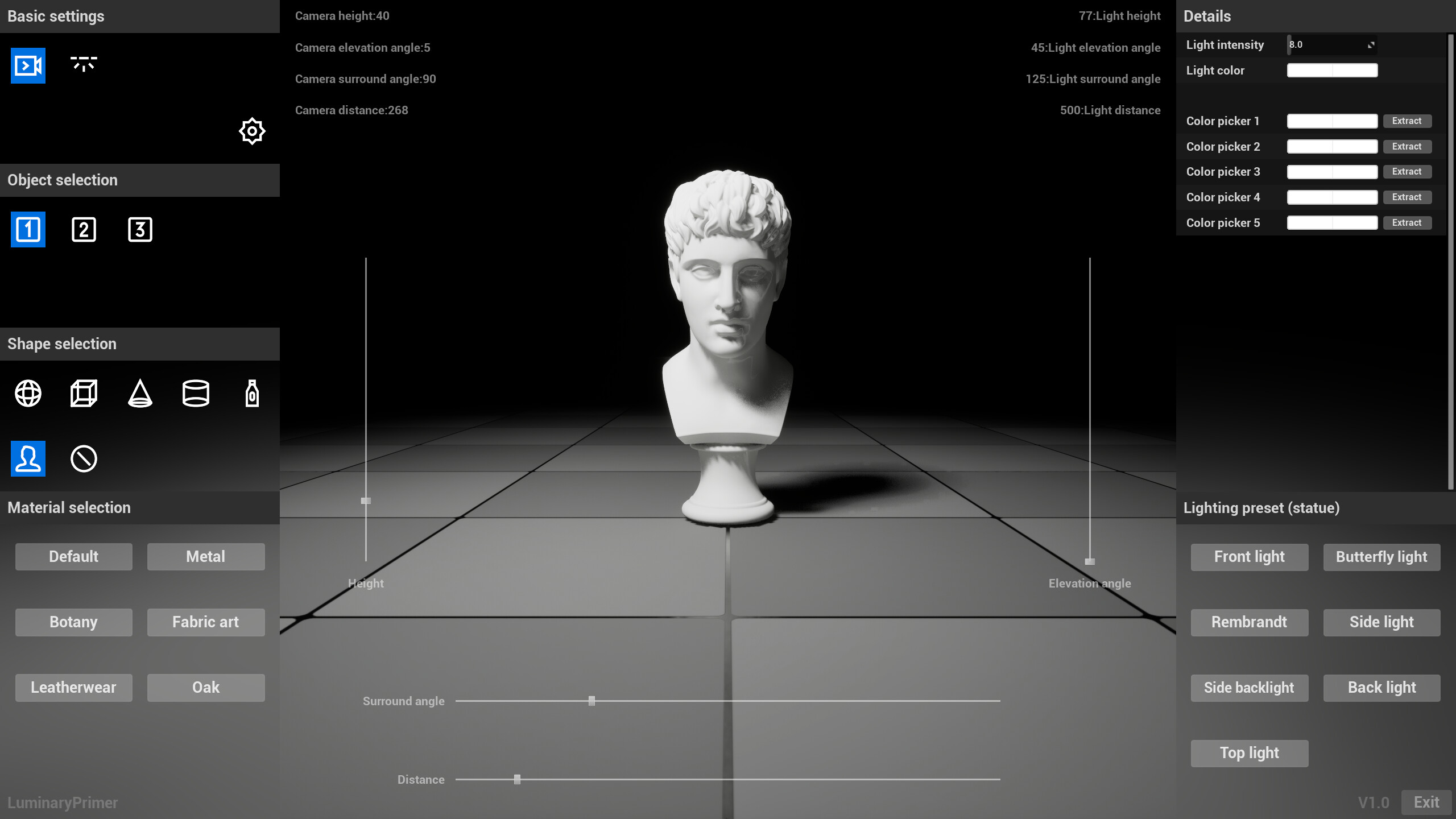
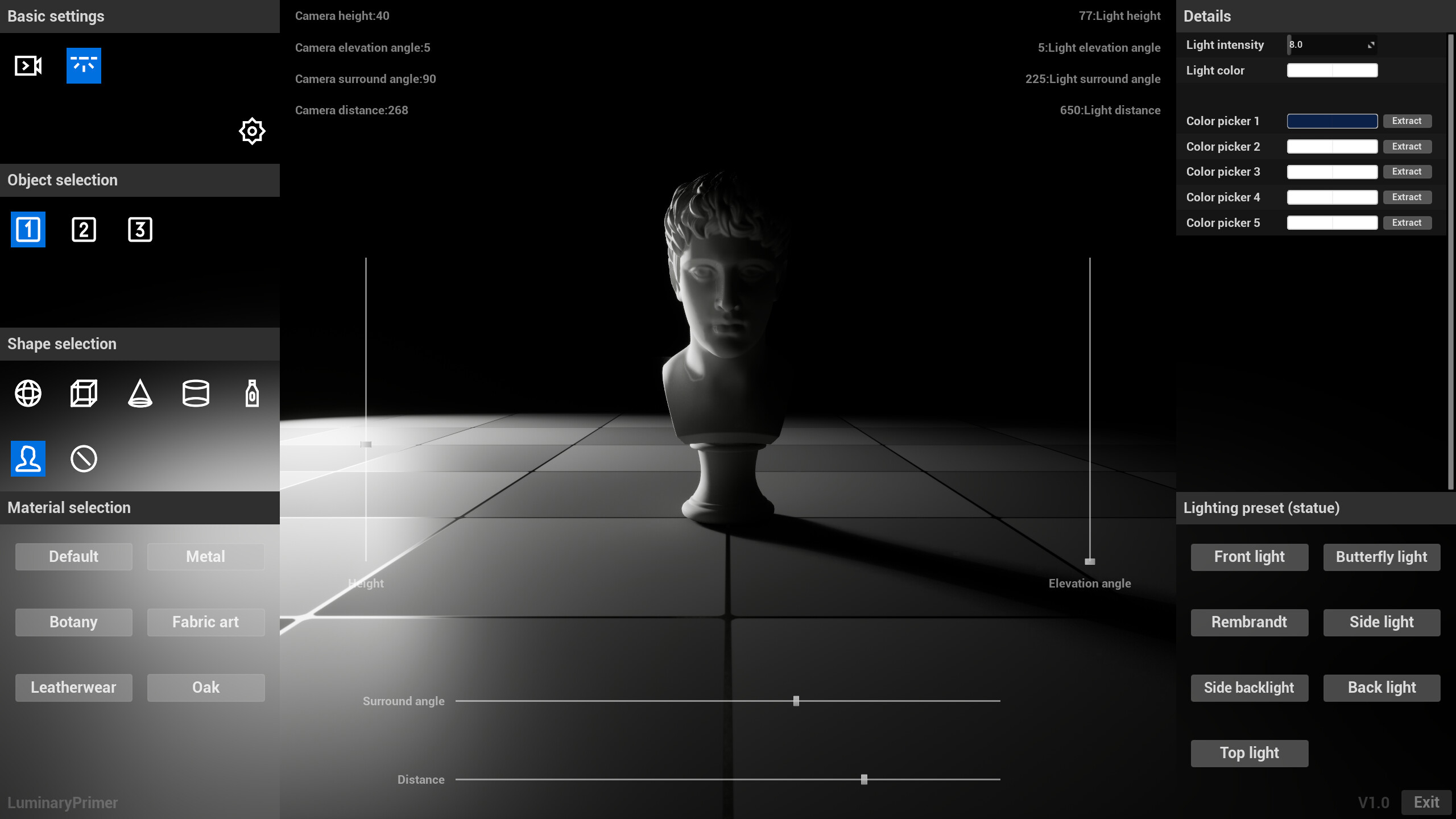
LuminaryPrimer simplifies creating light and shadow effects, offering presets and adjustable parameters for users without deep expertise. It focuses on simulating real-world lighting principles through an intuitive interface, making it accessible to beginners and experienced users alike.
Main functions and features
LuminaryPrimer is a tool software focused on providing reference of light and shadow relationship. It aims to simplify the creation process of light and shadow effects, so that users can achieve the desired light and shadow effects through presets and simple parameter adjustment without deep professional skills. Compared with Digital Content Creation (DCC) software, LuminaryPrimer focuses more on the simulation and adjustment of light and shadow relationships, reducing the skill requirements of users.
In LuminaryPrimer, users can quickly access a variety of preset light and shadow effects, which are simulated based on lighting principles in the real world. At the same time, the software provides an intuitive interface and easy to understand parameter options, so that users can easily fine-tune the light and shadow effects. Both beginners and experienced users can quickly get started and realize their own ideas with LuminaryPrimer.
For the crowd
1. Painting artists.
LuminaryPrimer provides an easy and intuitive way to explore and experiment with different light and shadow effects to help your work come alive and have depth. With preset lighting effects, you can quickly find the right lighting configuration for your style and refine the effect with simple parameter adjustments.
2. Photography videographer
LuminaryPrimer can be used to simulate the effects of various lighting conditions to preview the final photo or video before you take it. This is very useful for planning the shooting process and choosing the best time and Angle to shoot.
3. Animation producer.
LuminaryPrimer can help them control light and shadow changes more precisely during the creation process, enhancing the realism and visual impact of the animation. Preset effects in the software serve as a starting point for inspiration, while detailed parameter tuning allows you to customize unique lighting effects to your needs.
4. Indie game developers.
LuminaryPrimer can be used to enhance the visual effects of a game and create a more engaging game world.
Specific function modules
1. Visually adjust the position of camera and light source:
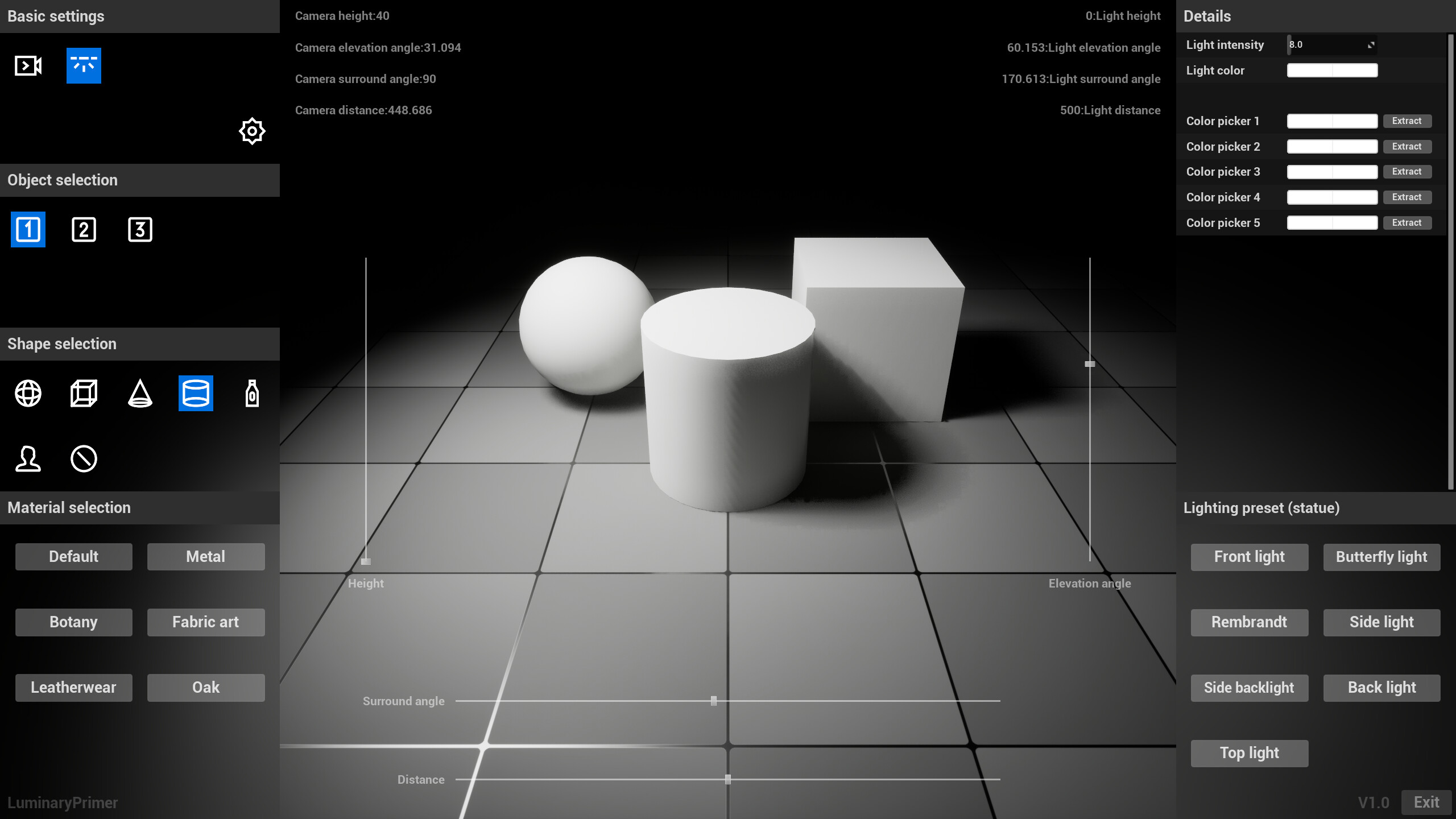
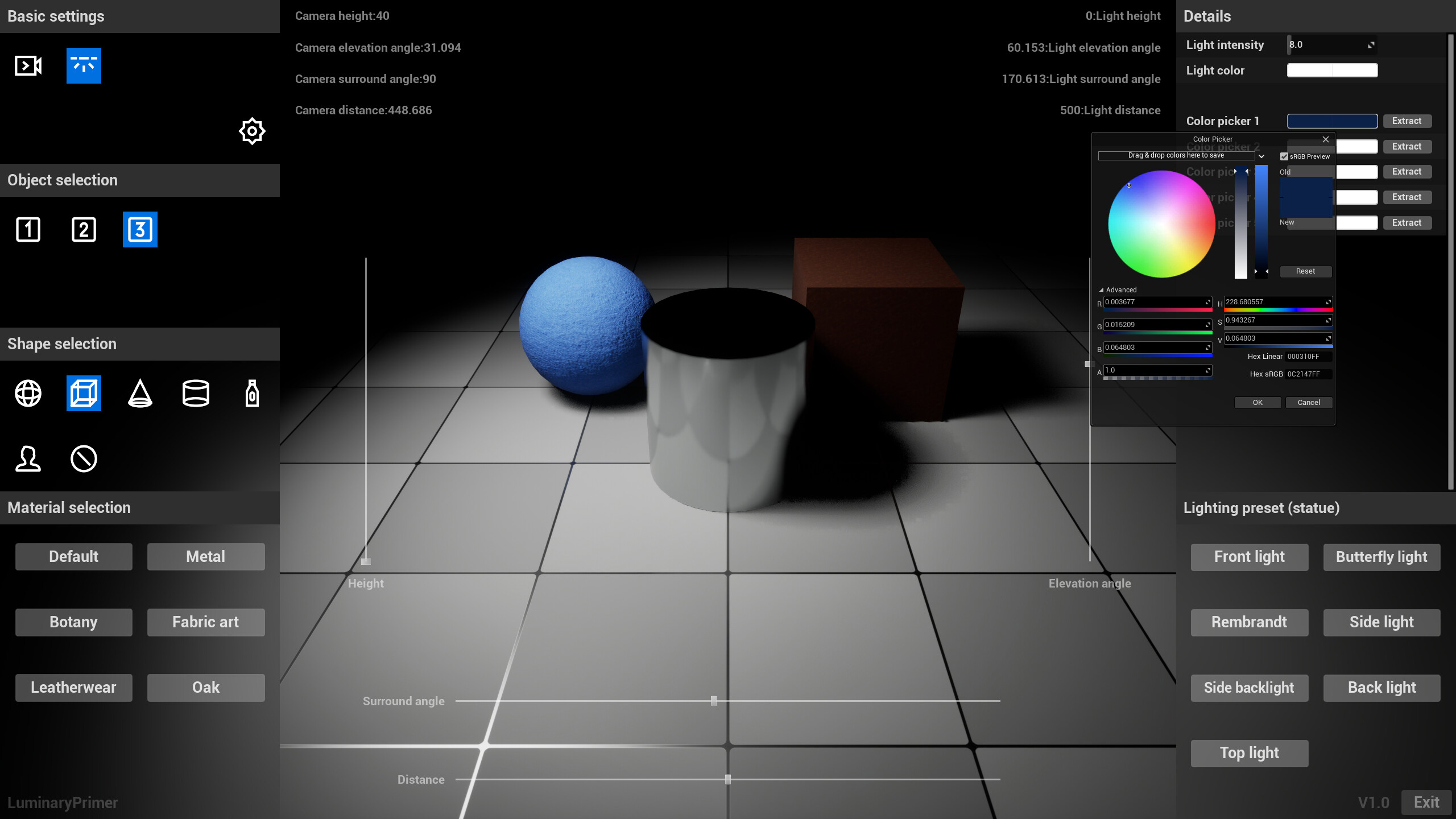
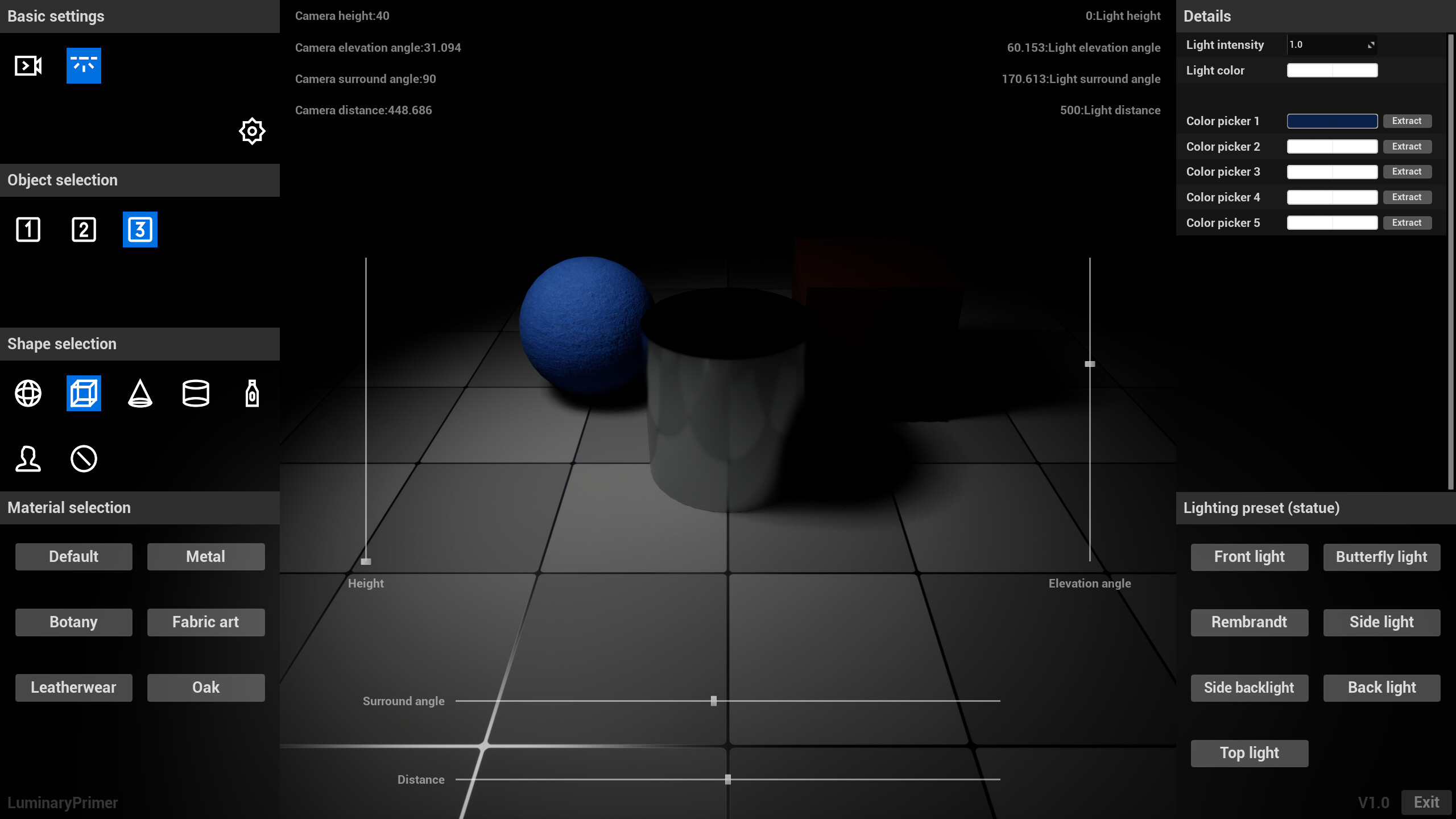
The user is allowed to adjust the height, pitch Angle, surround Angle and far and near distance of the camera and light source through the slider, in order to observe and illuminate the 3D model from different angles and distances.
2. Multiple objects:
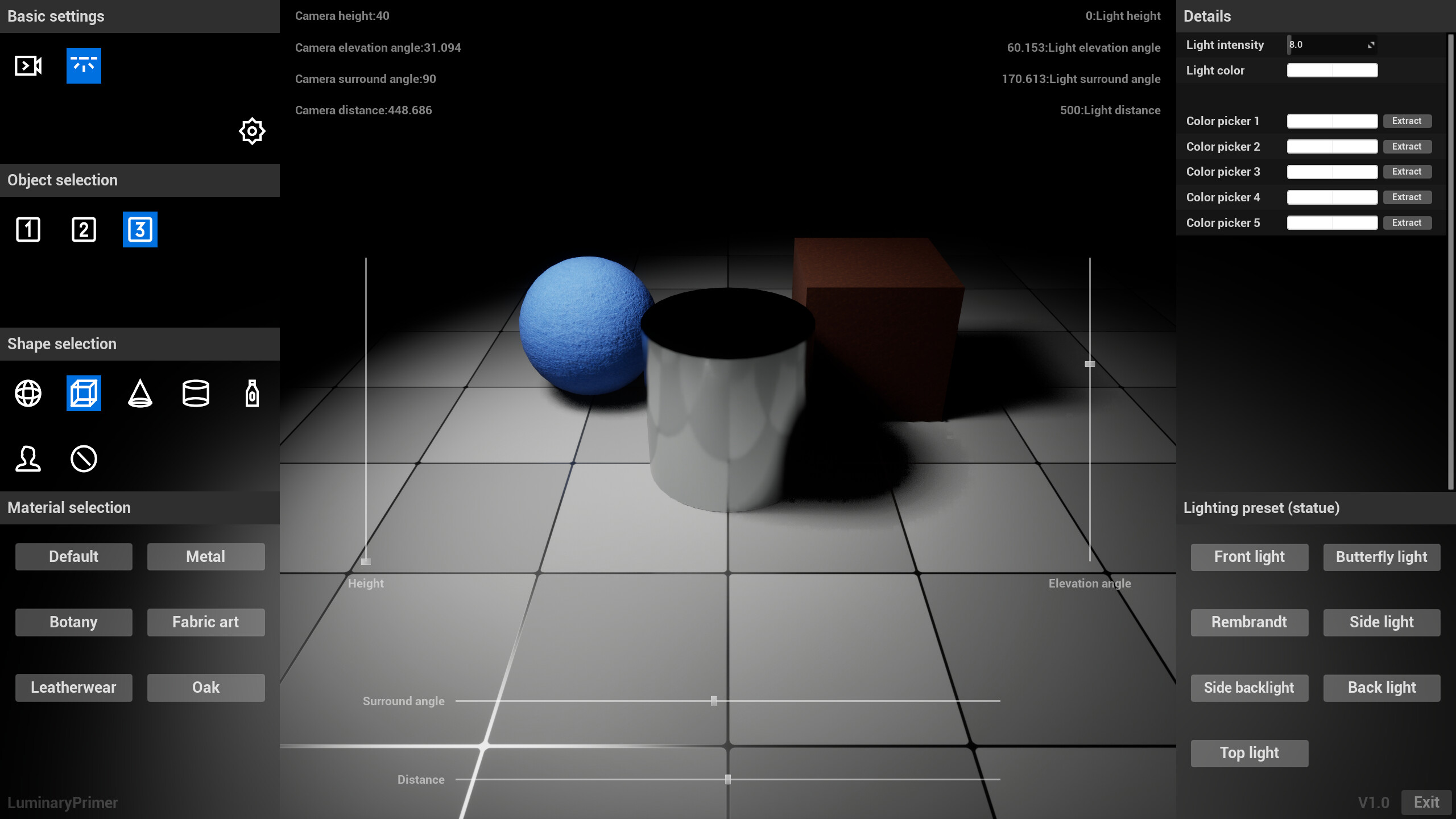
Users are allowed to add multiple objects to the scene, one object is displayed by default, and up to three objects can be displayed. This helps users with layout and composition when creating complex scenes.
3. 6 preset shapes:
Six common 3D shapes (sphere, cube, cone, cylinder, bottle, statue) are provided from which the user can select and add to the scene.
4. 6 preset materials:
Six common materials (default, metal, vegetable, fabric, leather, oak) are provided that the user can apply to objects in the scene to change their appearance and texture.
5. Light source Settings:
It allows users to set the illumination intensity and illumination color in order to provide the appropriate lighting effect for the scene.
6. Color picker:
Allows the user to extract colors from the viewport. Up to five colors can be extracted.
7. 7 lighting presets:
Seven common lighting presets (along light, butterfly light, Rembrandt light, side light, side backlight, backlight, top light) are provided, and users can choose the appropriate lighting effect according to their needs. The best results are obtained when object 1 is shaped as a statue.
8. Support 6 languages:
The software supports English, Russian, Chinese, French, Japanese, and Korean to meet the needs of users in different countries and regions.
Media
Trailers and screenshots straight from the store page

Price intelligence
Accepted price history and the lows that matter
LuminaryPrimer price history and best deals
LuminaryPrimer for PC currently sells from $1.99 at authorized stores. Its all-time low is $1.59, set on 2026-07-07.
Frequently asked questions
Answered from this game's own price and edition data
Should I buy LuminaryPrimer now or wait?
Is $1.99 a good price for LuminaryPrimer?
Where can I buy LuminaryPrimer?