
MobMate WhispTalk – Zero-Cloud Voice Chat Toolkit

The current price is 100% of the way from its all-time low to full price. Seasonal sales have priced it lower.
Why this verdict
Offers
Official store prices and labeled keyshop comparisons
Report a problem
Price history
Accepted price history and recorded lows
DLC (1)
Add-on content for this game
- MobMate – GPU Acceleration Pack From $4.99

Packs and bundles (1)
Multi-item packages that include this game
- MobMateWhispTalk+VulkanDLC From $12.58
About this game
What this game is, in the developer's words
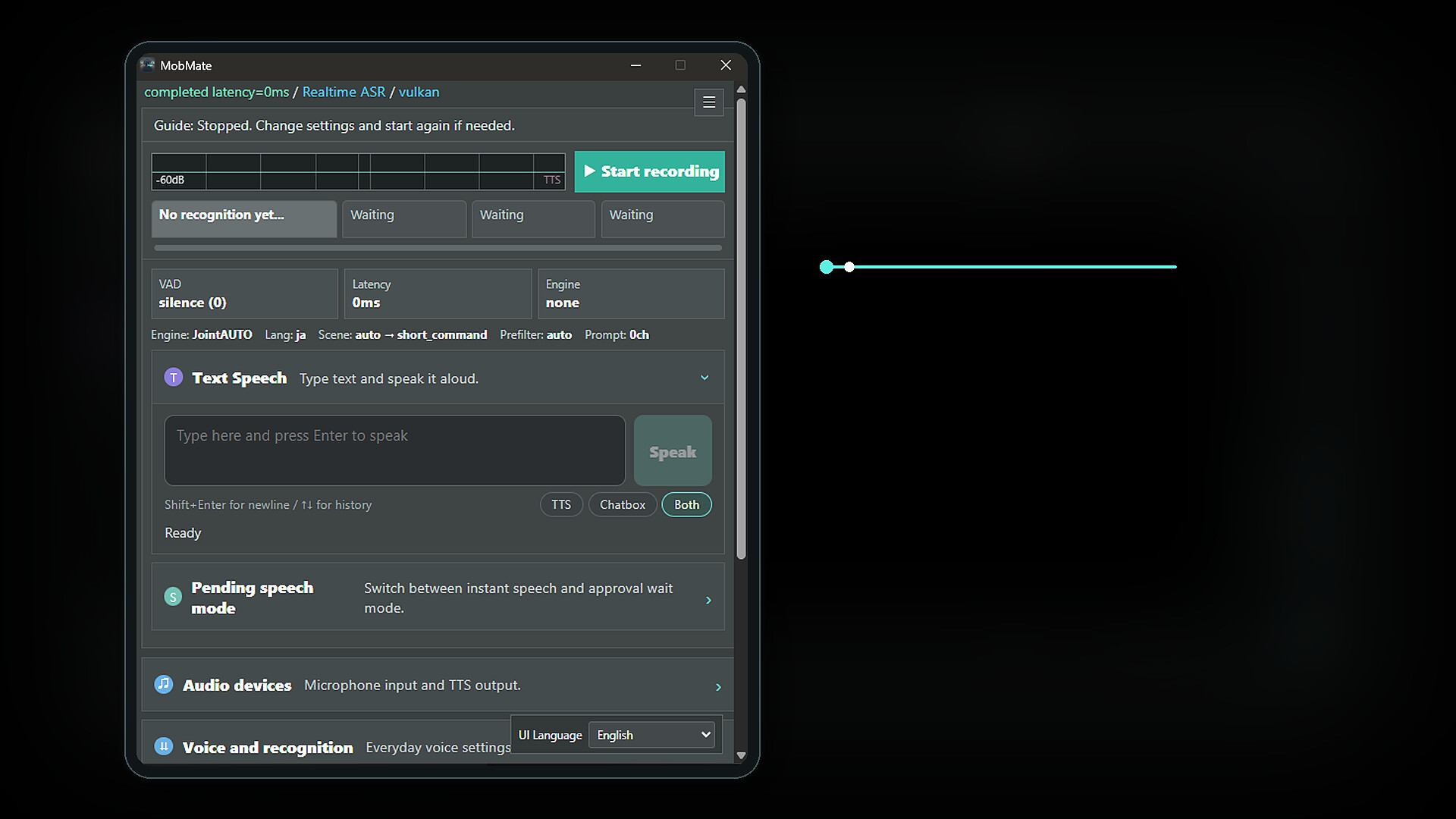
MobMate V2 is a Zero-Cloud voice chat toolkit that sends short TTS reactions like “Got it,” “I agree,” and “laugh” into your voice chat. Even late at night or when you cannot speak loudly, sending quick reactions can make VC more fun.
Reactions make voice chat more fun.
Laughter, "got it," thumbs up. A Zero-Cloud voice chat toolkit that delivers quick reactions to VC via TTS.
Ever had a moment where you couldn't say anything in VC?
Late-night gaming. Your voice is tired. One of those listen-only days.
Typing in chat feels too slow, but staying completely silent feels a little lonely.
With MobMate, you can send short replies and laughter to voice chat via TTS.
They'll know you're laughing.
They'll know you agree.
They'll know you're listening.
MobMate makes VC reactions feel effortless.
Main features
1. Send quick reactions to voice chat
"Got it," "Nice," "lol" — send short replies and laughter to VC instantly via TTS.
Short sounds like "ah" and "mm" are picked up too, keeping the conversation flowing.
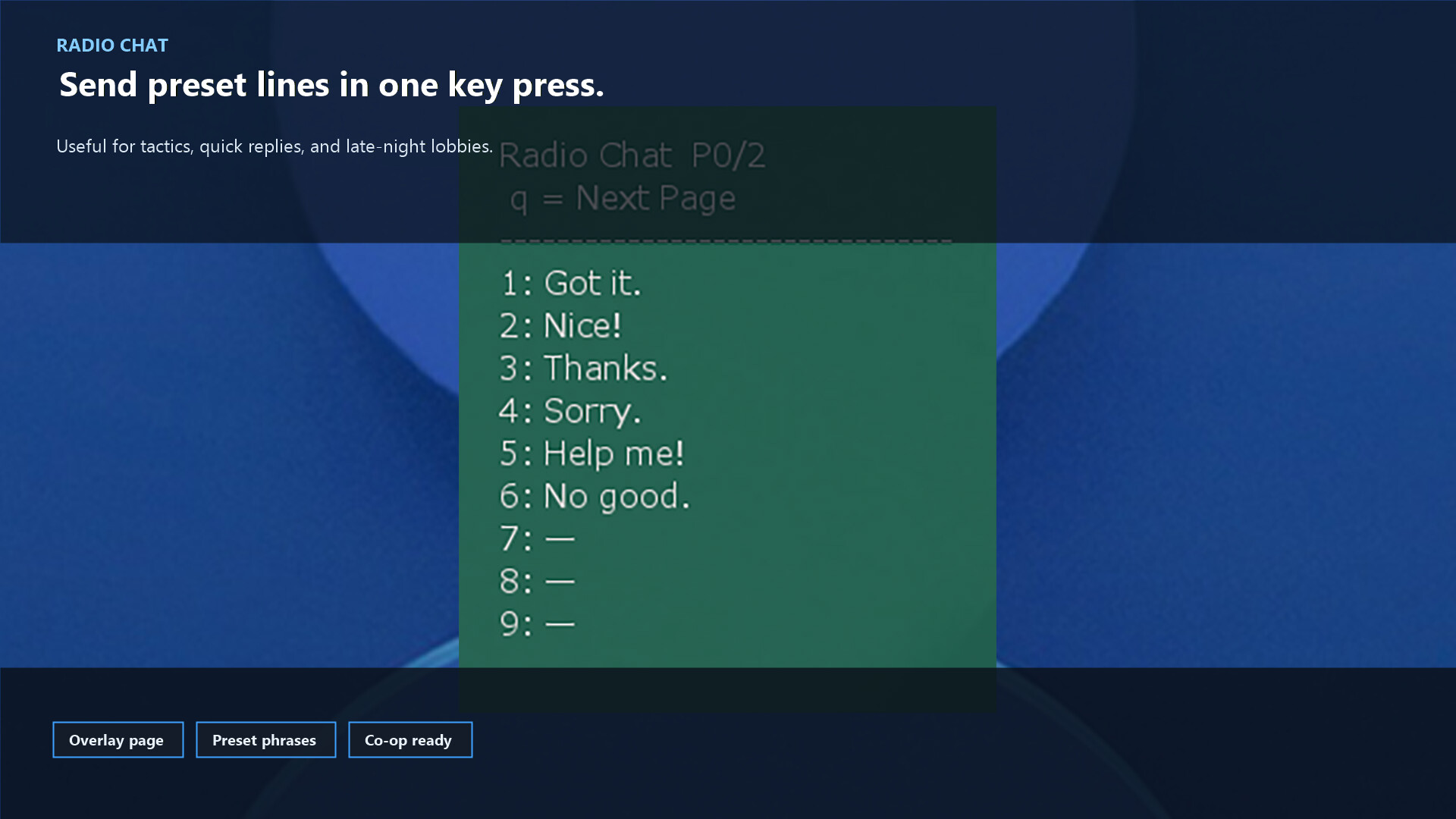
2. Radio Chat sends preset reactions instantly
Fire off your go-to phrases from global hotkeys or an overlay.
Tactical callouts, common replies, prepared foreign-language lines — all one tap away.
3. Join voice chat without using your real voice
Your speech is recognized locally and read aloud with anonymous TTS.
Even when you can't or don't want to speak, you can still react.
4. Speech recognition tuned for in-game chat
Designed for short exchanges and callouts without breaking the tempo.
Supports multilingual VC: Japanese, English, Chinese, Korean, and more.
5. Hearing shows live subtitles
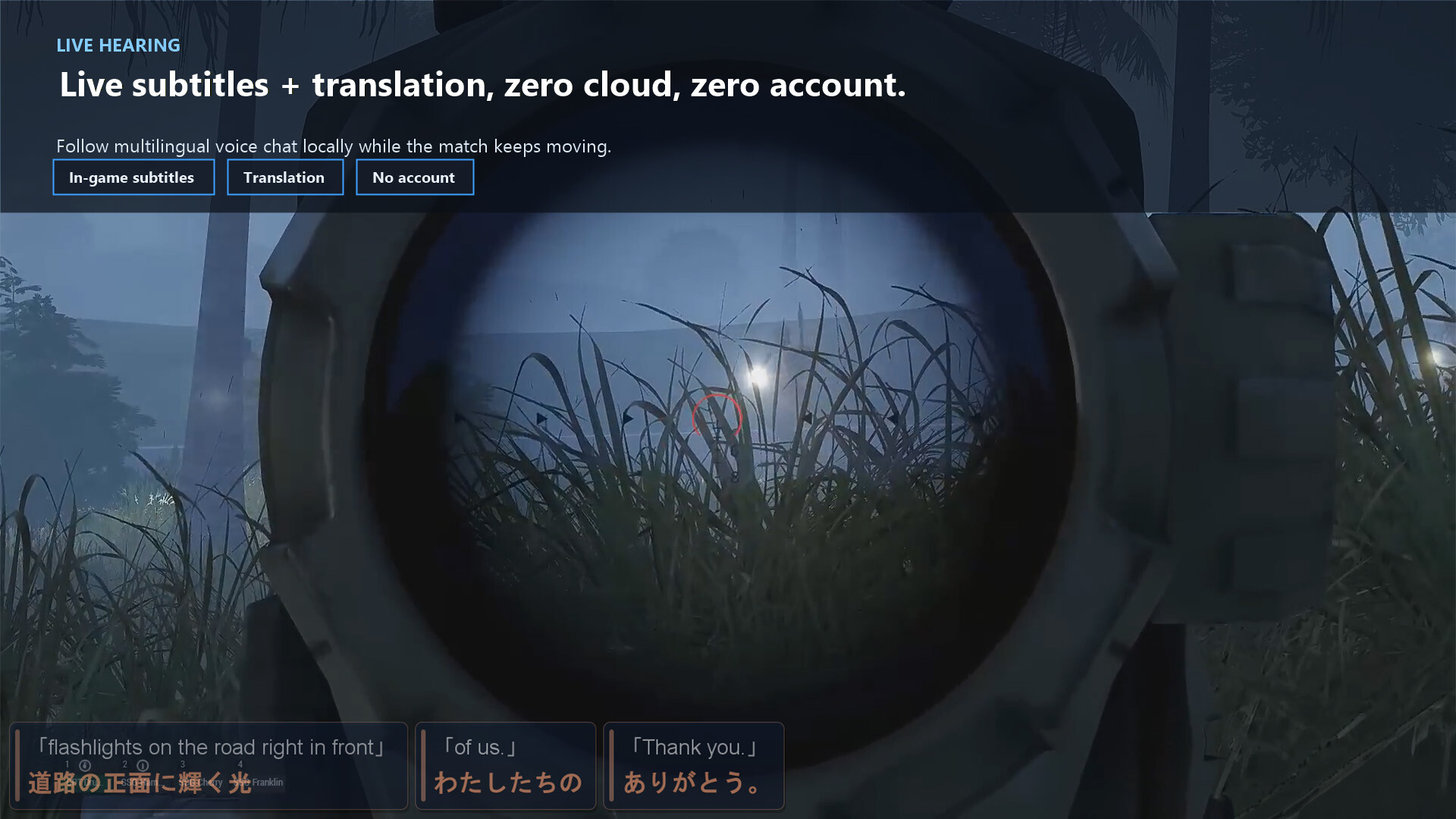
Desktop audio from Discord, VRChat, and in-game VC is transcribed in real time.
Great for following foreign-language voice chat or fast-spoken instructions.
6. Translation for multilingual VC
Translation works on both the speaking-assist side and the Hearing side.
Different languages? You can still get your reaction across.
7. VRChat OSC Chatbox output
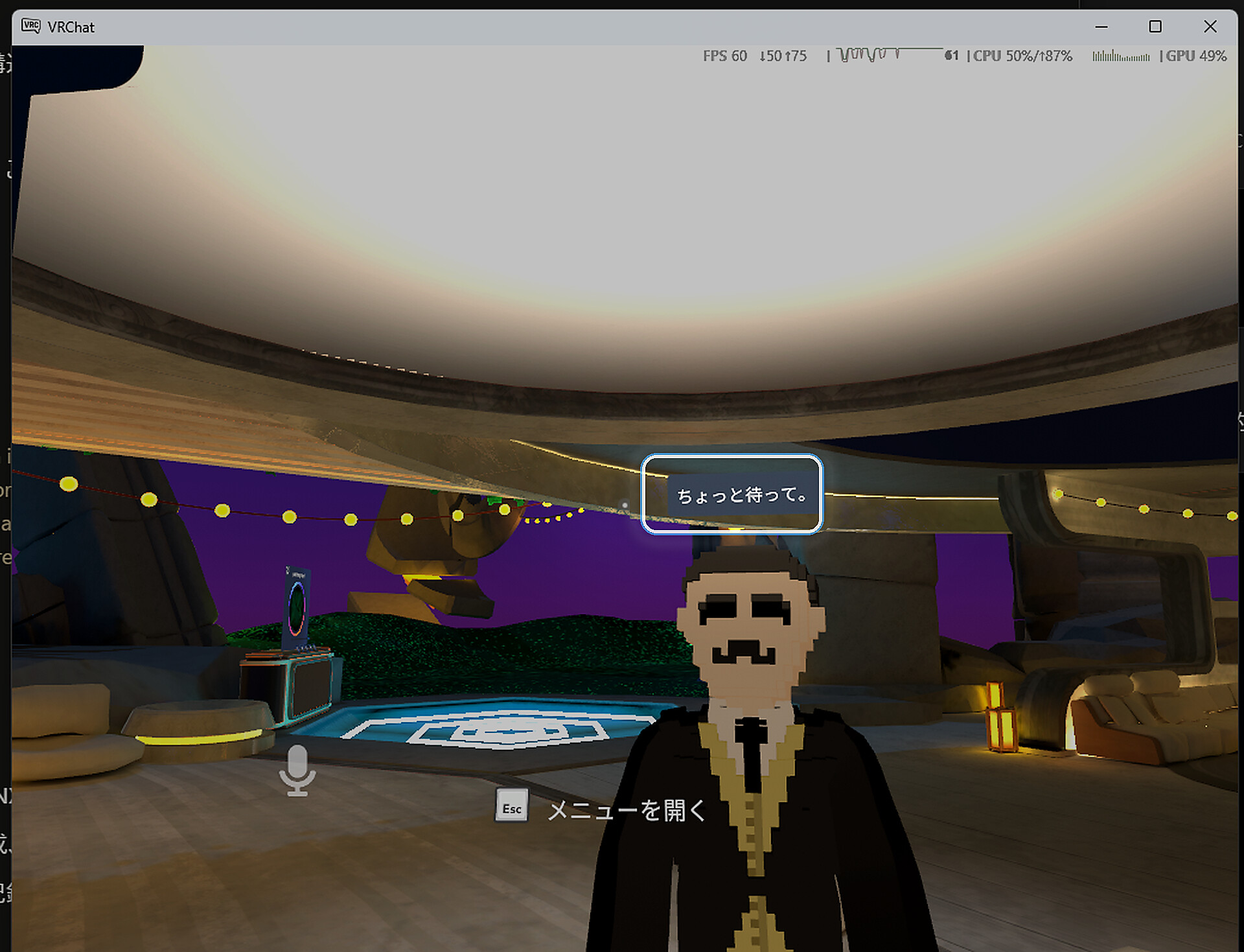
Speech recognition results can be sent to VRChat's Chatbox via OSC.
Share short replies and reactions inside VRChat, even without speaking.
8. OBS / OSD subtitle display
Use the subtitle page as an OBS browser source to show reaction subtitles on stream.
Viewers can follow the conversation too. An in-game OSD display is also available.
9. Zero-Cloud design
Core features run on your PC locally. No constant cloud uploads of voice or text.
No ping impact. Safe to use mid-game.
Highlights of v2.1.5
• Linux / Steam Deck version added
• Short fillers and backchannel reactions are easier to pick up
• Improved intonation reproduction for VOICEVOX playback
• VRChat OSC, OBS subtitles, Hearing, Radio Chat, translation, and pending speech are easier to use on both Windows and Linux
• Setup wizard added to make first-time setup easier
You can also check multilingual TTS and extra setup steps in the store images.
Free demo available
A free demo is available now.
Before buying, you can check whether it works on your own PC and whether it fits your play style.
The demo lets you try the core features.
It is also the easiest way to check subtitle speed and audio routing on your own setup before buying.
※ The demo has a 15-minute session limit. The full version does not have this limit.
Setup notes
• The first-time setup wizard helps you check your microphone, TTS, and audio routing step by step
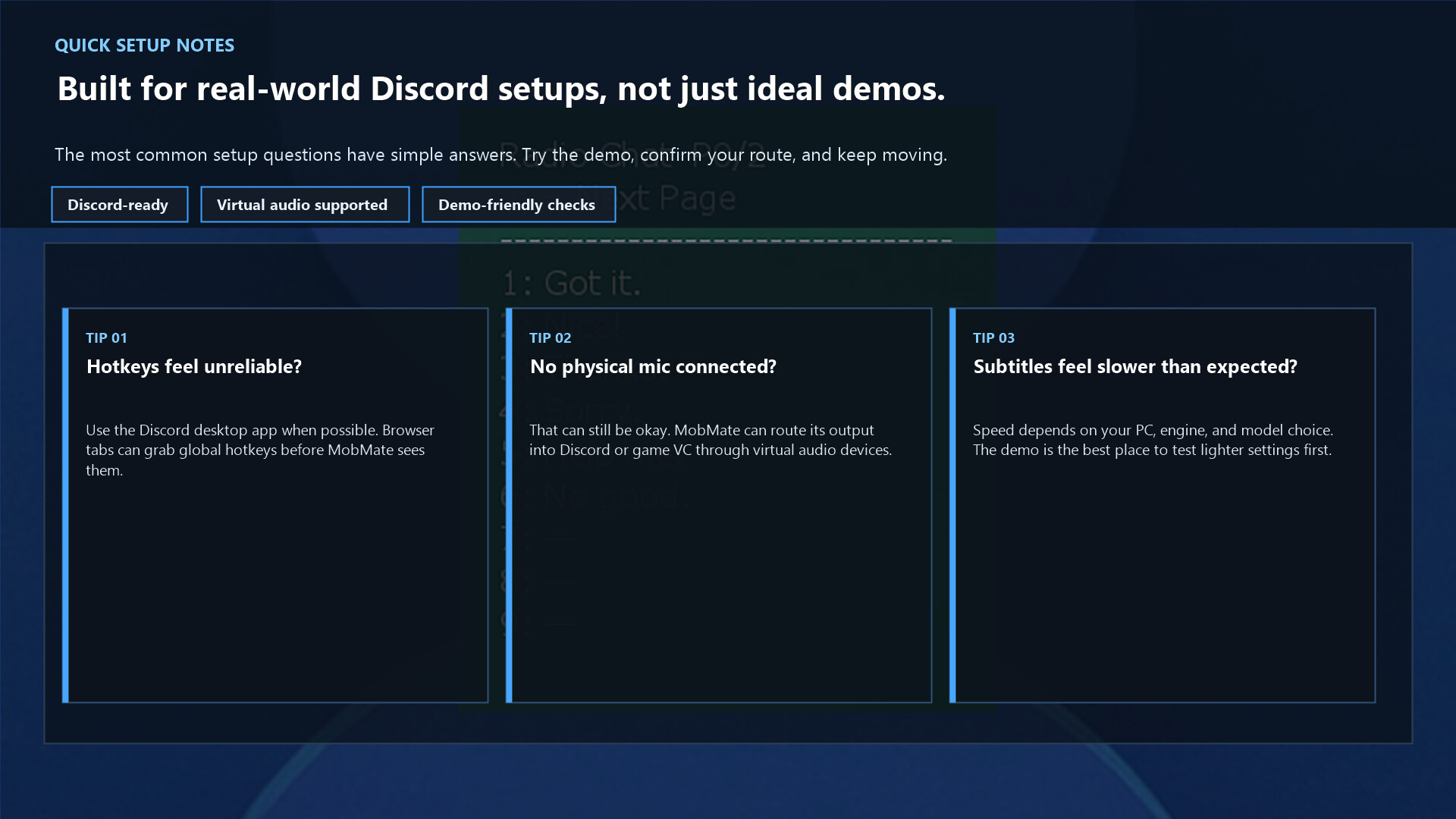
• If you plan to use global hotkeys, the Discord desktop app tends to work better than browser Discord
• A physical microphone is not always required; MobMate can also be routed into voice chat through virtual audio devices
• Device behavior and subtitle speed can vary by PC environment, so trying the demo first is recommended
Supported platforms
• Windows
• Linux / Steam Deck
• Discord
• VRChat
• VRChat OSC Chatbox
• OBS (browser-source subtitles)
• Various multiplayer games that can use virtual audio devices
By combining it with virtual audio environments such as VB-Audio or VoiceMeeter, it can work with many different voice chat apps.
Languages and audio support
The UI supports Japanese, English, Chinese (Simplified / Traditional), and Korean.
For speech recognition, subtitles, and translation, the feature side can handle many more languages.
Supported TTS engines
• VOICEVOX (Japanese)
• Piper-Plus (multilingual TTS)
• Kokoro / MOSS TTS
• Windows system voices / Linux audio output environments
Things to note
• Built for short reactions, callouts, and quick responses — not long-form transcription or meeting notes
• Recognition accuracy depends on surrounding noise and speaking style
• Hearing, OSC, subtitles, and TTS can be affected by your audio devices and desktop environment
• Speaker matching may become less accurate in noisy environments
Great for moments like these
• Late-night gaming when you can't speak up, but still want to react
• Listen-only sessions where you'd love to send a laugh or a nod
• Tired voice days when short replies are all you need
• Foreign-language VC where translated reactions help bridge the gap
• Streaming sessions where viewers want to see subtitled conversation
Reactions make voice chat more fun.
MobMate is a tool that makes the vibe in VC just a little better.
Support / technical information
This product includes whisper.cpp (MIT License)
Media
Trailers and screenshots straight from the store page
MobMate WhispTalk – Zero-Cloud Voice Chat Toolkit price history and current deals
MobMate WhispTalk – Zero-Cloud Voice Chat Toolkit for PC currently sells from $8.99 at authorized stores. Its all-time low is $6.29, set on 2026-06-29.
Frequently asked questions
Answered from this game's own price and edition data
How does the current MobMate WhispTalk – Zero-Cloud Voice Chat Toolkit price compare?
How does $8.99 compare with the MobMate WhispTalk – Zero-Cloud Voice Chat Toolkit price history?
Which stores list MobMate WhispTalk – Zero-Cloud Voice Chat Toolkit?