
Mousify


 Wait Chip's verdict · US updated 6 hr. ago
 Good game, but it sits 100% of the way from its all-time low to full price. It drops harder in seasonal sales. Patience pays.
Why this verdict
Offers
Accepted regional prices from official stores
Report a wrong price
About this game
What this game is, in the developer's words
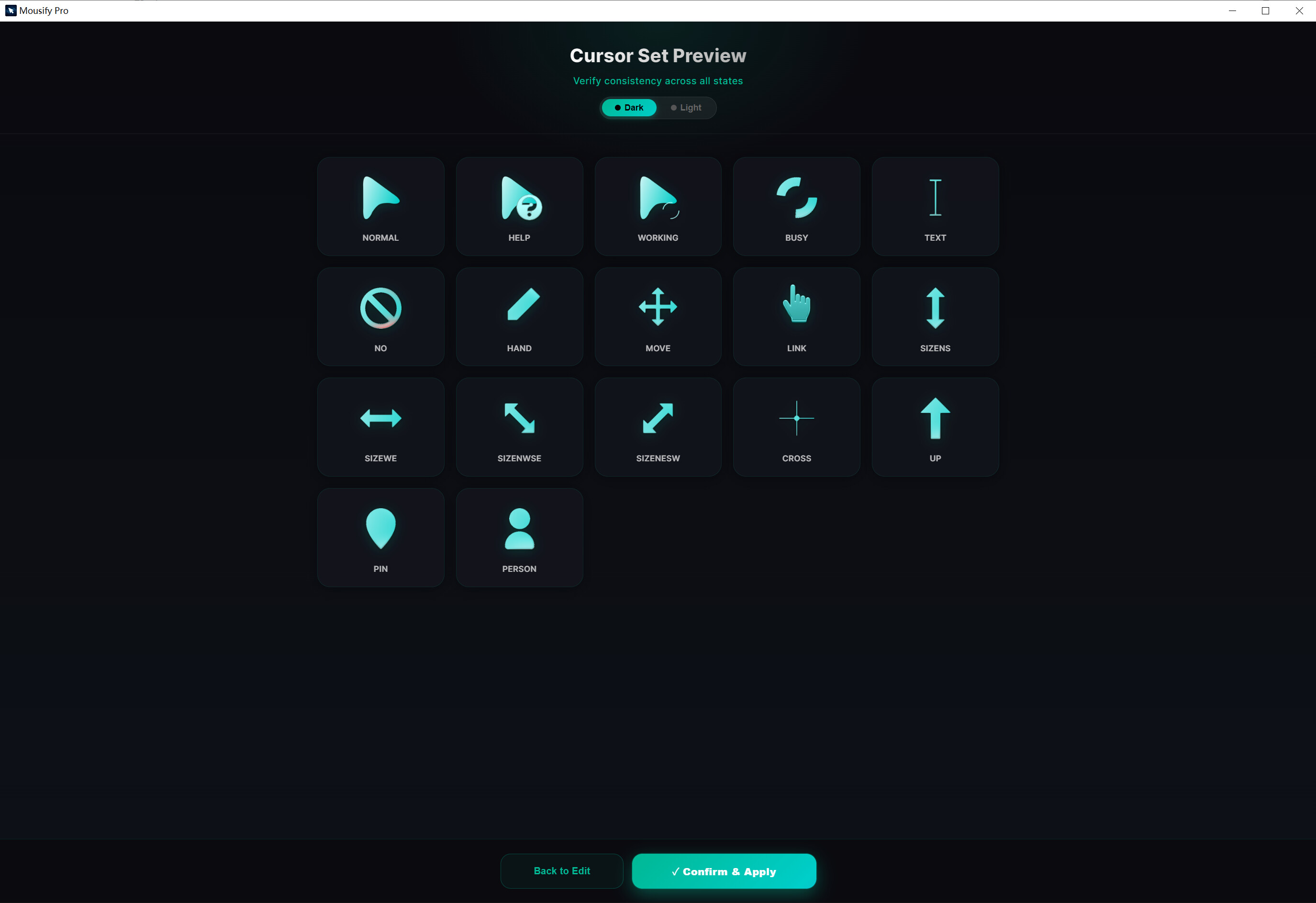
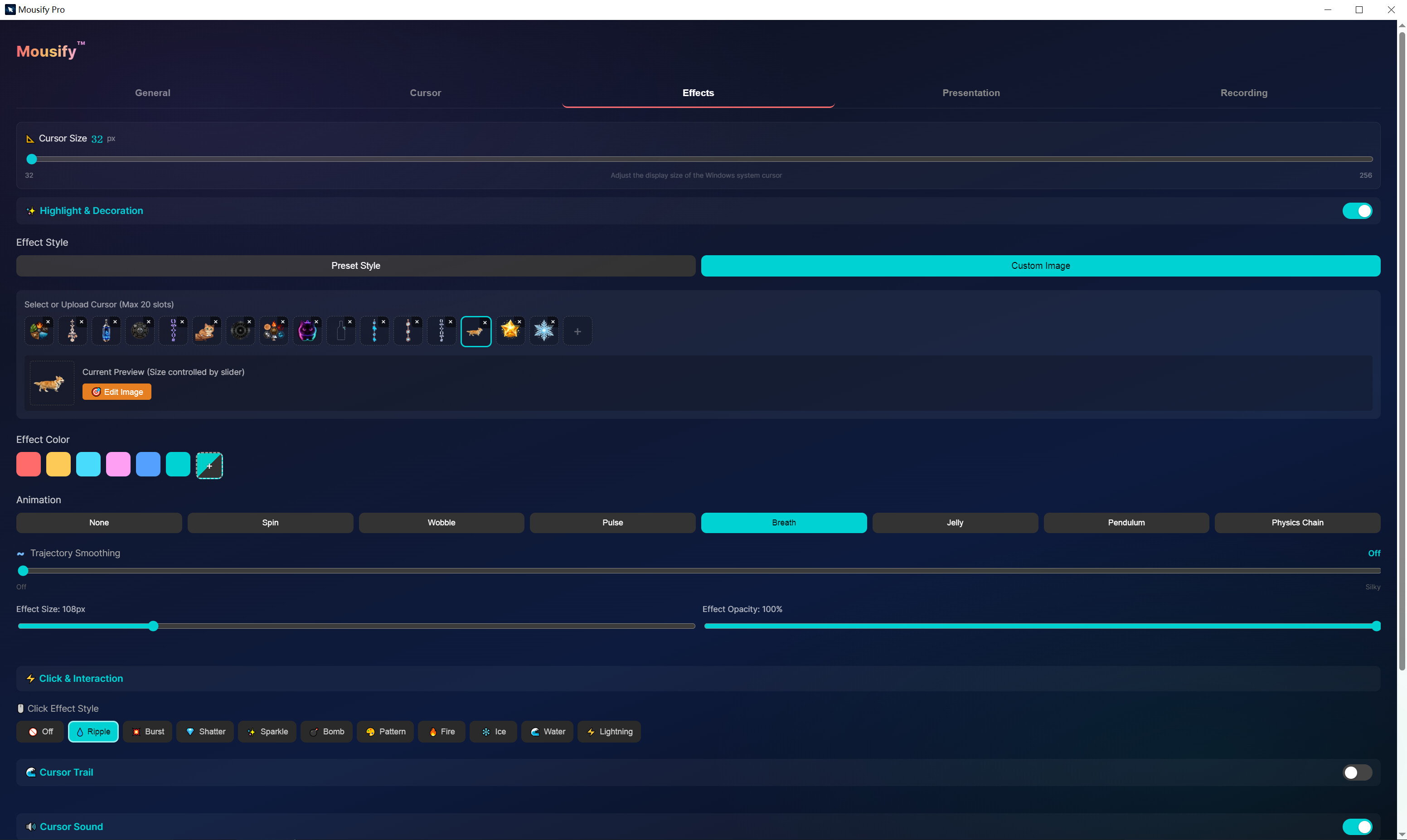
The ultimate cursor enhancement tool for Windows. Click effects, physics-driven cursors, animated cursor workshop, holographic trails, ASMR sounds, screen recording — make every mouse movement magical.
✨ More than a cursor.
Most desktops are built for getting things done. But we spend hours there — so it should give something back: a little calm, a little spark, a reason to enjoy the next click.
Mousify turns the one thing you watch all day — your cursor — into the star of the screen. Generate a custom cursor from a single prompt, let it steer across a living desktop, and turn your gameplay into share-ready clips along the way. Suddenly your screen feels less like a flat workspace, and more like a scene you can steer through.
🎨 Act I · Your cursor, your domain
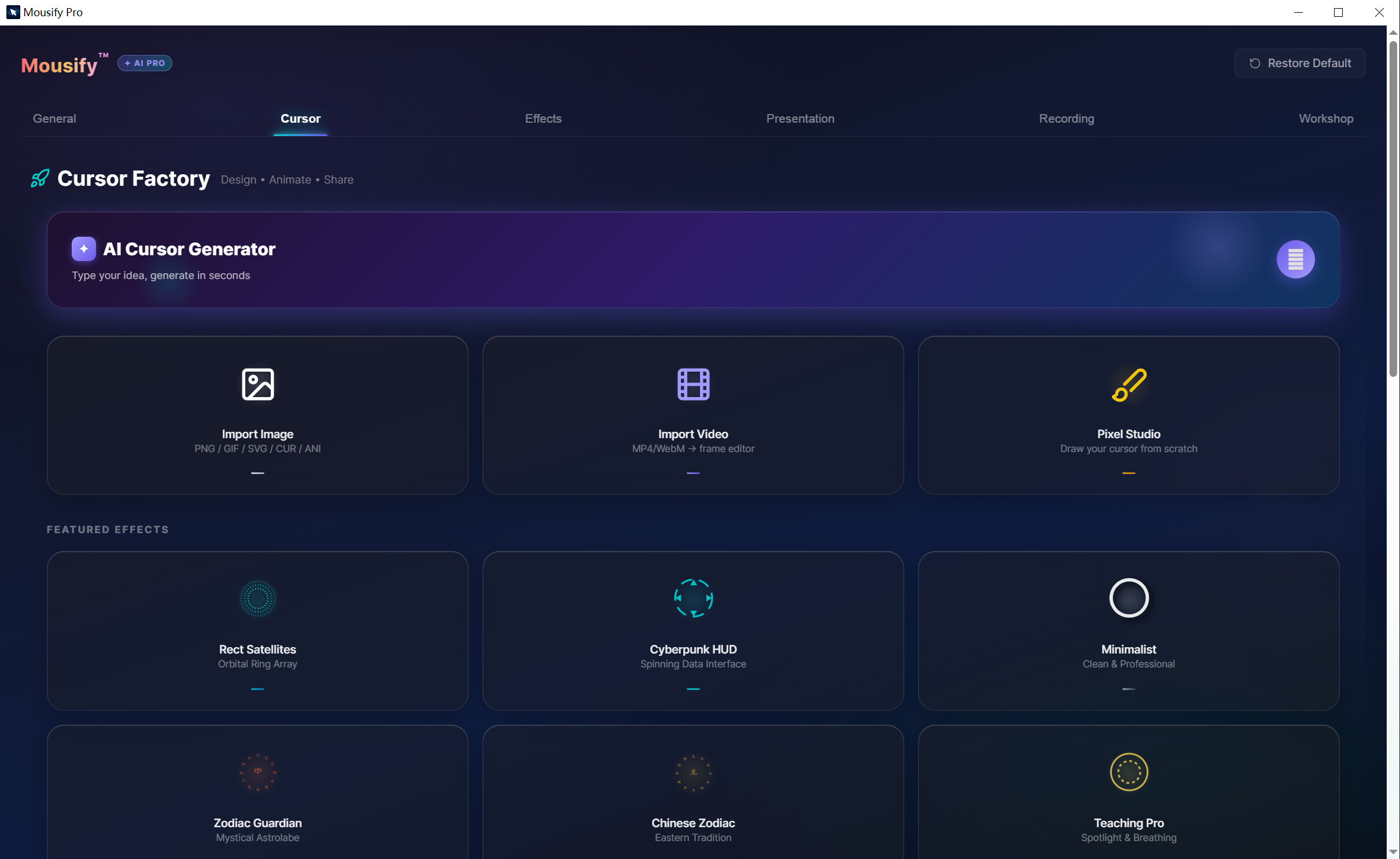
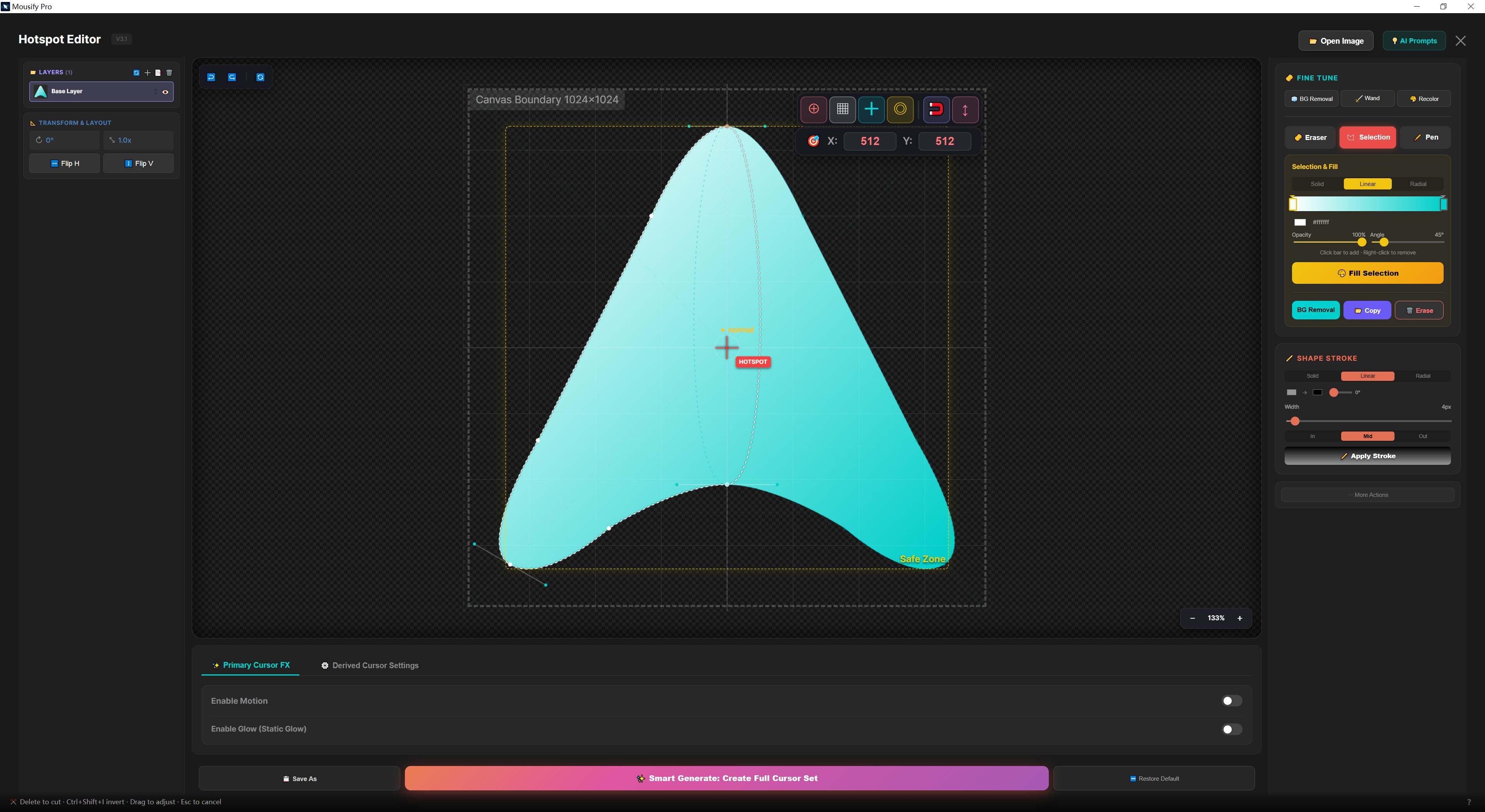
✨ AI Cursor Factory — one prompt becomes a cursor
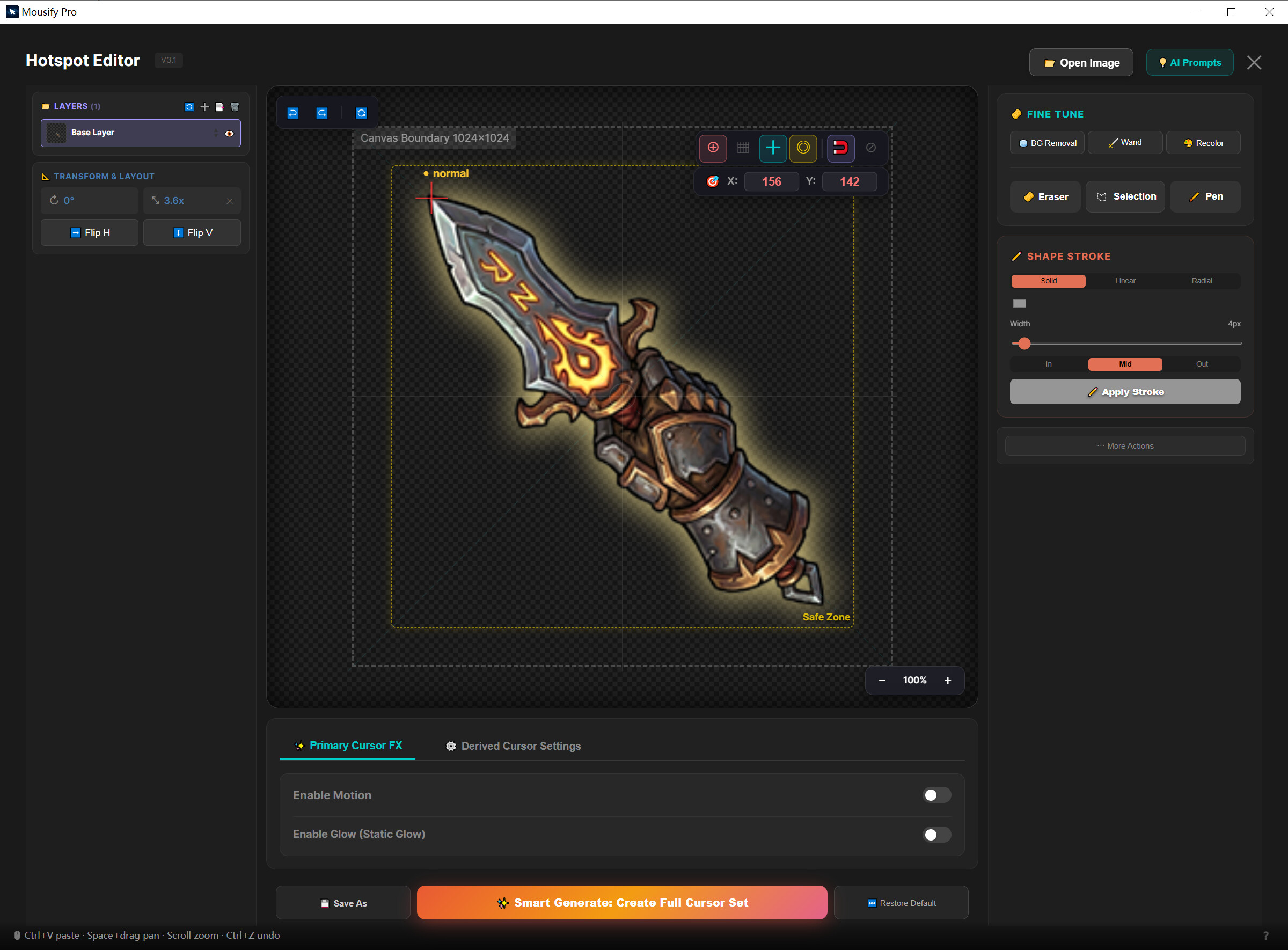
Describe what you imagine, and AI creates it. Steam-hosted, no personal API key, zero setup — flat, cyber, neon, hand-drawn, soft pastel, and more. Remove the background, set the hotspot, and apply it as your system cursor in one flow. Every Steam account gets free monthly generation credits.
🎯 Native, zero-latency, fingertip-quick
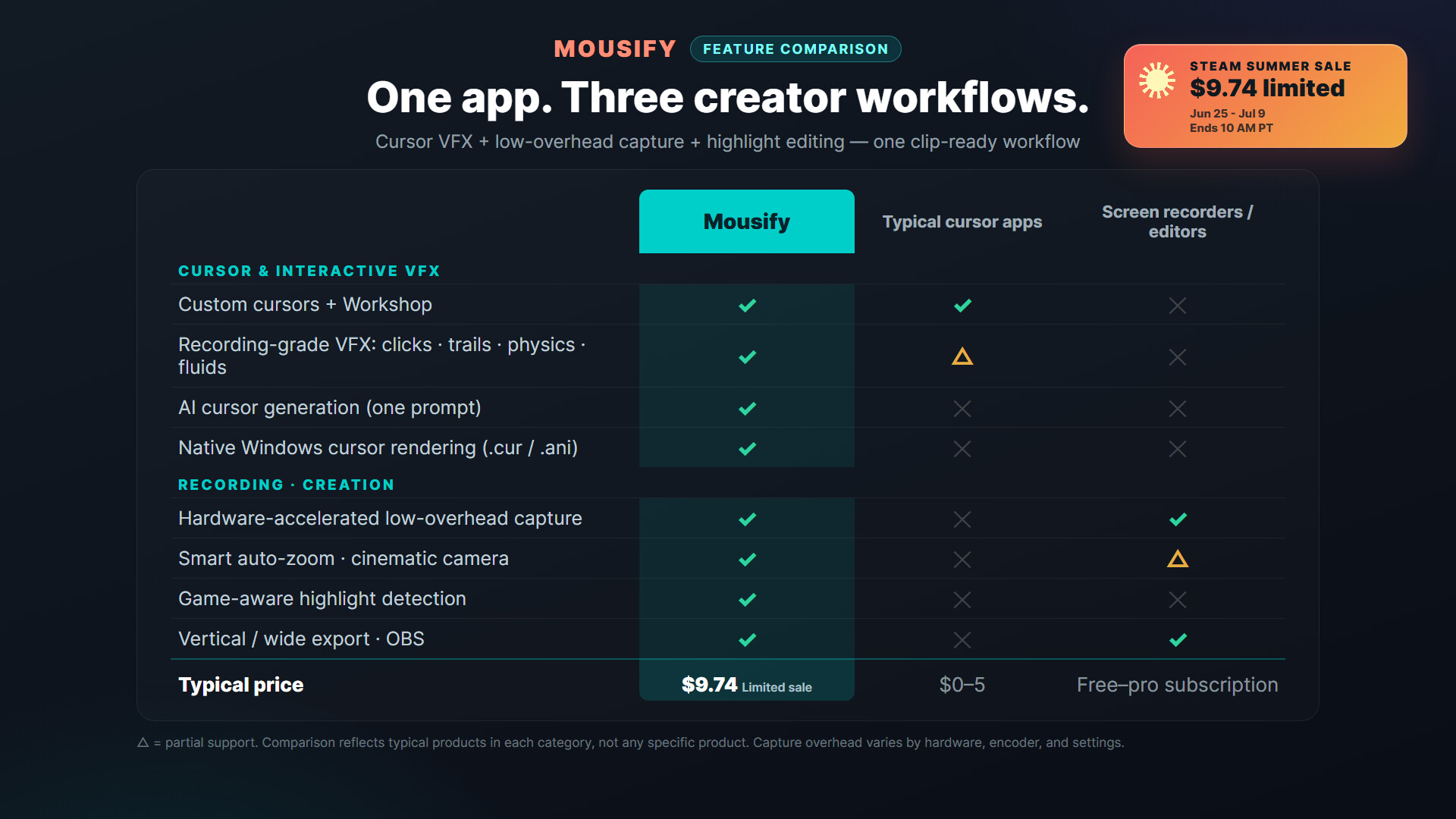
Most cursor tools render through an always-on-top transparent window — laggy and stuttery in game. Mousify compiles your cursor in real time into native Windows .cur / .ani system files: true zero latency, always right under your fingertip.
🔮 Clicks that feel good
Physics-driven motion — inertia, chain, pendulum, jelly squash — plus a dozen click effects (frost shatter, esports lightning, fluid ink, cyber glyph stream) with their own sound design. Prefer something subtler? The new “Press” gives the cursor a gentle dip-and-return on each click — clear, but never showy. In fullscreen games, effects step aside for a perfectly clean view.
🌊 Fluid Desktop · Early Access
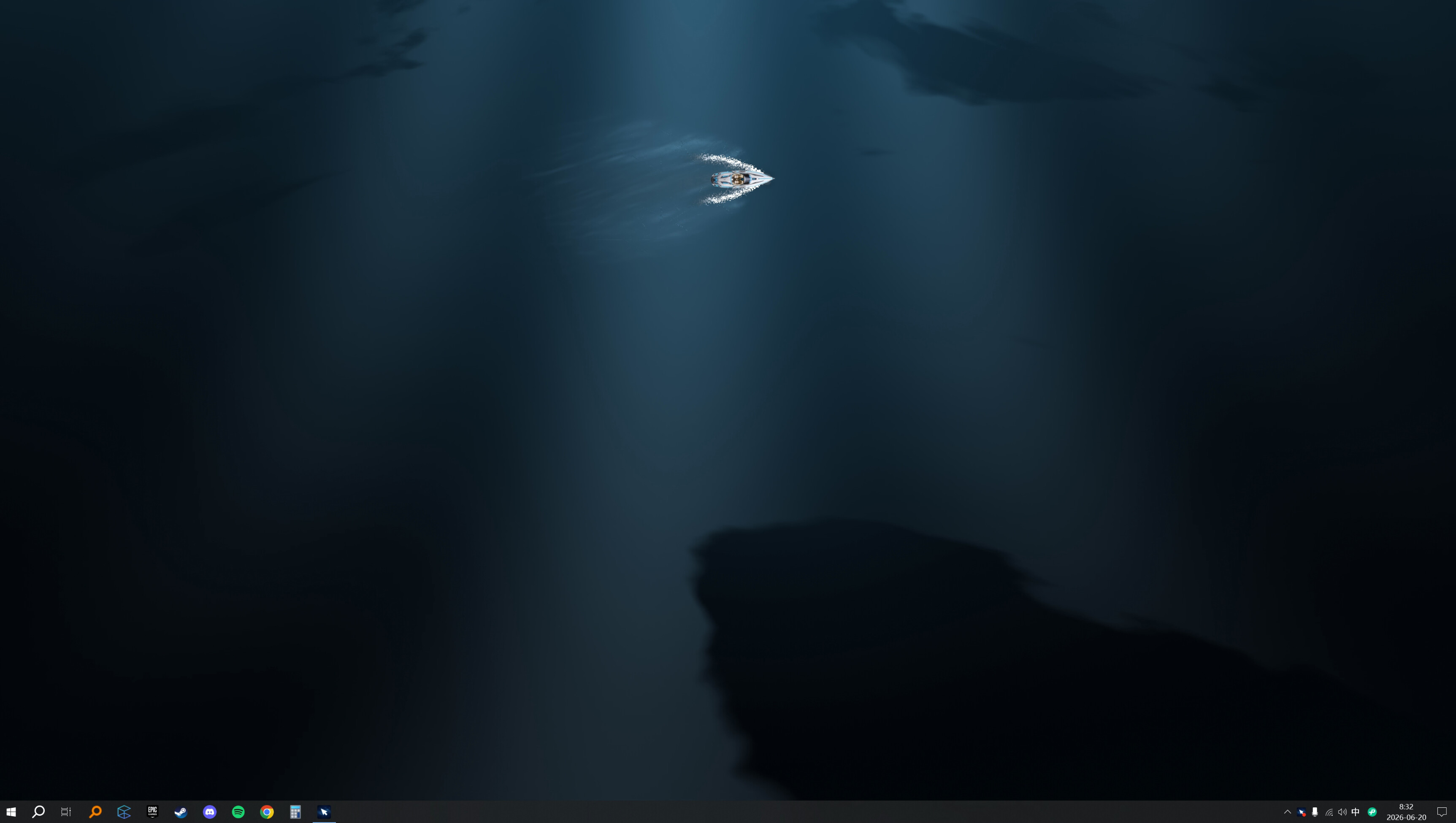
Your cursor becomes a speedboat, carving a real wake across a living water desktop — calm motion, right under your cursor. Every glide, your domain. This is just the prologue; more moods are on the way.
🎬 Act II · Tools that make creators look good
🎮 Game-Aware highlights, marked automatically
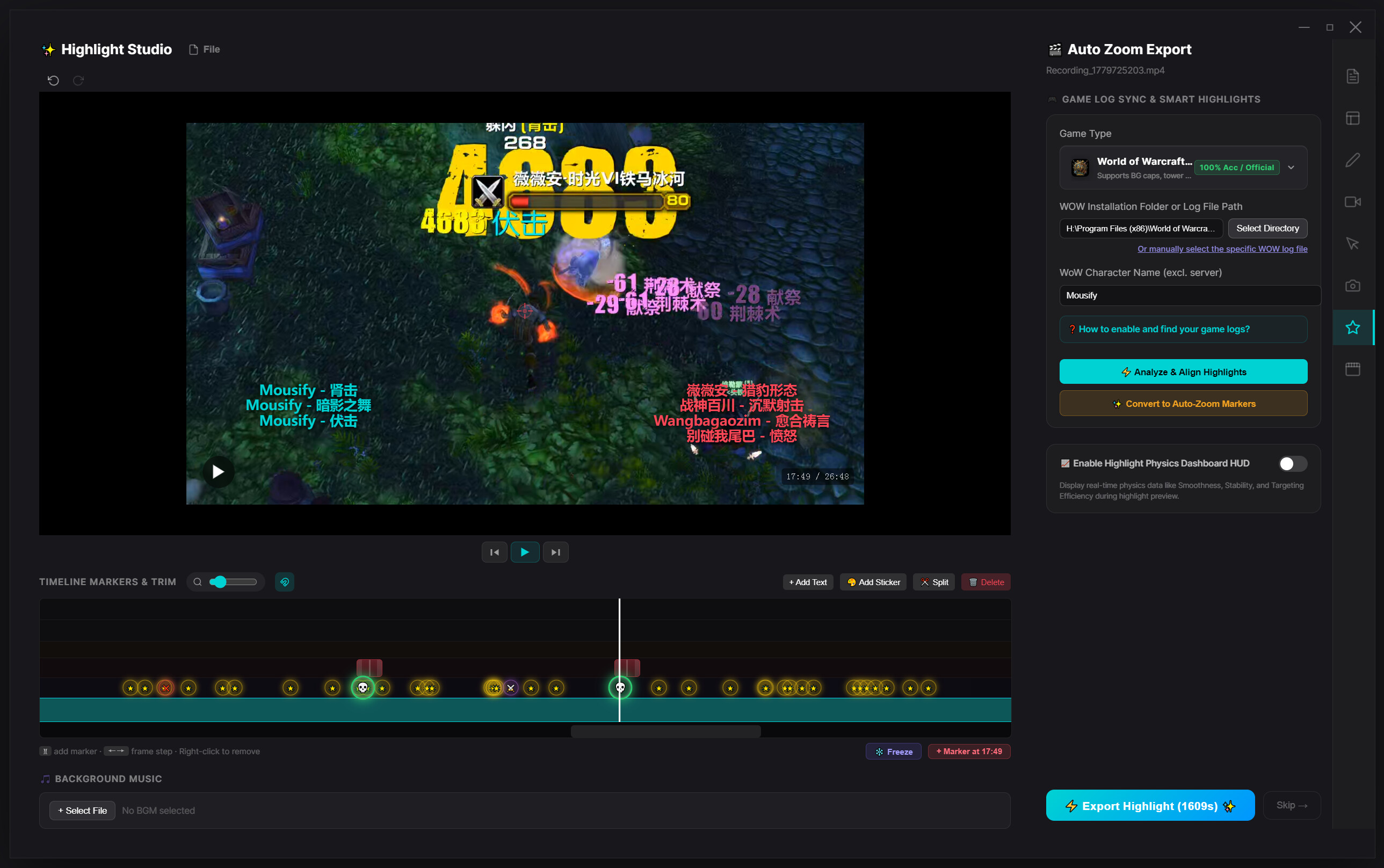
No more dragging through hours of footage for your ace or that clutch escape. Mousify reads your game logs in real time (WoW, Minecraft, Dota 2, Path of Exile, and more); when you land a kill, double-kill, take an objective, or down a boss, it marks the moment on the timeline. Hit “Generate Highlights” and the cuts are made for you — no editing experience required.
🎥 Smart Auto-Zoom — let the camera talk
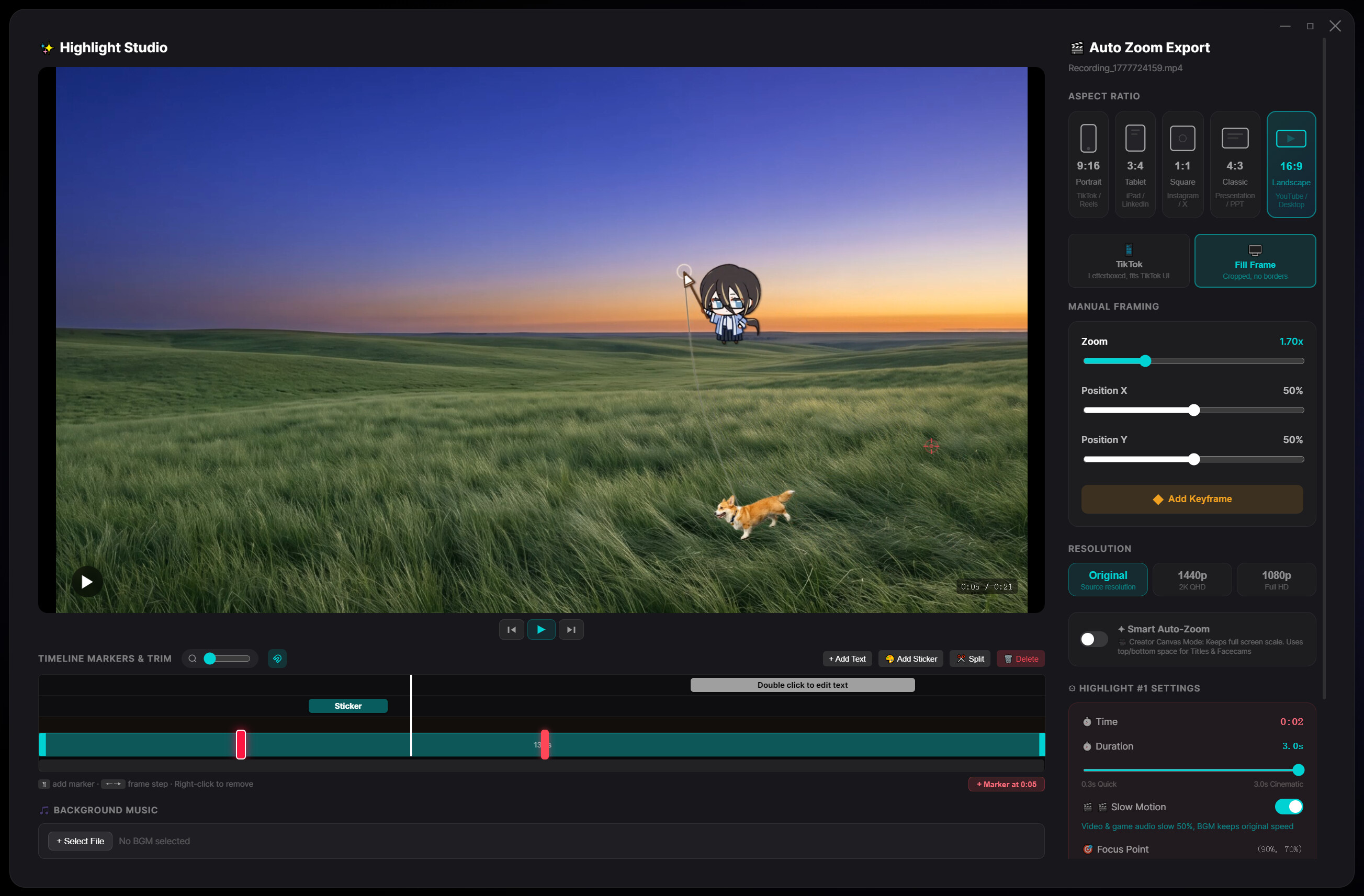
A spring-damper camera model predicts your mouse movement and click intent, gliding in and out on cinematic curves that turn plain recordings into something with punch. One-tap 60fps slow-mo keeps every micro-input crisp. Export 16:9, or auto-reframe to 9:16 vertical (TikTok / Shorts / Reels) — a clip in a click.
⚡ Zero-copy recording — play hard, frames steady
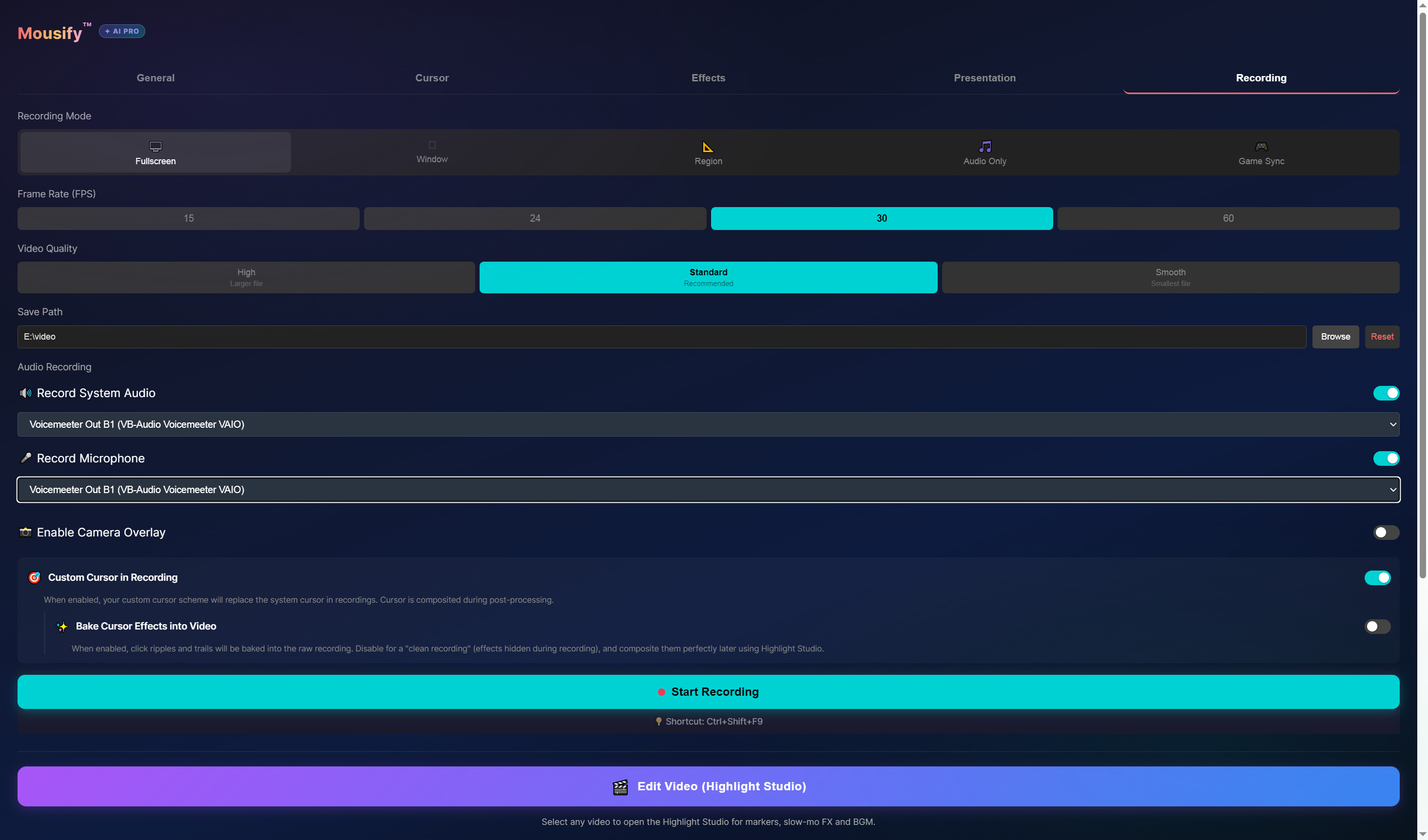
A low-level D3D11 + NVENC / AMF pipeline keeps frame data in VRAM the whole way, with CPU usage at just 1%–3%, physically isolated from the game engine — rock-steady even in AAA titles and 240Hz shooters. The new “Full” color-range mode keeps deep shadows and highlights intact (OBS-grade) for cleaner tutorials and reels.
📺 Plays nicely with OBS & presentations
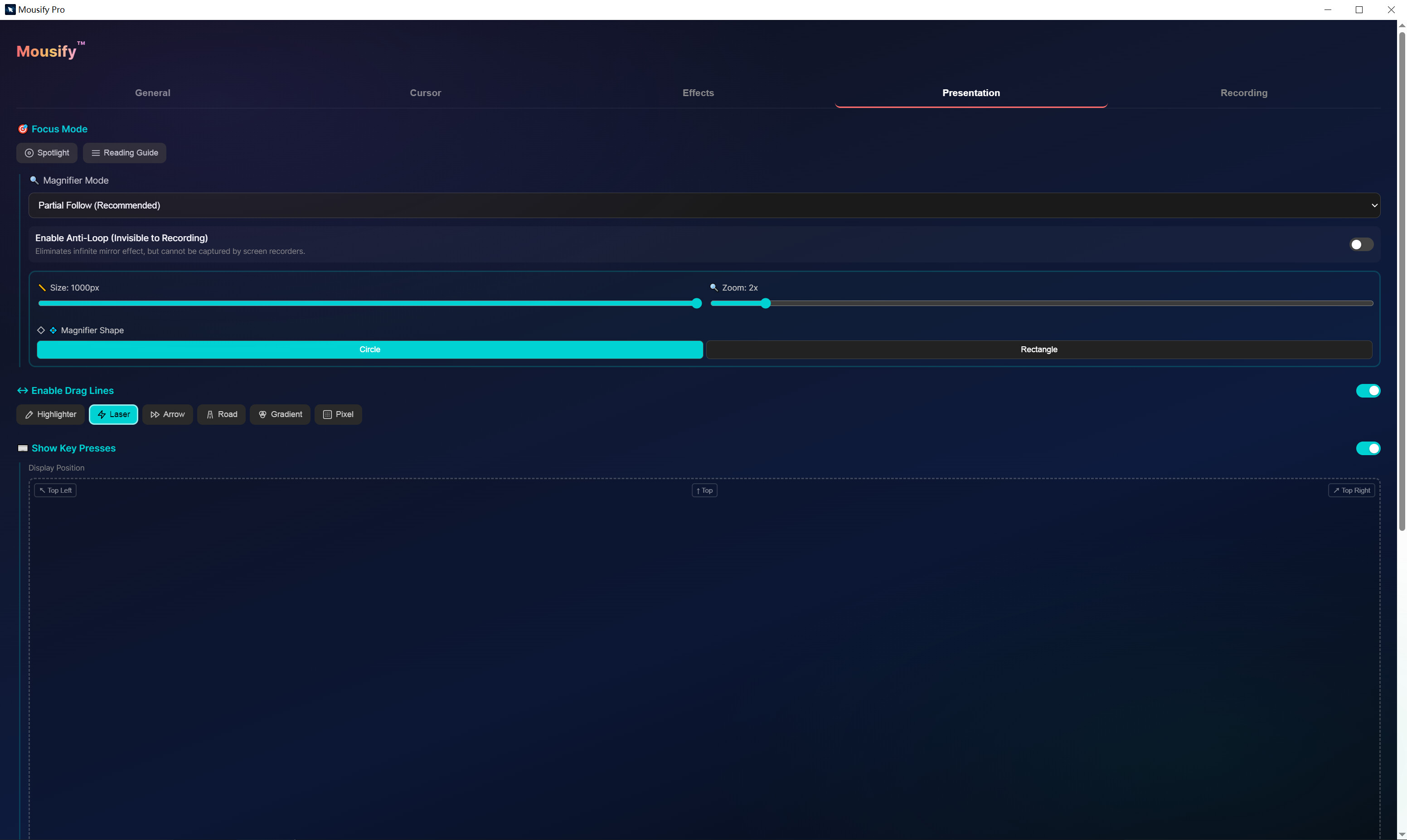
Built-in spotlight, up to 8× live magnifier, translucent keystroke display; a unique transparent-layer feed drops straight into OBS — your viewers see your gorgeous cursor and clicks live on stream.
---
Every glide, your domain.
Mousify v0.3.0 is live on Steam — starting today, even your cursor is the star.
Media
Trailers and screenshots straight from the store page

Price intelligence
Accepted price history and the lows that matter
Mousify price history and best deals
Mousify for PC currently sells from $12.99 at authorized stores. Its all-time low is $9.74, set on 2026-06-27.
Frequently asked questions
Answered from this game's own price and edition data
Should I buy Mousify now or wait?
Is $12.99 a good price for Mousify?
Where can I buy Mousify?