
OZ Chord Player
Well reviewed at 100% positive, and only 0% of the way from its all-time low to full price. It rarely gets better than this.
Why this verdict
Offers
Accepted regional prices from official stores
Report a wrong price
Purchase options (1)
Steam packages and bundles that include this game
- OZ Chord Player From $6.99OZ Chord Player
About this game
What this game is, in the developer's words
OZ Chord Player is a very simple tool for playing chords. When composing with Computer Music, you can easily find and try chords that match your melody. You can easily check the sound of chords with OZ Chord Player even if you don't have an instrument.
news
About the Software
OZ Chord Player is a very simple tool for playing chords.When composing with Computer Music, you can easily find and try chords that match your melody.
You can easily check the sound of chords with OZ Chord Player even if you don't have an instrument.
Main target
Mainly useful for composing Computer Music.- Those who want to try composing.
- Those who want to know the sounds that make up a chord.
- Those who are not good at finding chords that match their own melody.
- Those who want to easily check the chord progression without an instrument.
Features
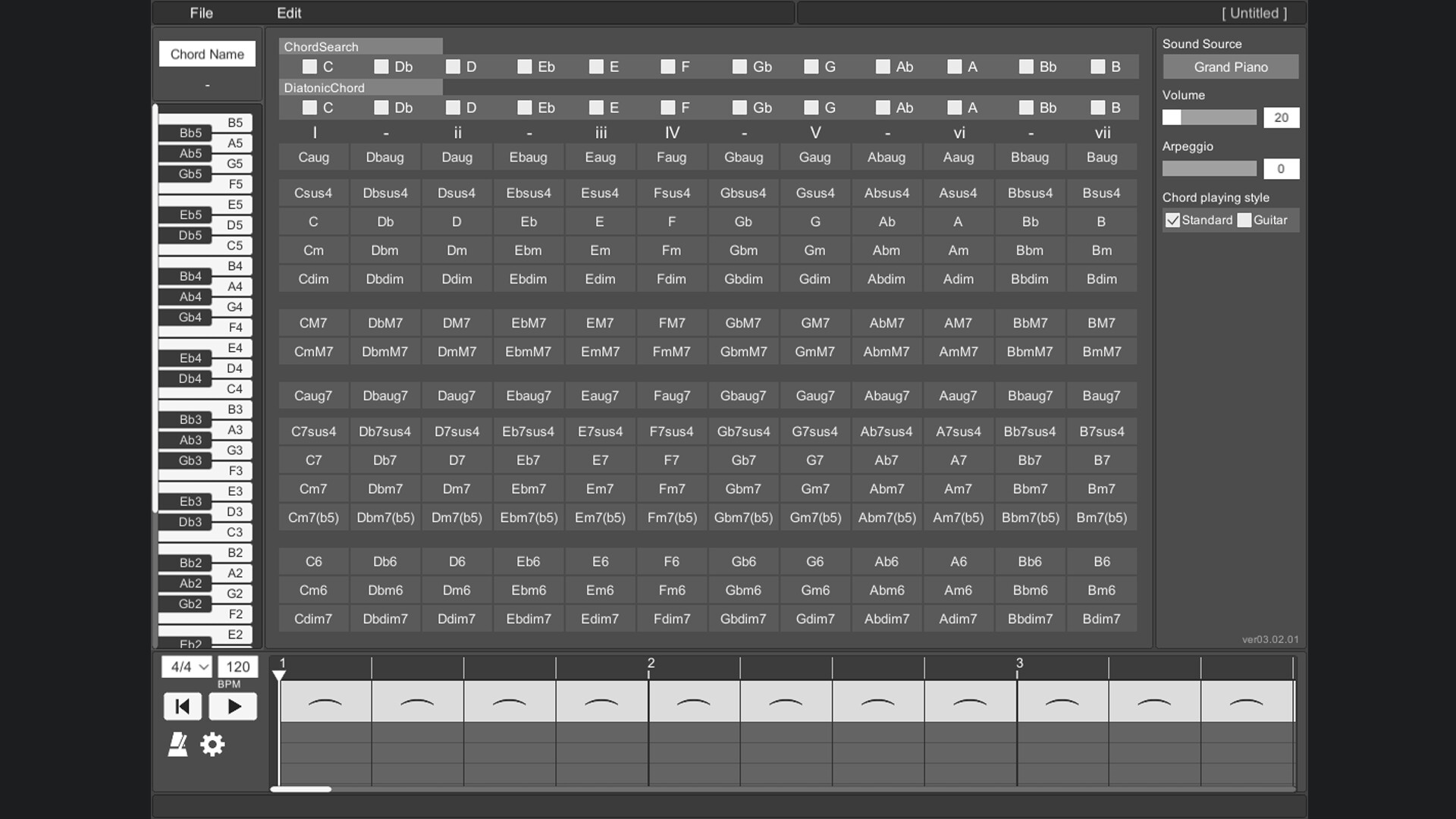
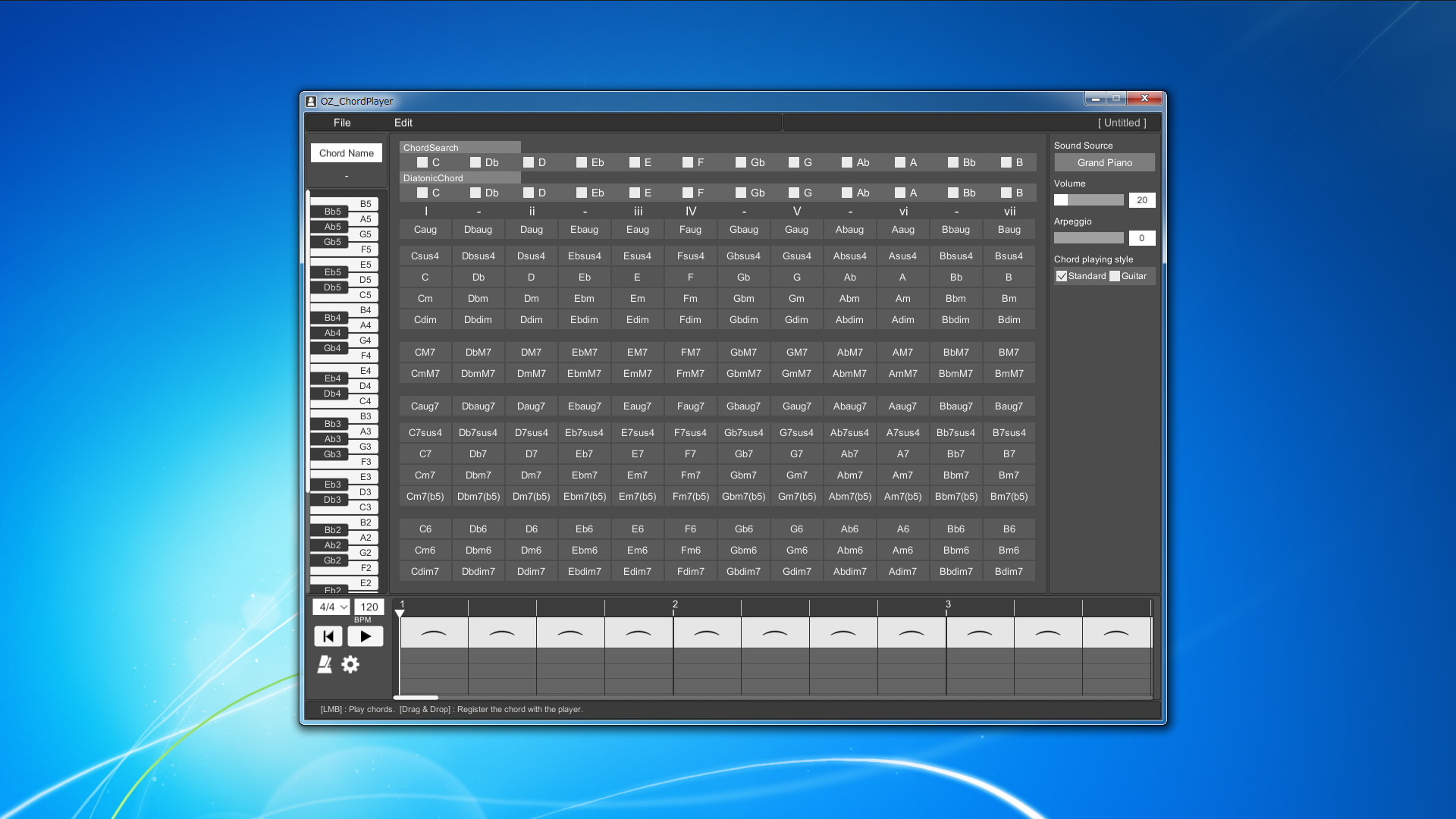
Screen layoutAll the prepared chords are displayed on one screen.
To play the chord, just press the button on the chord in front of you.
This allows you to hear the sound of various chords without disturbing your inspiration.
Piano keyboard
When you play a chord, you can check which note is playing on the piano keyboard.
This allows you to reflect the constituent notes of the chord in your own composition.
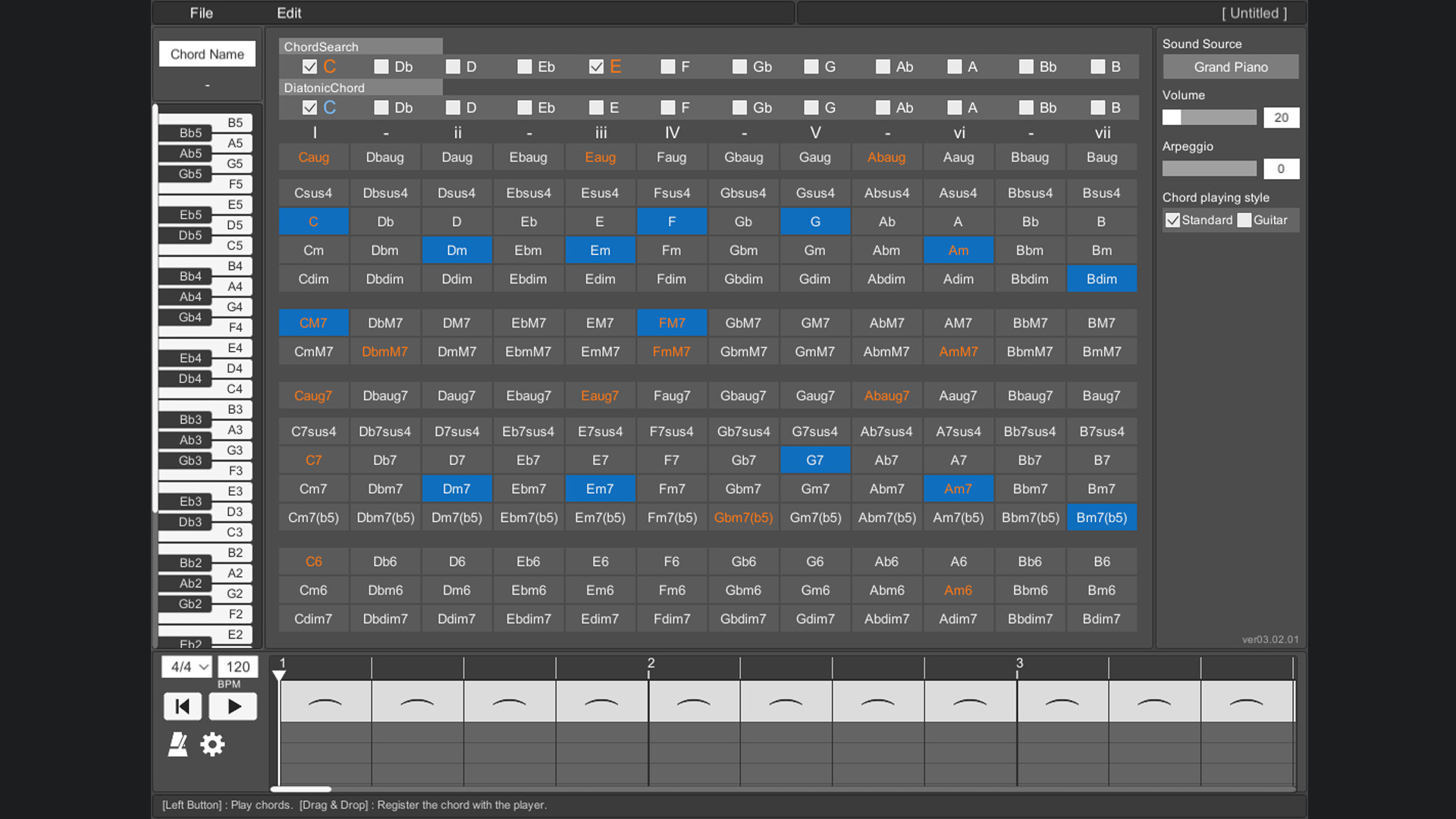
Chord search
By selecting a switch with a note name such as "C" or "D", all chords using that note will be focused.
You can also search by combining multiple switches.
By selecting the note name you are playing on the melody line, you can easily find the chord that matches that note.
Diatonic chord search
Focus on the major scale diatonic chord.
You can easily find the best chord for the scale of your song.
Sound source
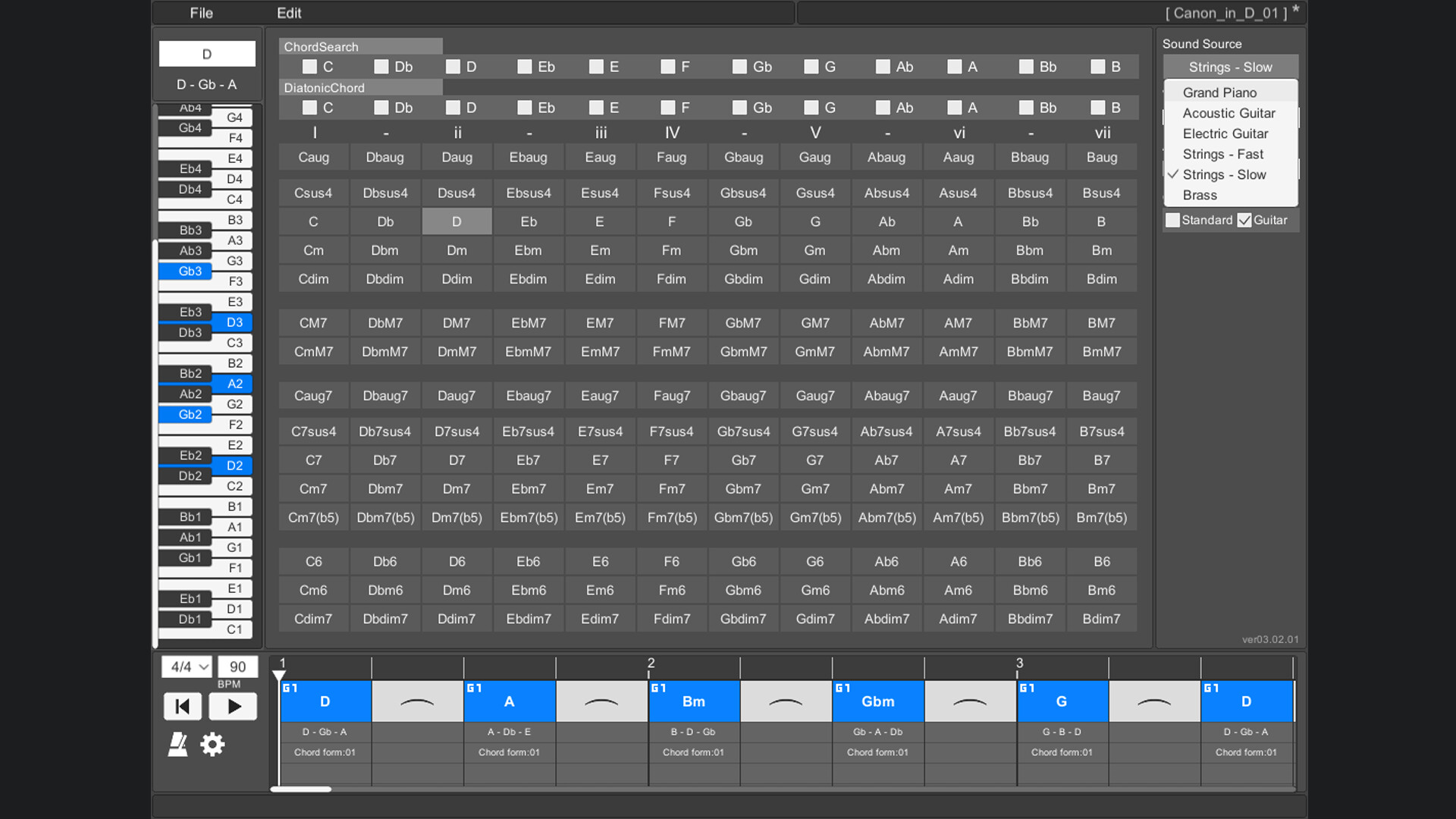
The instruments that can be used are "piano", "acoustic guitar", "electric guitar", "stringed instrument - fast", "stringed instrument - slow", and "brass instrument".
Arpeggio
You can stagger the individual notes of the chords. Ideal for slow tempo songs, mainly on piano and guitar.
Chord playing style
There are two types of chord styles to play, "standard" and "guitar", and you can switch between them.
In "Standard", 3 types of chords with different octaves are prepared for each chord.
In "Guitar", 3 to 5 types of chords with different ways of playing guitar chords are prepared for each chord.
Chord inversion
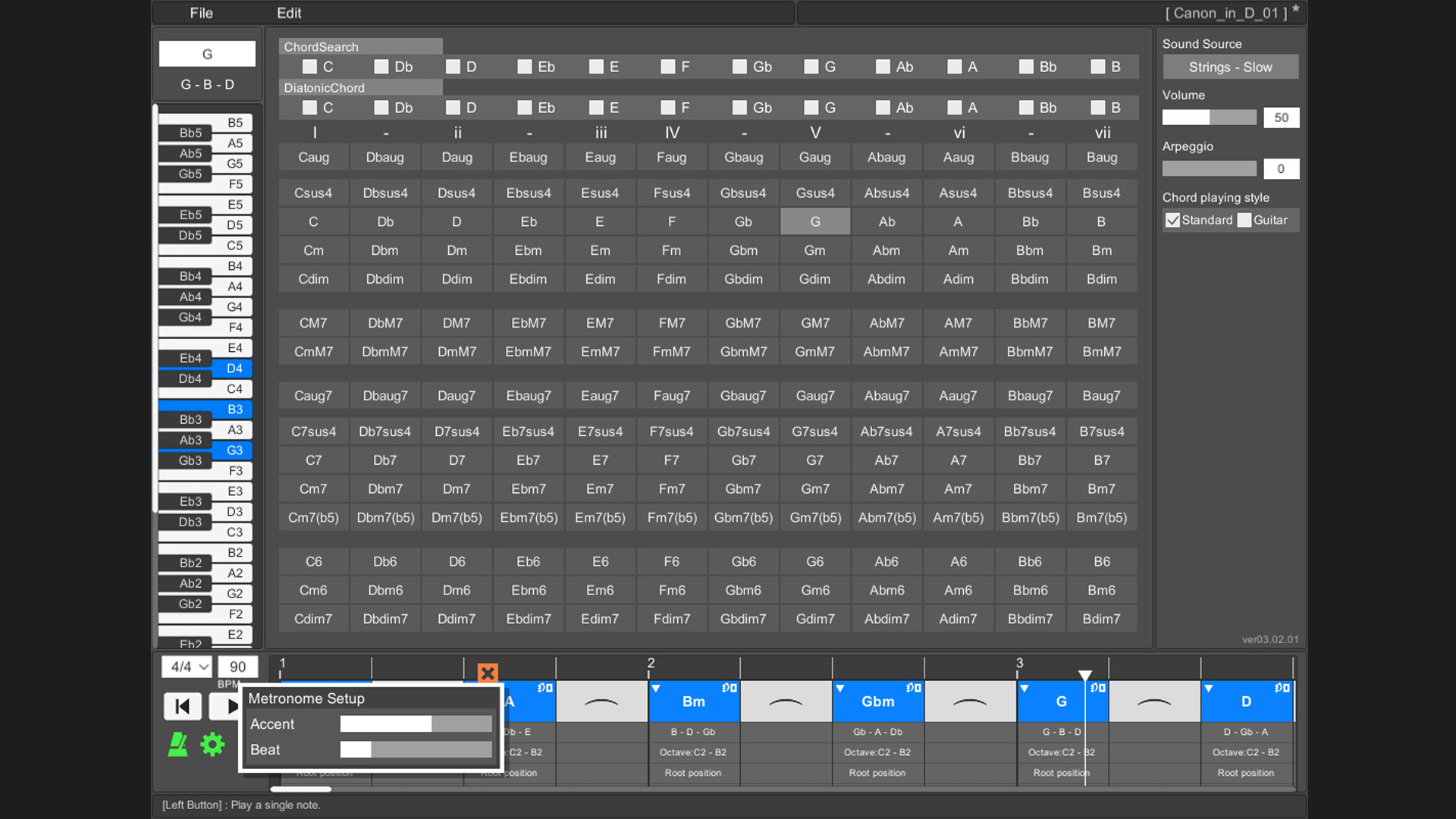
For example, one chord [Dm] can be played by switching the notes like [D3 - F3 - A3], [F3 - A3 - D4], [A3 - D4 - F4].
In popular music, they are written as [Dm/F] and [Dm/A].
(Only normal chords are supported. Guitar chords are not supported.)
Play chords
You can play by arranging multiple chords side by side on the timeline. This makes it easy to check the chord progression. When playing, you can set the tempo and time signature (2/4 to 5/4 time signature).
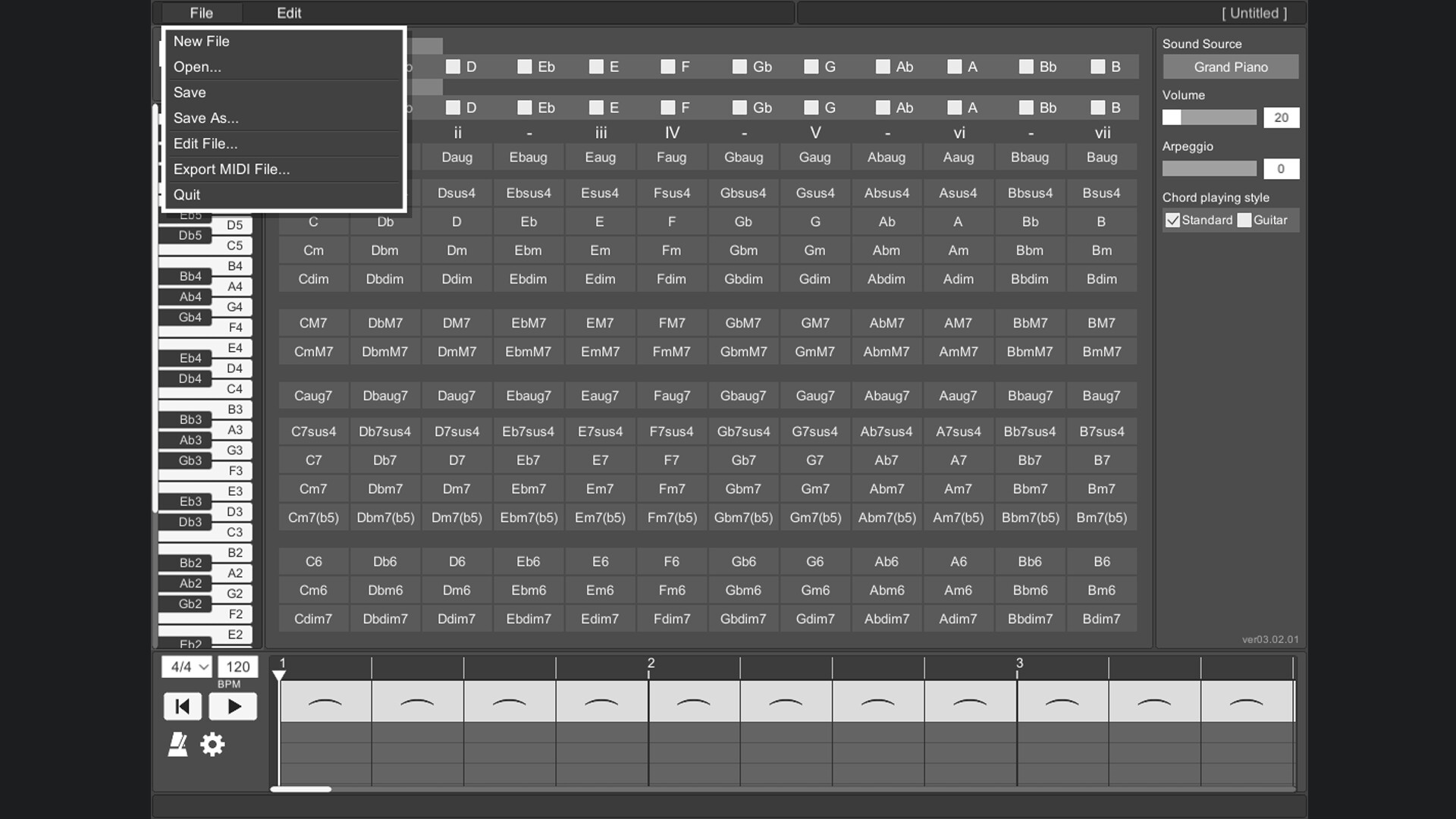
Save/Load
Chords placed side by side on the timeline can be saved.
Export MIDI File
The chords placed side by side on the timeline can be exported as a MIDI file.
(Volume settings and arpeggios are not reflected.)
User's Guide
The operation method is displayed at the bottom of the tool screen and you will not be confused about the operation. The operation method is displayed by moving the mouse cursor to the part you want to know.
Change screen size
You can change the screen size of OZ Chord Player.
The minimum resolution that can be set is 848 * 600.
The maximum resolution that can be set is limited so that it does not exceed the resolution of the monitor you are using.
The default screen resolution is 1130 * 800.
If the resolution is smaller than the default setting, the image will be slightly degraded.
Key Bindings
Key binding is possible.
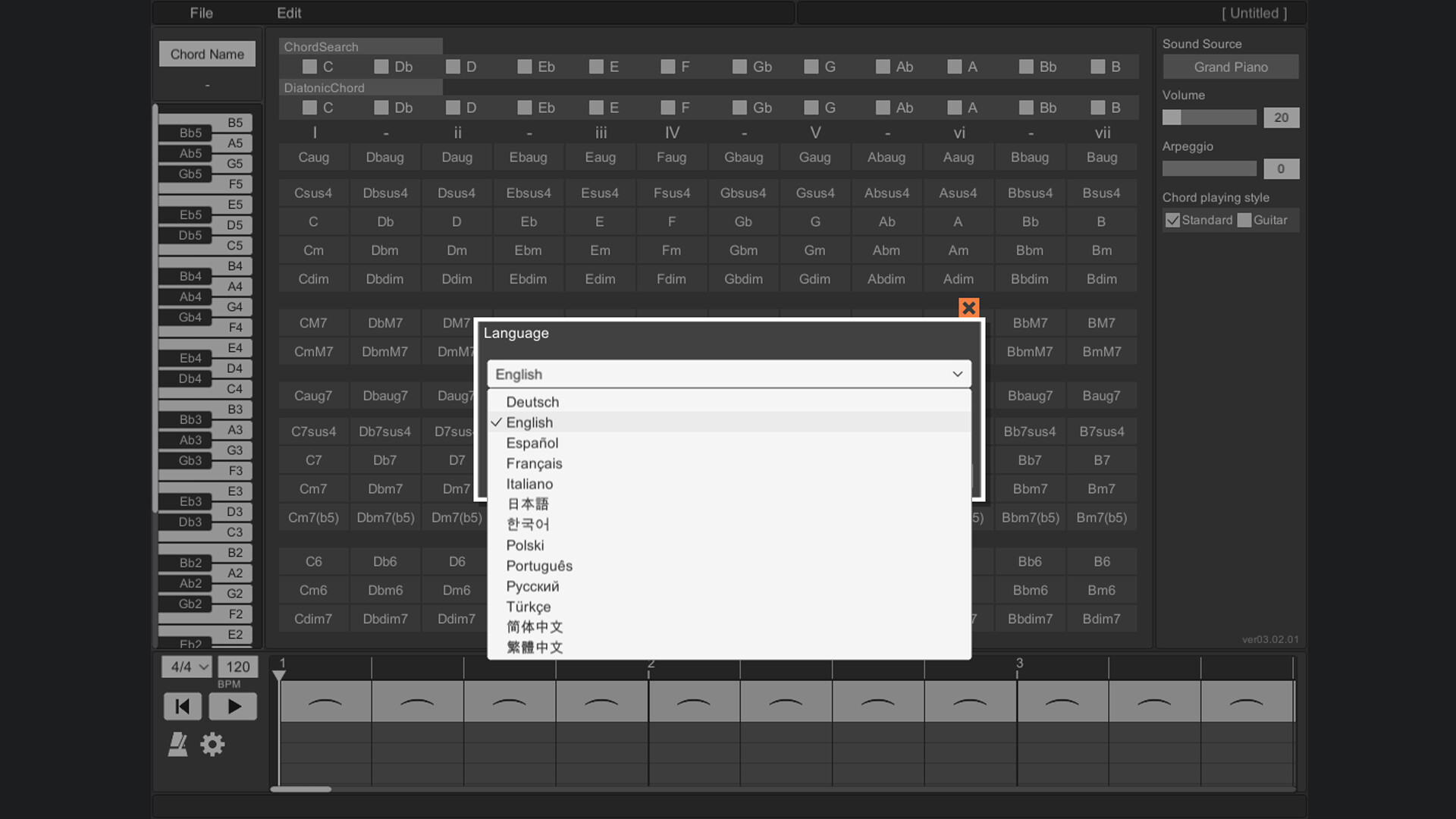
Language support
It supports 13 languages.
(Chord notation is C, D, E, F, G, A, B.)
Media
Trailers and screenshots straight from the store page
Price intelligence
Accepted price history and the lows that matter
OZ Chord Player price history and best deals
OZ Chord Player for PC currently sells from $4.89 at authorized stores. Its all-time low is $4.89, set on 2026-07-13. That is 30% off the $6.99 list price.
Frequently asked questions
Answered from this game's own price and edition data
Should I buy OZ Chord Player now or wait?
Is $4.89 a good price for OZ Chord Player?
Where can I buy OZ Chord Player?