PC
$9.99 Region US

Content rating unavailable
Software Training · gentome
Piano Practice

Content rating unavailable
Windows
3 user reviews · 0% of 3

 Chip's verdict · US updated 3 days ago
 Why this verdict
All-time low $9.99 · 25d ago
Player reviews 0% positive of 3
Quality score 0/100 · small sample
Offers
Accepted regional prices from official stores
Official stores (1)
Clean outbound link. We never touch your payment.
Report a wrong price
About this game
What this game is, in the developer's words
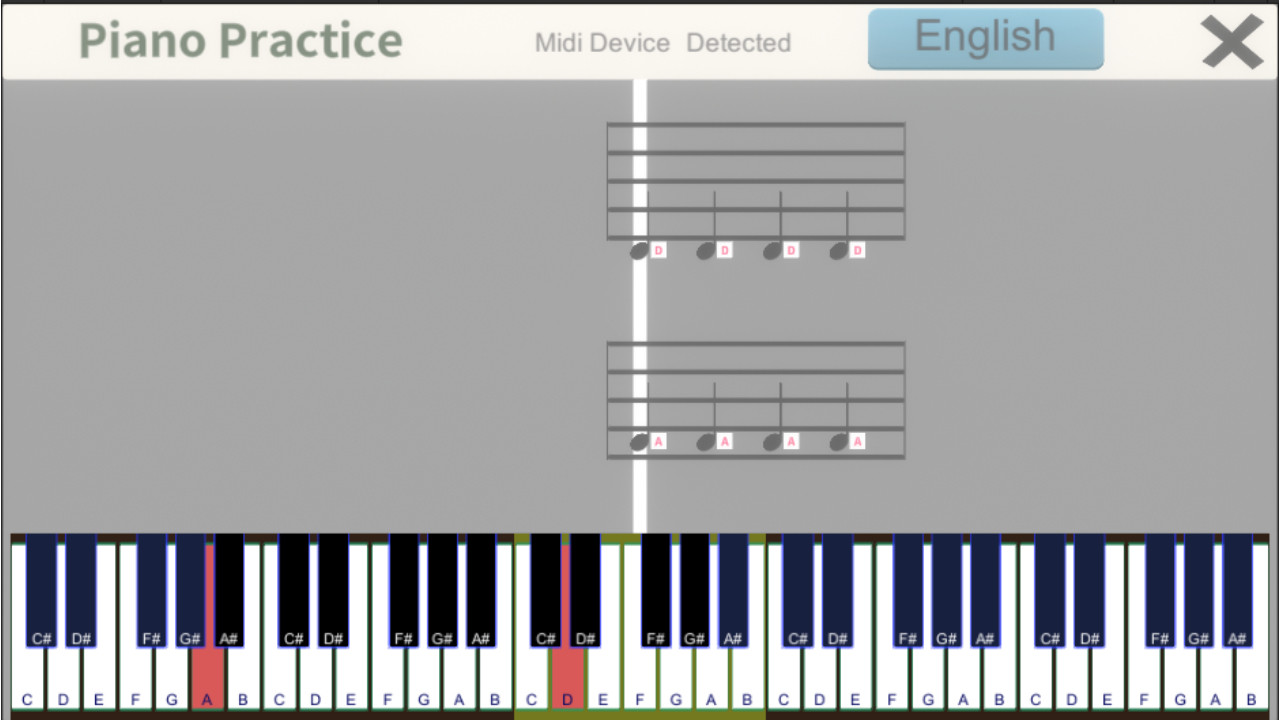
This is a simple piano practice app where you play the keys corresponding to the notes displayed on the stave. It's good for reading music and remembering keyboard positions. You can also load a Midi file and play it. Note: Midi keyboard is required.
This is an app for practicing piano.
The notes are displayed on a staff, and you press the key of the corresponding scale.
It's a simple app.
You can load a file from a Midi file and display the score.
You can practice from distributed Midi files.
You can also set your own scales and display the score, although it is only a simple score.
This is useful for reading music and learning keyboard positions.
Attention! :.
This is an app for practicing piano using a Midi keyboard, so you need a Midi keyboard to play.
Please make sure you have a Midi keyboard before playing.
How to play
When you press the menu button, a UI will appear to select what mode you want to play in.
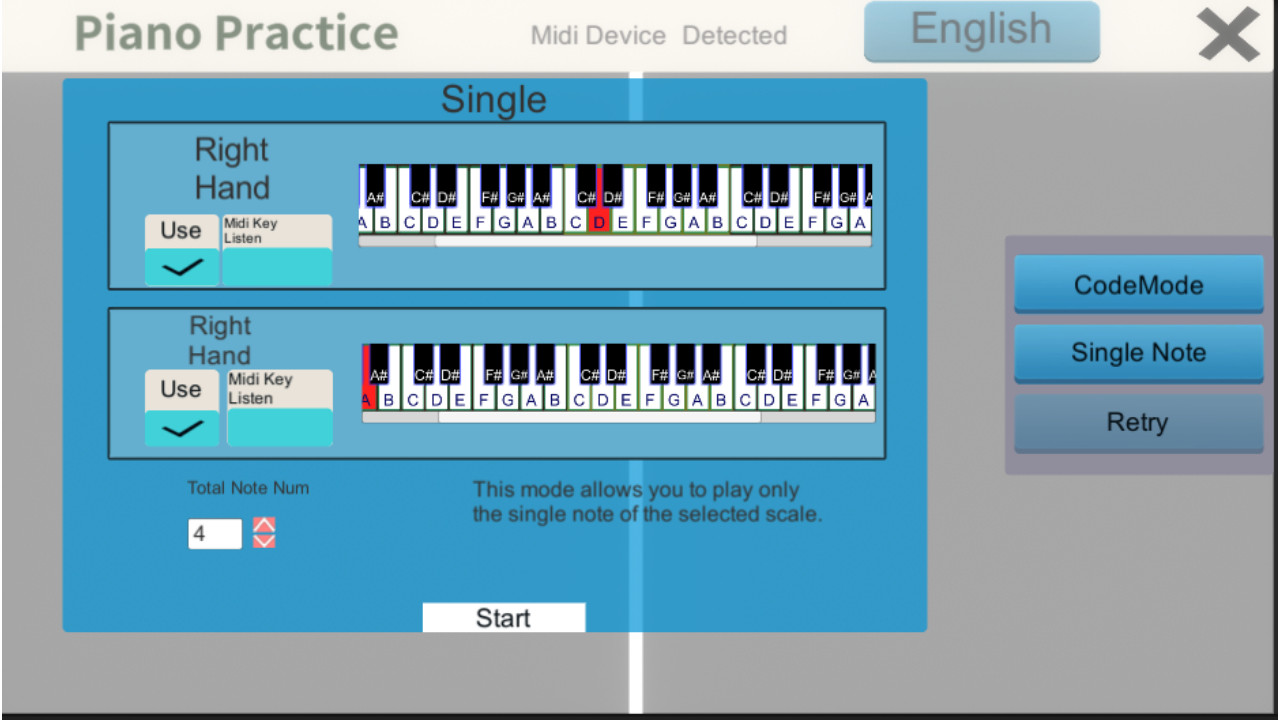
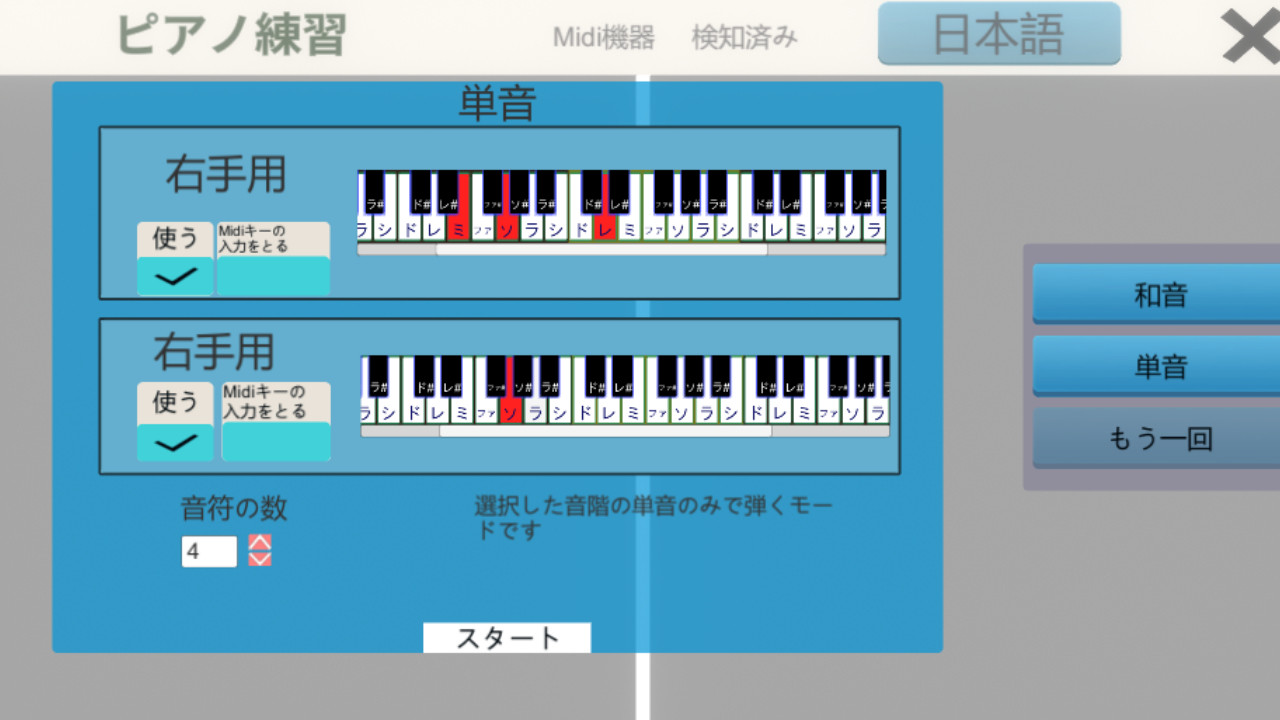
Simple mode.
Set the maximum and minimum scales for the right and left hands, respectively.
Set the number of notes.
When you press the Start button, notes will be randomly generated for the number of notes, within the range of the scale you set.
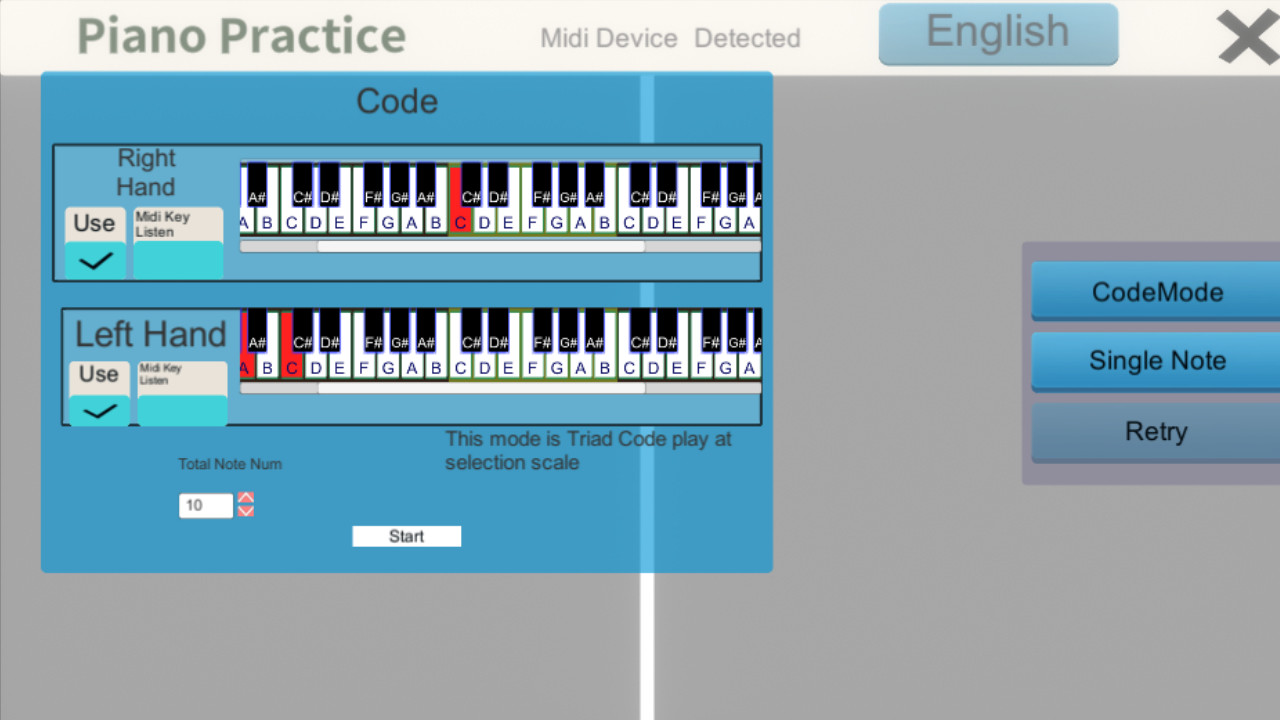
Chords.
Selects a note at random and creates a triad chord based on the selected note.
If the "Take Midi key input" checkbox is checked, the scale will be selected when the Midi key is pressed.
You can also select it by clicking on the Midi keyboard displayed on the screen.
When you press the Start button, notes will be created for the number of notes you have entered.
Single note
The selected note will be displayed as a single note.
Midi Data
When you select a Midi file, its notes will be displayed.
You can practice using Midi files that you have created from your DAW or distributed Midi files.
Note: You can only select one channel.
Only one channel can be selected.
From History
Select a Midi file from the history of your previous plays.
Press the play button to start playing the song.
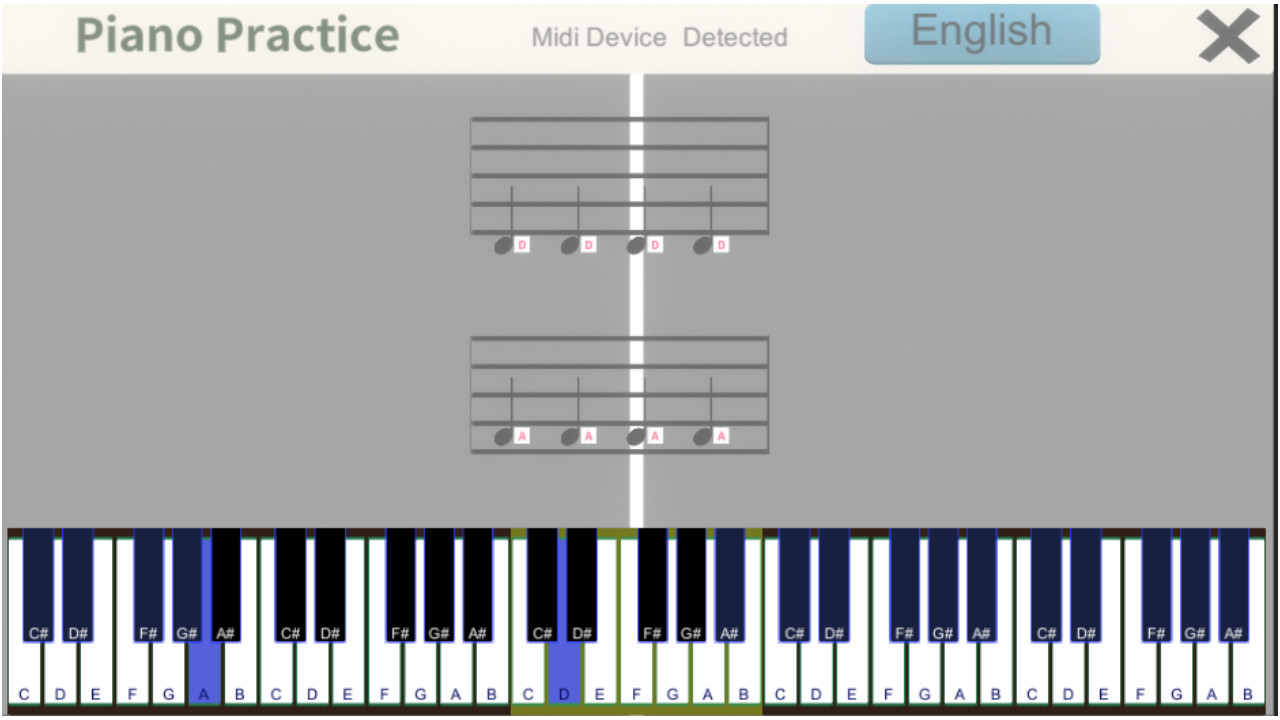
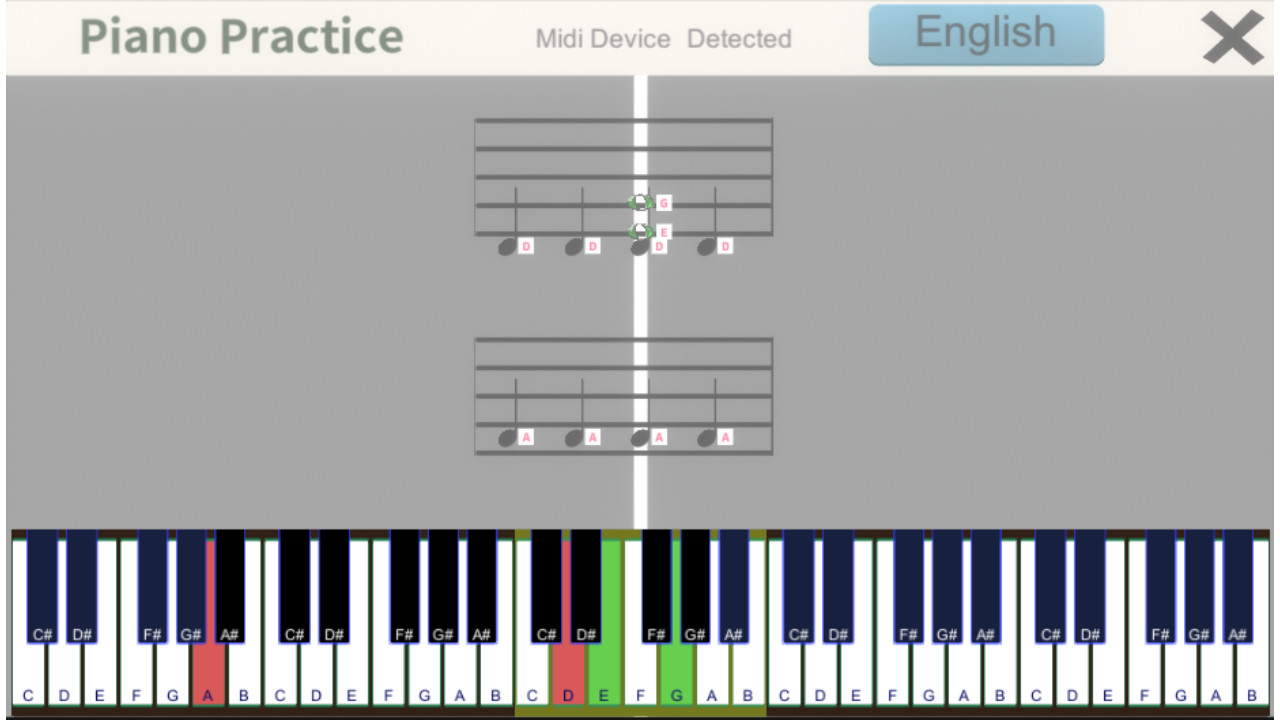
While playing, press the Midi keyboard to display the notes corresponding to the score displayed on the screen.
The Midi keyboard at the bottom of the screen will change the color of the key you are pressing.
If the "Midi device" at the top of the screen is "undetected," you will not be able to play.
You will need to press a key on the Midi keyboard to make it "detected".
*** Translated with www.DeepL.com/Translator (free version) ***
The notes are displayed on a staff, and you press the key of the corresponding scale.
It's a simple app.
You can load a file from a Midi file and display the score.
You can practice from distributed Midi files.
You can also set your own scales and display the score, although it is only a simple score.
This is useful for reading music and learning keyboard positions.
Attention! :.
This is an app for practicing piano using a Midi keyboard, so you need a Midi keyboard to play.
Please make sure you have a Midi keyboard before playing.
How to play
When you press the menu button, a UI will appear to select what mode you want to play in.
Simple mode.
Set the maximum and minimum scales for the right and left hands, respectively.
Set the number of notes.
When you press the Start button, notes will be randomly generated for the number of notes, within the range of the scale you set.
Chords.
Selects a note at random and creates a triad chord based on the selected note.
If the "Take Midi key input" checkbox is checked, the scale will be selected when the Midi key is pressed.
You can also select it by clicking on the Midi keyboard displayed on the screen.
When you press the Start button, notes will be created for the number of notes you have entered.
Single note
The selected note will be displayed as a single note.
Midi Data
When you select a Midi file, its notes will be displayed.
You can practice using Midi files that you have created from your DAW or distributed Midi files.
Note: You can only select one channel.
Only one channel can be selected.
From History
Select a Midi file from the history of your previous plays.
Press the play button to start playing the song.
While playing, press the Midi keyboard to display the notes corresponding to the score displayed on the screen.
The Midi keyboard at the bottom of the screen will change the color of the key you are pressing.
If the "Midi device" at the top of the screen is "undetected," you will not be able to play.
You will need to press a key on the Midi keyboard to make it "detected".
*** Translated with www.DeepL.com/Translator (free version) ***
Media
Trailers and screenshots straight from the store page

Price intelligence
Accepted price history and the lows that matter
Historical lows
All-time low ATL $9.99 2026-06-18
3-month low $9.99
12-month low $9.99
Current $9.99
Price events From the accepted price history · updates automatically
Jun 18, 2026
New all-time low $9.99
Piano Practice price history and best deals
Piano Practice for PC currently sells from $9.99 at authorized stores. Its all-time low is $9.99, set on 2026-06-18.
Frequently asked questions
Answered from this game's own price and edition data
Where can I buy Piano Practice?
Piano Practice is tracked at steam. We only list authorized stores here and always link out with a clean outbound link.
Scores
Steam reviews 3 user reviews · 0%
Media (7)
Tech
Requirements
Facts
Links