
PortalVR Motion

A modest discount on a solid game. Fine now, better in a seasonal sale.
Why this verdict
Offers
Accepted regional prices from official stores
Report a wrong price
About this game
What this game is, in the developer's words
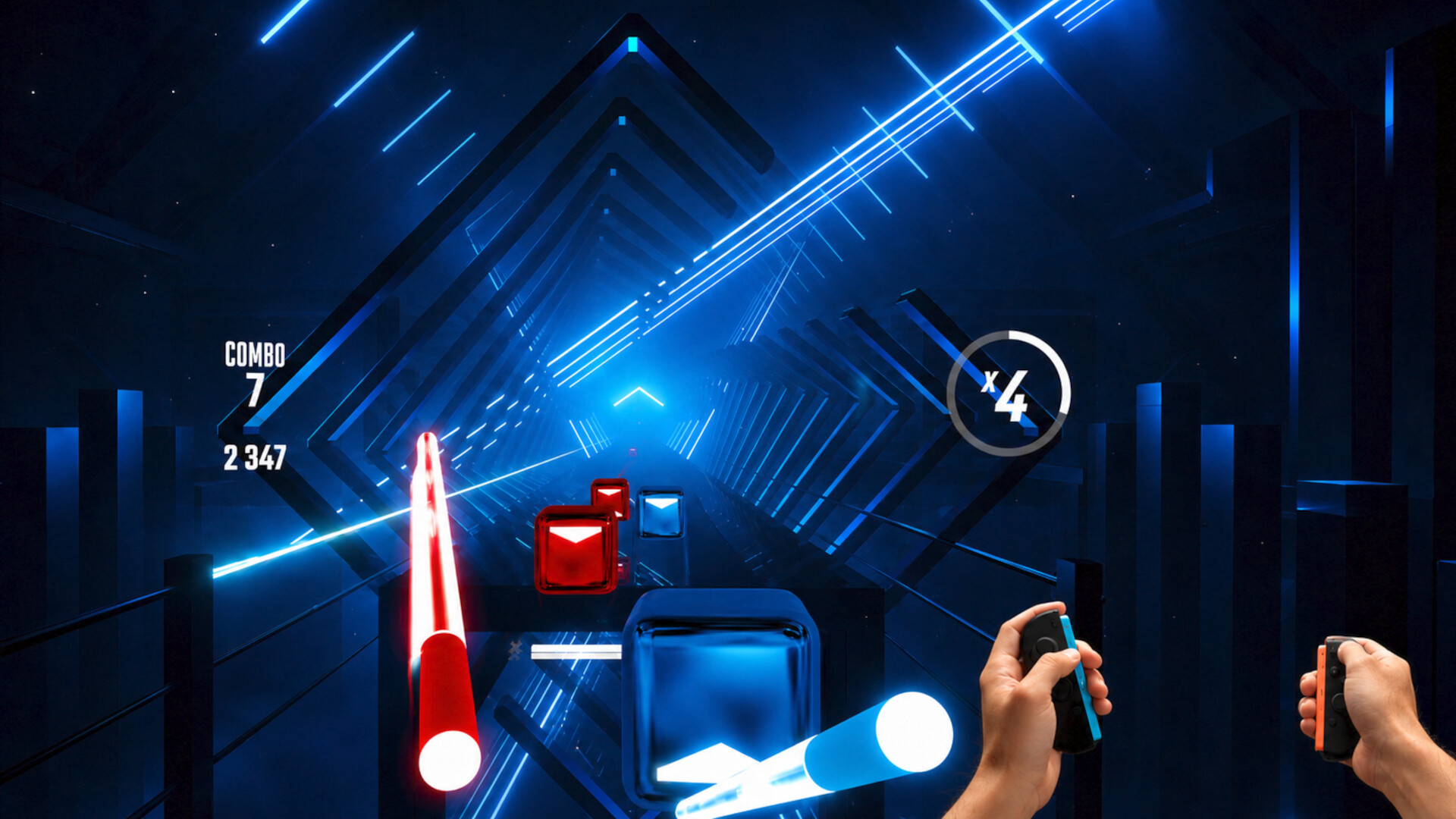
Wii-style motion controls for SteamVR — without a headset. PortalVR Motion uses your iPhone's FaceID camera to track your Joy-Cons in 6 DoF, or uses VR controllers you already own, so you can play Beat Saber, Half-Life: Alyx, VRChat, and thousands more SteamVR titles right on your monitor.
PortalVR Motion — PC Gaming in Motion.
PortalVR Motion turns VR into Wii-style gaming, bringing natural motion controls to thousands of VR games and creative apps on SteamVR — using your existing VR controllers, Joy-Con controllers and the iPhone you already own, or even just the mouse and keyboard already on your desk.
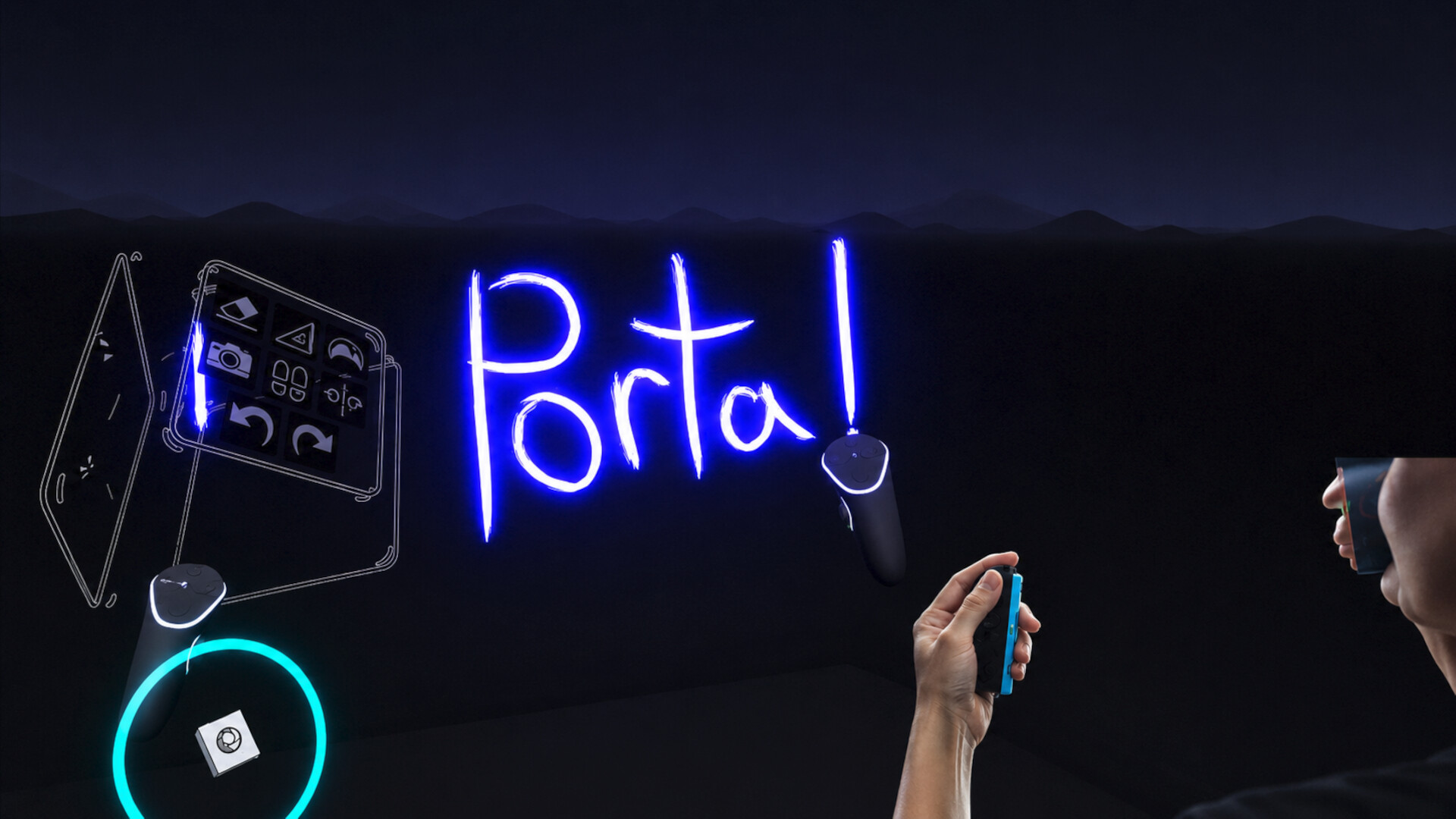
No headset. No base stations. No extra trackers. An iPhone watches your hands; SteamVR sees a pair of normal tracked controllers. Beat Saber, Half-Life: Alyx, VRChat, Gravity Sketch, and the long tail of indie experiments — all on the screen you already have.
iPhone-based tracking — the FaceID depth camera does the heavy lifting
Joy-Con 1 + Joy-Con 2 ready — drift-free rotation with the Switch 2 magnetometer
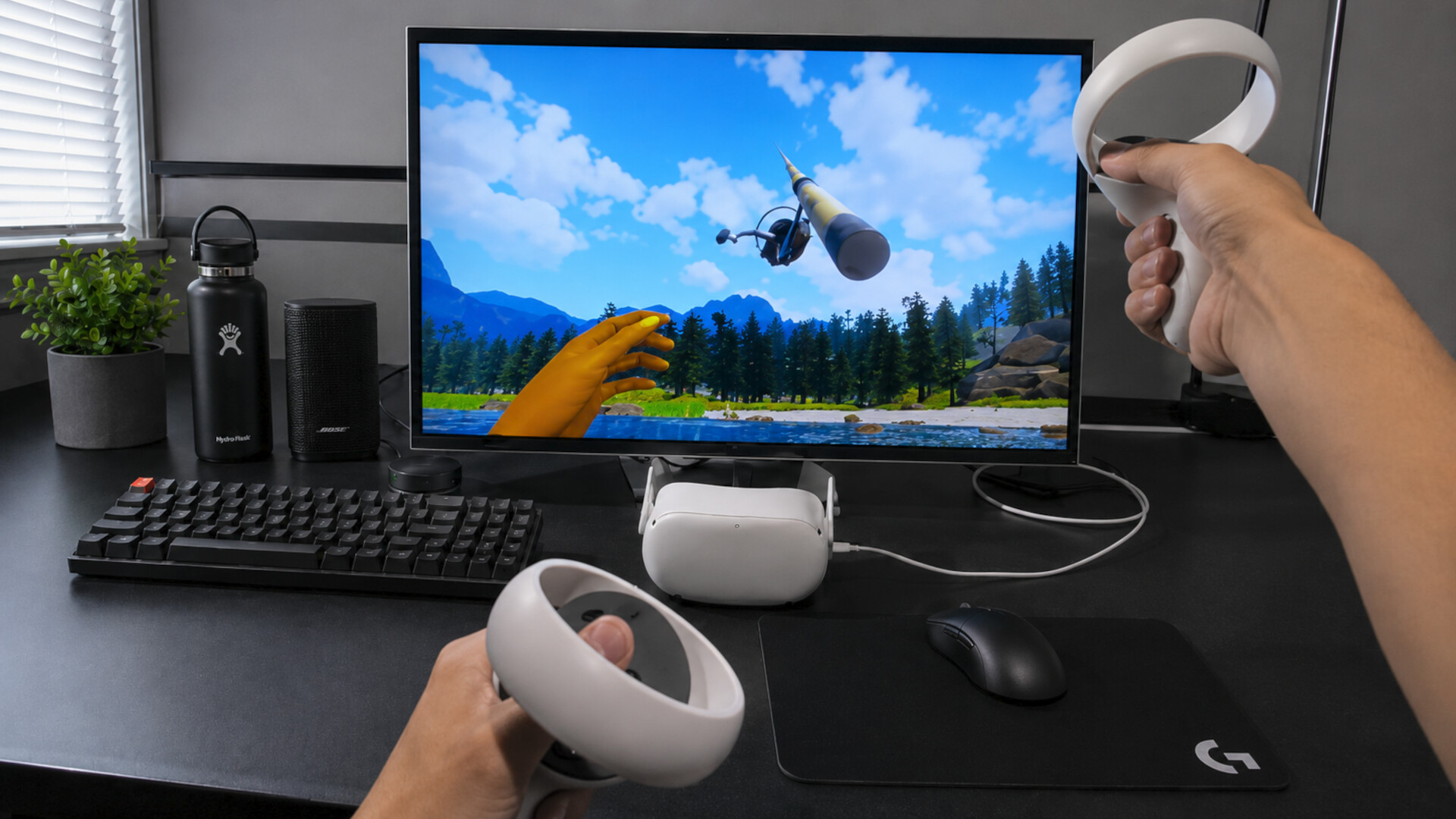
Works with existing VR controllers — already have a Quest, PICO, Valve Index, or HTC Vive? Use their native controllers to play on-screen.
No controllers? No problem. A novel mouse + keyboard scheme drives both VR hands from your desk so you can start playing right now.
Works with every SteamVR title — registers as a standard SteamVR runtime
Three paths to motion. Pick yours.
Motion runs on hardware you probably already own. Start with the mouse and keyboard already on your desk, grab Joy-Cons + your iPhone for the easiest motion setup, or pair a VR headset's controllers for studio-grade tracking.
No controllers needed — Mouse + Keyboard
Don't have controllers yet? A novel mouse and keyboard scheme drives both VR hands from your desk, so you can fire up any SteamVR title without buying anything new.
A Windows PC that can already run SteamVR
The mouse and keyboard already on your desk
Path A · Easiest — iPhone + Joy-Con 1 or 2
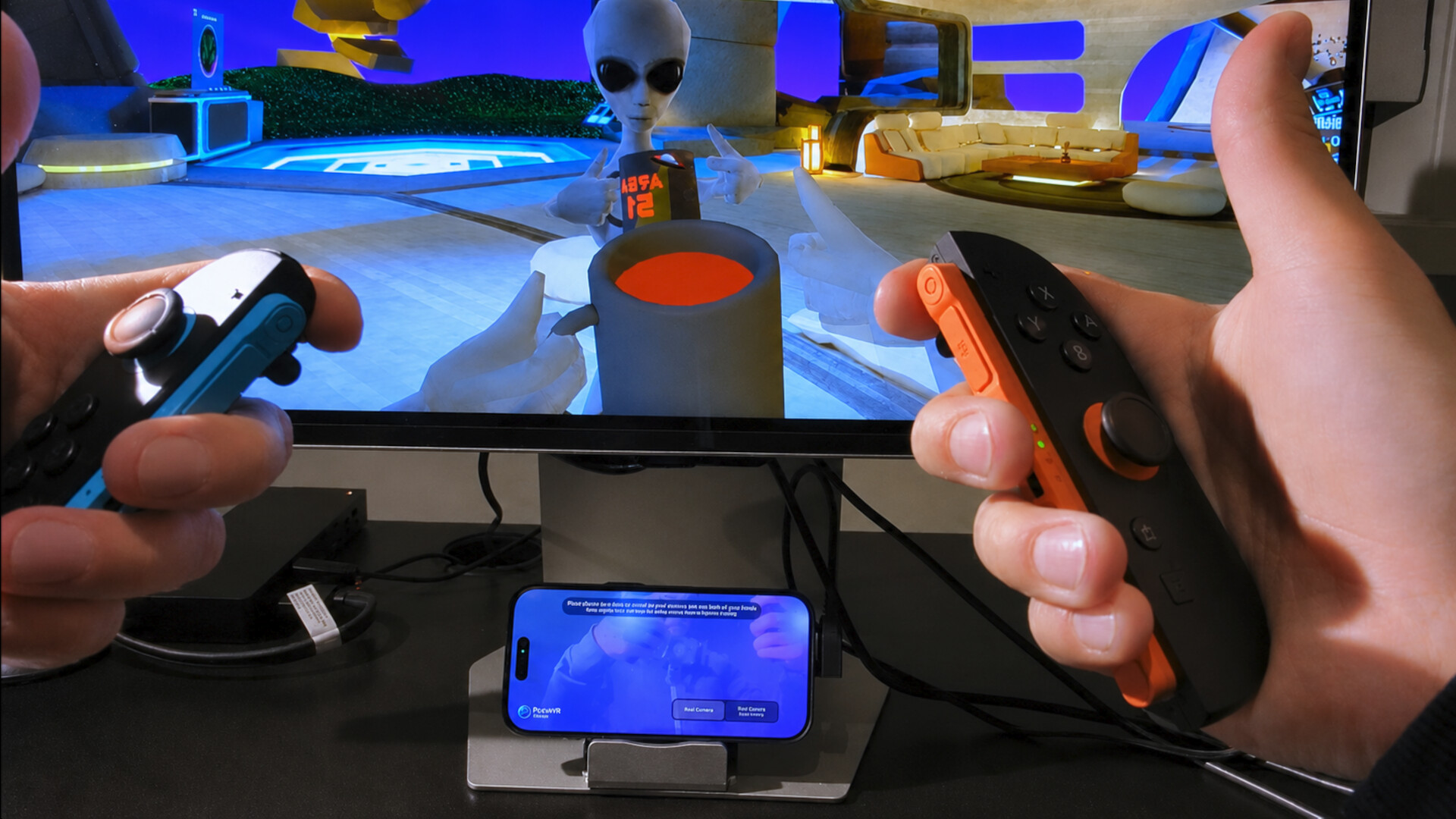
Your iPhone's FaceID camera tracks the Joy-Cons in 6 DoF. No base stations, no headset, no extra gear.
Any iPhone with FaceID (front-facing depth camera)
A pair of Joy-Con 1 or Joy-Con 2 controllers
A Windows PC that can already run SteamVR
A small iPhone stand for your desk
Path B · Pro — Quest, PICO, Valve Index, or HTC Vive controllers
Use a VR headset's native tracked controllers as the tracking source. Plug a Quest or PICO into your PC and its onboard cameras do the heavy lifting; or use a pair of Valve Index controllers or HTC Vive Wands over Lighthouse base stations — studio-grade precision either way.
A Quest or PICO headset in developer mode, or a pair of Valve Index controllers with Lighthouse base stations
A USB cable from the headset to your PC (Quest / PICO only — Index controllers stream over Lighthouse)
A Windows PC that can already run SteamVR
How It Works
PortalVR Motion uses your iPhone's FaceID camera to track your Joy-Con controllers in 3D, or uses your VR headsets cameras or lighthouse tracking for Index or Vive controllers.
Dock or mount your iPhone. Position it so the camera can see your hands.
Connect your Joy-Con controllers. Bluetooth pairs in seconds.
Or, plug in a VR headset or pair Index/Vive controllers. Perfect VR-level controller tracking.
Launch any SteamVR game. Jump into thousands of VR experiences instantly.
Every SteamVR title now in Motion
Motion registers as a SteamVR runtime, so any title that runs in SteamVR sees standard tracked controllers and launches normally — from Beat Saber and Half-Life: Alyx to VRChat, Gravity Sketch, and the long tail of indie experiments.
No per-game patching
Standard tracked controllers
Same launchers, same saves
Introducing Camera Drag
Press and hold the shoulder button on your Joy-Con and the in-game camera locks to its motion. Your hand now spins a virtual 3D trackball that lets you use any VR content seamlessly.
Turn. Yaw and pitch your controller to turn the camera.
Flick. Once you have the hang of it, flick the view around like a trackball.
Reach. Move forward to reach faraway objects. Drag the camera with one hand, pick things up with the other.
A whole universe of VR — now in Motion
From action and rhythm to creative tools and sketchpads — Motion plugs into SteamVR, so anything that runs there runs here. 6,000+ titles in the SteamVR catalog become playable on your desk.
We're still mapping which titles work best — join our Discord to help us find the gems.
Questions, answered.
What is PortalVR Motion?
A SteamVR add-on that brings natural motion controls to thousands of VR games and apps. Instead of a headset and base stations, it uses your iPhone's camera to track Joy-Con controllers in 6 DoF — so you play VR titles at your desk, on the screen you already have.
What hardware do I need?
A Windows PC capable of running SteamVR is the only hard requirement — Motion gives you three ways to drive it. The easiest path is an iPhone (on a stand facing you) plus a pair of Joy-Con controllers. If you'd rather use a VR headset's native controllers, plug a Quest or PICO into your PC over USB, or pair up a set of Valve Index or HTC Vive controllers over Lighthouse base stations — both deliver studio-grade precision. And if you don't have any controllers yet, Motion ships with a novel mouse + keyboard scheme that drives both VR hands straight from your desk. 3D monitors like the Samsung Odyssey 3D are fully supported for true stereoscopic 3D; if you don't have one, Motion can render in anaglyph for any regular display.
Do I really need controllers at all?
No. Motion includes a mouse + keyboard control scheme that drives both VR hands from your desk, so you can start playing SteamVR titles without buying anything new. It's the fastest way to try things out, and a great fallback when your controllers aren't nearby.
Should I use Joy-Con 1 or Joy-Con 2?
Joy-Con 2 is recommended. Its built-in magnetometer measures direction relative to Earth's magnetic field, giving noticeably steadier rotational tracking. Joy-Con 1 still works great — its forward heading can drift a bit during rapid motion.
How do I get the best tracking?
Place your iPhone directly in front of you, not off to one side — the depth camera tracks best when it's facing you head-on. Make sure your hands are well lit. For wider, full-body titles like Beat Saber, use the rear LiDAR camera on iPhone Pro models for noticeably better depth at distance. For the highest tracking fidelity available, use a VR headset's controllers instead — a Quest or PICO over USB (their onboard cameras do the optical tracking), or a pair of Valve Index controllers over Lighthouse base stations.
Why an iPhone — does Android work?
Motion leans on the iPhone's FaceID depth camera and the LiDAR sensor on the rear camera to track your Joy-Con in 3D. Most Android phones don't have those sensors yet — but as more Android devices ship with depth + LiDAR hardware, support is on the table.
Can I really play any SteamVR game?
Motion registers as a SteamVR runtime, so any SteamVR title sees standard tracked controllers and launches normally. The catch: titles that demand extremely precise fast motion or sharp full-body movement (spinning to face an enemy behind you) can be awkward to translate onto a 2D screen. That said — we've cleared Hard levels in Beat Saber through Motion, so it's not too bad.
Does this support hand tracking?
Yes. Motion tracks your fingers in addition to the controller — full finger articulation comes through when available, which is great for expression, gestures, and natural object interaction.
Does this support face tracking?
Yes — your webcam tracks your head in real time, adding 3D parallax when you lean side-to-side or forward, plus the ability to dodge obstacles and duck under enemy fire during gameplay.
Do I need a powerful PC?
If your PC can already run a given SteamVR title, it can run it through Motion. Tracking runs on the iPhone — your PC just sees a tracked pair of controllers.
What about latency?
Tracking data streams over USB from the iPhone to the PC (no Wi-Fi hop), the iPhone camera is configured for maximum tracking speed and precision, and Joy-Con 1 and 2 IMU readings are fused with the camera data in real time — so even between camera frames you get near-instant responsiveness from your wrists.
Can I use it for streaming and content?
Yes. PortalVR Motion is the easiest way to use VR without wearing a headset — a great fit for streaming, live demos, marketing shoots, trade-show kiosks, and anywhere a head-mounted display is awkward. Camera Drag also makes framing shots far easier than steering by stick.
Media
Trailers and screenshots straight from the store page

Price intelligence
Accepted price history and the lows that matter
PortalVR Motion price history and best deals
PortalVR Motion for PC currently sells from $9.37 at authorized stores. Its all-time low is $9.37, set on 2026-07-04. That is 33% off the $13.99 list price.
Frequently asked questions
Answered from this game's own price and edition data
Should I buy PortalVR Motion now or wait?
Is $9.37 a good price for PortalVR Motion?
Where can I buy PortalVR Motion?