PC
$2.99 Region US

Content rating unavailable
Photo Editing · Chris Hopkin
Snapshot

Content rating unavailable
Windows
8 user reviews · 63% of 8
Chip's verdict · US updated 27 days ago
Why this verdict
All-time low $2.99 · 28d ago
Player reviews 63% positive of 8
Quality score 63/100 · small sample
Offers
Accepted regional prices from official stores
Official stores (1)
Clean outbound link. We never touch your payment.
Report a wrong price
About this game
What this game is, in the developer's words
Remotely control your digital SLR camera while tethered to your computer.
Introducing Snapshot, an application that allows you to remotely control your digital SLR camera while tethered to your computer.
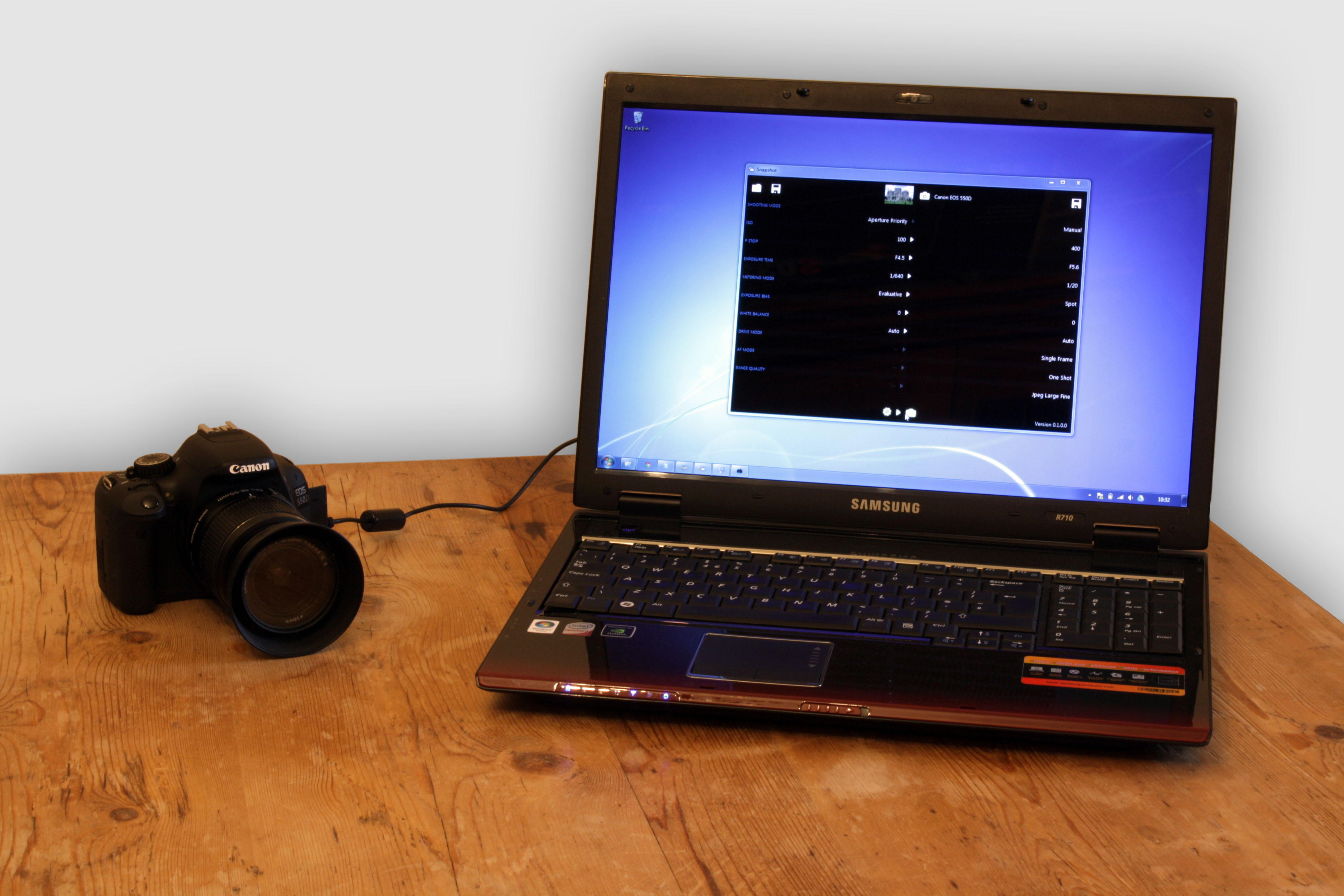
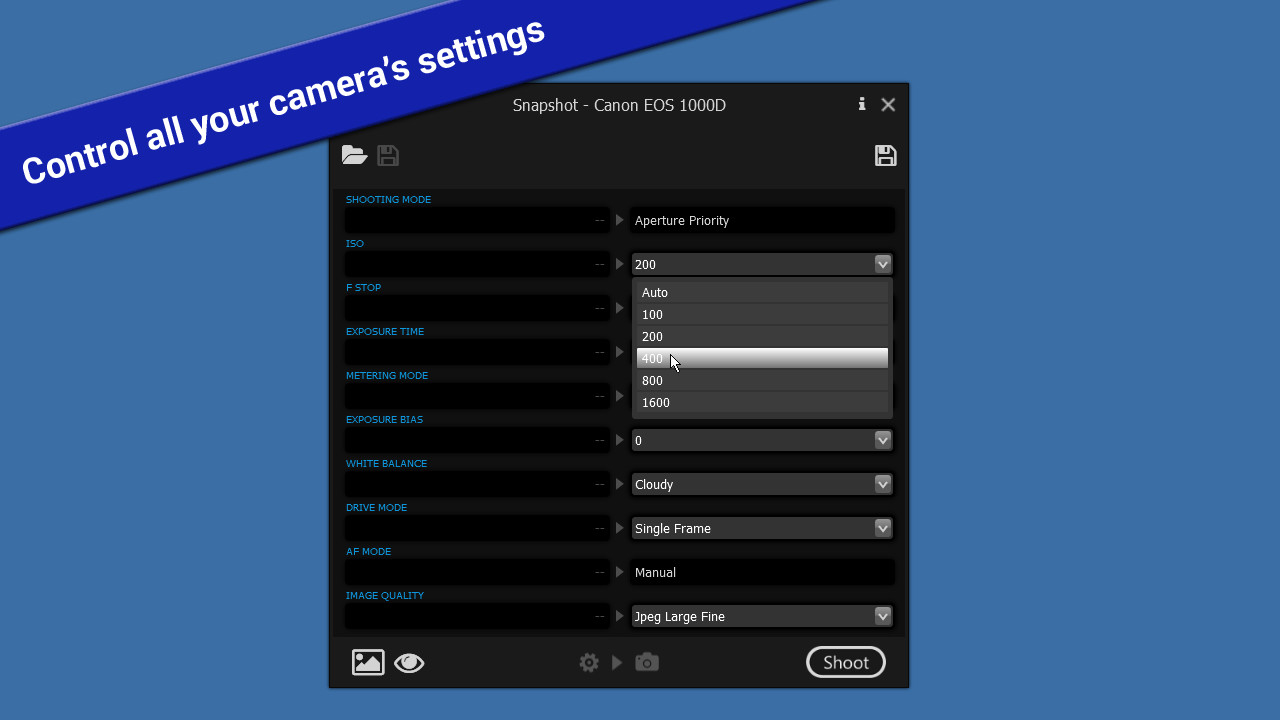
Snapshot requires a Canon digital SLR camera connected to your computer via USB. Once connected, the simple to use Snapshot interface allows you to view and change your camera's current settings using the drop-down boxes.
For cameras that support Live View mode, you can now stream the Live View to your computer.
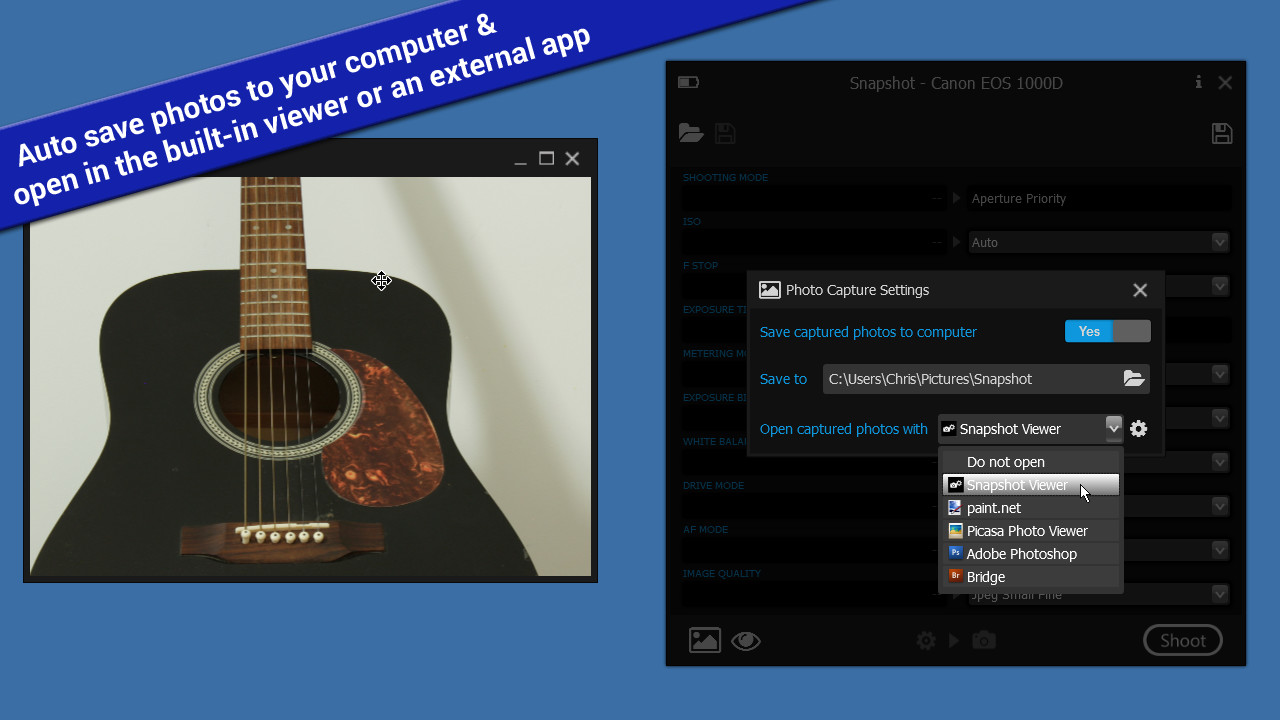
Snapshot gives you the option automatically save captured photos to a folder on your computer.
Captured photos can be displayed on your computer using the built-in Snapshot Viewer, or choose your preferred photo viewing app, e.g. Photoshop.
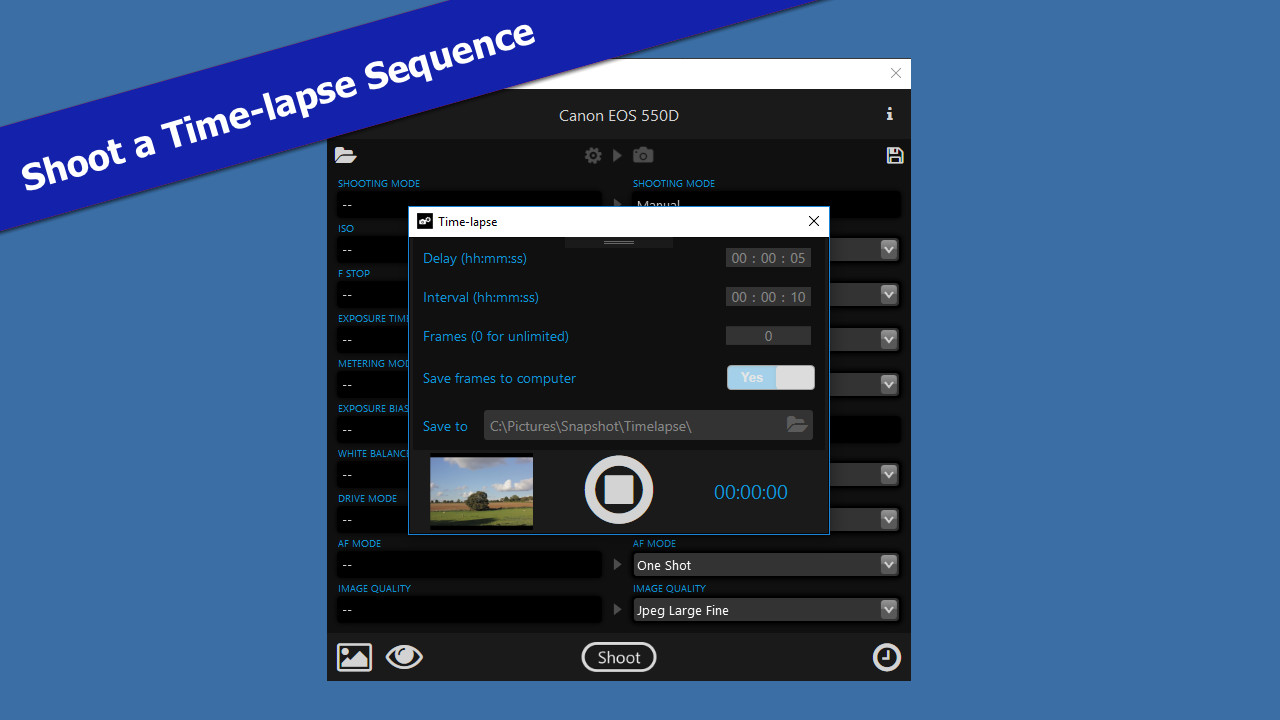
Shoot a time-lapse sequence with the new time-lapse controls - configure the Interval between each frame as well as an initial Delay before capturing the first frame, and choose whether to capture a fixed or unlimited number of Frames.
You can also export a 'snapshot' of your camera's current settings which you can later apply back to your camera quickly and easily.
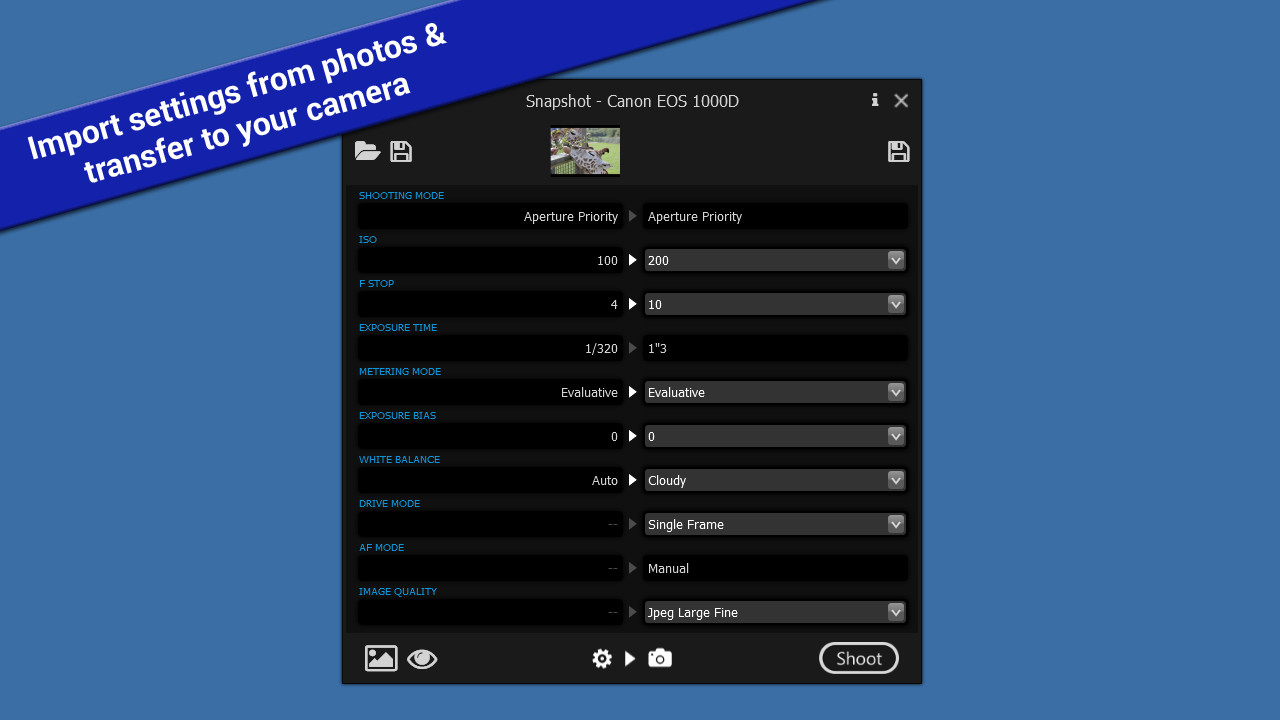
Import camera settings from digital photographs by extracting the settings (ISO, F Stop, Exposure Time, etc) that were used when the photograph was taken, and set up your camera in exactly the same way. This can give you a good starting point for taking similar shots, and help you get to grips with the overwhelming range of settings your digital SLR camera has to offer
Snapshot currently supports the following Canon camera models:
- Remotely control camera settings
- Remotely fire the shutter release
- Stream Live View to your computer
- Shoot a time-lapse sequence
- Auto save and view photos on your computer as they are taken
- Import/Export camera settings (Snapshot profiles)
- Import camera settings from digital photographs
Snapshot requires a Canon digital SLR camera connected to your computer via USB. Once connected, the simple to use Snapshot interface allows you to view and change your camera's current settings using the drop-down boxes.
For cameras that support Live View mode, you can now stream the Live View to your computer.
Snapshot gives you the option automatically save captured photos to a folder on your computer.
Captured photos can be displayed on your computer using the built-in Snapshot Viewer, or choose your preferred photo viewing app, e.g. Photoshop.
Shoot a time-lapse sequence with the new time-lapse controls - configure the Interval between each frame as well as an initial Delay before capturing the first frame, and choose whether to capture a fixed or unlimited number of Frames.
You can also export a 'snapshot' of your camera's current settings which you can later apply back to your camera quickly and easily.
Import camera settings from digital photographs by extracting the settings (ISO, F Stop, Exposure Time, etc) that were used when the photograph was taken, and set up your camera in exactly the same way. This can give you a good starting point for taking similar shots, and help you get to grips with the overwhelming range of settings your digital SLR camera has to offer
Supported Cameras
Snapshot currently supports the following Canon camera models:
- EOS 1D Mk III
- EOS 1Ds Mk III
- EOS 1D Mk IV
- EOS 1D X
- EOS 1D X Mk II
- EOS 1D C
- EOS 5D Mk II
- EOS 5D Mk III
- EOS 5D Mk IV
- EOS 5DS
- EOS 5DS R
- EOS 6D
- EOS 7D
- EOS 7D Mk II
- EOS 40D
- EOS 50D
- EOS 60D
- EOS 70D
- EOS 80D
- EOS 100D / Rebel SL1 / Kiss X7
- EOS 450D / Rebel XSi / Kiss X2
- EOS 500D / Rebel T1i / Kiss X3
- EOS 550D / Rebel T2i / Kiss X4
- EOS 600D / Rebel T3i / Kiss X5
- EOS 650D / Rebel T4i / Kiss X6i
- EOS 700D / Rebel T5i / Kiss X7i
- EOS 750D / Rebel T6i / Kiss X8i
- EOS 760D / Rebel T6s / EOS 8000D
- EOS 1000D / Rebel XS / Kiss F
- EOS 1100D / Rebel T3 / Kiss X50
- EOS 1200D / Rebel T5 / Kiss X70
- EOS 1300D / Rebel T6 / Kiss X80
Media
Trailers and screenshots straight from the store page

Price intelligence
Accepted price history and the lows that matter
Historical lows
All-time low ATL $2.99 2026-06-18
3-month low $2.99
12-month low $2.99
Current $2.99
Price events From the accepted price history · updates automatically
Jun 18, 2026
New all-time low $2.99
Snapshot price history and best deals
Snapshot for PC currently sells from $2.99 at authorized stores. Its all-time low is $2.99, set on 2026-06-18.
Frequently asked questions
Answered from this game's own price and edition data
Where can I buy Snapshot?
Snapshot is tracked at steam. We only list authorized stores here and always link out with a clean outbound link.
Scores
Steam reviews 8 user reviews · 63%
Media (6)
Tech
Requirements
Facts
DeveloperChris Hopkin
PublisherChris Hopkin
GenresPhoto Editing · Software Training · Utilities
TagsUtilities · Photo Editing · Software Training
Links