
WinSizeNG

Why this verdict
Offers
Accepted regional prices from official stores
Report a wrong price
About this game
What this game is, in the developer's words
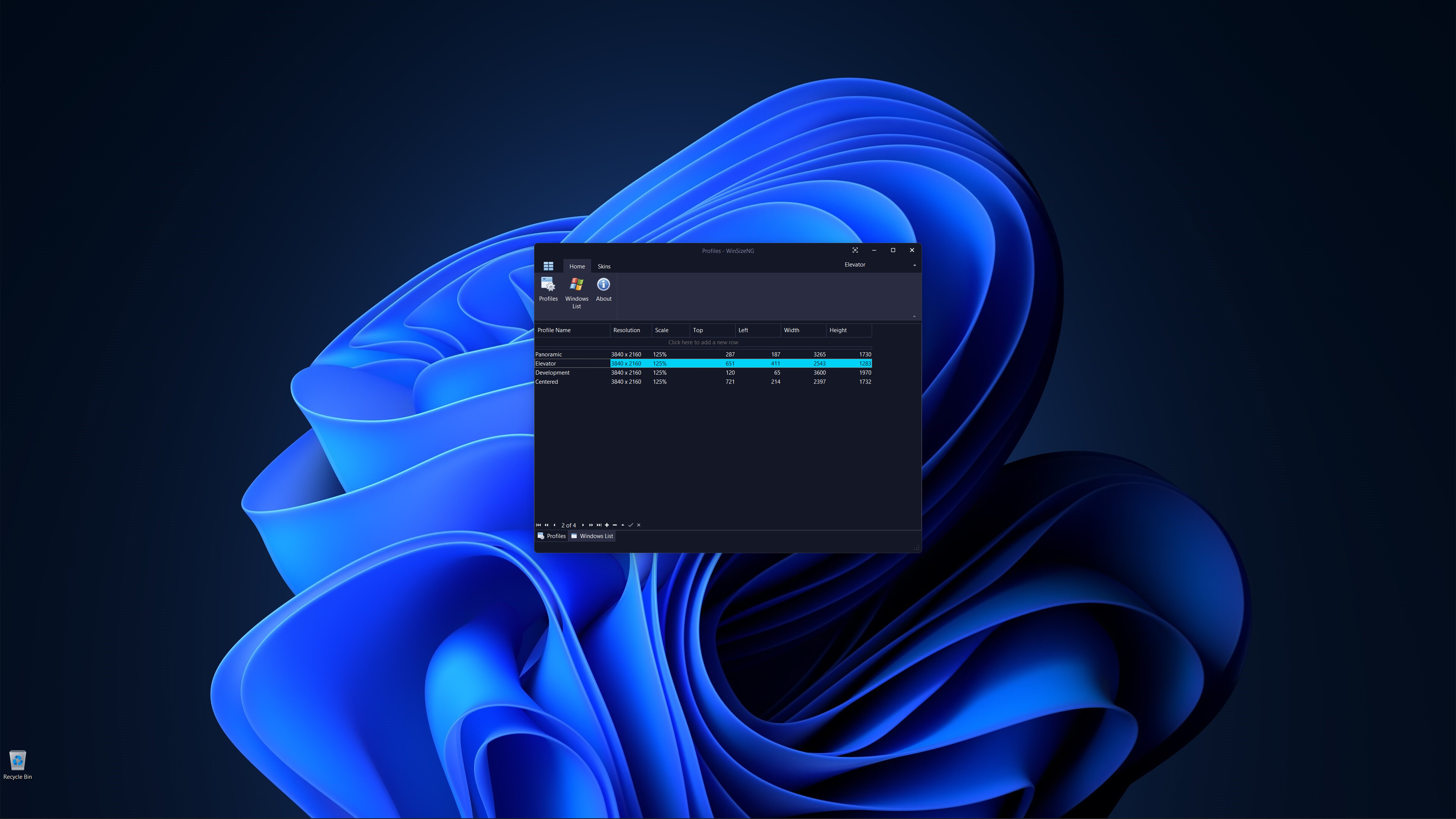
WinSizeNG allows users to re-size and re-position any app Window on the Desktop. It captures a Window's size and position and creates a profile of its dimension. Profiles can be created for various sizes and positions. Selecting a desired profile, a user can alter the size and position of Window(s).
Overview of WinSizeNG
WinSizeNG is a utility designed for rapid resizing and repositioning of application windows on your desktop.
It streamlines workflow, particularly when used in conjunction with workspace managers like PowerToys Workspaces, offering a faster alternative to tools like FancyZones.
Unlike applications that simply remember window positions on close, WinSizeNG allows you to quickly capture and apply window dimensions to multiple applications simultaneously.
One of the primary features of WinSizeNG is its ability to capture a window's size and position and create a profile of its dimensions.
Users can create multiple profiles for different resolutions, scales, sizes, and positions.
It offers a quick and efficient way to manage window layouts, enhancing your productivity.
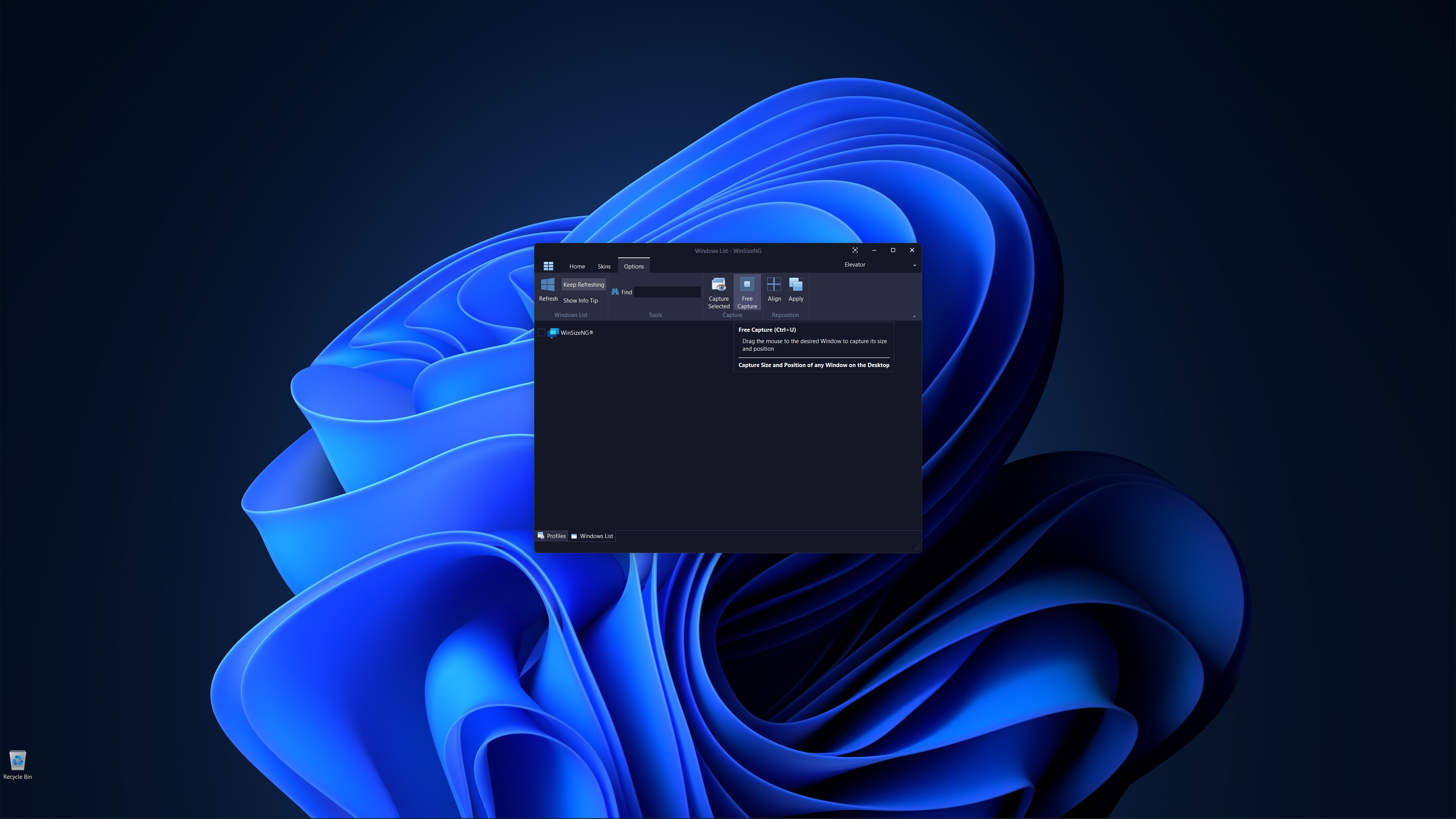
All non-minimized windows will appear in a list, allowing users to select any number of windows, choose a profile, and click to resize and reposition them.
WinSizeNG complements PowerToys Workspaces by enabling users to rapidly create and manage new profiles tailored to their needs.
Key Features of WinSizeNG
Window Resizing and Repositioning: Users can easily resize and move any application window on their desktop.
Profile Creation: WinSizeNG can capture the size and position of a window and create a profile for future use. Users can maintain multiple profiles, accommodating various resolutions, scaling, sizes, and positions.
Windows List: All non-minimized windows are displayed in a selectable list, allowing users to choose multiple windows for resizing and repositioning.
Profiles Management:
Create Profiles: Users can create profiles with different resolutions and dimensions using CTRL+P.
Windows List: Access a list of all non-minimized windows with CTRL+L.
About: View information about the WinSizeNG application and its version using CTRL+H.
Refresh: Update the displayed list of windows with CTRL+R.
Keep Refreshing: Automatically refresh the window list every 4 seconds with CTRL+K.
Windows Information:
Show Info Tip: Display the Process ID, Window Handle, Name, and Class of selected items using CTRL+I.
Search: Quickly find and select windows by partial or full name with incremental search support.
Window Management:
Always On Top: Keep the WinSizeNG application visible above all other windows, even when not active, using CTRL+T.
Capture: Select a window from the list to capture its size and position with CTRL+S.
Free Capture: Drag the mouse to any desired window to capture its size and position using CTRL+U.
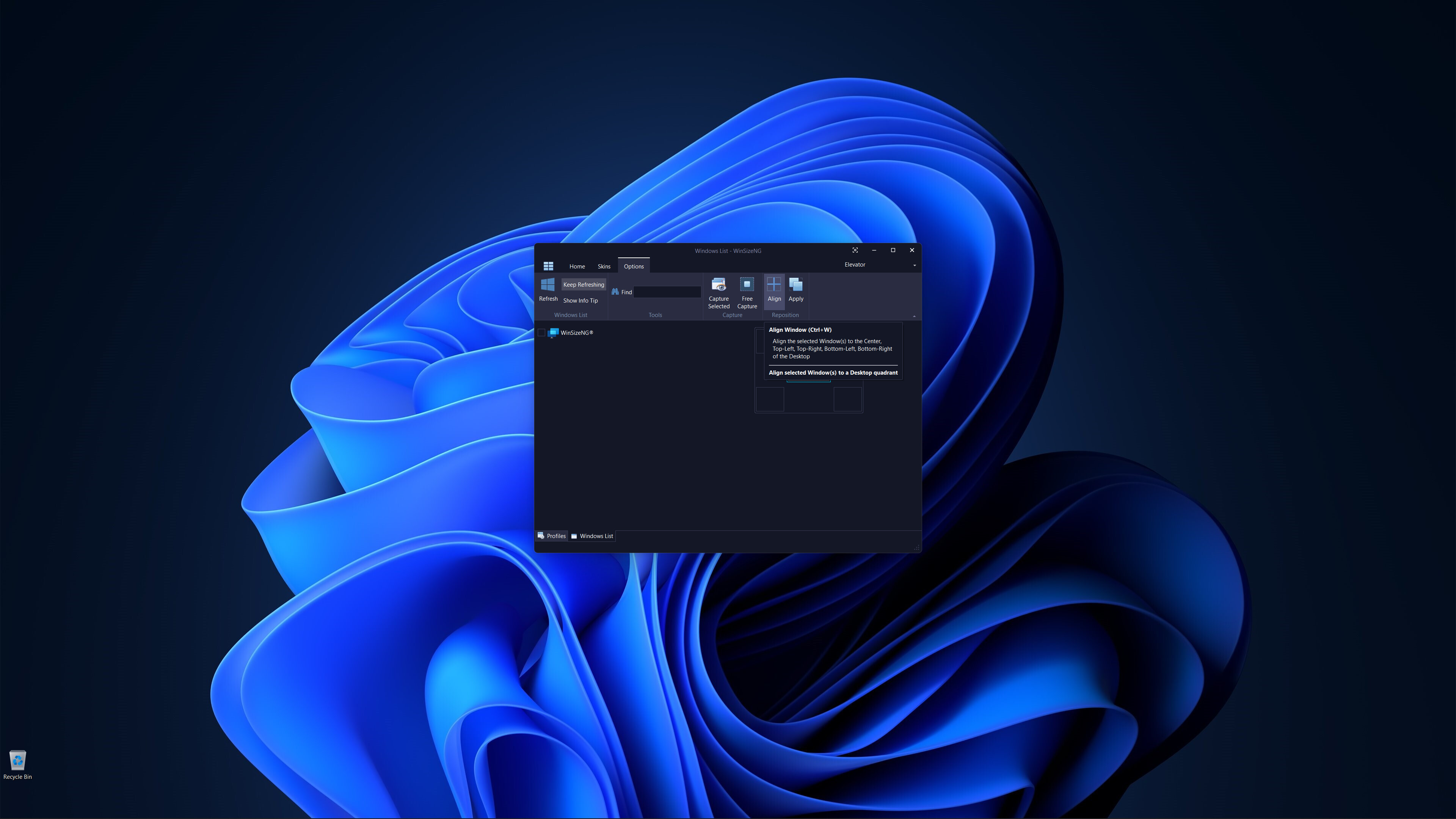
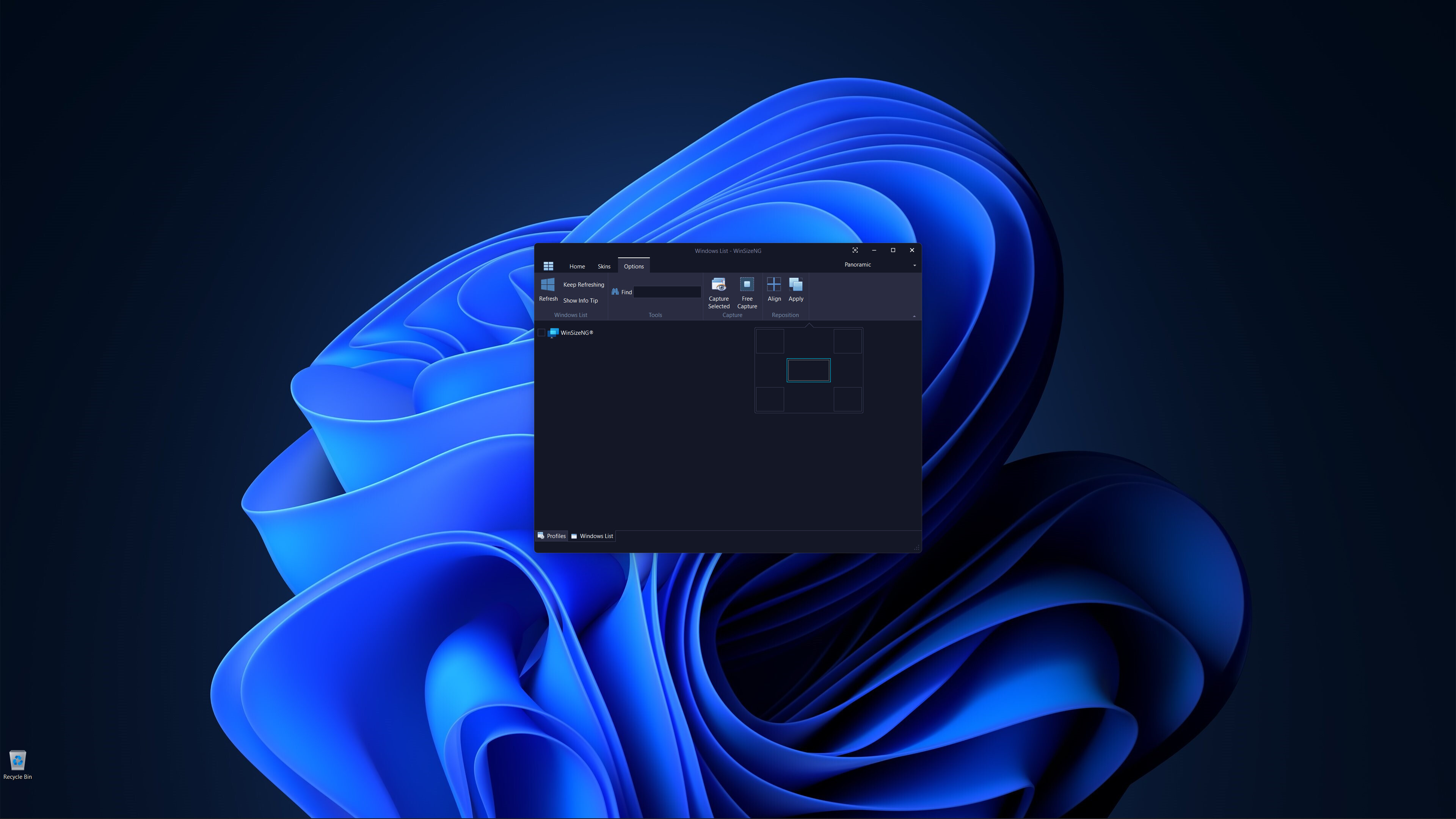
Align: Align selected windows to the center, top-left, top-right, bottom-left, or bottom-right of the desktop with CTRL+W.
Apply: Apply the chosen profile to selected windows to adjust their size and position using CTRL+Y.
Customization: Users can choose from a variety of skins to personalize their experience.
Media
Trailers and screenshots straight from the store page

Price intelligence
Accepted price history and the lows that matter
WinSizeNG price history and best deals
WinSizeNG for PC currently sells from $7.99 at authorized stores. Its all-time low is $7.99, set on 2026-06-18.
Frequently asked questions
Answered from this game's own price and edition data
Where can I buy WinSizeNG?