


GamingPulsePRO

Offers
Accepted regional prices from official stores
No offers tracked yet for this product.
Report a wrong price
DLC (10)
Add-on content for this game
- GamingPulsePRO - AI Companion No offer tracked

- GamingPulsePRO - Audio Mixer No offer tracked

- GamingPulsePRO - Automation Pack No offer tracked

- GamingPulsePRO - Discord Bot No offer tracked

- GamingPulsePRO - Streaming Overlay No offer tracked

- GamingPulsePRO - Text to Speech No offer tracked

- GamingPulsePRO — Gamepad Hub No offer tracked

- GamingPulsePRO — Soundboard No offer tracked

- GamingPulsePRO — Theme Pack No offer tracked

- GamingPulsePRO — Voice Changer No offer tracked

About this game
What this game is, in the developer's words
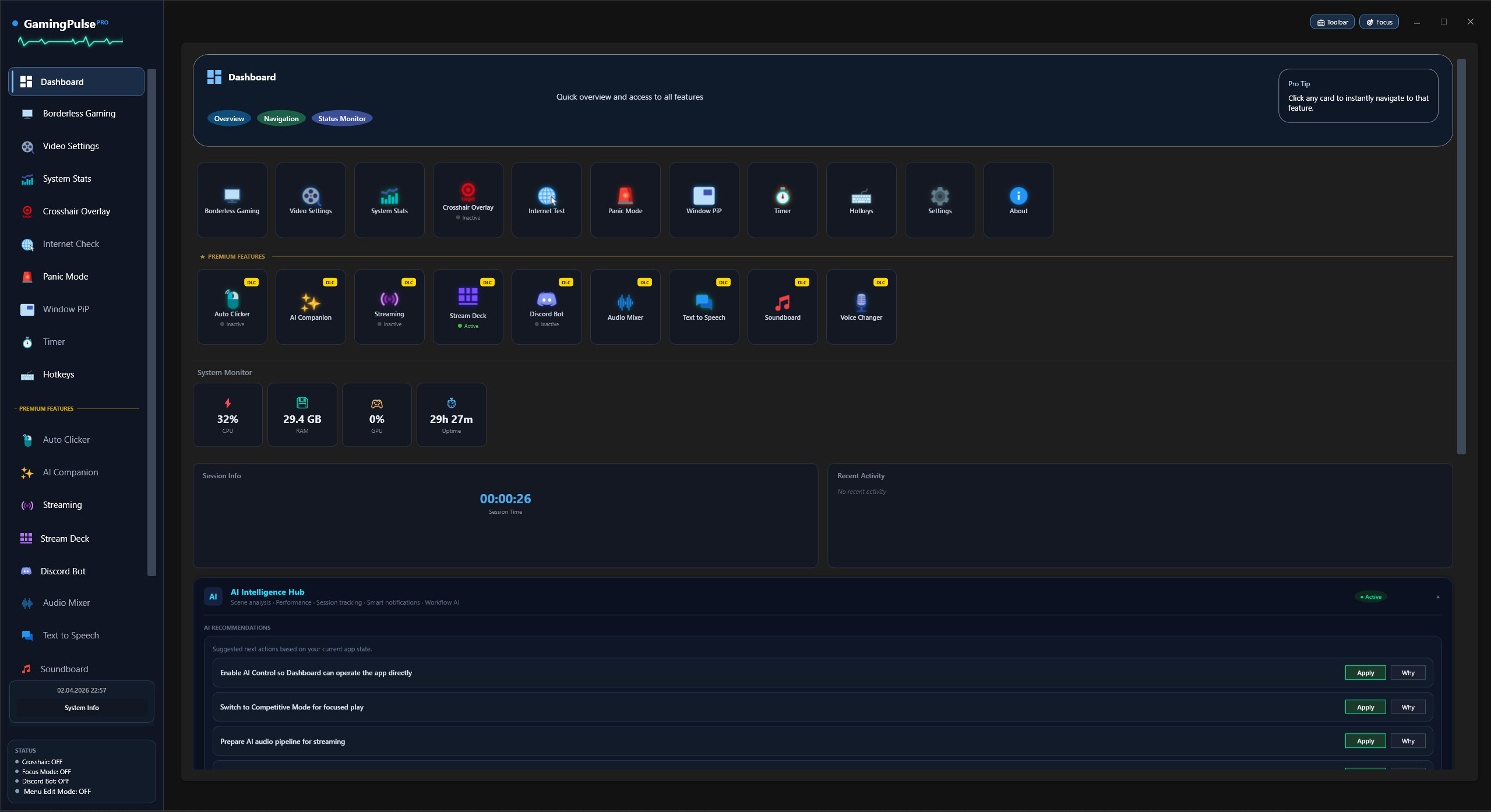
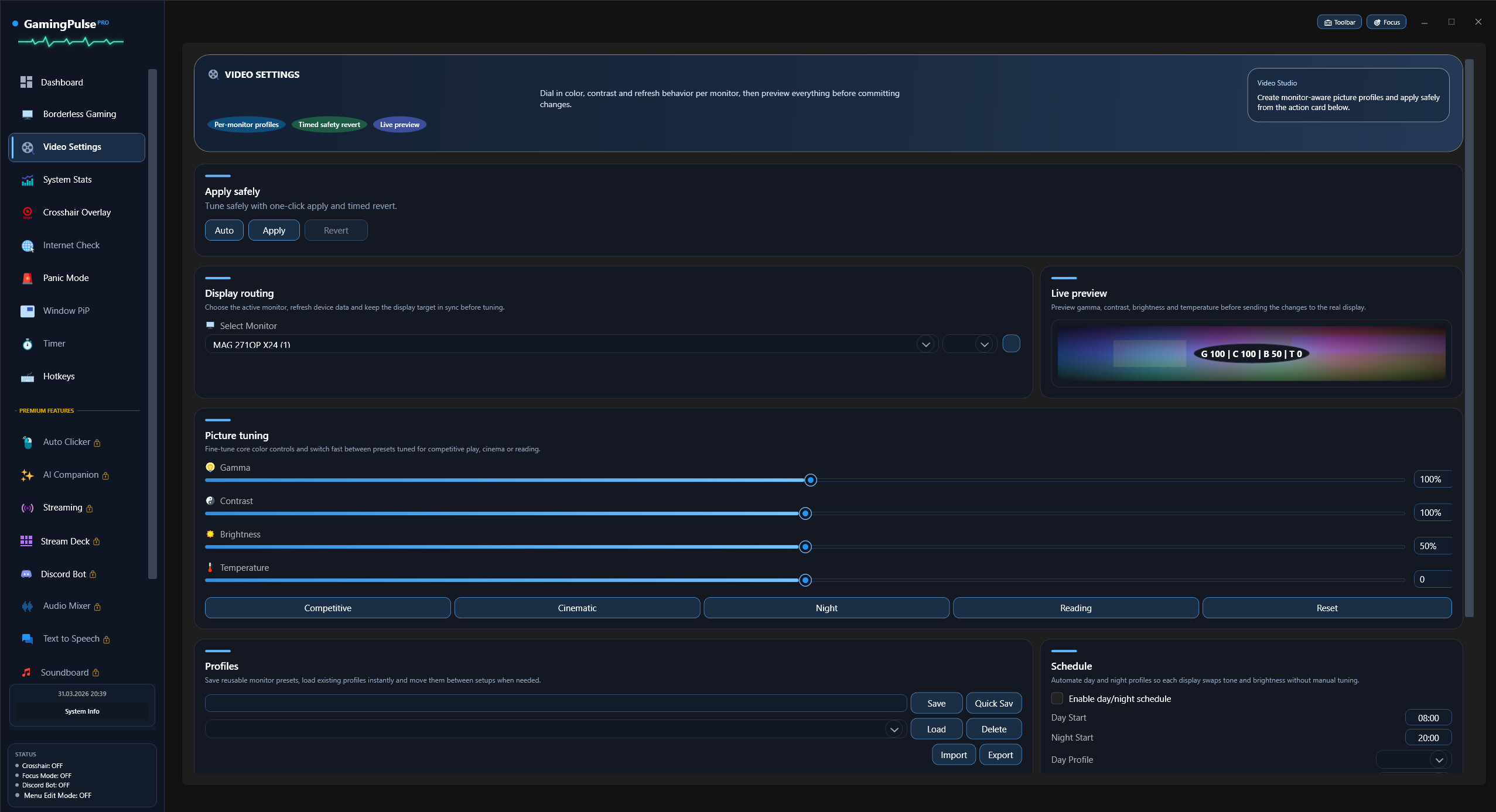
The ultimate gaming companion. Crosshair overlay, FPS/performance HUD, borderless gaming, highlight recorder, heatmaps, health coach, opponent tracker, tournament manager, RGB sync, auto-profiles, panic mode, aim trainer and more — all in one app. Expand with 10 DLC packs.
GamingPulsePRO — Now Live on Steam!
GamingPulsePRO is actively developed with new features and improvements added regularly. Have an idea or found a bug? Join our official community to talk directly with the developer, vote on upcoming features, and get real-time support. Your feedback shapes the future of the app!
About the Software
🎮 GamingPulsePRO — The Ultimate Gaming Companion
An all-in-one gaming utility suite built for competitive and casual gamers alike. Monitor performance, customize overlays, record highlights, track opponents and take care of your health — without ever leaving your game. Expand your toolkit with 10 optional DLC packs for AI, streaming, audio, automation and more. 🚀
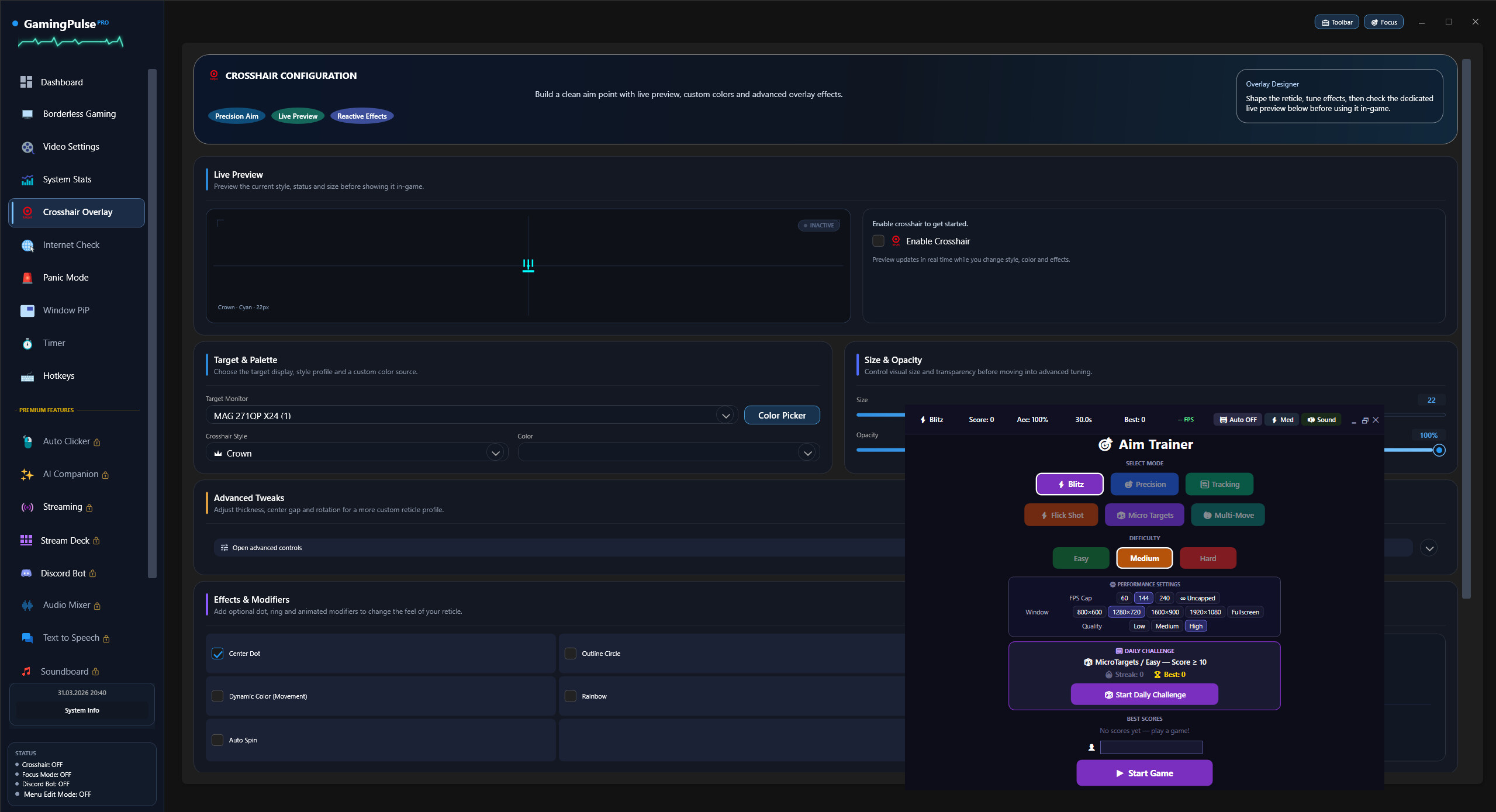
🎯 Crosshair Overlay
🔫 30+ Customizable Styles
Place a fully customizable crosshair on top of any game. Choose from dozens of styles with adjustable color, size, opacity and animation effects.
✨ Visual Effects
Glow effects, center dot, outline circle and dynamic modifiers. Live preview before applying in-game.
🔄 Per-Game Auto-Switch
Link a crosshair to each game profile. When the game launches your preferred crosshair appears automatically.
🖥️ Multi-Monitor
Configure a different crosshair for each monitor — ideal for multi-screen setups.
📊 FPS & Performance HUD
📈 Real-Time Metrics
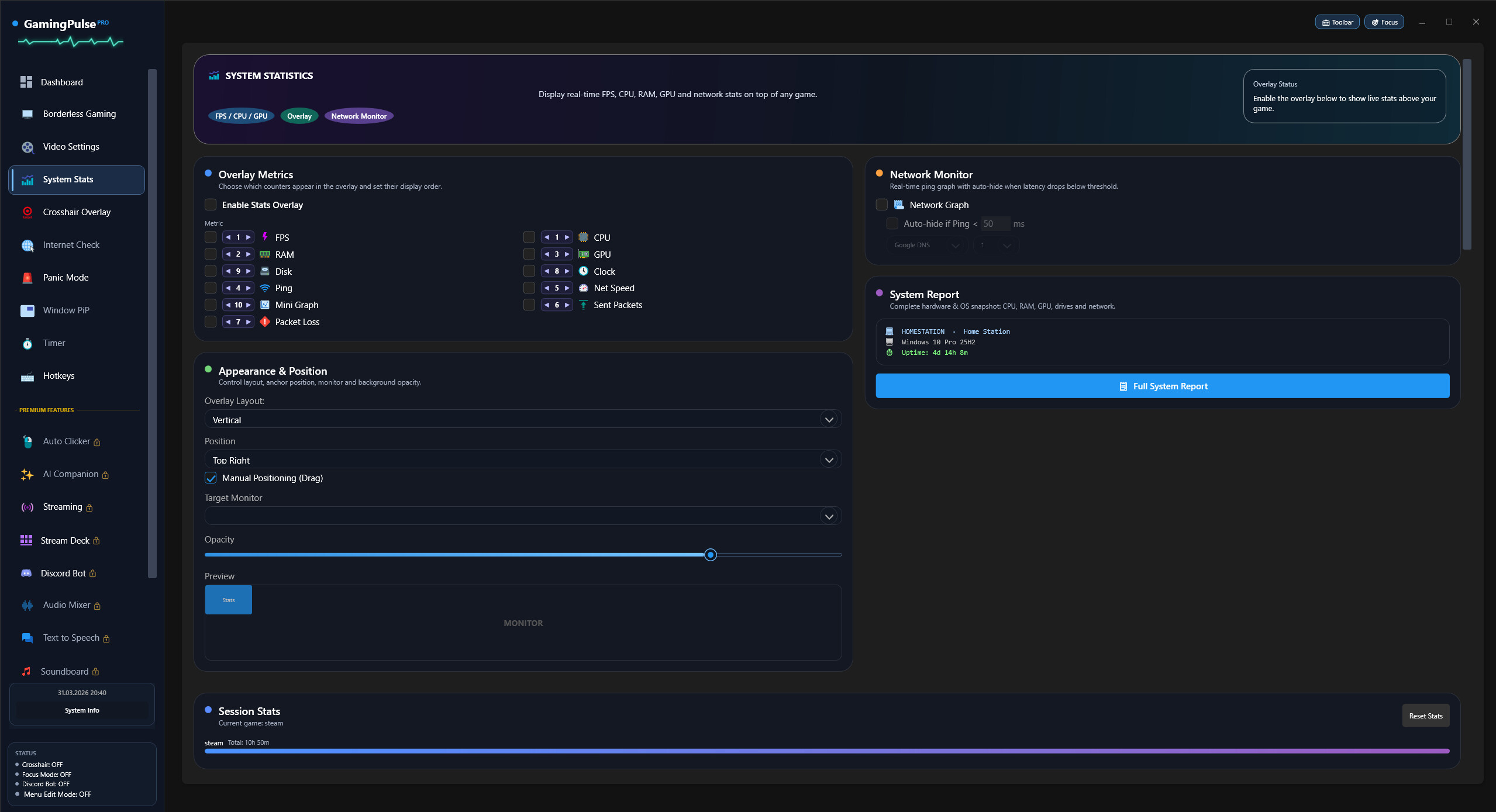
Always-on-top overlay displaying FPS, CPU usage, GPU usage, RAM and network latency — all at a glance.
⏱️ Frame Time Analysis
Detailed frame time graphs to diagnose stuttering and micro-lag.
🌐 Network Monitor
Ping graph with configurable auto-hide threshold. See your connection quality in real time.
📍 Draggable & Transparent
Position the HUD anywhere on screen. Adjust transparency so it never blocks your game.
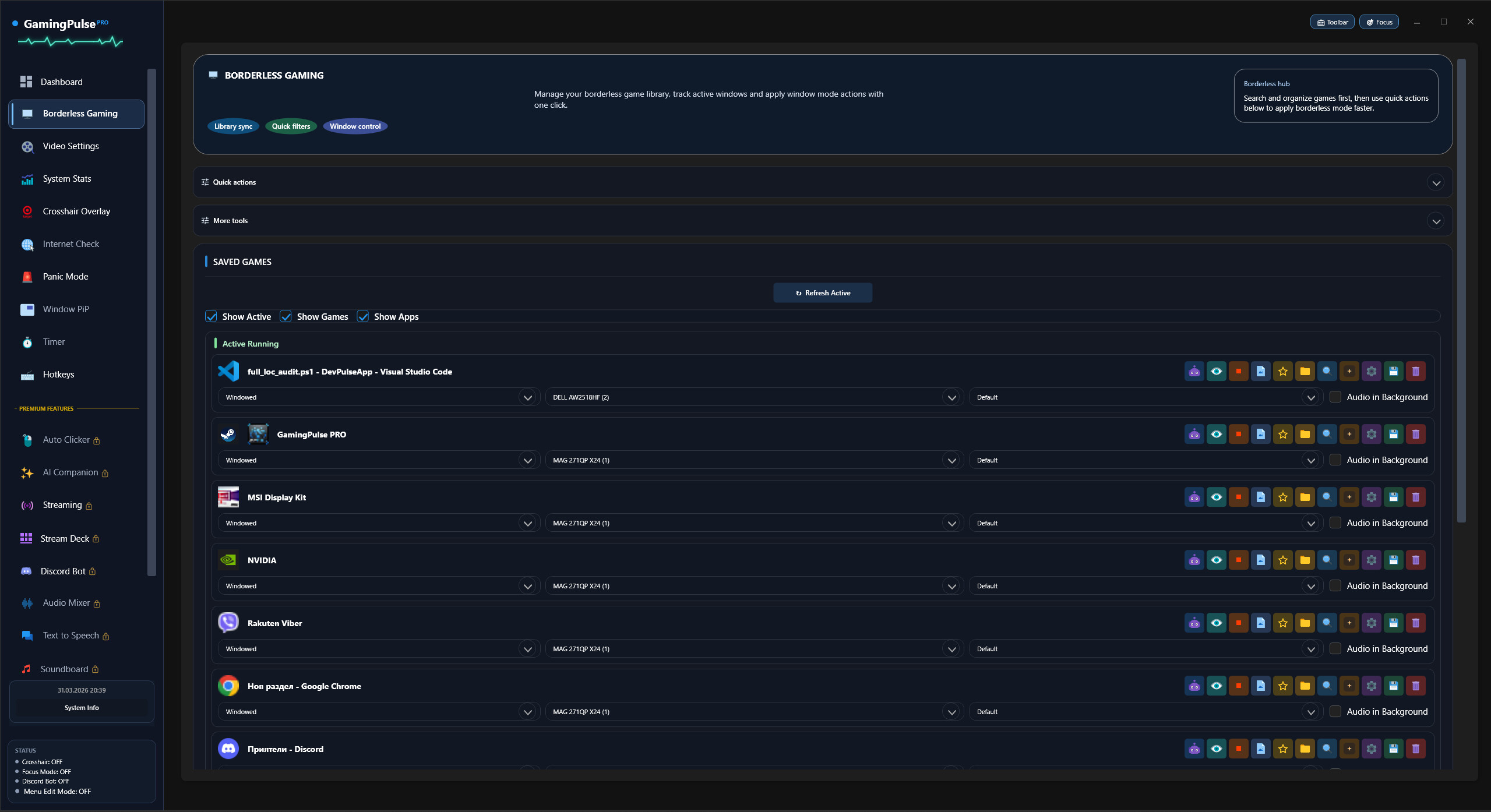
🖥️ Borderless Gaming
🪟 True Borderless Mode
Convert any windowed game into a true borderless fullscreen window with one click. No more window borders or title bars.
💾 Per-Game Profiles
Save borderless settings, resolution preferences and monitor assignment for each game.
🖥️ Multi-Monitor Support
Assign each game to a specific monitor. Window positioning and sizing controls included.
📹 Highlights & Recording
🎬 Automatic Highlight Detection
Audio-peak analysis detects exciting moments in real time and marks them for you.
⏺️ 30-Second Clip Recording
FFmpeg-powered silent clip capture. Hit a hotkey and the last 30 seconds are saved.
🏆 Highlight Reel Generator
Auto-rank and organize recorded clips into a best-of reel. Smart auto-tagging categorizes each clip.
🎤 Voice Notes
Record audio commentary on top of any clip for quick review.
📸 Screenshot Capture
In-game screenshot tool with custom output folder.
🏆 Competitive Tools
👤 Opponent Tracker
Log win/loss records and notes for every player you face. Build a personal scouting database.
🛡️ Cheat Detection Alerts
Flagged-player database with suspicious-activity notifications. Stay informed about known cheaters.
🏅 Tournament Bracket Manager
Create and manage single-elimination brackets for up to 8 teams — perfect for community tournaments.
🎯 Aim Trainer
Built-in target-practice tool to sharpen your aiming skills. Track milestones and unlock achievements.
📊 Performance Timeline
Track session-by-session metrics with CSV export for deep analysis.
🔥 Keyboard & Mouse Heatmaps
⌨️ Keyboard Heatmap
See which keys you press the most across each game session. Color-coded visual overlay reveals your habit patterns.
🖱️ Mouse Heatmap
Track cursor movement patterns to understand your play style and discover muscle-memory zones.
❤️ Health & Wellness
⏰ Session Health Coach
Periodic reminders for breaks, water, stretching and eye rest. Fully configurable intervals.
😤 Tilt Detector
Behavioral analysis of your mouse and keyboard input detects frustration. Visual and audio alerts help you step back before tilting.
😊 Mood Tracker
Pattern-based mood analysis throughout your session.
💤 Anti-AFK
Keep your character active in games that kick idle players. Customizable jiggle mode and key-press interval.
🎮 Game Library & Auto-Profile
📚 Game Library Manager
Auto-detect installed games or add them manually. Each game gets its own profile card.
⚡ Auto-Profile Switching
When a game launches, GamingPulsePRO automatically applies the right crosshair, HUD position, borderless mode, hotkeys and resolution settings.
📤 Profile Import / Export
Share profiles with friends or back them up across devices.
🌈 RGB Sync
💡 Event-Driven Lighting
Sync RGB peripherals to in-game events: kills, deaths, low HP, victory and defeat. Custom color per event type.
🔧 Hardware Support
Compatible with OpenHardwareMonitor-detected devices.
⌨️ Hotkey & Input System
🔑 Global Hotkeys
Configurable keyboard and mouse shortcuts for every feature. Work even when the app is minimized or behind a fullscreen game.
🚨 Panic Mode
One-key kill switch instantly disables all overlays and effects. Press again to restore.
🎛️ Floating Toolbar
Quick-access toolbar hovering over your desktop for one-click control of common features.
📡 Connectivity & Network
🌐 Internet Connectivity Checker
Visual status indicator for your internet connection. Instant feedback when your network drops.
⏱️ Countdown Timer
Built-in timer with Pomodoro-friendly interface — ideal for timed practice sessions.
🪟 Picture-in-Picture
📺 Windows PIP
Watch a second window while gaming in fullscreen. Keep an eye on Discord, a stream, or a guide without alt-tabbing.
💬 Chat Translation Overlay
🌍 Real-Time Translation
OCR-based text capture translates in-game chat on the fly. Communicate with teammates in any language.
🏅 Achievement System
🏆 Unlock Achievements
Milestones for first sessions, aim trainer scores, tournament wins, late-night gaming (Night Owl), high-performance sessions (Speed Demon) and more. Track your progress in the app.
🌍 Multi-Language Support
🗣️ 7 Languages
Full UI available in English, Bulgarian, German, Spanish, French, Japanese, Russian and Chinese. Switch languages in-app without restarting.
🧩 Expand with DLC Packs
Unlock advanced features with optional DLC add-ons:
- 🤖 AI Companion — Real-time AI chat, Vision screen analysis, voice I/O, 4 AI providers
- 🎚️ Audio Mixer — Per-app volume faders, VU meters, audio mirroring
- 🤖 Discord Bot — Full-featured Discord bot with giveaways, tickets, roles, Command Studio
- ⚙️ Automation Pack — Auto-clicker, macro recorder, visual scripting, AI vision control
- 🗣️ Text-to-Speech — 4 TTS engines (OpenAI, ElevenLabs, SAPI, Azure), OCR input, waveform
- 🕹️ Gamepad Hub — Controller overlay, button remapping, deadzone/sensitivity profiles
- 🔊 Soundboard — Sound effects with hotkeys, multiple output devices
- 🎙️ Voice Changer — Real-time pitch, formant and effects processing
- 📺 Streaming Overlay — Live alert animations, follower/sub notifications, OBS integration
- 🎨 Theme Pack — 6 exclusive neon accent colors, premium visual presets
All DLC packs are optional. The base app is fully functional.
One app. Every tool. Zero compromise. 🎮
Media
Trailers and screenshots straight from the store page
Price intelligence
Accepted price history and the lows that matter
No price history recorded yet.
No history yet.
GamingPulsePRO price history and best deals
Price tracking for GamingPulsePRO across authorized stores.